

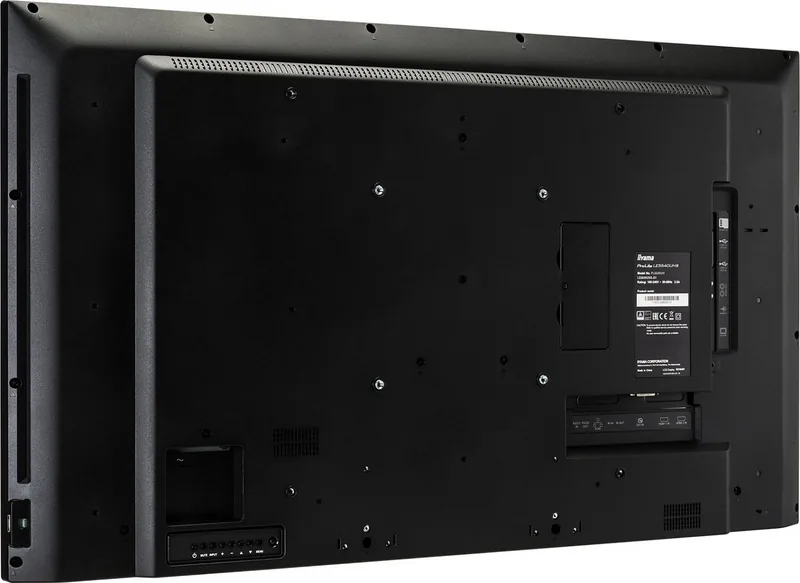
iiyama ProLite 40 Series LExx40UHS-B1 Manual
PDF manual · 59 Pages
English



Quick check
Incorrect answer, please try again.
Chat with your iiyama ProLite 40 Series LExx40UHS-B1 manual using AI
Get instant AI answers from your iiyama ProLite 40 Series LExx40UHS-B1 manual
Ask anything about the iiyama ProLite 40 Series LExx40UHS-B1. Answers come from this manual, with the pages they are based on.
ProLite 40 Series LExx40UHS-B1 Maintenance Schedule
Regularly clean the display with a dry soft cloth. Do not use paper towels as they may damage the LCD.
Replace batteries if the remote does not function even at a short distance from the sensor. Use only AAA batteries.
Free maintenance reminders
Timed to your purchase date. Always free, unsubscribe anytime.
Ask a Question
Do you recommend ProLite 40 Series LExx40UHS-B1?
Yes NoFrequently Asked Questions
It is designed for digital signage, presentations, and public-facing displays. The series focuses on clear 4K visuals, flexible connectivity, and easy content playback in professional settings.
Is this answer helpful?
The lineup includes 43-inch, 50-inch, and 55-inch models. Each version keeps the same general signage-focused feature set while offering different physical sizes for different spaces.
Is this answer helpful?
Yes. It supports direct playback from USB or microSD storage and can handle media playlists, PDF files, photos, music, and video content through built-in signage functions.
Is this answer helpful?
It is not specifically designed for nonstop 24/7 use. The recommended operating time is around 18 hours per day, so planned breaks are recommended for long-term reliability.
Is this answer helpful?
It supports VESA mounting and is intended for landscape use. Proper wall strength, ventilation, and safe handling by at least two people are recommended during installation.
Is this answer helpful?
Yes. It offers LAN connectivity, RS-232C control, scheduling, and signage-related network options, making it suitable for managed installations and remote content control.
Is this answer helpful?
Advantages and Disadvantages
Advantages

- Sharp 4K Ultra HD image quality for detailed signage and presentations.
- Multiple connection options including HDMI, DVI, VGA, LAN, USB, and RS-232C.
- Built-in media playback and scheduling features reduce the need for extra hardware.
- Wide viewing angles and strong brightness improve visibility in public spaces.
Disadvantages

- Not designed for outdoor use or screen-upward installation.
- Recommended usage is about 18 hours per day, so it is not ideal for nonstop 24/7 operation.
- Older VGA sources max out below native 4K resolution.
- Requires careful ventilation and mounting to avoid heat and safety issues.
Product Specification
Resolution
3840x2160, 16:9
Response time
8ms
Viewing angle
178°/178°
Shape
flat
Coating
non-glare (matt)
Backlight
White-LED
HDR
N/A
Refresh rate
60Hz
Operating time
18h/7
Manufacturer's warranty
three years (processing via manufacturer, product registration within 60 days after purchase: Link, warranty information: Link)
Product Description
iiyama ProLite 40 Series LExx40UHS-B1: Professional Signage with 4K Clarity
The iiyama ProLite 40 Series LExx40UHS-B1 is built for businesses that need a dependable large-format display with a clean, modern presentation. Available across 43, 50, and 55-inch sizes, this series combines Ultra HD resolution with strong brightness and wide viewing angles, making it a practical choice for retail spaces, reception areas, meeting environments, and public information screens. If you are looking for the iiyama ProLite 40 Series LExx40UHS-B1 Manual, you will find that the product is designed around straightforward setup, flexible input options, and safe long-term use.
At the heart of the series is a 3840 × 2160 resolution panel that delivers sharp text, detailed graphics, and smooth digital signage playback. The displays are especially suited for landscape use, where content such as menus, notices, advertisements, dashboards, and promotional slides can be shown clearly across a wide canvas. With native support for HDMI, DVI-D, VGA, RS-232C, LAN, USB, and microSD, the lineup gives installers and content managers plenty of ways to connect and control the screen.
The built-in media and signage functions add real value for everyday operation. Users can play video, photo, music, and PDF content directly from USB or SD storage, create playlists, and manage display behavior through the on-screen menu or remote control. Network features such as browser access, iiSignage support, and scheduling tools make it easier to automate content and maintain a consistent public-facing message. For environments that need centralized control, RS-232C and LAN connectivity help simplify integration.
Design-wise, the ProLite 40 Series aims for stable performance and easy installation. VESA mounting support makes wall placement more convenient, while the stereo speakers and audio output options help cover basic presentation needs without extra equipment. The displays also include power management, screen adjustment tools, and image-preservation features that help protect the panel during extended operation.
For best results, the series should be used with attention to ventilation, proper mounting, and native 4K signal sources. The manual also emphasizes safe handling, regular cleaning, and avoiding static imagery for long periods. In short, this is a practical signage solution for organizations that want reliable visual performance with professional control features.
Notes
- Best used in landscape orientation
- Ideal for signage, presentations, and lobby content
- 4K content delivers the sharpest results
- Keep ventilation space clear for safe operation
Search for 67,706 Manuals online


Type-in Brand or Model