
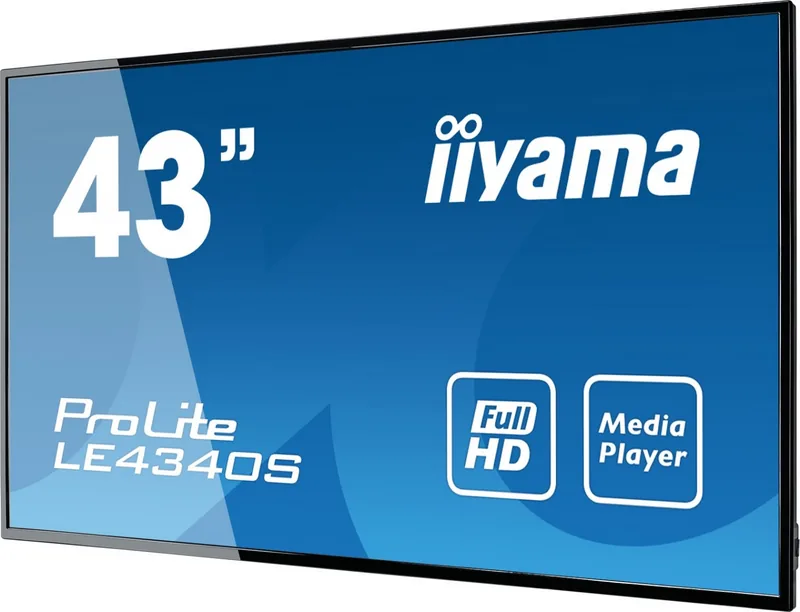
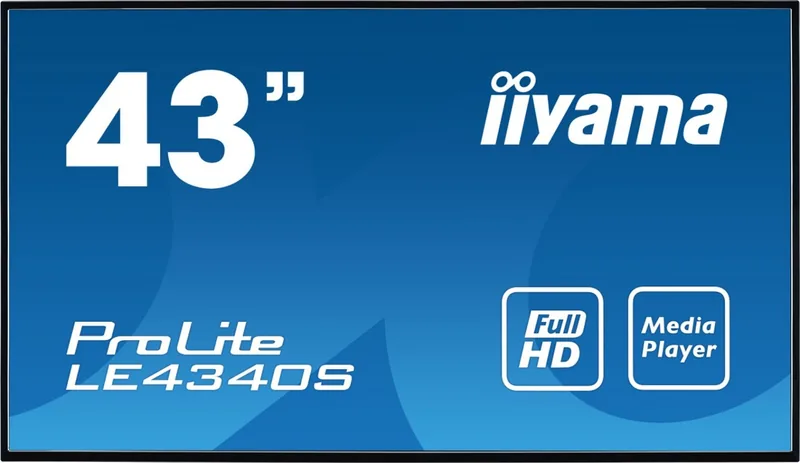

iiyama ProLite 40 Series LExx40S Manual
PDF manual · 49 Pages
English



Quick check
Incorrect answer, please try again.
Chat with your iiyama ProLite 40 Series LExx40S manual using AI
Get instant AI answers from your iiyama ProLite 40 Series LExx40S manual
Ask anything about the iiyama ProLite 40 Series LExx40S. Answers come from this manual, with the pages they are based on.
ProLite 40 Series LExx40S Maintenance Schedule
Regularly clean the display with a dry soft cloth. Do not use paper towels or harsh cleaning agents.
Activate the Pixel Shift function in the menu to automatically move the image content after 30 seconds of inactivity.
If a static image is displayed for one hour, turn the monitor off for one hour to eliminate ghost images.
Ask a Question
Do you recommend ProLite 40 Series LExx40S?
Yes NoFrequently Asked Questions
No, the iiyama ProLite 40 Series is designed strictly for indoor use and will not withstand outdoor weather conditions.
Is this answer helpful?
Yes, the display supports Plug and Play with Macintosh systems, though drivers are generally not required.
Is this answer helpful?
Enable the Pixel Shift feature in the menu, use screen savers, or vary the displayed content regularly to avoid static images.
Is this answer helpful?
All models in the ProLite 40 Series support a maximum resolution of 1920 x 1080 pixels (Full HD).
Is this answer helpful?
Yes, the units comply with VESA mounting standards, but you must check the specific hole pattern for your model size.
Is this answer helpful?
Yes, all models come equipped with internal 10W stereo speakers for basic audio output.
Is this answer helpful?
The display consumes less than 0.5W when in standby mode, complying with VESA DPMS requirements.
Is this answer helpful?
Advantages and Disadvantages
Advantages

- High contrast ratios up to 4000:1 for deep blacks and vivid colors
- Versatile connectivity including HDMI, DVI, VGA, and LAN ports
- Built-in USB media player for standalone content playback
- Robust design suitable for commercial and public environments
- Energy-saving Eco Mode and standby features reduce power consumption
Disadvantages

- Not designed for continuous 24/7 operation without breaks
- Response time may be slower compared to gaming monitors
- No native 4K resolution; limited to Full HD maximum
- Requires careful handling due to heavy weight on larger models
- Remote control requires separate batteries not always included in all regions
Product Specification
Resolution
1920x1080, 16:9
Brightness
350 cd/m^2
Viewing angle
178°/178°
Shape
straight (flat)
Backlight
White-LED
HDR
N/A
Refresh rate
60Hz
Features
Speakers (2x 10W)
Manufacturer warranty
three years (processing via manufacturer, product registration within 60 days after purchase: Link, warranty information: Link)
Product Description
Elevate Your Visual Experience with the iiyama ProLite 40 Series LExx40S
The iiyama ProLite 40 Series LExx40S represents a significant leap forward in display technology, designed specifically for professional environments that demand reliability and clarity. This series encompasses models ranging from 32 to 55 inches, offering versatile solutions for digital signage, corporate presentations, and high-traffic public spaces. Whether you are managing a retail store, a conference room, or an information kiosk, these displays provide the robust performance necessary to keep your audience engaged.
At the heart of the iiyama ProLite 40 Series is a commitment to visual excellence. Each model features Full HD resolution, ensuring crisp text and vibrant imagery. The lineup includes various panel technologies tailored to specific needs, such as IPSS for standard viewing and AMVA for superior contrast ratios up to 4000:1. With brightness levels consistently hitting 350cd/m2, these screens remain visible even in well-lit rooms, eliminating glare issues common in traditional monitors. The inclusion of stereo speakers integrated into the chassis simplifies setup by removing the need for external audio equipment in many scenarios.
Connectivity is seamless across the board. Users can easily connect via HDMI, DVI-D, VGA, and Component inputs, ensuring compatibility with almost any source device. Advanced connectivity options include LAN ports for network management and RS-232C interfaces for centralized control in large installations. The built-in USB media player allows users to run content directly from flash drives without needing a connected PC, adding flexibility to how information is presented.
Durability and ease of use are paramount in this series. The displays come equipped with remote controls for convenient operation and support VESA mounting standards, allowing for flexible installation on walls or stands. Specialized features like Pixel Shift help prevent image sticking during long-term static display usage, a common concern in digital signage applications. Additionally, the Eco Mode function optimizes power consumption, helping organizations reduce energy costs while maintaining performance.
Key Notes for Installation
- Ensure adequate ventilation around the unit to prevent overheating during extended operation.
- Use only the specified power cables to maintain warranty validity and safety.
- For wall mounting, verify that the wall structure can support the weight of the specific model chosen.
- Regularly update firmware if available through the network settings to ensure optimal functionality.
Pros and Cons
Pros
- High contrast ratios up to 4000:1 for deep blacks and vivid colors
- Versatile connectivity including HDMI, DVI, VGA, and LAN ports
- Built-in USB media player for standalone content playback
- Robust design suitable for commercial and public environments
- Energy-saving Eco Mode and standby features reduce power consumption
Cons
- Not designed for continuous 24/7 operation without breaks
- Response time may be slower compared to gaming monitors
- No native 4K resolution; limited to Full HD maximum
- Requires careful handling due to heavy weight on larger models
- Remote control requires separate batteries not always included in all regions
Frequently Asked Questions
Q: Can I use this display outdoors? A: No, the iiyama ProLite 40 Series is designed strictly for indoor use and will not withstand outdoor weather conditions.
Q: Is the display compatible with Mac computers? A: Yes, the display supports Plug and Play with Macintosh systems, though drivers are generally not required.
Q: How do I prevent image sticking on the screen? A: Enable the Pixel Shift feature in the menu, use screen savers, or vary the displayed content regularly to avoid static images.
Q: What is the maximum resolution supported? A: All models in the ProLite 40 Series support a maximum resolution of 1920 x 1080 pixels (Full HD).
Q: Can I mount this display on a wall? A: Yes, the units comply with VESA mounting standards, but you must check the specific hole pattern for your model size.
Q: Does it have built-in speakers? A: Yes, all models come equipped with internal 10W stereo speakers for basic audio output.
Q: How much power does it consume in standby mode? A: The display consumes less than 0.5W when in standby mode, complying with VESA DPMS requirements.
Search for 67,706 Manuals online


Type-in Brand or Model