
iiyama MD BRPCV03/04 Manual
PDF manual · 1 Pages
English


Quick check
Incorrect answer, please try again.
Chat with your iiyama MD BRPCV03/04 manual using AI
Get instant AI answers from your iiyama MD BRPCV03/04 manual
Ask anything about the iiyama MD BRPCV03/04. Answers come from this manual, with the pages they are based on.
Ask a Question
Do you recommend MD BRPCV03/04?
Yes NoFrequently Asked Questions
The MD BRPCV03/04 bracket supports the VESA 100 x 100 mounting pattern, which is common for mini PCs and many small form factor devices.
Is this answer helpful?
Yes. If your mini PC is VESA-compatible, align its mounting holes with the bracket and secure it using the supplied screws for direct attachment.
Is this answer helpful?
You can mount the device's VESA-compliant plate to the MD BRPCV03/04 bracket, then attach your device to that plate. This two-step method accommodates devices that include their own bracket.
Is this answer helpful?
The bracket is designed to slide onto the stand of compatible iiyama height-adjustable monitors. It may not integrate properly with non-iiyama stands or fixed monitors.
Is this answer helpful?
Screws are supplied for direct mounting of VESA-compatible devices. If using an alternate plate or non-standard hardware, you may need additional screws or adapters.
Is this answer helpful?
No. The bracket is intended for small form factor mini PCs and thin clients and is not suitable for larger or heavier desktop computers.
Is this answer helpful?
The white finish offers a clean look that matches modern setups. Over time it may show dust or discoloration more visibly than darker finishes, so occasional cleaning is recommended.
Is this answer helpful?
Advantages and Disadvantages
Advantages

- Keeps mini PCs off the desk and improves cable management
- Supports standard VESA 100x100 for broad device compatibility
- Simple two-option installation for direct or plate-based mounting
- White finish complements modern monitors and office setups
- Integrates with iiyama height-adjustable monitor stands for a tidy setup
Disadvantages

- Requires a compatible iiyama height-adjustable monitor for full integration
- Limited to VESA 100x100; non-standard devices need adapters
- May need extra screws or plate if device lacks compatible mounting hardware
- White finish can show dirt or discoloration over time
- Not suitable for larger or heavier desktop PCs
Product Specification
Type
Mini PC mount
Compatibility
iiyama (XUB2792HSU-W1)
Color
white
Product Description
iiyama VESA mount for mini PCs, white Manual
Overview
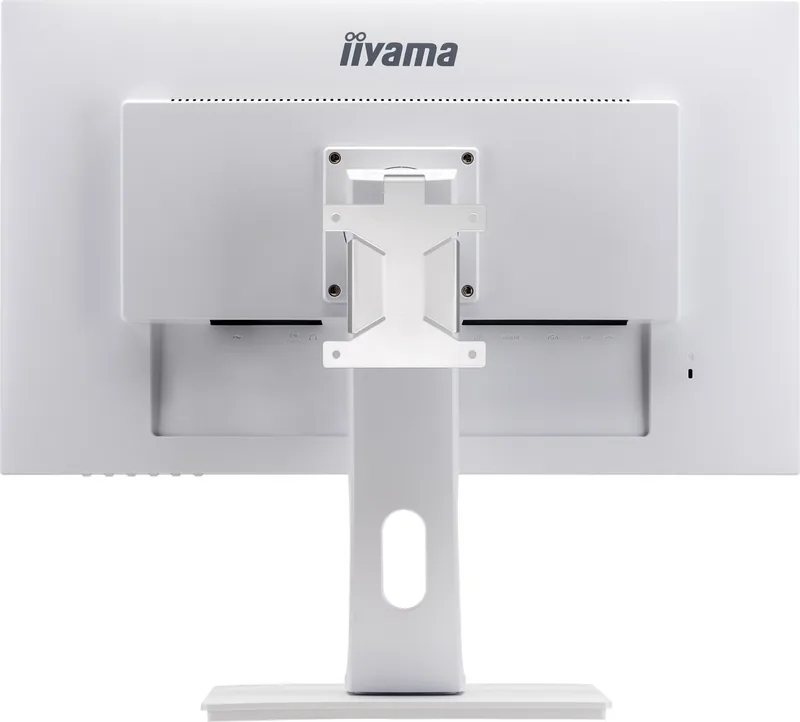
The iiyama VESA mount for mini PCs, white is a compact mounting solution designed to attach small form factor computers to the back of compatible height-adjustable iiyama monitors. It supports direct mounting of VESA-compatible mini PCs or the use of an intermediate VESA plate/bracket when the device includes its own mounting hardware. The bracket is finished in white to match modern monitor aesthetics and helps create a tidy, desk-space-saving setup.
Features and Use
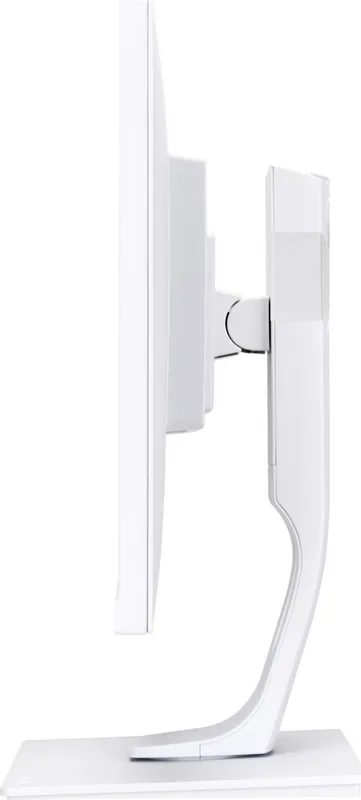
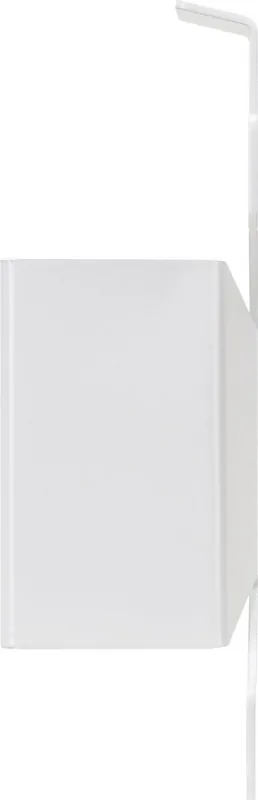
The bracket supports VESA 100 x 100 mounting and offers two installation options: direct attachment of a VESA-compatible mini PC using the supplied screws, or mounting the monitor’s VESA-compliant plate onto the bracket and then attaching the device to that plate. Once the mini PC is secured to the MD BRPCV03/04 bracket, the entire assembly slides onto the stand of a compatible iiyama height-adjustable monitor, keeping the device out of the way and improving cable management.
Installation is straightforward: align the holes between device and bracket, fasten with the supplied screws for direct mounting, or attach the device’s own VESA plate to the bracket when needed. The design emphasizes simplicity, compatibility, and a clean aesthetic.
Benefits
Using this iiyama VESA mount keeps workspaces uncluttered and secures mini PCs safely behind the display. Its white finish integrates well with bright office or home setups, and compatibility with standard VESA 100x100 makes it suitable for a wide range of small PCs and thin-client devices. The solution also complements iiyama’s height-adjustable monitors by allowing the assembly to slide onto the monitor stand, providing stable and adjustable monitor-plus-device configurations.
Notes
- Designed specifically to pair with compatible height-adjustable iiyama monitors.
- Supports VESA 100 x 100 mounting standard.
- Two mounting methods: direct device-to-bracket or via an intermediate VESA plate.
- Supplied screws are used for direct mounting; ensure you have the correct screws if using an alternate plate.
Search for 67,706 Manuals online


Type-in Brand or Model