
iiyama G-Master GCB3280QSU-B1 Red Eagle Manual
PDF manual · 33 Pages
English



Quick check
Incorrect answer, please try again.
Chat with your iiyama G-Master GCB3280QSU-B1 Red Eagle manual using AI
Get instant AI answers from your iiyama G-Master GCB3280QSU-B1 Red Eagle manual
Ask anything about the iiyama G-Master GCB3280QSU-B1 Red Eagle. Answers come from this manual, with the pages they are based on.
G-Master GCB3280QSU-B1 Red Eagle Maintenance Schedule
Clean with a soft dry cloth. Do not use tissue paper as it will damage the screen.
Remove stains with a cloth lightly moistened with mild detergent solvent, then wipe with a soft dry cloth.
Ask a Question
Do you recommend G-Master GCB3280QSU-B1 Red Eagle?
Yes NoFrequently Asked Questions
The monitor has a native resolution of 2560 x 1440 pixels, also known as QHD. This provides more workspace and finer detail than Full HD while remaining practical for gaming and general desktop use.
Is this answer helpful?
The maximum refresh rate is 165Hz when connected through DisplayPort at 2560 x 1440. Through HDMI, the monitor supports up to 2560 x 1440 at 144Hz.
Is this answer helpful?
Yes. The monitor includes two HDMI inputs and supports common console signals including 1080p and 1440p at 60Hz or 120Hz for compatible PlayStation 5 and Xbox Series X/S setups.
Is this answer helpful?
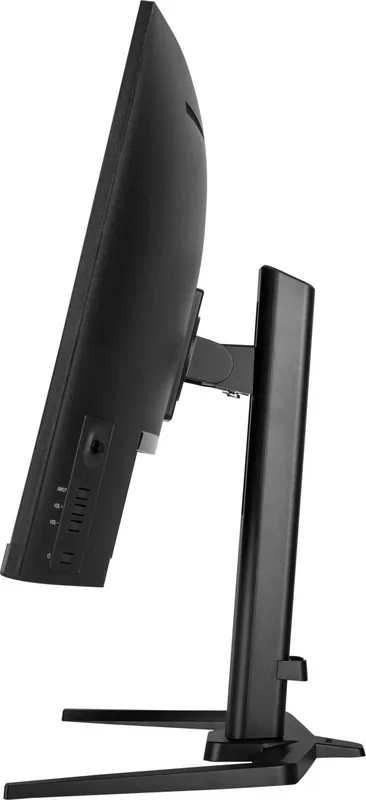
Yes. The included stand supports up to 150mm of height adjustment, swivel up to 45 degrees left or right, and tilt from 5 degrees forward to 23 degrees backward.
Is this answer helpful?
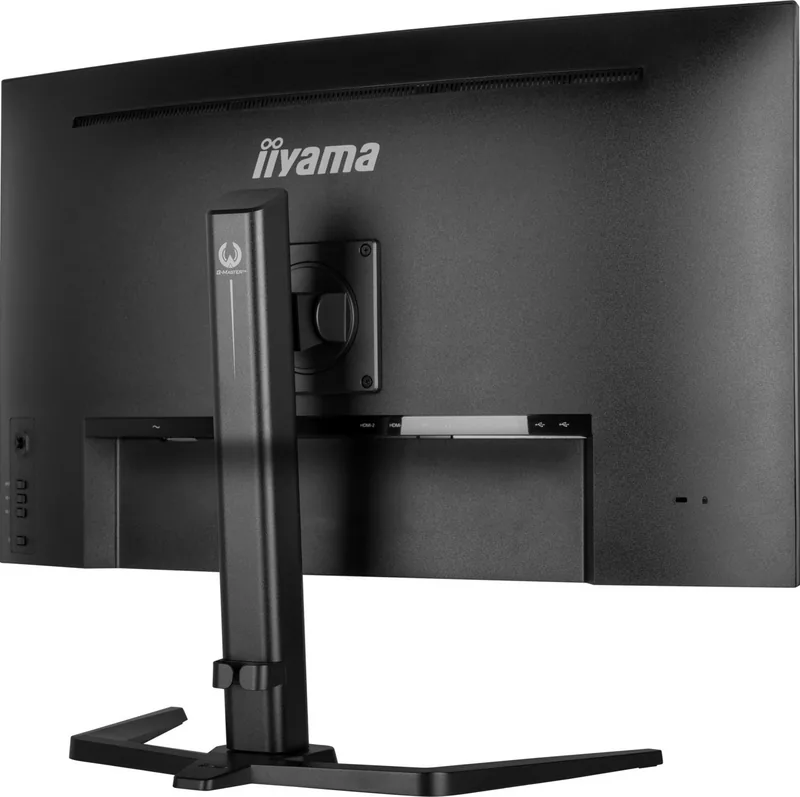
Connections include two HDMI inputs, one DisplayPort input, a USB 3.0 upstream port, two USB 3.0 downstream ports, a 3.5mm headphone jack, and an AC power connection.
Is this answer helpful?
Yes. The monitor includes flicker-free operation and Blue Light Reduction modes. These settings can help make extended viewing more comfortable, especially in lower-light environments.
Is this answer helpful?
Advantages and Disadvantages
Advantages

- 31.5-inch curved 1500R VA panel combines immersive viewing with a sharp 2560 x 1440 QHD resolution.
- Up to 165Hz via DisplayPort, 144Hz via HDMI, 0.2ms MPRT, and Adaptive Sync support fast, fluid gameplay.
- Strong 3000:1 typical contrast, 350 cd/m2 brightness, HDR support, Black Tuner, and adjustable image modes.
- Flexible connectivity includes 2 HDMI ports, DisplayPort, a USB 3.0 hub, headphone output, and built-in speakers.
- Ergonomic stand offers 150mm height adjustment, 45-degree swivel, tilt, and 100 x 100mm VESA compatibility.
Disadvantages

- The VA panel is limited to landscape orientation and is not intended for dedicated 24/7 operation.
- Integrated 2W stereo speakers are convenient but may lack the impact of external speakers or a headset.
- Some display controls are unavailable when conflicting functions such as HDR, Adaptive Sync, or Direct Drive are enabled.
- Maximum 165Hz refresh rate is available only through the DisplayPort connection.
Product Specification
Function
Monitor (desktop)
Diagonal
31.5 in (80.0 cm)
Resolution
2560x1440 (QHD), 16:9, 93 ppi
Panel
VA
Backlight
LED, blue light filter, flicker-free
Brightness
350 cd/m2 (typical)
Contrast
3,000:1 (static), 80,000,000:1 (dynamic)
Response Time
0.2 ms (MPRT)
Refresh Rate
165 Hz (2560x1440)
Variable Synchronization
Adaptive Sync, AMD FreeSync
Signal Frequency
30-245 kHz (H) / 48-165 Hz (V)
Connections
2x HDMI (144 Hz@2560x1440), 1x DisplayPort (165 Hz@2560x1440), 1x USB-B 3.0 (upstream, 5 Gb/s), 2x USB-A 3.0 (downstream, 5 Gb/s), 1x 3.5 mm jack (line-out), 1x AC-In C13 (power connection)
Shape
curved, 1500R/59.06 in
Viewing Angles
178 degrees/178 degrees
Coating
non-glare (matte)
Color Depth
8-bit (16.7 million colors)
FRC
unknown
Speakers
Speakers (2x 2 W)
Controls
mechanical buttons, joystick
Ergonomics
with stand, height-adjustable (5.91 in), pivot N/A, swivel (+/-45 degrees), tilt (+23 degrees/-5 degrees)
VESA
100x100 (occupied)
Power Consumption
40 W (typical), 0.5 W (standby)
SDR Energy Efficiency (A to G)
29 kWh/1,000 h (F)
HDR Energy Efficiency (A to G)
53 kWh/1,000 h (G)
Special Features
security lock (Kensington Security Slot), slim bezel
Screen-to-Body Ratio
90.50% (calculated)
Dimensions
27.93x18.62x11.42 in (WxHxD) with stand compressed, 27.93x16.77x3.44 in (WxHxD) without stand
Color
black (display bezel) / black (bottom bezel) / black (stand) / black (rear)
Weight
19.84 lb (with stand)
Power Supply
internal
Warranty
three years (handled by manufacturer, product registration within 60 days of purchase: link, warranty information: link)
USB Notation
link
Product Description
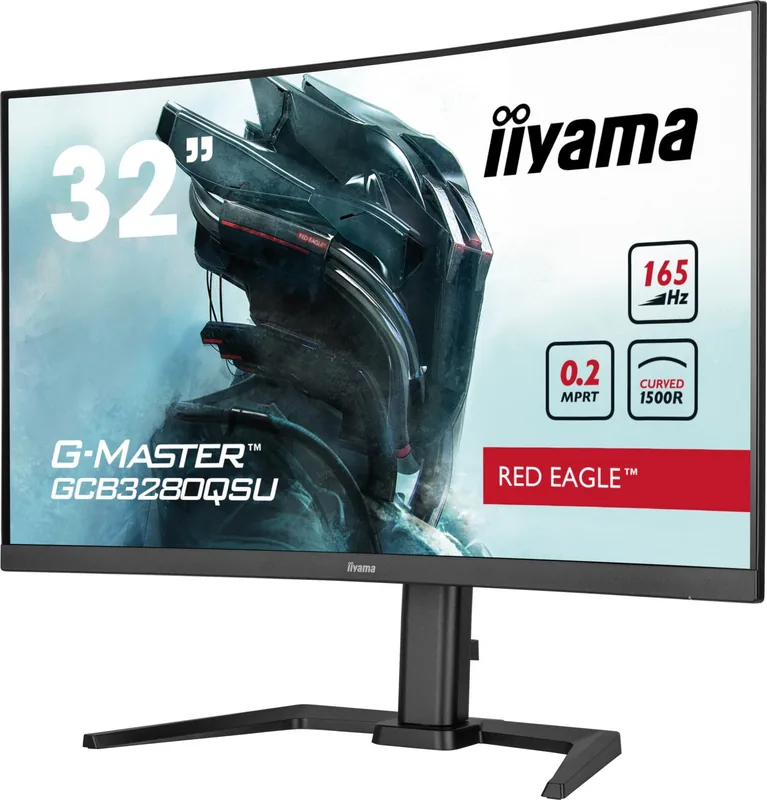
iiyama G-Master GCB3280QSU-B1 Red Eagle, 31.5"
The iiyama G-Master GCB3280QSU-B1 Red Eagle, 31.5" is a curved QHD gaming monitor designed for immersive play, responsive action, and versatile everyday use. Its expansive 31.5-inch VA panel uses a 1500R curve to bring the edges of the screen naturally into view, while the 2560 x 1440 resolution delivers a sharp, detailed workspace for games, media, and multitasking.
Built for fast-paced gaming
With a maximum refresh rate of 165Hz through DisplayPort and a 0.2ms MPRT response time, this Red Eagle monitor is equipped for fluid motion and reduced blur in competitive titles. Adaptive Sync support helps match the display to compatible graphics output, reducing tearing and stutter for a smoother gaming experience. HDMI supports QHD operation up to 144Hz, making the monitor suitable for PCs as well as modern consoles.
The VA panel offers a typical 3000:1 contrast ratio and 350 cd/m2 brightness, helping dark scenes retain depth while preserving bright highlights. Black Tuner settings allow users to refine shadow detail, while Overdrive and Motion Blur Reduction provide additional options for tailoring speed and clarity. HDR support is also available for compatible content.
Flexible connections and practical features
The GCB3280QSU-B1 includes two HDMI ports and one DisplayPort input, making it easy to connect a desktop PC, console, or additional media device. A USB 3.0 hub provides one upstream port and two downstream ports, each capable of supplying up to 5V/900mA. There is also a headphone output and a pair of integrated 2W stereo speakers for convenient everyday audio.
Ergonomic adjustment is a major advantage. The supplied stand supports 150mm of height adjustment, 45-degree swivel in either direction, and tilt from 5 degrees forward to 23 degrees backward. For alternative setups, the monitor supports a 100 x 100mm VESA mount. The display is intended for landscape use.
Image controls for different preferences
A joystick-based on-screen menu provides direct access to picture settings, input selection, audio controls, and user profiles. Preset modes cover text, sports, FPS, and strategy gaming, while three custom user modes can store preferred settings. Blue Light Reduction and flicker-free operation support more comfortable extended viewing sessions.
Notes
For the highest 2560 x 1440 resolution at 165Hz, use DisplayPort. Motion Blur Reduction requires a refresh rate of 75Hz or higher, and some image features cannot be used together. The monitor is not designed for dedicated 24/7 operation or portrait orientation.
Search for 67,706 Manuals online


Type-in Brand or Model