
iiyama G-Master GB3266QSU-B1 Red Eagle Manual
PDF manual · 33 Pages
English



Quick check
Incorrect answer, please try again.
Chat with your iiyama G-Master GB3266QSU-B1 Red Eagle manual using AI
Get instant AI answers from your iiyama G-Master GB3266QSU-B1 Red Eagle manual
Ask anything about the iiyama G-Master GB3266QSU-B1 Red Eagle. Answers come from this manual, with the pages they are based on.
G-Master GB3266QSU-B1 Red Eagle Maintenance Schedule
Clean the screen periodically with a soft dry cloth. Do not use tissue paper.
Remove stains with a cloth lightly moistened with mild detergent solvent, then wipe with a soft dry cloth.
Ask a Question
Do you recommend G-Master GB3266QSU-B1 Red Eagle?
Yes No
Gordon Clark
10 months ago
I heard there is strong smearing or black-to-gray trailing in dark games. Is that true, and can it be reduced with settings?

Manual.ly
10 months ago
Some users notice smearing (Schlieren) especially during black-to-gray transitions, which is typical of VA panels and is most visible in darker scenes. That said, you can often reduce it: lower the brightness to a comfortable level, try the monitor's available response time/overdrive mode (if provided), and keep FreeSync enabled to smooth motion. If you have an NVIDIA card, FreeSync over HDMI/DP should still work depending on the connection. If the artifacting remains distracting, consider testing different response settings and game graphics modes, since extreme contrast content can make the effect more noticeable.
DarkGamer99
5 months ago
Does this monitor suffer from significant smearing or ghosting on dark scenes, and are there settings to reduce it?
Manual.ly
5 months ago
Thank you for your inquiry. Some users have noted that the VA panel can exhibit noticeable smearing during transitions between black and grey, particularly in darker gaming scenes. While this is a characteristic of the panel type, we recommend adjusting the brightness and response time settings in the menu. Many users find that lowering the brightness helps minimize the effect. For office work, the issue is generally less apparent.
Adam Hunt
5 months ago
Is the FreeSync feature clearly labeled on the box and does it work with non-AMD graphics cards?
Frequently Asked Questions
The iiyama G-Master GB3266QSU-B1 supports a maximum refresh rate of 144Hz when connected via HDMI 2 or DisplayPort inputs at 2560x1440 resolution.
Is this answer helpful?
Yes, it includes AMD FreeSync Premium technology to synchronize the display's refresh rate with the GPU, reducing screen tearing and stuttering.
Is this answer helpful?
Yes, the monitor is VESA compliant with a 100mm x 100mm mounting pattern, allowing for standard wall or arm mounting.
Is this answer helpful?
You can adjust these settings using the physical buttons on the bottom right of the bezel to access the OSD menu, where you can fine-tune brightness, contrast, and other image parameters.
Is this answer helpful?
Absolutely. The high resolution combined with digital sharpening features makes it excellent for reading text and detailed work, though it is primarily marketed as a gaming display.
Is this answer helpful?
The package includes a power cable, a power adapter, an HDMI cable, a DisplayPort cable, and a USB cable for connecting peripherals.
Is this answer helpful?
Advantages and Disadvantages
Advantages

- Ultra-fast 1ms MPRT response time eliminates motion blur
- AMD FreeSync Premium technology ensures tear-free gameplay
- Extensive ergonomic adjustments including 120mm height lift
- High contrast ratio of 3000:1 for deep, rich blacks
- Dual HDMI and Dual DisplayPort connectivity options
Disadvantages

- Not officially rated for 24/7 continuous operation
- No built-in webcam included in the package
- Built-in speakers may lack bass depth for audiophiles
- OSD menu navigation requires learning curve for new users
- Stand footprint is relatively large on smaller desks
Product Specification
Function
Monitor (stationary)
Diagonal
31.5" (80.0cm)
Resolution
2560x1440 (QHD), 16:9, 93ppi
Panel
VA
Backlight
LED, blue light filter, flicker-free
Brightness
400cd/m^2 (typical)
Contrast
3,000:1 (static), 80,000,000:1 (dynamic)
Response Time
1ms (MPRT)
Refresh Rate
144Hz (2560x1440)
Variable Synchronization
Adaptive Sync, AMD FreeSync Premium certified (48-144Hz via DisplayPort, 48-144Hz via HDMI, with LFC support, with HDR)
Signal Frequency
30-225kHz (H) / 48-144Hz (V)
Connections
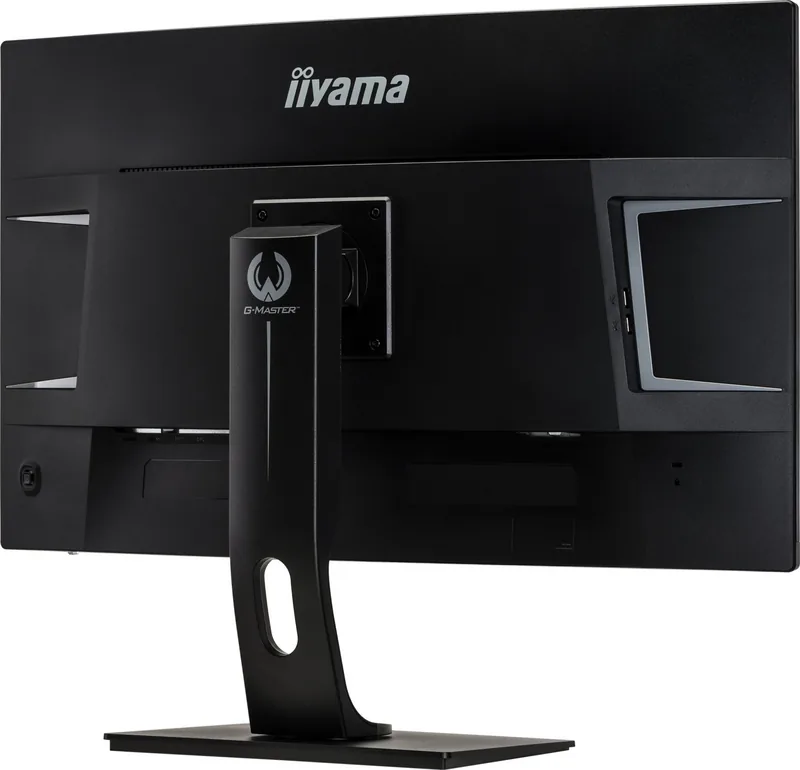
1x HDMI 2.0, 1x HDMI 1.4, 2x DisplayPort 1.2, 1x USB-B 3.0 (Upstream, 5Gb/s), 2x USB-A 3.0 (Downstream, 5Gb/s), 2x USB-A 2.0 (Downstream, 480Mb/s), 1x 3.5mm jack (Line-Out), 1x DC-In hollow socket (power supply)
Shape
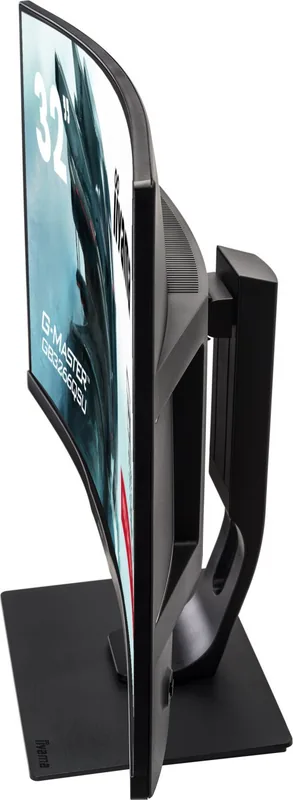
curved (curved), 1800R/1.80m
Viewing Angle
178°/178°
Coating
non-glare (matte)
Color Depth
8bit (16.7 million colors)
FRC
unknown
sRGB
96%
Speakers
Speakers (2x 5W)
Operation
mechanical buttons, joystick
Ergonomics
with stand, height adjustable (120mm), Pivot N/A, rotatable (+/-45°), tiltable (+22°/-5°)
VESA
100x100 (occupied)
Power Consumption
47W (typical), 0.5W (standby), 41W (Energy Label old A+++ to G)
Energy Efficiency SDR (A to G)
38kWh/1000h (G)
Energy Efficiency HDR (A to G)
54kWh/1000h (G)
Energy Efficiency Old (A+++ to G)
59.9kWh (B)
Features
security lock (Kensington Security Slot), Slim Bezel
Screen-to-Body Ratio
89.97% (calculated)
Dimensions
28.0x17.8x9.1in (WxDxH) with stand compressed, 28.0x16.8x3.7in (WxDxH) without stand
Color
black (display frame) / black (lower bezel) / black (stand) / black (backside)
Weight
19.84lb (with stand)
Power Supply
external
Warranty
three years (processing via manufacturer, product registration within 60 days after purchase: Link, warranty information: Link)
USB Spelling
Link
Product Description
Elevate Your Gaming Experience with the iiyama G-Master GB3266QSU-B1 Red Eagle
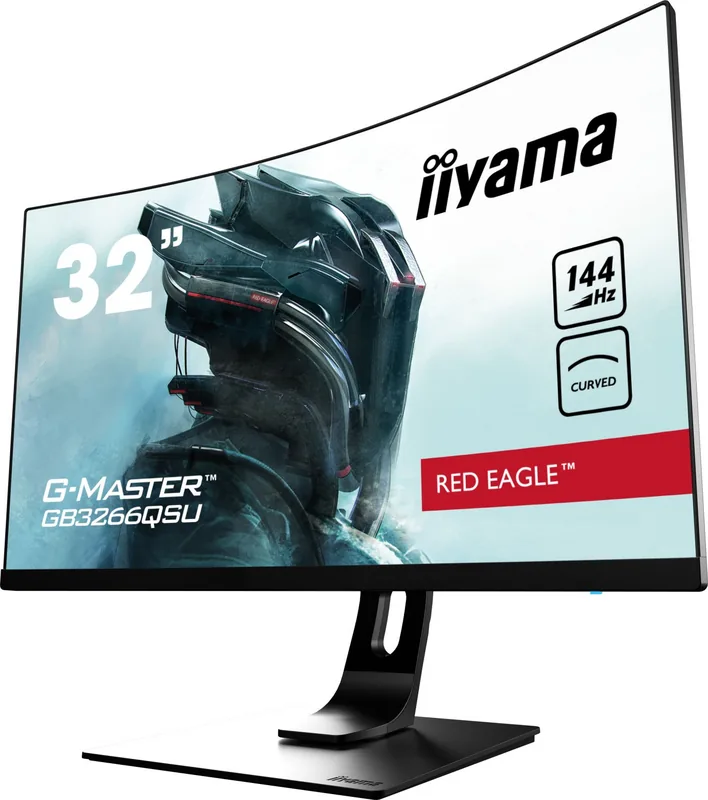
The iiyama G-Master GB3266QSU-B1 Red Eagle is a powerhouse designed specifically for serious gamers who demand precision and speed. This 31.5-inch monitor delivers stunning visuals with a crisp 2560 x 1440 resolution, ensuring every detail in your virtual worlds is rendered with clarity. The panel boasts an impressive contrast ratio of 3000:1, bringing out deep blacks and vibrant colors that make games pop off the screen.
Performance is at the heart of this display. With a lightning-fast 1ms MPRT response time, motion blur is virtually eliminated, allowing you to react instantly in competitive matches. The support for AMD FreeSync Premium technology synchronizes the refresh rate with your graphics card, eliminating screen tearing and stuttering for a seamless visual flow. Whether you are navigating complex strategy maps or engaging in fast-paced shooters, the smoothness provided by this monitor gives you a distinct edge.
Ergonomics play a crucial role in long gaming sessions, and the Red Eagle does not disappoint. The stand offers extensive adjustability, including height adjustment up to 120mm, tilt, swivel, and pivot capabilities. This flexibility ensures you can find the perfect viewing angle to reduce neck strain and maintain comfort during marathon gaming nights. Additionally, built-in dual 5W stereo speakers provide convenient audio without the need for external speakers, while the Blue Light Reducer feature helps minimize eye fatigue.
Connectivity is robust, featuring two HDMI ports and two DisplayPort inputs to accommodate multiple devices. The inclusion of USB 3.0 ports allows for easy connection of peripherals directly through the monitor. Safety features like flicker-free technology and a sturdy build ensure reliable operation over years of use. This monitor is more than just a screen; it is a complete solution for immersive entertainment and productivity.
Search for 67,706 Manuals online


Type-in Brand or Model
Anna Schmidt
5 months ago
Does this monitor suffer from vertical smearing or ghosting on dark backgrounds? I see mentions of VA panel issues affecting gaming.
Manual.ly
5 months ago
Thank you for your question. This model utilizes a VA panel known for deep blacks, though pixel transitions can show slight smearing in dark scenes. We suggest increasing the overdrive setting in the OSD menu to help mitigate this effect during gameplay. Many users find this setting works well with FreeSync enabled for console and PC gaming. For office tasks, the difference is typically negligible.