
iiyama G-Master GB2445HSU-B1 Black Hawk Manual
PDF manual · 46 Pages
English



Quick check
Incorrect answer, please try again.
Chat with your iiyama G-Master GB2445HSU-B1 Black Hawk manual using AI
Get instant AI answers from your iiyama G-Master GB2445HSU-B1 Black Hawk manual
Ask anything about the iiyama G-Master GB2445HSU-B1 Black Hawk. Answers come from this manual, with the pages they are based on.
Ask a Question
Do you recommend G-Master GB2445HSU-B1 Black Hawk?
Yes NoFrequently Asked Questions
No, the iiyama G-Master GB2445HSU-B1 supports a maximum resolution of 1920 by 1080 pixels full HD. It does not support 4K UHD resolution based on the technical specifications provided.
Is this answer helpful?
Yes, the monitor stand allows for height adjustment of up to 150mm. This helps position the screen at a comfortable eye level for long sessions.
Is this answer helpful?
The device includes HDMI and DisplayPort connectors for video signal transmission. You can connect various devices such as PC, consoles, or laptops using these inputs.
Is this answer helpful?
Yes, the monitor complies with the VESA mounting standard. It supports a 100mm by 100mm mounting pattern for use with compatible wall arms or stands.
Is this answer helpful?
Yes, it features built-in stereo speakers with 2W output each. There is also a 3.5mm headphone jack for users who prefer audio headphones.
Is this answer helpful?
Yes, it includes Night Mode to reduce blue light emission. It also supports Flicker-Free technology to help reduce eye strain during extended usage.
Is this answer helpful?
Advantages and Disadvantages
Advantages

- IPS panel technology offers wide viewing angles and accurate colors
- AMD FreeSync support reduces screen tearing during fast action
- Height adjustment up to 150mm allows for personalized ergonomics
- VESA 100mm mounting compatible for flexible installation options
- Multiple connectivity ports include HDMI and DisplayPort
Disadvantages

- Not designed for 24/7 continuous operation usage
- No USB-C input connectivity available on this model
- Built-in speakers are basic 2W output rather than high power
- Maximum resolution is 1920 by 1080 which is not 4K
- Contrast ratio is lower than VA panel alternatives
Product Specification
Function
Monitor (stationary)
Diagonal
23.8" (23.82 in)
Resolution
1920x1080 (FHD), 16:9, 93ppi
Panel
IPS
Backlight
LED, Blue light filter, flicker-free
Brightness
250 cd/m2 (typical)
Contrast
1,300:1 (static), 80,000,000:1 (dynamic)
Response Time
1ms (MPRT)
Refresh Rate
100Hz (1920x1080)
Variable Synchronization
Adaptive Sync, AMD FreeSync
Signal Frequency
30-110kHz (H) / 48-100Hz (V)
Connectors
1x HDMI 1.4 (100Hz@1920x1080), 1x DisplayPort 1.2 (100Hz@1920x1080), 1x USB-B 2.0 (Upstream, 480Mb/s), 2x USB-A 2.0 (Downstream, 480Mb/s), 1x 3.5mm Jack (Line-Out), 1x AC-In C13 (AC Power)
Shape
straight (flat)
Viewing Angles
178o/178o
Coating
non-glare (matte)
Color Depth
8-bit (16.7 Million Colors)
FRC
Unknown
Speakers
Speakers (2x 2W)
Controls
mechanical buttons
Ergonomics
with stand, height adjustable (5.91 in), Pivot (+90o), rotatable (+/- 45o), tiltable (+23o/-5o)
VESA
3.94x3.94 in (mounted)
Power Consumption
18W (typical), 0.5W (standby)
Energy Efficiency SDR (A to G)
18kWh/1000h (E)
Features
Security lock (Kensington Security Slot)
Screen-to-Body Ratio
89.77% (calculated)
Dimensions
21.20x15.63x7.58 in (WxHxD) with stand folded, 21.20x12.72x1.87 in (WxHxD) without stand
Color
Black (Display Bezel) / Black (Lower Bezel) / Black (Stand) / Black (Rear)
Weight
9.70 lbs (with stand)
Power Supply
Internal
Warranty
Three Years (Claims via Manufacturer, Product registration within 60 days of purchase: Link, Warranty Information: Link)
USB Label
Link
Product Description
Discover the iiyama G-Master GB2445HSU-B1 Black Hawk Experience
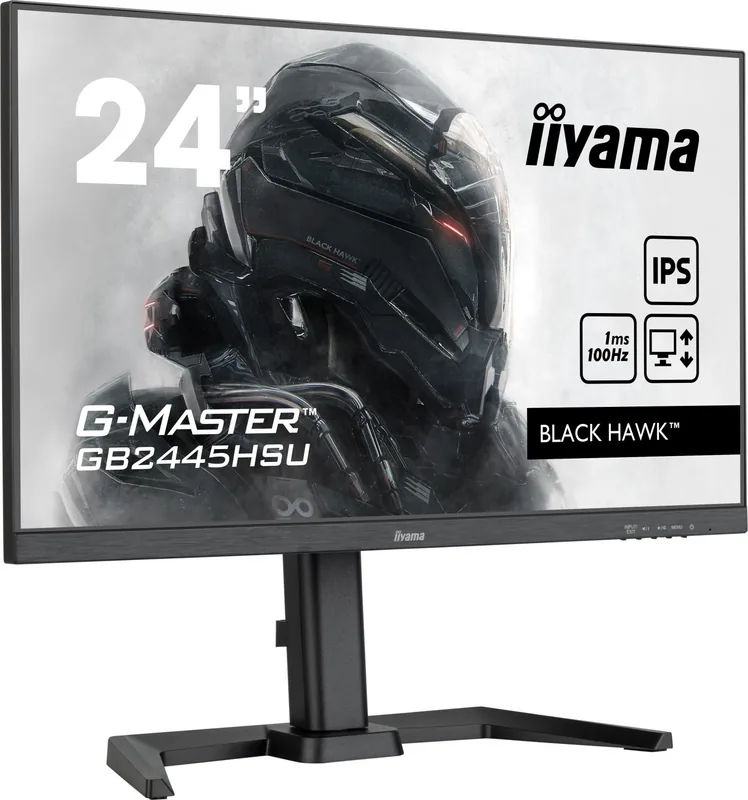
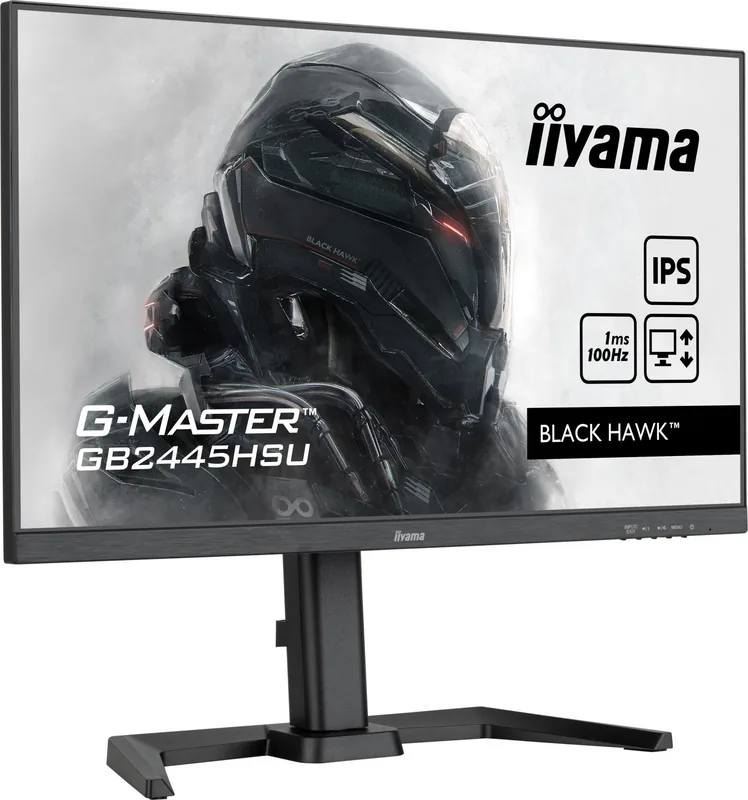
The iiyama G-Master GB2445HSU-B1 Black Hawk offers a premium viewing experience for gamers and professionals alike. This 23.8-inch monitor combines high performance with ergonomic design to enhance your daily workflow. If you need detailed guidance on setup, the iiyama G-Master GB2445HSU-B1 Black Hawk, 23.8" Manual provides comprehensive instructions. We recommend reading these resources carefully before your first use to ensure safety and optimal configuration.
Visual Performance
This display features an IPS panel technology that ensures wide viewing angles and exceptional color accuracy. The resolution reaches 1920 by 1080 pixels, delivering sharp images with over 16 million colors. With a typical contrast ratio of 1300:1 and an extended mode reaching 4000:1, black levels appear deeper and dynamic. The refresh rate supports AMD FreeSync technology up to 100Hz to minimize screen tearing during fast-paced action. A 1ms MPRT response time ensures smooth motion without noticeable ghosting on moving objects.
Connectivity and Features
Connecting your setup is straightforward with multiple input options included in the package. You will find HDMI and DisplayPort connectors for video signal transmission directly from your graphics card. USB ports allow you to connect peripherals conveniently using the downstream ports on the monitor. The built-in stereo speakers provide basic audio output, though headphones are also supported via the front 3.5mm jack. There is also a Night Mode feature to reduce blue light emission during late-night sessions for better comfort.
Ergonomic Design
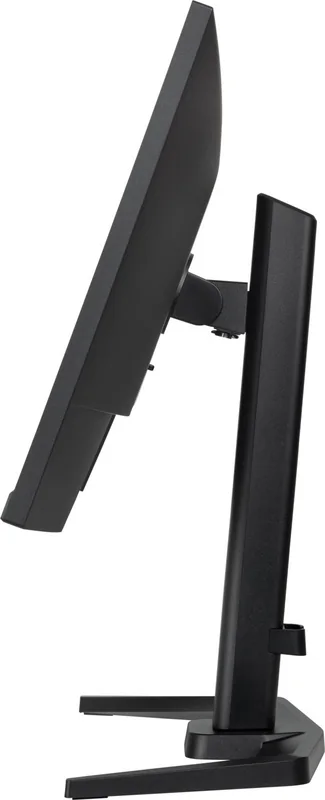
Comfort is a priority for long usage periods to prevent neck strain. The stand allows for height adjustment up to 150mm, ensuring the screen is at eye level without bending your neck. You can tilt the display forward and backward to find your perfect viewing angle relative to your seat position. Swivel functionality lets you rotate the screen left or right easily. For those needing flexible placement, the monitor complies with the VESA mounting standard for wall arms.
Safety and Usage
Proper handling is essential for longevity and personal safety. Do not leave the device running continuously for 24/7 operations as the system is not specifically engineered for that kind of workload. Ensure ventilation slots remain clear to prevent overheating which could damage internal components. Keep liquids away from the unit completely to avoid short circuits. For any troubleshooting regarding power consumption in standby mode, consult the detailed technical information.
Cleaning and Maintenance
Maintenance involves gentle care to preserve the surface quality. Use a soft, dry cloth for regular dust removal. Never use harsh chemicals like acids or solvents on the screen. Avoid spraying water or solvents directly onto the device. Always unplug the power before cleaning the surface. This ensures safety and protects the finish from damage.
Search for 67,706 Manuals online


Type-in Brand or Model