
iiyama G-Master G2770HSU / GB2770HSU Red Eagle Manual
PDF manual · 41 Pages
English



Quick check
Incorrect answer, please try again.
Chat with your iiyama G-Master G2770HSU / GB2770HSU Red Eagle manual using AI
Get instant AI answers from your iiyama G-Master G2770HSU / GB2770HSU Red Eagle manual
Ask anything about the iiyama G-Master G2770HSU / GB2770HSU Red Eagle. Answers come from this manual, with the pages they are based on.
Ask a Question
Do you recommend G-Master G2770HSU / GB2770HSU Red Eagle?
Yes NoFrequently Asked Questions
The monitors support up to 165Hz at 1920 x 1080 through DisplayPort. HDMI supports up to 144Hz at the same resolution. A compatible graphics card, cable, and system setting are required to use the highest refresh rate.
Is this answer helpful?
Yes. The Red Eagle models support AMD FreeSync Premium. When used with compatible hardware, it can help reduce screen tearing and stutter during gameplay. Some image-processing options are unavailable while FreeSync Premium is active.
Is this answer helpful?
The core display specifications are similar, including the 27-inch Fast IPS Full HD panel, 165Hz DisplayPort support, and connectivity. The GB2770HSU-B5 has an ergonomic stand with height adjustment, swivel, tilt, and pivot. The G2770HSU-B1 has a simpler tilt stand.
Is this answer helpful?
Yes. The GB2770HSU-B5 stand supports 90-degree pivot in either direction, allowing portrait use when the panel is raised to its maximum height first. The computer graphics system must also support portrait display orientation.
Is this answer helpful?
Each model includes one HDMI input, one DisplayPort input, a USB upstream port, two USB downstream ports, a 3.5 mm headphone jack, and integrated stereo speakers. A cable holder helps keep connected cables organized.
Is this answer helpful?
Yes. Flicker-Free operation and several blue light reduction modes are available. The on-screen menu also provides brightness controls and image presets, so users can adjust the picture for gaming, text work, or general use.
Is this answer helpful?
Advantages and Disadvantages
Advantages

- Fast IPS panel with Full HD resolution, 165Hz DisplayPort refresh rate, and 0.8ms MPRT response time.
- AMD FreeSync Premium, Overdrive, Black Tuner, and gaming presets support smoother, more customizable gameplay.
- HDMI, DisplayPort, USB hub, headphone output, and built-in 2W stereo speakers provide useful connectivity.
- GB2770HSU-B5 includes height adjustment, swivel, tilt, and portrait pivot for stronger ergonomics.
- Flicker-Free and blue light reduction features support more comfortable extended viewing.
Disadvantages

- Full HD resolution may look less detailed than QHD on a 27-inch screen, especially for text-heavy work.
- Typical brightness is 250 cd/m2, which may be limited in very bright rooms.
- The G2770HSU-B1 has a basic tilt-only stand and does not support portrait orientation.
- HDMI is limited to 144Hz; DisplayPort is required to reach the 165Hz maximum.
- Some features, including MBR and advanced contrast, cannot be used together with certain settings.
Product Specification
Function
Monitor (stationary)
Diagonal
27 in (68.6 cm)
Resolution
1920x1080 (FHD), 16:9, 82 ppi
Panel
IPS
Backlight
LED, blue light filter, flicker-free
Brightness
250 cd/m² (typical)
Contrast
1,100:1 (static), 80,000,000:1 (dynamic)
Response time
0.8 ms (MPRT)
Refresh rate
165 Hz (1920x1080)
Variable synchronization
Adaptive Sync, AMD FreeSync Premium certified (48-165 Hz via DisplayPort, 48-144 Hz via HDMI, with LFC support, without HDR)
Shape
straight (flat)
Viewing angle
178°/178°
Coating
non-glare (matte)
Color depth
8-bit (16.7 million colors)
sRGB
99%
Speakers
Speakers (2 x 2 W)
Controls
mechanical buttons
SDR energy efficiency (A to G)
19 kWh/1,000 h (E)
Previous energy efficiency (A+++ to G)
27.7 kWh (A+)
Special features
Security lock (Kensington Security Slot), slim bezel
Color
black (display bezel) / black (bottom bezel) / black (stand) / black (rear)
Power supply
internal
Warranty
three years (processed through manufacturer, product registration within 60 days of purchase: link, warranty information: link)
USB notation
Link
Product Description
iiyama G-Master G2770HSU / GB2770HSU Red Eagle - Read, Download & Print Free
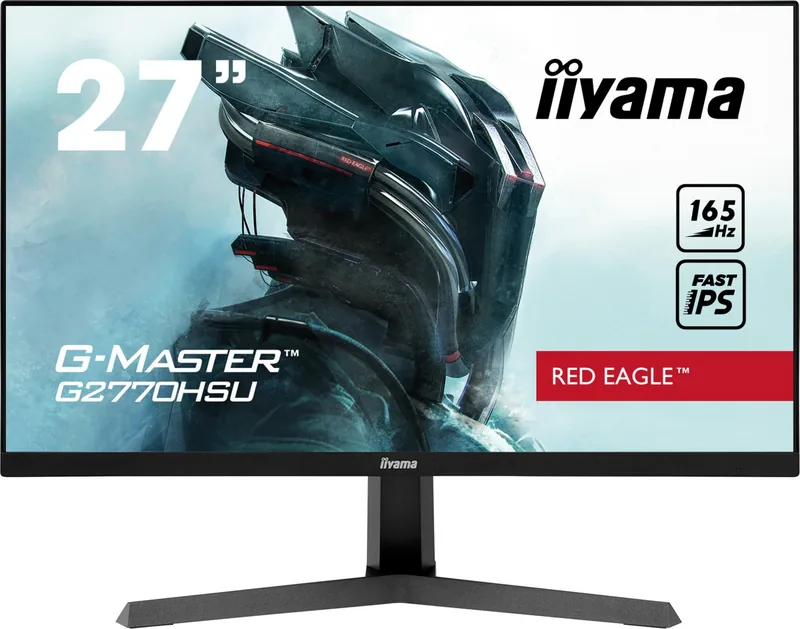
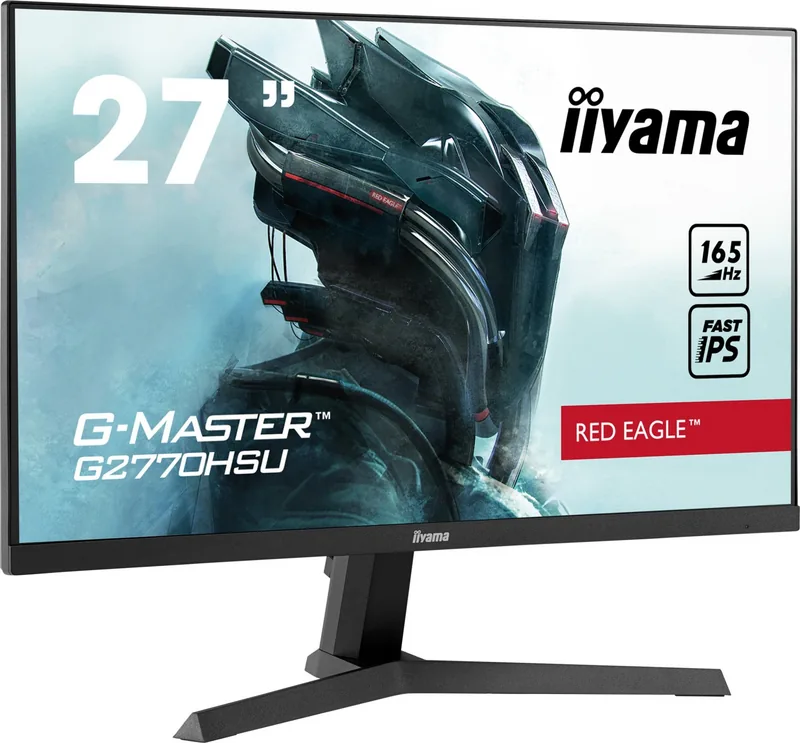
The iiyama G-Master G2770HSU / GB2770HSU Red Eagle is a 27-inch Full HD gaming monitor range built for responsive everyday play, smooth motion, and practical desk setups. Its Fast IPS panel combines wide viewing angles with clear, consistent color, while the 1920 x 1080 resolution keeps games accessible to a broad selection of PCs and consoles.
Fast, fluid gaming performance
With a 165Hz maximum refresh rate through DisplayPort and a 0.8ms MPRT response time, the Red Eagle is designed to make fast scenes look more controlled. AMD FreeSync Premium support helps reduce distracting tearing and stutter when paired with compatible hardware. Overdrive, Black Tuner, gamma controls, and selectable game modes give players useful ways to refine visibility for different genres.
The monitor also includes Motion Blur Reduction for supported refresh rates, plus a Direct Drive mode intended to reduce input delay in compatible settings. These options make the display suitable for competitive shooters, racing games, strategy titles, and general multimedia use. HDMI supports up to 144Hz at Full HD, while DisplayPort unlocks the 165Hz maximum.
Comfort and connectivity for daily use
Beyond gaming, the Fast IPS panel provides 178-degree viewing angles, 250 cd/m2 typical brightness, and a 1100:1 typical contrast ratio. Flicker-Free technology and blue light reduction modes can help create a more comfortable viewing experience during longer sessions. Built-in 2W stereo speakers, a headphone jack, HDMI, DisplayPort, and a USB hub add convenient connectivity without requiring extra desktop accessories.
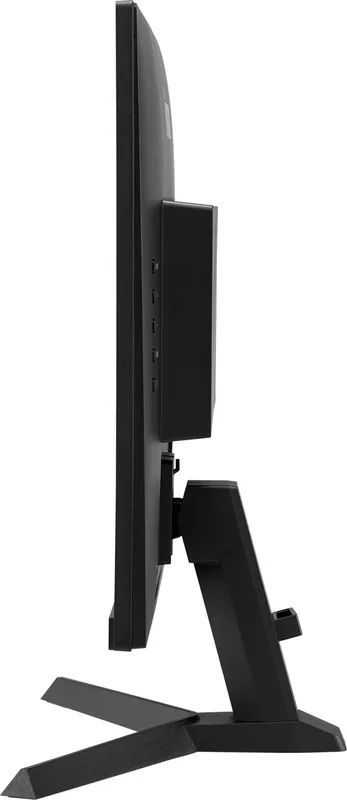
Both models support 100 x 100 mm VESA mounting and include a security-lock slot. The GB2770HSU-B5 adds a highly adjustable ergonomic stand with up to 150 mm of height adjustment, 45-degree swivel in either direction, tilt, and pivot support for portrait orientation. The G2770HSU-B1 uses a simpler tilt-focused stand and is intended for landscape use, making it a streamlined option for fixed desk positions.
Practical customization
The on-screen display offers brightness, contrast, color temperature, volume, input selection, image scaling, and user presets. i-Style Color modes provide quick presets for standard use, text, sports, FPS games, and strategy games. Users can also save custom profiles for preferred visual and audio settings.
Notes
- Use DisplayPort for the 165Hz maximum refresh rate.
- FreeSync Premium, MBR, and other image features may have setting dependencies.
- The monitor is not designed for dedicated 24/7 operation or digital-signage wall installation.
- Clean the screen with a dry, soft cloth and avoid harsh cleaning products.
Search for 67,706 Manuals online


Type-in Brand or Model