

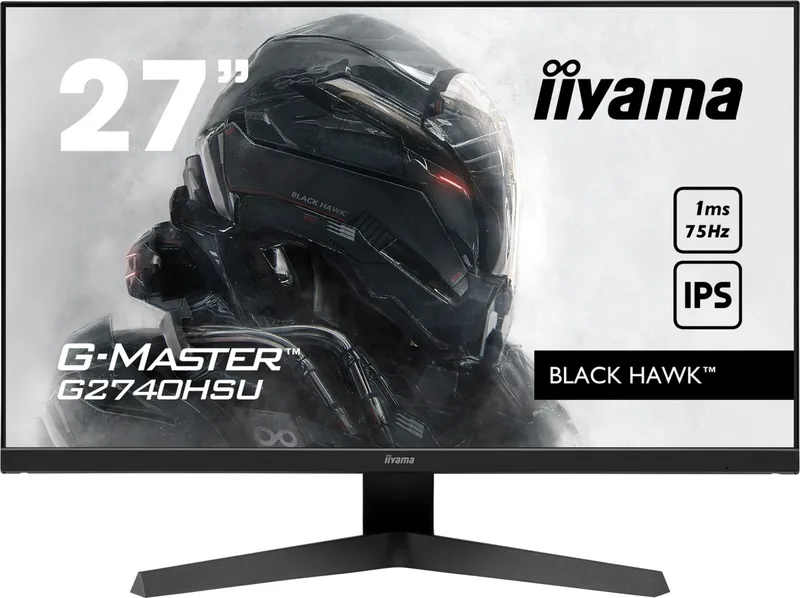
iiyama G-Master G2740HSU-B1 Black Hawk Manual
PDF manual · 33 Pages
English



Quick check
Incorrect answer, please try again.
Chat with your iiyama G-Master G2740HSU-B1 Black Hawk manual using AI
Get instant AI answers from your iiyama G-Master G2740HSU-B1 Black Hawk manual
Ask anything about the iiyama G-Master G2740HSU-B1 Black Hawk. Answers come from this manual, with the pages they are based on.
G-Master G2740HSU-B1 Black Hawk Maintenance Schedule
Clean with a soft dry cloth. Do not use tissue paper.
Wipe with a cloth lightly moistened with mild detergent solvent, then wipe with a soft dry cloth.
Ask a Question
Do you recommend G-Master G2740HSU-B1 Black Hawk?
Yes No
Pete Wright
7 months ago
Are the built-in speakers sufficient for high-quality audio, or should I use external speakers?

Manual.ly
7 months ago
The monitor includes built-in speakers that are suitable for general tasks like watching YouTube videos. However, for high-quality audio needs, we recommend connecting external speakers or an audio system to ensure optimal sound performance.
myron30
5 months ago
Does this monitor support FreeSync technology out of the box?
Frequently Asked Questions
This monitor supports a maximum refresh rate of 75Hz at its native resolution of 1920x1080, providing smoother motion than standard 60Hz displays.
Is this answer helpful?
Yes, the iiyama G-Master G2740HSU-B1 is fully compatible with AMD FreeSync technology to reduce screen tearing and stuttering during gameplay.
Is this answer helpful?
Absolutely. The monitor complies with the VESA Mounting Standard (100mm x 100mm), allowing you to attach it to various third-party arms or wall mounts.
Is this answer helpful?
You can adjust brightness and contrast using the navigation buttons on the monitor. Press the MENU button to access the Picture Adjust settings in the OSD menu.
Is this answer helpful?
Yes, it features a Blue Light Reducer and ECO modes that lower backlight intensity, making it comfortable to use in low-light environments.
Is this answer helpful?
The rear panel includes HDMI and DisplayPort connectors for video, a USB upstream port, two USB downstream ports, and a 3.5mm headphone jack.
Is this answer helpful?
Advantages and Disadvantages
Advantages

- AMD FreeSync support ensures tear-free and smooth gameplay
- 1ms MPRT response time reduces motion blur significantly
- IPS panel offers excellent color accuracy and wide viewing angles
- Blue Light Reducer and Flicker-Free technology protect eyes
- VESA mount compatible for flexible installation options
Disadvantages

- Built-in speakers are low power at 2W per channel
- Native resolution is limited to 1080p for a 27-inch screen
- No USB-C connectivity available for single-cable solutions
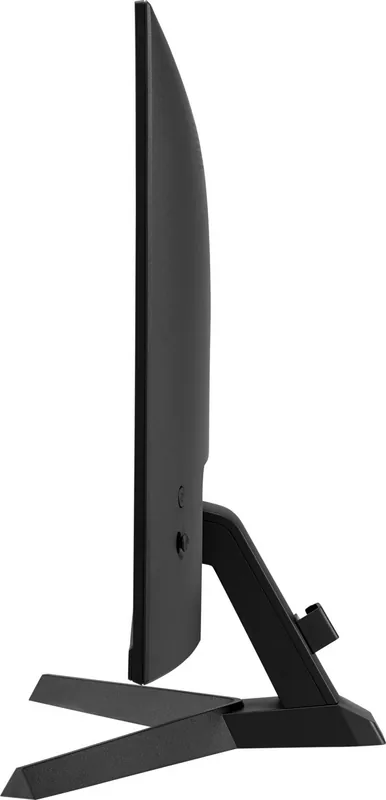
- Stand only offers tilt adjustment without height or rotation
- Not specifically designed for continuous 24/7 professional usage
Product Specification
Function
Monitor (stationary)
Diagonal
27" (68.6cm)
Resolution
1920x1080 (FHD), 16:9, 82ppi
Panel
IPS
Backlight
LED, blue light filter, flicker-free
Brightness
250cd/m^2 (typical)
Contrast
1,000:1 (static), 80,000,000:1 (dynamic)
Response Time
4ms (GtG), 1ms (MPRT)
Refresh Rate
75Hz (1920x1080)
Variable Synchronization
Adaptive Sync, AMD FreeSync certified (48-75Hz via DisplayPort, 48-75Hz via HDMI, no LFC support, no HDR)
Signal Frequency
31-85kHz (H) / 48-75Hz (V)
Connections
1x HDMI, 1x DisplayPort, 1x USB-B 2.0 (Upstream, 480Mb/s), 2x USB-A 2.0 (Downstream, 480Mb/s), 1x 3.5mm jack (Line-Out), 1x 3.5mm jack (Line-In), 1x AC-In C13 (power input)
Shape
straight (flat)
Viewing Angle
178°/178°
Coating
non-glare (matte)
Color Depth
8bit (16.7 million colors)
FRC
yes (6bit+2bit)
Speakers
Speakers (2x 2W)
Control
Joystick
Ergonomics
with stand, height adjustable N/A, pivot N/A, rotatable N/A, tiltable (+22°/-4°)
VESA
100x100 (free)
Power Consumption
19W (typical), 0.5W (standby), 20W (Energy label old A+++ to G)
SDR Energy Efficiency (A to G)
20kWh/1000h (E)
Old Energy Efficiency (A+++ to G)
29.2kWh (A+)
Features
Security lock (Kensington Security Slot), Slim Bezel
Screen-to-Body Ratio
91.01% (calculated)
Dimensions
24.0x17.0x9.4in (WxHxD) with stand, 24.0x14.2x1.5in (WxHxD) without stand
Color
black (display frame) / black (lower bezel) / black (stand) / black (back)
Weight
9.92lb (with stand)
Power Supply
internal
Warranty
three years (processing via manufacturer, product registration within 60 days of purchase: Link, warranty information: Link)
USB Spelling
Link
Product Description
Elevate Your Gaming with the iiyama G-Master G2740HSU-B1 Black Hawk
The iiyama G-Master G2740HSU-B1 Black Hawk is a premium 27-inch gaming monitor designed for players who demand speed, clarity, and reliability. This display features an IPS panel that delivers vibrant colors and wide viewing angles, ensuring that every detail in your game is visible from any position. With a native resolution of 1920x1080 and a rapid 1ms MPRT response time, this monitor eliminates motion blur, allowing you to react instantly to fast-paced action.
One of the standout features of the Black Hawk series is its support for AMD FreeSync technology. This synchronizes the refresh rate of the monitor with the graphics card, resulting in smooth gameplay free from screen tearing and stuttering. The built-in flicker-free technology and blue light reducer work together to minimize eye strain during extended gaming sessions, making it comfortable for long marathons. Additionally, the monitor includes dual 2W stereo speakers and a headphone jack for convenient audio output without needing external devices.
Installation is straightforward thanks to the included accessories like HDMI and DisplayPort cables, along with a sturdy stand that allows for tilt adjustments. The monitor also supports VESA mounting, giving users the flexibility to customize their setup with wall mounts or arms. Safety features are prioritized, with clear guidelines on ventilation and cable management to ensure safe operation. Whether you are competing in first-person shooters or exploring open worlds, the iiyama G-Master G2740HSU-B1 provides a solid foundation for an immersive experience.
Search for 67,706 Manuals online


Type-in Brand or Model
maria_k
10 months ago
How is the monitor's built-in sound quality? Do I need external speakers for decent audio?
Manual.ly
10 months ago
The built-in speakers are fine for casual use like YouTube and everyday videos. If you want truly good sound, reviewers recommend using external speakers or connecting the monitor to an audio setup for a noticeable improvement.