
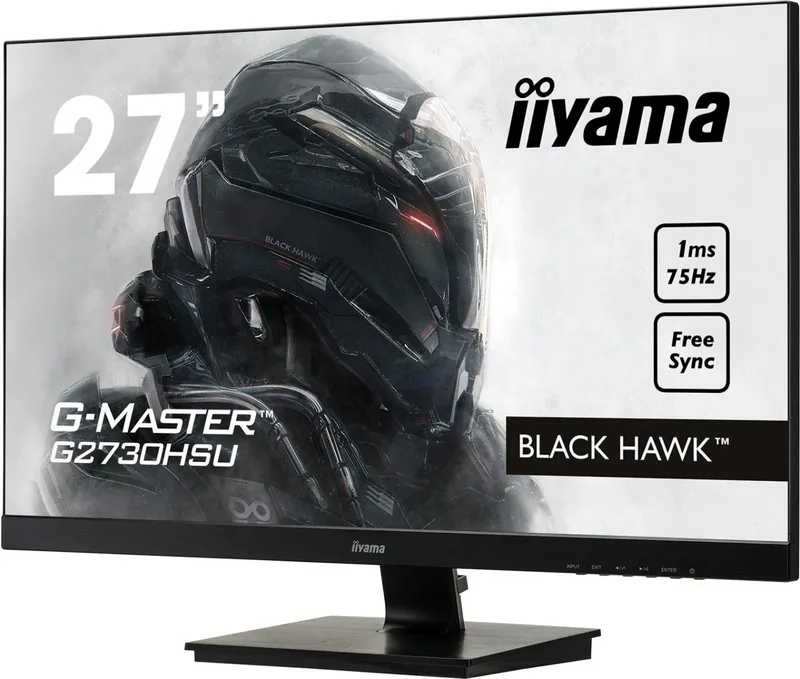
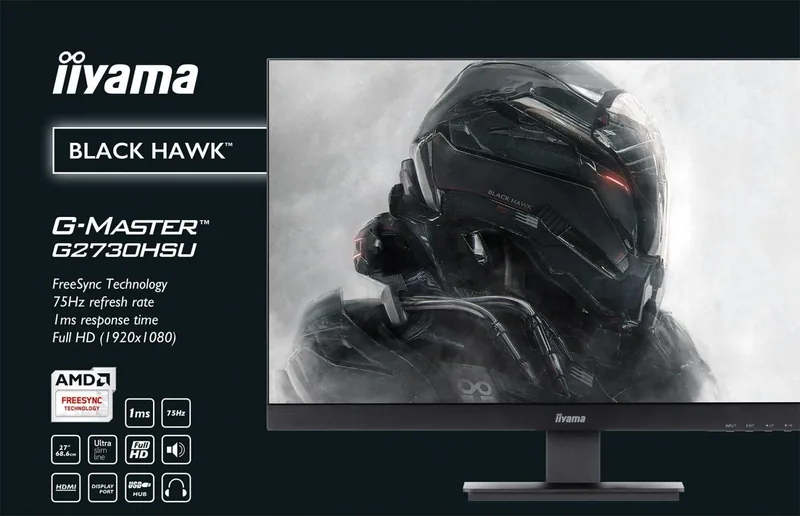
iiyama G-Master G2730HSU-B1 Black Hawk Manual
PDF manual · 35 Pages
English



Quick check
Incorrect answer, please try again.
Chat with your iiyama G-Master G2730HSU-B1 Black Hawk manual using AI
Get instant AI answers from your iiyama G-Master G2730HSU-B1 Black Hawk manual
Ask anything about the iiyama G-Master G2730HSU-B1 Black Hawk. Answers come from this manual, with the pages they are based on.
G-Master G2730HSU-B1 Black Hawk Maintenance Schedule
Recommend regular cleaning with a dry soft cloth. Do not use paper towels or harsh cleaners as they may damage the surface.
Remove stains from the housing with a damp, soft cloth using a mild dishwashing solution. Unplug the monitor before cleaning.
Ask a Question
Do you recommend G-Master G2730HSU-B1 Black Hawk?
Yes No
Klaus Weber
6 months ago
Is the DisplayPort cable included in the box, or do I need to purchase it separately?

Manual.ly
6 months ago
Many users report that the HDMI cable is included, but the DisplayPort cable is not packaged with the monitor. If you plan to use DisplayPort connectivity, you will likely need to acquire a cable independently. Several reviews highlight that the built-in speakers produce low-quality sound with little bass, so using external audio devices is recommended for the best experience. The stand does not support height adjustment, limiting flexibility on larger desks. Overall, the image quality and 75Hz refresh rate receive high praise for gaming and general use at this price point.
Frequently Asked Questions
Yes, the display includes AMD FreeSync technology support over the HDMI and DisplayPort inputs to synchronize refresh rates and reduce screen tearing.
Is this answer helpful?
The monitor has a 1 ms gray to gray response time which helps eliminate ghosting and motion blur during fast-paced gaming and video playback.
Is this answer helpful?
Yes, some variants allow 90 degrees swivel and pivot functionality to enable portrait orientation for reading documents or coding efficiently.
Is this answer helpful?
The rear panel includes VGA, HDMI, and DisplayPort connectors along with audio input and output jacks for flexible connectivity options.
Is this answer helpful?
Ensure ventilation slots remain clear and maintain at least 10 cm of space behind the monitor to allow proper airflow and cooling.
Is this answer helpful?
Yes, it conforms to the VESA 100 mm x 100 mm mounting standard allowing for wall or arm integration depending on your setup.
Is this answer helpful?
The power supply accepts 100 to 240 V AC at 50-60 Hz making it compatible with most regional power outlets globally.
Is this answer helpful?
Advantages and Disadvantages
Advantages

- 1 ms response time ensures fast visuals without motion blur
- Supports AMD FreeSync for smoother gaming performance
- VESA mount compatible for flexible stand integration
- Energy Star certified for low power consumption
- Built-in stereo speakers provide convenient audio output
Disadvantages

- TN panel may offer lower color accuracy than IPS
- Brightness is limited to 300 cd/m2 for high contrast use
- Stand adjustability varies significantly between specific variants
- No USB hub functionality is included for data transfer
- Power management requires specific computer support for best results
Product Specification
Function
Monitor (stationary)
Diagonal
27" (27.00 in)
Resolution
1920x1080 (FHD), 16:9, 82 ppi
Panel
TN
Backlight
LED, Blue Light Filter, flicker-free
Brightness
300 cd/m^2 (typical)
Contrast
1,000:1 (static), 12,000,000:1 (dynamic)
Response Time
1ms (GtG)
Refresh Rate
75Hz (1920x1080)
Variable Refresh Rate
Adaptive Sync, AMD FreeSync certified (40-75Hz via DisplayPort, 40-75Hz via HDMI, without LFC support, without HDR)
Signal Frequency
30-84kHz (H) / 48-75Hz (V)
Connectors
1x VGA, 1x HDMI 1.4, 1x DisplayPort 1.2, 1x USB-B 2.0 (Upstream, 480Mb/s), 2x USB-A 2.0 (Downstream, 480Mb/s), 1x 3.5mm Jack (Line-Out), 1x 3.5mm Jack (Line-In), 1x AC-In C13 (Power Input)
Shape
Straight (Flat)
Viewing Angle
170 deg / 160 deg
Coating
Non-Glare (Matte)
Color Depth
8bit (16.7 Million Colors)
FRC
Yes (6bit+2bit)
Speakers
Speakers (2x 2W)
Controls
Mechanical Buttons
Ergonomics
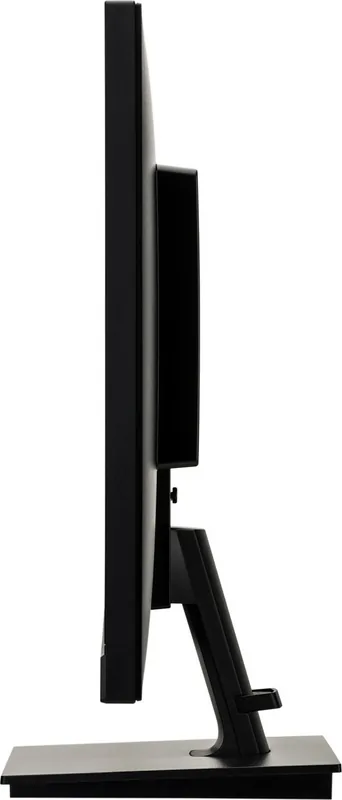
With Stand, Height Adjustable N/A, Pivot N/A, Rotatable N/A, Tiltable (+22 deg / -5 deg)
VESA
100x100 (Free)
Power Consumption
19W (typical), 0.5W (Standby), 20W (Energy Label (Old A+++ to G))
SDR Energy Efficiency (A to G)
19 kWh/1000h (E)
Energy Efficiency Old (A+++ to G)
29.2kWh (A+)
Features
Safety Lock (Kensington Security Slot), Slim Bezel
Screen-to-Body-Ratio
88.22% (Calculated)
Dimensions
24.17x17.36x7.76 in (WxHxD) with stand compressed, 24.17x14.61x2.13 in (WxHxD) without stand
Color
Black (Display Bezel) / Black (Lower Bezel) / Black (Stand) / Black (Rear)
Weight
11.68 lbs (with stand)
Power Supply
Internal
Warranty
3 Years (Processing via Manufacturer, Product Registration within 60 Days after Purchase: Link, Warranty Information: Link)
USB Naming
Link
Product Description
Elevate Your Experience with the iiyama G-Master Monitor
Designed for gamers and professionals, the Black Hawk 27 inch model delivers robust performance for diverse tasks. The 1920 x 1080 resolution ensures sharp clarity while the TN panel offers fast response times suitable for action. 1 ms reaction time eliminates blur for competitive play and standard 75 Hz refresh rates. Contrast ratios reach 1000:1 with extended functions for better visibility in dark rooms. Brightness stands at 300 cd/m2 which is optimal for most indoor lighting conditions.
Gaming and Connectivity
This display supports AMD FreeSync technology to sync frame rates and prevent screen tearing during intense scenes. HDMI and DisplayPort inputs connect modern graphics cards with ease while VGA supports legacy PCs seamlessly. Integrated dual speakers with stereo output provide audio without requiring external setups. Energy Star certification ensures low power usage with typical draws of 19 watts during operation.
Ergonomics and Adjustability
Stands offer tilt and height adjustments for comfortable viewing angles over long periods. Swivel and pivot capabilities allow portrait mode for reading code or documents effectively. VESA mount compatibility with 100 mm holes fits most monitor arms on the market. Cable management clips help hide wires behind the desk for a tidy look. The OSD menu lets users save custom settings like brightness and color temperature for specific users.
Installation and Care
Safety warnings advise keeping liquids away from the screen to prevent short circuits at all times. Ventilation slots should remain clear with a 10 cm gap from walls to prevent overheating issues. If flickering occurs, check signal timing and sync frequencies in the detailed settings menu. Always disconnect the power plug before cleaning the surface to ensure safety. Use only soft dry cloths or mild soap for cleaning to avoid scratching the glass. The package includes necessary cables and installation screws to get started quickly. Follow the step by step guide to assemble the stand without damage to the screen. Secure the monitor to a stable surface to avoid accidents during use. This ensures long-term reliability and user safety with every session of work.
Additional Features
The monitor includes specific color modes for different genres such as FPS and strategy games. Eco mode helps reduce power consumption further when idle for long periods. Auto adjustment functions simplify setup for new users connecting for the first time. Blue Light Reducer protects eyes during late night gaming sessions without strain. The bezel design is slim to allow multiple monitor setups side by side. Security lock slots are available to prevent theft in public office environments. Recyclable components support environmental sustainability goals.
Technical Specifications
The diagonal screen size measures 27 inches with a TN technology panel structure. Maximum supported resolution remains 1920 x 1080 pixels for standard tasks. Sync frequencies cover VGA, HDMI and DisplayPort inputs for compatibility. Power input accepts 100 to 240 V AC worldwide with flexible voltage. Built-in speakers deliver 2 watts per channel for basic sound output. Dimensions include depth adjustments depending on the specific stand variant selected. Weight is approximately 5 kg for the basic unit without stand. Warranty and service support are available through the official dealer network.
Search for 67,706 Manuals online


Type-in Brand or Model
Karl Watson
6 months ago
Does the package include a DisplayPort cable since I want to use FreeSync or is HDMI included only?
Manual.ly
6 months ago
Thank you for your question. This monitor includes an HDMI cable in the box. Unfortunately the DisplayPort cable is not included and must be purchased separately. You can use the HDMI port for basic connectivity or FreeSync with compatible graphics cards. We recommend checking our website for the correct DisplayPort cable to ensure optimal performance and refresh rates.