
iiyama G-Master G2450HSU-B1 Black Hawk Manual
PDF manual · 29 Pages
English



Quick check
Incorrect answer, please try again.
Chat with your iiyama G-Master G2450HSU-B1 Black Hawk manual using AI
Get instant AI answers from your iiyama G-Master G2450HSU-B1 Black Hawk manual
Ask anything about the iiyama G-Master G2450HSU-B1 Black Hawk. Answers come from this manual, with the pages they are based on.
G-Master G2450HSU-B1 Black Hawk Maintenance Schedule
Wipe the screen with a soft dry cloth. Do not use tissue paper as it may damage the screen.
Remove stains with a cloth lightly moistened with mild detergent solvent, then wipe with a soft dry cloth.
Ask a Question
Do you recommend G-Master G2450HSU-B1 Black Hawk?
Yes NoFrequently Asked Questions
Yes, this monitor supports AMD FreeSync technology. This feature synchronizes the monitor's refresh rate with the graphics card to reduce screen tearing and stuttering, resulting in smoother gameplay.
Is this answer helpful?
The maximum supported refresh rate is 75Hz at Full HD resolution. While it offers a faster refresh rate than standard office monitors, it does not reach the 144Hz found in some premium gaming displays.
Is this answer helpful?
Yes, the monitor conforms to the VESA mounting standard with a 100mm x 100mm hole pattern. You can attach it to a compatible wall mount or arm using M4 screws no longer than 7mm.
Is this answer helpful?
Use a soft, dry cloth to wipe the screen gently. If necessary, lightly dampen the cloth with water or a mild soap solution. Never use paper towels, harsh chemicals, or abrasive materials as they can damage the display surface.
Is this answer helpful?
No, this product is not specifically designed for 24 hours per day, 7 days a week continuous operation. Prolonged constant use may affect the lifespan of the components.
Is this answer helpful?
The monitor features HDMI and DisplayPort inputs for video signals. It also includes two USB 2.0 downstream ports and one upstream USB port for connecting peripherals.
Is this answer helpful?
Advantages and Disadvantages
Advantages

- Fast 1ms MPRT response time for competitive gaming
- AMD FreeSync technology prevents screen tearing
- High 3000:1 contrast ratio for deep blacks
- Built-in dual stereo speakers for convenience
- Blue Light Reducer protects eyes during long use
Disadvantages

- Not specifically designed for 24/7 continuous operation
- Refresh rate limited to 75Hz compared to higher-end models
- No USB-C connectivity option available
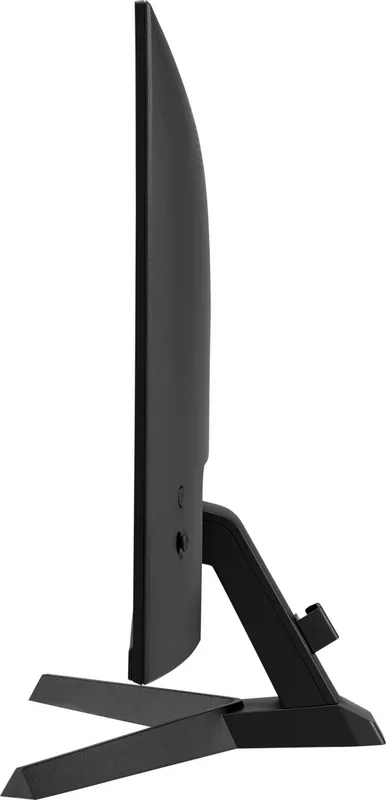
- Tilt-only adjustment without height or swivel
- Standard 1080p resolution on a 24-inch screen
Product Specification
Function
Monitor (stationary)
Diagonal
23.8" (60.5cm)
Resolution
1920x1080 (FHD), 16:9, 93ppi
Panel
VA
Backlight
LED, Blue Light Filter, Flicker-Free
Brightness
250cd/sqm (typical)
Contrast
3,000:1 (static), 80,000,000:1 (dynamic)
Response Time
1ms (MPRT)
Refresh Rate
75Hz (1920x1080)
Variable Synchronization
Adaptive Sync, AMD FreeSync certified (48-75Hz via DisplayPort, 48-75Hz via HDMI, no LFC support, no HDR)
Signal Frequency
31-85kHz (H) / 48-75Hz (V)
Connectivity
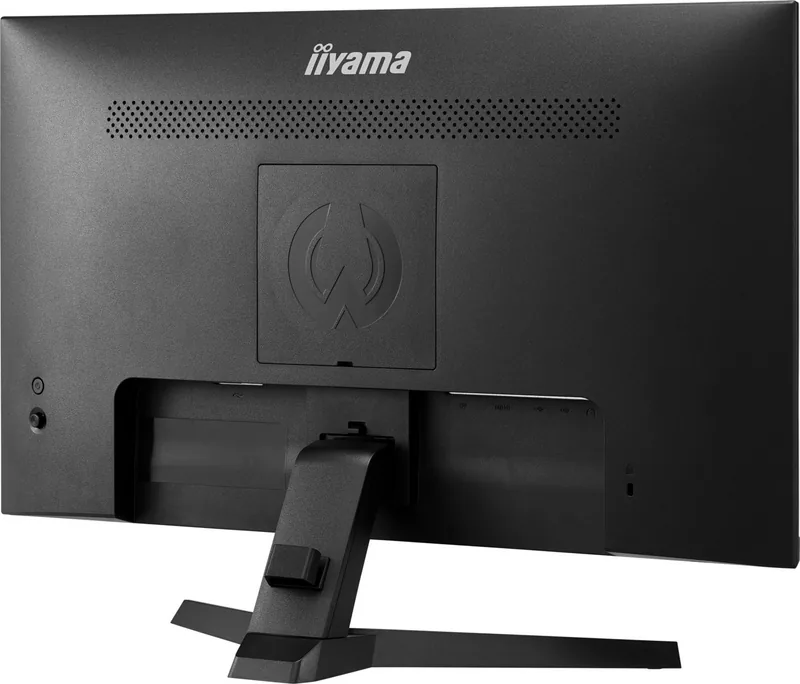
1x HDMI 1.4, 1x DisplayPort 1.2, 1x USB-B 2.0 (Upstream, 480Mb/s), 2x USB-A 2.0 (Downstream, 480Mb/s), 1x 3.5mm Jack (Line-Out), 1x AC-In C13 (Power Input)
Shape
straight (flat)
Viewing Angle
178°/178°
Coating
non-glare (matte)
Color Depth
8bit (16.7M colors)
FRC
unknown
sRGB
99%
Speakers
Speakers (2x 2W)
Control
mechanical buttons, joystick
Ergonomics
with stand, height adjustable N/A, pivot N/A, rotatable N/A, tiltable (+22°/-4°)
VESA
100x100 (free)
Power Consumption
19W (typical), 0.5W (standby)
Energy Efficiency SDR (A to G)
19kWh/1000h (E)
Features
Security Lock (Kensington Security Slot), Slim Bezel
Screen-to-Body Ratio
89.97% (calculated)
Dimensions
21.2x15.5x8.0in (WxDxH) with stand, 21.2x12.7x1.5in (WxDxH) without stand
Color
black (display frame) / black (lower bezel) / black (stand) / black (back)
Weight
8.16lbs (with stand)
Power Supply
internal
Warranty
three years (processing via manufacturer, product registration within 60 days of purchase: Link, warranty information: Link)
USB Spelling
Link
Product Description
Experience Gaming Excellence with the iiyama G-Master G2450HSU-B1 Black Hawk
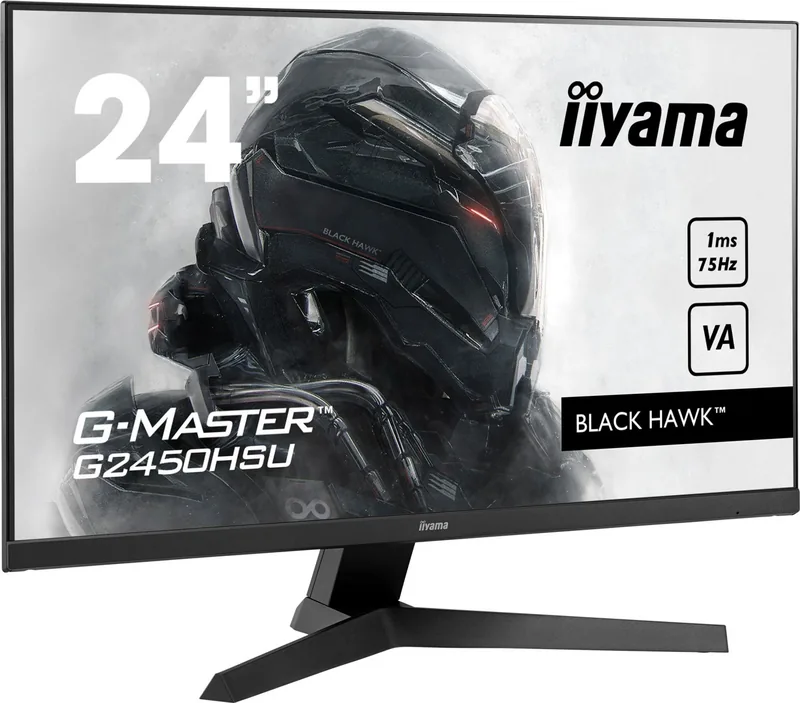
The iiyama G-Master G2450HSU-B1 Black Hawk is a high-performance 23.8-inch gaming monitor designed for competitive players and enthusiasts who demand speed and clarity. This sleek black display combines a stunning Full HD resolution of 1920x1080 with an impressive refresh rate of up to 75Hz, ensuring smooth motion without screen tearing. The panel features a rapid 1ms MPRT response time, which is critical for gamers who need instant reaction speeds in fast-paced first-person shooter or racing games.
Equipped with AMD FreeSync technology, this monitor synchronizes the refresh rate with your graphics card to eliminate stuttering and ghosting. The visual experience is further enhanced by a high contrast ratio of 3000:1, providing deep blacks and vibrant colors that make game environments pop. To protect your eyes during long gaming sessions, the screen includes Flicker-Free technology and a Blue Light Reducer feature, allowing you to adjust color temperature settings for reduced eye strain.
Connectivity is robust, offering both HDMI and DisplayPort inputs to support various setups. The monitor also comes with built-in stereo speakers and a headphone jack for immersive audio directly from the device. Its ergonomic stand allows for tilt adjustments, while VESA compatibility ensures flexibility for wall mounting if desired. Whether you are competing in esports or enjoying single-player adventures, the iiyama G-Master delivers reliable performance and durability.
Search for 67,706 Manuals online


Type-in Brand or Model