

Huion Kamvas RDS-160 Manual
PDF manual · 31 Pages
English



Quick check
Incorrect answer, please try again.
Chat with your Huion Kamvas RDS-160 manual using AI
Get instant AI answers from your Huion Kamvas RDS-160 manual
Ask anything about the Huion Kamvas RDS-160. Answers come from this manual, with the pages they are based on.
Ask a Question
Do you recommend Kamvas RDS-160?
Yes NoFrequently Asked Questions
The device is compatible with Windows 7 or later and macOS 10.12 or later. It also supports Android devices when using a full-featured USB-C cable that supports USB3.1 and DP1.2 data protocols.
Is this answer helpful?
No, the included PW517 digital pen uses battery-free EMR technology. It relies on the display to power the pen, ensuring you can draw continuously without needing to charge or swap batteries.
Is this answer helpful?
If pressure sensing fails, uninstall existing drivers and restart. Ensure drawing software is closed during driver installation. Reinstall the Huion driver from the official website and check your pressure sensitivity settings in the software interface.
Is this answer helpful?
Yes, the RDS-160 supports Android devices. You need a full-featured USB-C to USB-C cable that supports data transfer protocols like USB3.1 GEN1 and DP1.2 to enable full functionality on mobile devices.
Is this answer helpful?
The package contains the Pen Display, Digital Pen, 3-in-1 Cable, USB Extension Cable, USB-C to USB-C cable, Power Adapter, Foldable Stand, Pen Holder, ten replacement Pen Nibs, a Glove and a Cleaning Cloth along with a Quick Start Guide.
Is this answer helpful?
You can adjust color temperature via the OSD menu using K5 and K6 buttons. Choose between Standard, Motion, Movie, or Gaming modes. Alternatively, use the Driver interface or USB-C connection to modify RGB values in User mode on macOS.
Is this answer helpful?
Advantages and Disadvantages
Advantages

- High color accuracy with 145% sRGB coverage for professional work.
- Battery-free EMR pen technology prevents interruptions during drawing sessions.
- Full HD IPS screen with anti-glare etched glass ensures clear visibility.
- Flexible connectivity options including 3-in-1 cable and USB-C support.
- Customizable press keys allow personalized shortcuts for various software.
Disadvantages

- Brightness maxes at 220 nits which may be low for bright environments.
- Response time of 25ms might lag slightly compared to gaming monitors.
- Driver installation requires disabling antivirus for successful launch on Windows.
- Pen nibs wear down over time and need periodic replacement for best feel.
- Mac users need a full-featured USB-C cable for OSD settings access.
Product Specification
Type
Graphics Tablet with Screen
Active Area
13.55 x 7.62 in
Stylus
Wireless, Pointed, 2 Buttons
Resolution
5080 lpi
Pressure Levels
8192
Tilt Range
60 deg
Max. Pen Hover Distance
0.39 in
Display
15.6 in, 1920x1080, IPS, 145% sRGB, Full Lamination
Signal Input
HDMI 2.0 (via 3in1 cable), USB-C w/ DisplayPort 1.2
Brightness
220 cd/m2
Contrast
1,000:1
Response Time
25ms
Keys
10 Keys
CPU
N/A
RAM
N/A
Storage
N/A
Graphics
N/A
Host Port
USB-C
Other Ports
1x USB-C 3.0 with DisplayPort 1.2
Wireless
N/A
Card Reader
N/A
Webcam
N/A
Operating System
N/A
Power Consumption
7.5W (typical), 0.3W (Standby), 0W (Sleep)
Dimensions
16.67 x 9.96 x 0.47 in
Weight
2.78 lbs
Features
Stand (20 deg/45 deg tilt, foldable)
Package Content
Main unit, Stand (ST300), Stylus (PW517), Pen Holder, Power Adapter, 10x Replacement Tips, 3in1 Cable, USB Extension Cable, USB-C to USB-C Cable, Gloves, Cleaning Cloth
SDR Energy Efficiency Class (A to G)
C
SDR Energy Consumption
8 kWh/1000h
Product Description
Discover Creative Freedom with the Huion Kamvas RDS-160
Welcome to the next level of digital art. The Huion Kamvas RDS-160 Cosmo Black is designed for professionals who demand precision and speed. This display integrates seamlessly into your workflow, offering a vibrant canvas for your digital masterpieces. If you are looking for a guide, the Huion Kamvas RDS-160 Cosmo Black Manual offers detailed insights into maximizing its potential.
Unmatched Display Quality
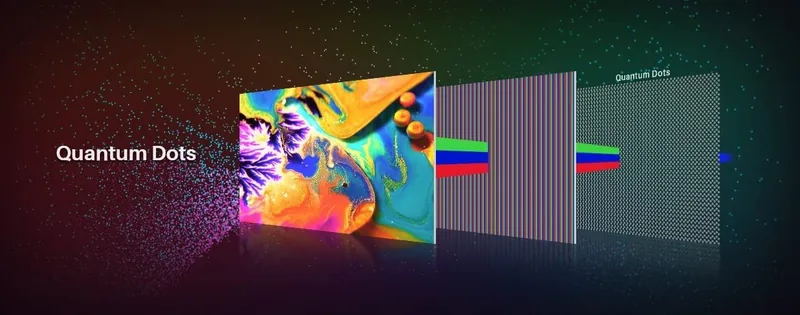
At the heart of this device is a Full HD IPS screen with anti-glare etched glass. The 1920 by 1080 resolution provides sharp clarity for intricate designs. The 145% sRGB color gamut ensures that your colors pop with accuracy, making it ideal for graphic design and photo editing. With a brightness of 220 nits and a fast response time, viewing angles are perfect from any position. The full lamination reduces parallax for a natural drawing experience.
Precision Pen Technology
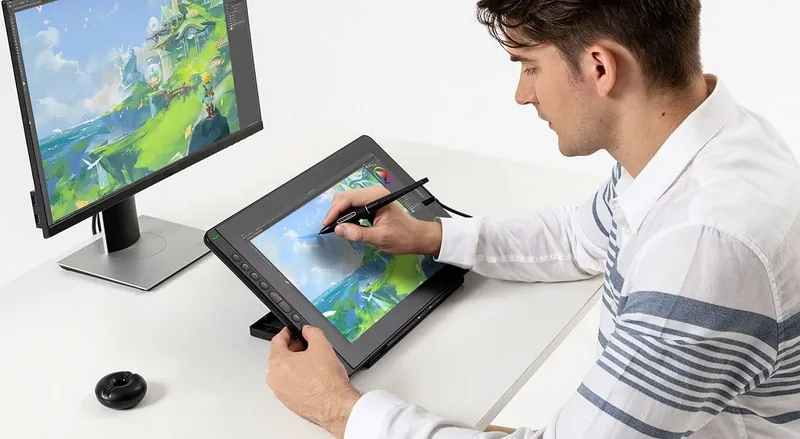
Drawing here feels natural. The battery-free PW517 digital pen supports 8192 levels of pressure sensitivity and tilt recognition up to 60 degrees. This means no lifting for natural shading techniques. The pen is lightweight and comfortable for long sessions. You can even adjust the pressure curve to match your specific hand style. The eraser function on the back is accessible via button press.
Flexible Connectivity
Connecting is simple. The RDS-160 supports Android devices and computers via a 3-in-1 cable or a full-featured USB-C to USB-C cable. Power delivery is handled efficiently with the included adapter. Plug in and start creating. You can also use a USB Extension cable if needed. This versatility allows you to work from any setup, whether it is a desktop PC or a mobile workstation.
Customizable Driver Software
The software allows deep customization. The Huion Kamvas RDS-160 Cosmo Black Manual guides you through setting up the driver. Users can customize press keys for shortcuts like switching brushes or opening programs. The OS menu allows adjustment of brightness and contrast directly. You can save settings for specific programs so changes happen automatically when you launch them.
Ergonomic Design
Included foldable stand allows you to position the display at the perfect angle for your workspace. The Cosmo Black finish looks sleek on any desk. The package includes a pen holder and replacement nibs for long-term use. Whether you are an illustrator, animator, or designer, this tool elevates your productivity and reduces strain during extended creative sessions.
Notes
Always install the latest driver for optimal performance. Ensure your USB ports are functioning correctly if the display is not recognized. Keep the screen clean with the provided cloth. For macOS users, remember the full-featured cable requirement for OSD settings. If using Windows, close antivirus programs during installation.
Search for 67,706 Manuals online


Type-in Brand or Model