
Huion Kamvas Pro 24 Manual
PDF manual · 128 Pages
English



Quick check
Incorrect answer, please try again.
Chat with your Huion Kamvas Pro 24 manual using AI
Get instant AI answers from your Huion Kamvas Pro 24 manual
Ask anything about the Huion Kamvas Pro 24. Answers come from this manual, with the pages they are based on.
Kamvas Pro 24 Maintenance Schedule
The nib wears off after long use. Rotate holder cover anticlockwise, remove old nib with clip, and insert new nib firmly until it stops.
Unplug USB cable before cleaning. Wipe with a soft damp cloth only. Do not use any kind of detergents.
Ask a Question
Do you recommend Kamvas Pro 24?
Yes NoFrequently Asked Questions
The device supports Windows 7 or later and macOS 10.12 or later. It works seamlessly with both platforms once the correct drivers are installed.
Is this answer helpful?
No, the included PW517 pen is battery-free. It uses electromagnetic resonance technology, so you never need to charge or replace batteries.
Is this answer helpful?
Yes, the driver allows you to map the pen display to specific monitors in extended mode or mirror mode, giving you full control over cursor movement.
Is this answer helpful?
Use the ergonomic adjustable stand included in the box. You can drag the switch to set the angle anywhere between 20 degrees and 80 degrees.
Is this answer helpful?
The screen features a 2560 x 1440 QHD resolution with a 16:9 aspect ratio, providing sharp images and plenty of workspace.
Is this answer helpful?
Yes, the device fully supports Windows Ink, making it compatible with apps like Photoshop, SketchBook, and Microsoft Office without extra configuration.
Is this answer helpful?
Advantages and Disadvantages
Advantages

- Large 23.8-inch QHD IPS screen provides ample space for detailed work
- Battery-free pen with 8192 pressure levels offers precise control
- Multiple video inputs including HDMI, DP, and VGA for flexible connections
- Ergonomic adjustable stand allows angles from 20 to 80 degrees
- Full driver customization for shortcuts and multi-monitor setups
Disadvantages

- No built-in touch functionality despite the large active area
- Screen brightness may be lower compared to some premium competitors
- Requires external power adapter which adds cable clutter
- Driver installation requires closing other graphics software first
- Pen nibs may wear out over time requiring replacement
Product Specification
Type
Graphics tablet with screen
Active area
20.74x11.67 in
Stylus
wireless, tip, 2 buttons
Resolution
5080 lpi
Sensitivity levels
8192
Tilt range
60 deg
Max stylus distance
0.39 in
Display
23.8 in, 2560x1440, IPS, tiltable (60 deg), 120% sRGB, Full Lamination
Signal input
HDMI, DisplayPort, VGA
Brightness
220 cd/m^2
Contrast
1000:1
Response time
14 ms
Buttons
20 keys, 2 touch strips
CPU
N/A
RAM
N/A
Storage
N/A
Graphics
N/A
Host port
USB-B 3.0
Other ports
N/A
Wireless
N/A
Card reader
N/A
Webcam
N/A
Operating system
N/A
Power consumption
18.4 W (typical), 0.3 W (standby), 0.3 W (sleep)
Dimensions
25.94x15.39x0.98 in
Weight
13.23 lbs
Features
Stand (tiltable 20 deg-80 deg)
Package contents
Main unit, Stylus (PW517), pen holder, 10 replacement tips, power adapter, HDMI cable, USB cable
Energy efficiency class SDR (A to G)
E
SDR energy consumption
18 kWh/1000 h
Product Description
Huion Kamvas Pro 24: The Ultimate Creative Display for Professionals
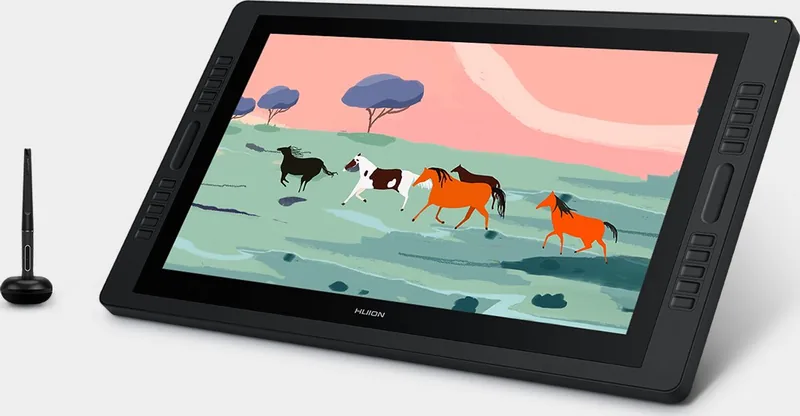
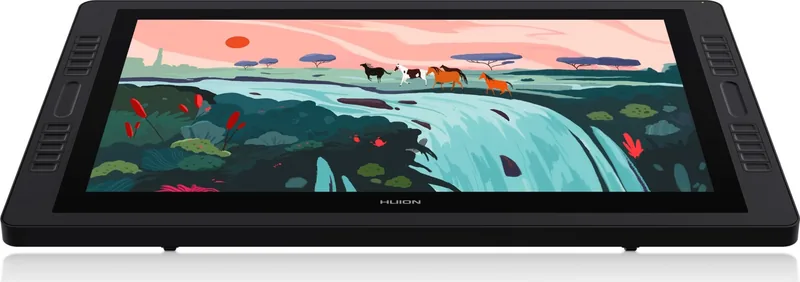
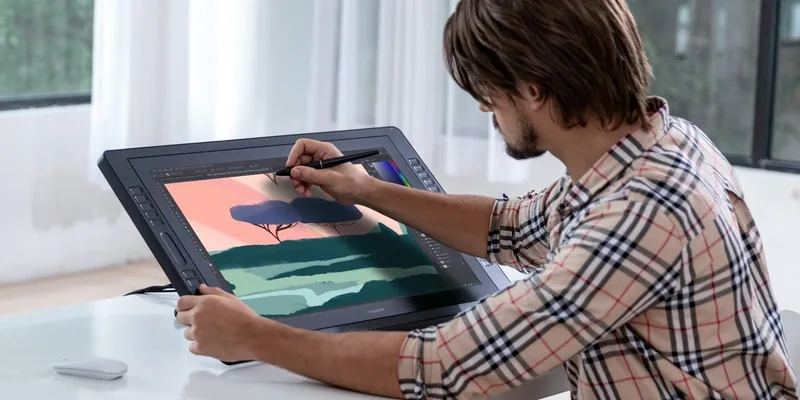
The Huion Kamvas Pro 24 stands as a pinnacle in the world of digital art, offering a seamless blend of precision and comfort. This desktop-level professional drawing display is designed to revolutionize your creative workflow. With its expansive 23.8-inch screen, artists can enjoy a workspace that mimics the natural feel of drawing on paper while leveraging the power of modern software. Whether you are an illustrator, designer, or animator, this device ensures your ideas flow effortlessly from mind to screen.
Equipped with HDMI, DP, and VGA ports, the Kamvas Pro 24 offers versatile connectivity options suitable for various setups. The high-resolution QHD panel delivers vibrant colors covering 120% sRGB, ensuring every hue is rendered accurately. The battery-free pen provides 8192 levels of pressure sensitivity, allowing for subtle line variations that bring depth and texture to your artwork. The adjustable stand further enhances ergonomics, letting you tilt the screen between 20 and 80 degrees to find your perfect working angle.
Beyond hardware excellence, the driver software empowers users with deep customization. You can define working areas across multiple monitors, adjust pressure sensitivity to match your grip style, and program shortcut keys to streamline your process. Features like Windows Ink support ensure compatibility with industry-standard applications such as Adobe Photoshop and Microsoft Office. This display is not just a tool; it is a companion that adapts to your unique artistic needs.
Key Notes
- Supports both Windows and macOS systems for broad compatibility.
- Includes a comprehensive package with cables, pen holder, and cleaning cloth.
- Designed with ventilation grooves to prevent overheating during long sessions.
Search for 67,706 Manuals online


Type-in Brand or Model