
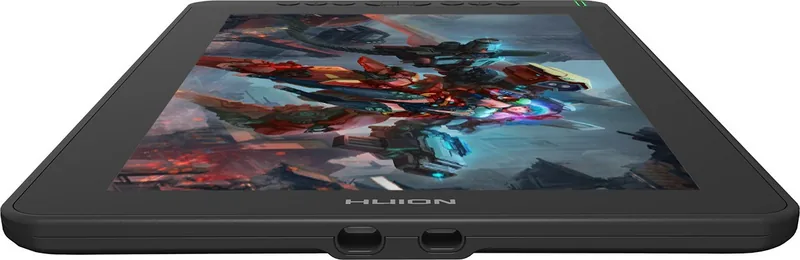
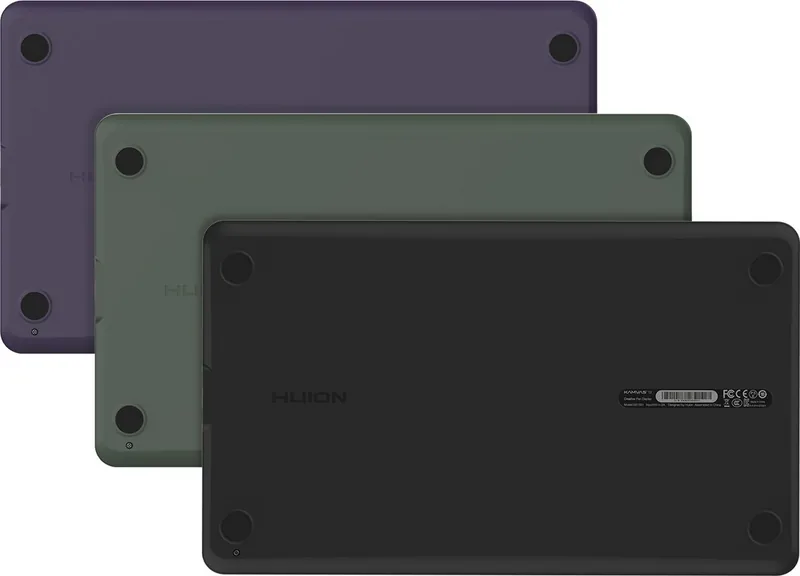
Huion Kamvas 13 Manual
PDF manual · 20 Pages
English



Quick check
Incorrect answer, please try again.
Chat with your Huion Kamvas 13 manual using AI
Get instant AI answers from your Huion Kamvas 13 manual
Ask anything about the Huion Kamvas 13. Answers come from this manual, with the pages they are based on.
Kamvas 13 Maintenance Schedule
The nib will wear out after long use. Replace it with a new one when wear is observed.
Unplug the USB cable and wipe with a soft damp cloth. Do not use any kind of detergents.
Ask a Question
Do you recommend Kamvas 13?
Yes NoFrequently Asked Questions
Yes, the device supports macOS 10.12 and later versions. You can download the specific driver from the official website to ensure full functionality on Apple systems.
Is this answer helpful?
No, the power adapter is not included in the box. However, most mobile phone power adapters are compatible with the device if they provide the correct voltage and current specifications.
Is this answer helpful?
You can replace the nib using the included nib clip. Simply pull the worn nib straight out and insert a new one until it clicks securely into place. Regular replacement ensures smooth writing.
Is this answer helpful?
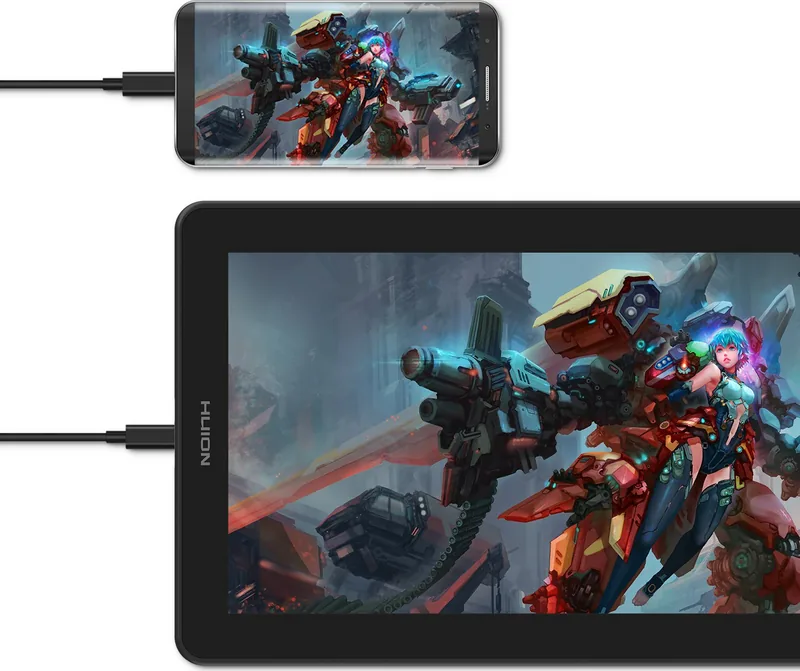
Yes, provided your Android phone supports DeX or PC mode. You will need a separate USB-C to USB-C cable and a power source to connect the display to your mobile device.
Is this answer helpful?
If there is a deviation between the tip and cursor, perform a screen calibration through the driver software. Click the red crosshair points on the screen to realign the input accurately.
Is this answer helpful?
There are eight customizable press keys located on the top left side of the display. These can be programmed to perform various functions to speed up your editing process.
Is this answer helpful?
Advantages and Disadvantages
Advantages

- Highly portable 13.3-inch design ideal for travel and small workspaces
- Excellent color accuracy with 120% sRGB coverage for professional results
- 8192 pressure levels provide precise control over line thickness and opacity
- Eight customizable shortcut keys boost workflow efficiency significantly
- Compatible with both Windows and macOS systems for versatile usage
Disadvantages

- USB-C to USB-C cable is not included in the package and must be purchased separately
- Power adapter is not included, requiring users to buy one independently
- Stand is sold as an optional accessory rather than being included by default
- Screen brightness may appear lower compared to high-end monitors in very bright rooms
- Driver installation requires careful uninstallation of previous versions to avoid conflicts
Product Specification
Type
Graphics tablet with screen
Active area
11.57x6.51in
Pen
wireless, tip, 2 buttons
Resolution
5080lpi
Sensitivity levels
8192
Tilt range
60°
Max pen distance
0.39in
Display
13.3", 1920x1080, IPS, 120% sRGB, Full Lamination
Signal input
HDMI 2.0 (via 3-in-1 cable), USB-C with DisplayPort 1.2
Brightness
220cd/m²
Contrast
1,000:1
Response time
25ms
Buttons
8x buttons
CPU
N/A
RAM
N/A
Storage
N/A
Graphics
N/A
Host connection
USB-C
Other connections
1x USB-C 3.0 with DisplayPort 1.2
Wireless
N/A
Card reader
N/A
Webcam
N/A
Operating system
N/A
Power consumption
6W (typical), 0.2W (standby), 0.2W (sleep)
Dimensions
14.43x8.56x0.46in
Weight
2.16lbs
Package contents
Main unit, Pen (PW517), 10 spare tips, Pen holder (PH05), Glove, 3-in-1 cable, USB-C to USB-C cable, USB power cable, USB extension cable, 1 cleaning cloth
Energy efficiency class SDR (A to G)
C
SDR energy consumption
6kWh/1000h
Product Description
Discover the Huion Kamvas 13: Your Portable Art Studio
The Huion Kamvas 13 is a revolutionary pen display designed for artists who demand precision and portability. This device transforms your computer screen into a canvas, allowing you to draw directly on the glass with natural pressure sensitivity. Whether you are an illustrator, animator, or digital photographer, this tool enhances your creative workflow by mimicking the feel of traditional media.
Equipped with a vibrant 13.3-inch IPS LCD panel, the Kamvas 13 delivers stunning visuals with a resolution of 1920 x 1080 pixels. The screen covers 120% of the sRGB color gamut, ensuring that every hue you paint appears vivid and true to life. With 8192 levels of pressure sensitivity, your strokes will respond dynamically to how hard you press, capturing subtle nuances in line weight and texture.
Connectivity is seamless thanks to the included 3-in-1 cable, which simplifies setup for both Windows and Mac users. You can also connect via USB-C for modern laptops, making it easy to take your art anywhere. The display features eight customizable shortcut keys and two side buttons on the pen, giving you quick access to tools like undo, zoom, or brush size adjustments without breaking your creative flow.
Durability and comfort are prioritized in its design. The adjustable stand allows you to find the perfect angle for drawing, reducing neck strain during long sessions. The passive electromagnetic resonance touch technology ensures accurate cursor tracking, while the slim profile makes it highly portable. By integrating this device into your daily routine, you unlock a world of digital possibilities right at your fingertips.
Search for 67,706 Manuals online


Type-in Brand or Model