
Huion Inspiroy Q11K Manual
PDF manual · 20 Pages
English



Quick check
Incorrect answer, please try again.
Chat with your Huion Inspiroy Q11K manual using AI
Get instant AI answers from your Huion Inspiroy Q11K manual
Ask anything about the Huion Inspiroy Q11K. Answers come from this manual, with the pages they are based on.
Inspiroy Q11K Maintenance Schedule
Charge the digital pen every 3 months even if not in use to prevent lithium battery damage.
Replace the pen nib when it wears out after long-term use.
Free maintenance reminders
Timed to your purchase date. Always free, unsubscribe anytime.
Ask a Question
Do you recommend Inspiroy Q11K?
Yes NoFrequently Asked Questions
It offers a large drawing area, pressure-sensitive pen input, and customizable shortcut keys, making it suitable for sketching, painting, retouching, and everyday digital art workflows.
Is this answer helpful?
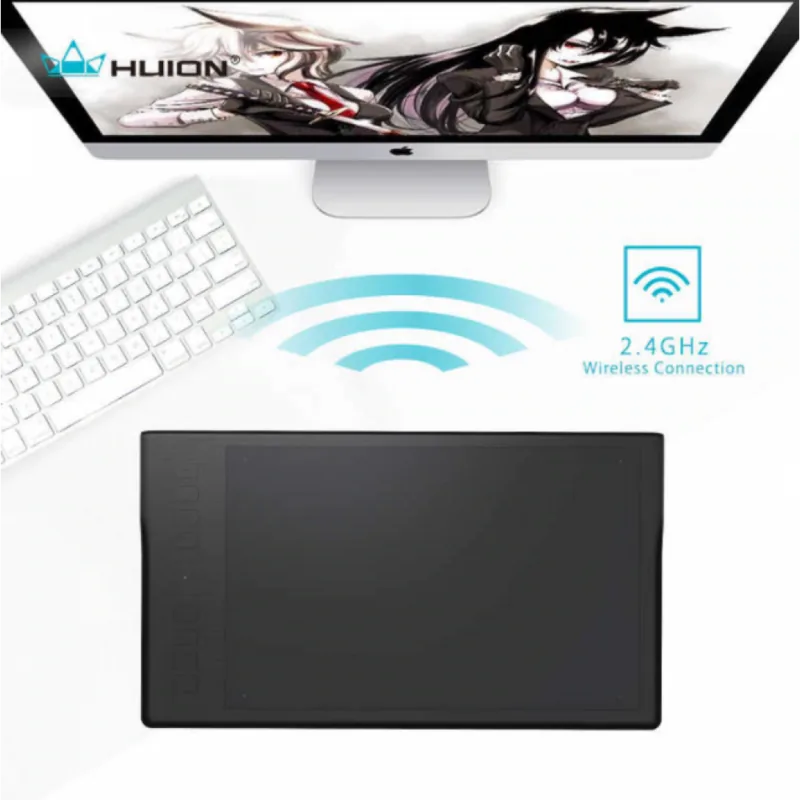
Yes. It supports 2.4G wireless use through a receiver, and it can also be connected by USB for wired operation or charging.
Is this answer helpful?
The stylus supports 8192 levels of pressure sensitivity, which helps create natural-looking strokes with better control over line weight and shading.
Is this answer helpful?
Yes. The working area can be rotated in the driver settings, so users can adapt the tablet orientation for left- or right-handed use.
Is this answer helpful?
The tablet supports Windows 7 or later and macOS 10.11 or later, according to the manual.
Is this answer helpful?
Charge the tablet and pen when battery levels are low, avoid long periods of inactivity without charging, and follow the manual’s battery care guidance to reduce wear.
Is this answer helpful?
Advantages and Disadvantages
Advantages

- Large 11 x 6.875 inch active area gives artists more room for natural strokes and comfortable hand movement.
- 8192 pressure levels and tilt support help create detailed line work, shading, and more expressive drawing control.
- Wireless and wired modes offer flexible setup options for studios, classrooms, or portable creative work.
- Eight tablet keys and programmable pen buttons improve speed and reduce repetitive clicks during editing or sketching.
Disadvantages

- Wireless performance can be affected by nearby 2.4G devices or barriers between the tablet and receiver.
- The battery requires regular charging, and the manual recommends maintenance to avoid battery damage over time.
- Driver installation may require removing older tablet drivers first, which can slow down setup for some users.
- The pen and tablet need proper care, including nib replacement and charging, to maintain stable performance.
Product Specification
Type
Graphics tablet
Active area
10.98x6.89in
Pen
wireless, tip, 2 buttons
Resolution
5080lpi
Sensitivity levels
8192
Tilt range
90°
Max. pen distance
0.47in
Display
N/A
Signal input
N/A
Brightness
N/A
Contrast
N/A
Response time
N/A
Buttons
8x buttons
CPU
N/A
RAM
N/A
Storage
N/A
Graphics
N/A
Host connection
USB 2.0 Micro-B, wireless (2.40GHz)
Other connections
N/A
Wireless
N/A
Card reader
N/A
Webcam
N/A
Operating system
N/A
Power consumption
no data (typical), no data (sleep)
Battery
2500mAh
Dimensions
15.35x8.78x0.43in
Weight
1.94lbs
Scope of delivery
Main unit, pen, 8x replacement nibs, USB cable
Product Description
Huion Inspiroy Q11K Manual: Wireless Drawing Freedom for Creators
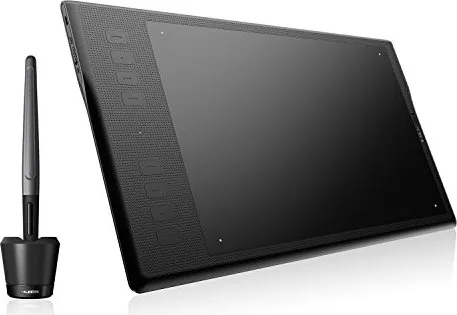
The Huion Inspiroy Q11K is a wireless graphics tablet designed for artists who want a roomy workspace, responsive pen input, and a cleaner desk setup. In the Huion Inspiroy Q11K Manual, the tablet is presented as a practical tool for drawing, sketching, photo editing, and everyday digital creativity on both Windows and macOS. Its large active area gives you plenty of room to move naturally, while wireless support helps keep your workflow flexible and uncluttered.
One of the strongest highlights is the rechargeable stylus, which supports 8192 levels of pressure sensitivity. That means lighter strokes, bold lines, and subtle shading can feel more controlled and expressive. The pen also includes programmable side buttons, giving users quick access to common actions such as right-clicking or brush switching. Combined with the tablet’s eight customizable express keys, the Q11K can speed up repetitive tasks and make creative sessions more efficient.
The tablet supports both wired and wireless use, so it can adapt to different work styles. In wireless mode, the receiver connects directly to the computer, and the tablet can operate for hours on a full charge. For longer sessions or charging, the USB cable keeps things simple. The manual also explains how to set up the driver, adjust working areas for single or multiple monitors, rotate the tablet for left- or right-handed use, and fine-tune pressure sensitivity for different art programs.
Huion also includes useful maintenance guidance, such as pen nib replacement, battery care, and basic troubleshooting. These details make the Q11K feel like a well-rounded option for beginners and experienced users alike. It is built for convenience, but still offers enough customization to support a personalized drawing setup.
Notes
- Full charging and proper battery care help preserve long-term performance.
- Installing the correct driver is important for pressure and shortcut functions.
- Wireless mode works best in a clean signal environment with minimal interference.
Search for 67,706 Manuals online


Type-in Brand or Model