
Huion Inspiroy Ink H320M Manual
PDF manual · 16 Pages
English



Quick check
Incorrect answer, please try again.
Chat with your Huion Inspiroy Ink H320M manual using AI
Get instant AI answers from your Huion Inspiroy Ink H320M manual
Ask anything about the Huion Inspiroy Ink H320M. Answers come from this manual, with the pages they are based on.
Ask a Question
Do you recommend Inspiroy Ink H320M?
Yes NoFrequently Asked Questions
The H320M supports Windows 7 or later and macOS 10.12 or later. It also works with compatible Android phones and tablets running Android 6.0 or later.
Is this answer helpful?
No. The included PW100 digital pen uses battery-free electromagnetic resonance technology, so it does not need batteries or routine charging.
Is this answer helpful?
The H320M includes 11 programmable press keys. Their functions can be assigned in the Huion driver, and the pen side buttons can also be customized for compatible computer use.
Is this answer helpful?
Yes, with compatible Android 6.0 or later devices and the correct OTG adapter. Some phones or tablets require OTG to be enabled in settings. No driver is required on the phone.
Is this answer helpful?
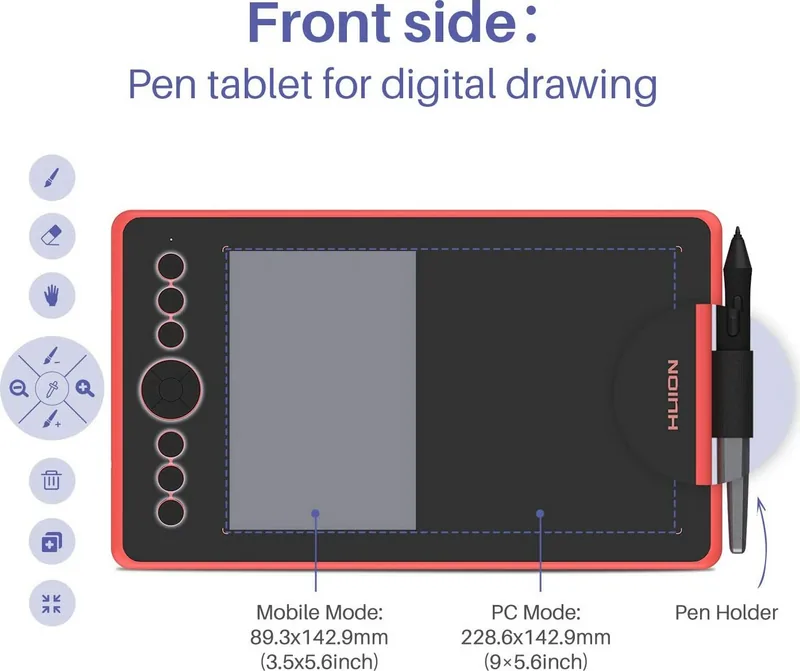
In phone mode, the active pen area is 142.9 x 89.3 mm. The tablet press keys and digital pen side buttons are not supported in this mode.
Is this answer helpful?
Open the Huion driver and use the pressure sensitivity slider. Lower values make the pen more pressure sensitive. The driver also includes a pressure test area for checking stroke response.
Is this answer helpful?
Advantages and Disadvantages
Advantages

- Battery-free PW100 pen offers 8,192 pressure levels and plus or minus 60 degree tilt support.
- Eleven programmable tablet keys and customizable pen buttons can streamline creative workflows.
- Supports Windows, macOS, and compatible Android 6.0 or later devices.
- Adjustable working area, screen mapping, rotation, and pressure settings support personalized use.
- Slim 9 mm profile and 450 g weight make the tablet convenient for portable setups.
Disadvantages

- Android phone mode uses a smaller 142.9 x 89.3 mm active area.
- Tablet press keys and pen side buttons are not supported in Android phone mode.
- Some Android devices require OTG activation before the tablet can connect.
- Users must install the driver on computers to access advanced customization.
- Worn pen nibs require periodic replacement.
Product Specification
Type
Graphics tablet
Active area
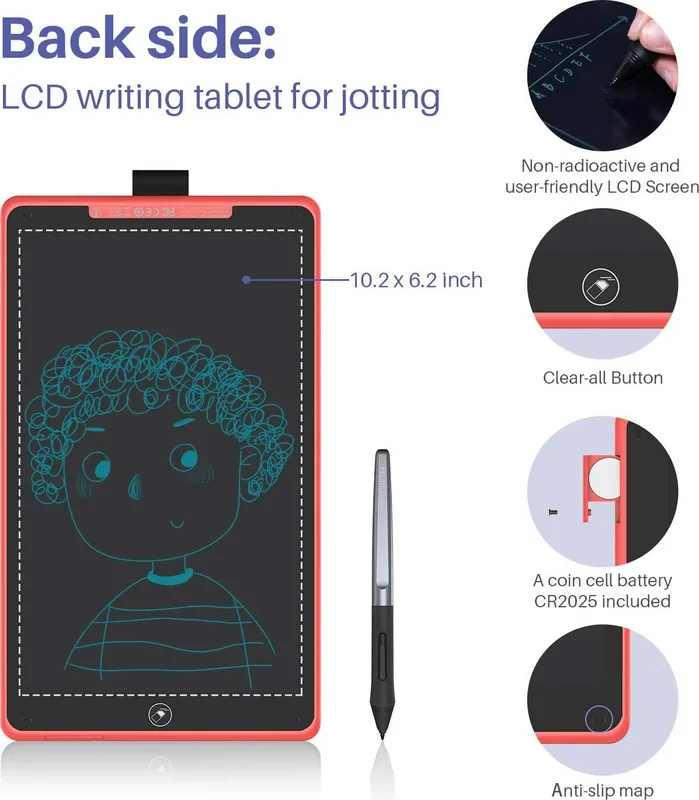
9 x 5.63 in (front: graphics tablet), 10.2 x 6.2 in (back: digital notepad, e-paper)
Pen
Wireless, nib, 2 buttons
Resolution
5,080 lpi
Pressure levels
8,192
Tilt range
60 degrees
Max. pen distance
0.39 in
Display
N/A
Signal input
N/A
Brightness
N/A
Contrast
N/A
Response time
N/A
Buttons
11 buttons (front), 1 erase button (back)
CPU
N/A
RAM
N/A
Storage
N/A
Graphics
N/A
Host connection
USB-C
Other ports
N/A
Wireless
N/A
Card reader
N/A
Webcam
N/A
Operating system
N/A
Power consumption
Not specified (typical), not specified (sleep)
Battery
2,500 mAh
Dimensions
12.02 x 7.07 x 0.35 in
Weight
0.99 lb
Special features
Digital notepad
Package contents
Main unit, pen (PW100), pen holder, case, 8 replacement nibs, USB-C cable, 2 USB adapters
Product Description
Huion Inspiroy Ink H320M - Read, Download & Print Free
The Huion Inspiroy Ink H320M is a versatile creative tablet designed for artists, students, note takers, and digital creators who want a natural pen experience without the inconvenience of charging a stylus. Its battery-free PW100 pen supports 8,192 pressure levels and a tilt range of plus or minus 60 degrees, helping users create varied strokes, smooth shading, and detailed line work with greater control.
Built for Drawing, Writing, and Everyday Creativity
With a 228.6 x 142.9 mm pen tablet working area, the H320M provides ample room for illustration, editing, handwriting, and design tasks while remaining only 9 mm thin. The tablet uses electromagnetic resonance technology and delivers a 5080 LPI resolution with a 266 PPS report rate. These specifications support responsive cursor movement and accurate pen input for creative software and everyday desktop navigation.
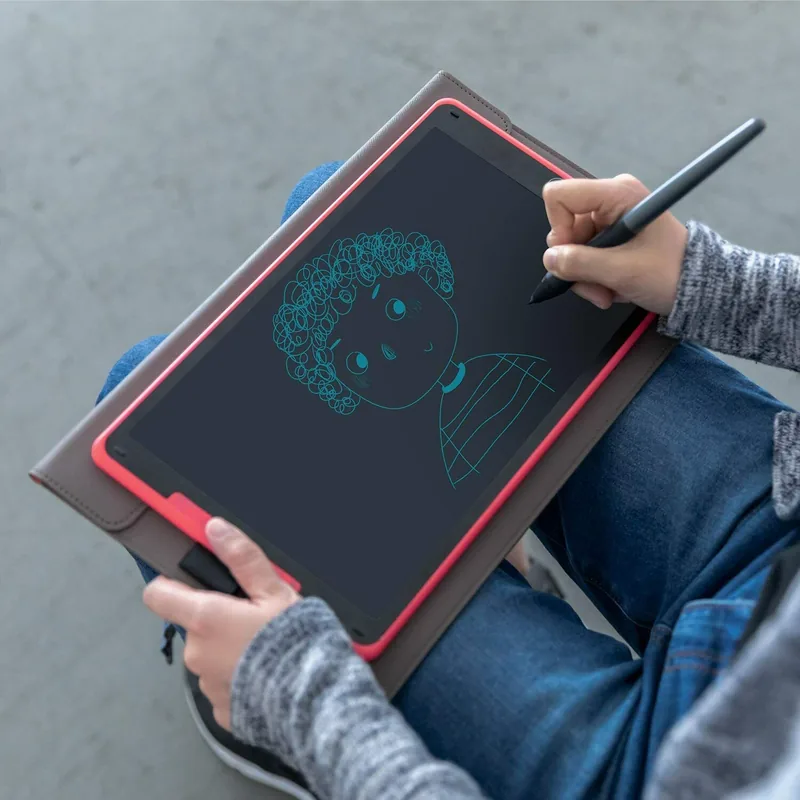
The device also includes a larger writing tablet surface measuring 259.2 x 157.4 mm, making it a practical choice for people who enjoy switching between digital artwork and handwritten ideas. At 450 g, it is easy to carry between a desk, classroom, studio, or travel bag.
Custom Controls for a Faster Workflow
Eleven programmable press keys let users assign commonly used functions, shortcuts, or tools to the tablet. The pen side buttons can also be customized through the driver, reducing interruptions while drawing or working. Users can adjust the active area, rotate the tablet for left- or right-handed use, select a monitor in multi-display setups, and fine-tune pressure sensitivity to suit their preferred drawing style.
The driver supports Windows 7 or later and macOS 10.12 or later. It also allows custom settings to be exported and imported, which is useful when moving between software or restoring a preferred setup. Windows Ink compatibility adds support for pen-enabled features in applications such as Microsoft Office, Adobe Photoshop CC, and SketchBook.
Android Connectivity and Simple Maintenance
The H320M can connect to compatible Android phones and tablets running Android 6.0 or later. Some devices may require OTG to be enabled. In phone mode, the pen works within a 142.9 x 89.3 mm active area, and tablet press keys and pen buttons are unavailable. No phone driver installation is required.
Notes
- Use the supplied USB-C connection and the appropriate OTG adapter for mobile use.
- Replace the pen nib when it becomes worn to maintain a consistent drawing feel.
- Keep liquids, foreign objects, and harsh cleaning products away from the tablet.
- Do not leave the pen resting on the active surface, as it may keep a computer awake.
Search for 67,706 Manuals online


Type-in Brand or Model