
Huion Inspiroy HS611 Manual
PDF manual · 113 Pages
English



Quick check
Incorrect answer, please try again.
Chat with your Huion Inspiroy HS611 manual using AI
Get instant AI answers from your Huion Inspiroy HS611 manual
Ask anything about the Huion Inspiroy HS611. Answers come from this manual, with the pages they are based on.
Ask a Question
Do you recommend Inspiroy HS611?
Yes NoFrequently Asked Questions
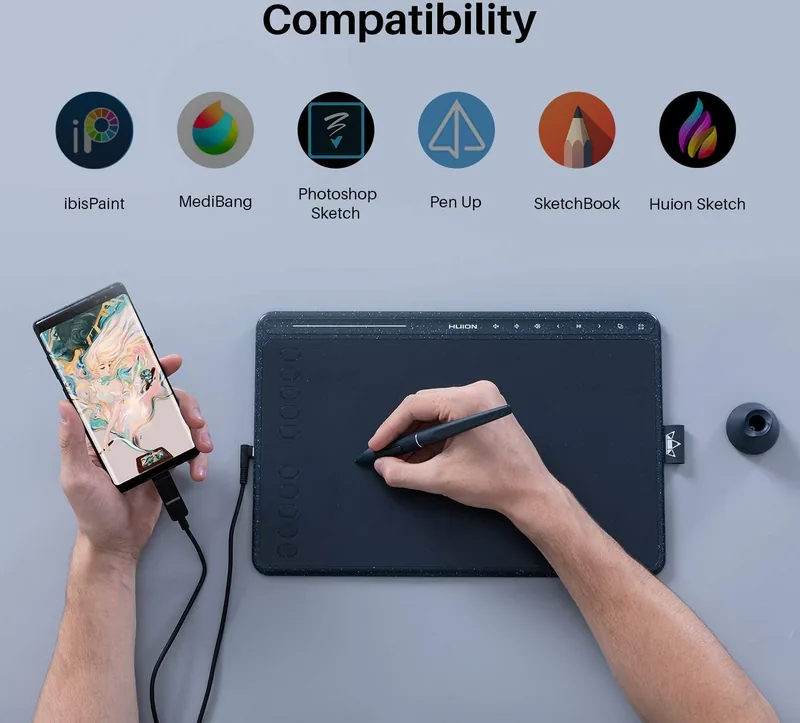
Yes, it works with Android devices running OS 6.0 or later. You will need an OTG adapter compatible with your phone's USB port to connect the tablet directly.
Is this answer helpful?
Absolutely. The included PW500 pen uses electromagnetic resonance technology, meaning it never requires charging or batteries to operate.
Is this answer helpful?
Yes, the driver allows you to define which monitor corresponds to specific areas of the tablet, supporting both extended and mirrored display modes.
Is this answer helpful?
Unscrew the pen holder cap counter-clockwise, insert a new nib into the bottom hole, tilt the pen to remove the old one, then push the new nib straight in until it stops.
Is this answer helpful?
If the pen is resting on the tablet surface, the computer may detect it as active input. Remove the pen from the tablet when not in use to restore sleep functionality.
Is this answer helpful?
The HS611 supports Windows 7 or later, macOS 10.12 or later, and Android 6.0 or later with the appropriate driver installed.
Is this answer helpful?
Advantages and Disadvantages
Advantages

- Battery-free pen ensures continuous use without charging interruptions
- 8192 levels of pressure sensitivity provide highly detailed line variation
- Compatible with Android devices via OTG for portable sketching
- Customizable express keys and pen buttons streamline workflow
- Supports multi-monitor setups with flexible area mapping
Disadvantages

- No touch screen functionality limits direct interaction
- Pen nibs require periodic replacement due to wear
- Driver installation may conflict with other tablet software if not managed
- Limited active area size compared to larger professional models
- Side buttons only function when pen tip is within 10mm of the surface
Product Specification
Type
Graphics Tablet
Active Area
10.17x6.36 in
Pen
Wireless, Tip, 2 Buttons
Resolution
5080 lpi
Pressure Levels
8192
Tilt Range
60°
Max Pen Height
0.39 in
Display
N/A
Signal Input
N/A
Brightness
N/A
Contrast
N/A
Response Time
N/A
Keys
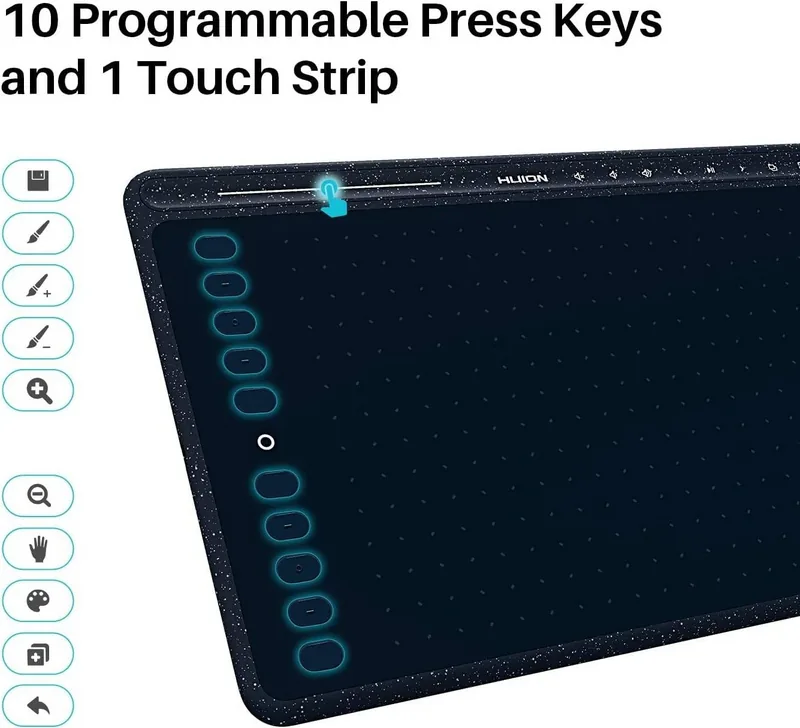
18 Keys (8 Multimedia Keys), 1 Touchstrip
CPU
N/A
RAM
N/A
Storage
N/A
Graphics
N/A
Host Connection
USB
Other Connections
N/A
Wireless
N/A
Card Reader
N/A
Webcam
N/A
Operating System
N/A
Power Consumption
Not specified (typical), Not specified (Sleep)
Battery
N/A
Dimensions
13.13x8.60x0.29 in
Weight
1.21 lbs
Package Contents
Main unit, Pen (PW500), Pen Holder (PH03), 8 Replacement Tips, USB-C Cable, USB Adapter
Product Description
Discover the Huion HS611: Your Gateway to Digital Art
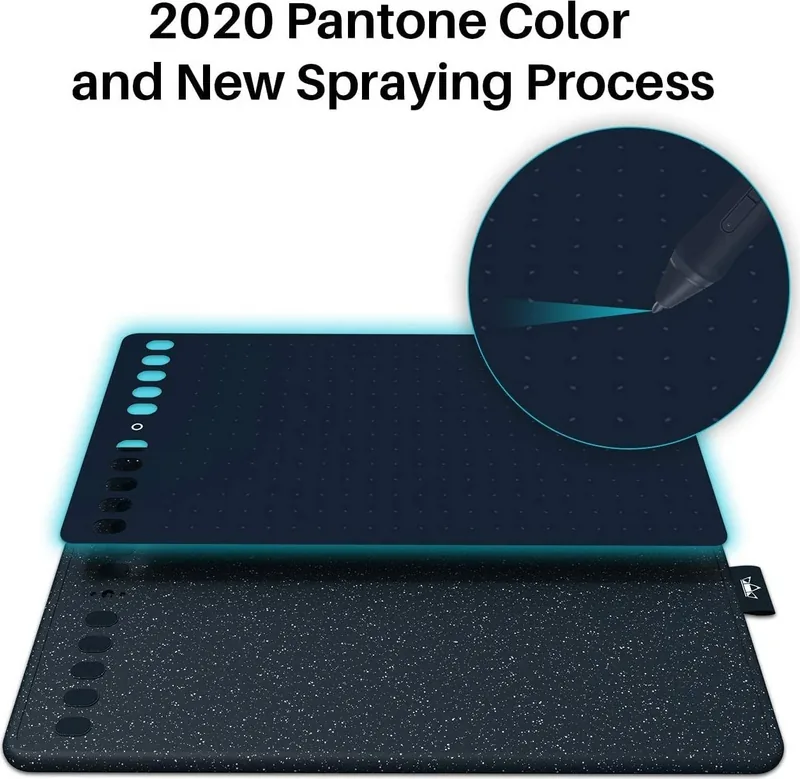
The Huion HS611 represents a significant leap forward in creative technology, designed specifically for artists who demand precision without the burden of heavy equipment. As a professional battery-free drawing tablet, this device transforms the way you approach digital painting and illustration. It offers a natural writing experience that mimics the feel of pen on paper, allowing you to freely depict lines and colors with unprecedented fluidity.
Designed for both Windows and Mac users, the HS611 features an electromagnetic resonance touch technology that ensures smooth cursor movement and accurate pressure sensitivity. With 8192 levels of pressure detection, every subtle stroke is captured, enabling you to create intricate details and dynamic shading effortlessly. The tablet connects easily via a USB-C cable to your computer or even directly to Android devices running version 6.0 or later using an OTG adapter.
One of the standout features of the HS611 is its customizable express keys and side buttons on the pen. These can be programmed to perform specific functions like zooming, panning, or launching shortcuts, significantly boosting your workflow efficiency. The driver software provides extensive control over working areas, allowing you to map the tablet surface to single or multiple monitors, adjust rotation angles for left or right-handed use, and fine-tune pressure curves to match your personal style.
The package includes a battery-free pen, which eliminates the need for charging and ensures you never lose power during a critical session. Replacement nibs are conveniently stored inside the pen holder, making maintenance simple. Whether you are a beginner exploring digital art or a seasoned professional looking for a reliable secondary tool, the Huion HS611 delivers the performance and versatility needed to bring your creative visions to life.
Important Notes
- Always unplug the device before cleaning to prevent electrical damage.
- Avoid placing the tablet near water sources or magnetic fields.
- Do not place the pen on the tablet surface when not in use to allow the computer to enter sleep mode.
- Ensure drivers are updated regularly for optimal performance.
Search for 67,706 Manuals online


Type-in Brand or Model