
Huion Inspiroy H640P Manual
PDF manual · 17 Pages
English



Quick check
Incorrect answer, please try again.
Chat with your Huion Inspiroy H640P manual using AI
Get instant AI answers from your Huion Inspiroy H640P manual
Ask anything about the Huion Inspiroy H640P. Answers come from this manual, with the pages they are based on.
Ask a Question
Do you recommend Inspiroy H640P?
Yes NoFrequently Asked Questions
The H640P supports Windows 7 or later and macOS 10.11 or later. Some Android devices (Android 6.0+) can work via an OTG adapter, though phone-mode functionality is limited and certain features like press keys may not be supported.
Is this answer helpful?
Yes. Download and install the official Huion driver from huion.com/download to enable pressure sensitivity, customize press keys and pen buttons, map working areas, and export/import configuration profiles. Close graphics and antivirus software before installation and remove other tablet drivers first.
Is this answer helpful?
Open the pen holder by rotating it anticlockwise, use the extractor hole to pull out the old nib, then insert the new nib straight and push until it stops. Store the pen in its holder when not in use and avoid placing it on the tablet surface to prevent unintended input.
Is this answer helpful?
Check the USB port and cable connection, try another USB port, and ensure the driver is installed correctly. Uninstall conflicting tablet drivers and restart the computer after driver installation. For wireless receivers or adapters, verify they are properly connected.
Is this answer helpful?
Open the Huion driver and move the pressure sensitivity slider; lower values increase sensitivity. Use the built-in pressure test to apply gradual pressure to the pen tip and view stroke response. Clear the test canvas with the Clear button between tests.
Is this answer helpful?
Yes. The driver allows mapping the tablet to a specific monitor in multi-monitor setups, and supports rotating the working area by 0°, 90°, 180°, or 270° for left- or right-handed use.
Is this answer helpful?
Do not disassemble the tablet or pen; unauthorized repairs void the warranty. Keep liquids away, avoid unstable placements, and prevent children from accessing small parts like the pen nib. For repairs, request manufacturer-specified replacement components to avoid hazards.
Is this answer helpful?
Advantages and Disadvantages
Advantages

- High pressure sensitivity (8192 levels) for natural, nuanced strokes.
- Battery-free PW100 pen eliminates charging and reduces downtime.
- Compact active area ideal for portability and laptop-based workflows.
- Customizable press keys and pen buttons speed up common actions.
- Driver supports profile export/import and multi-monitor mapping.
Disadvantages

- Smaller active area may feel limited for large-format artwork.
- Some Android devices require OTG and limited functionality in phone mode.
- Must install Huion driver for full features and optimal pressure support.
- Touch gestures not supported — relies on pen input only.
- Disassembly or unauthorized repairs will void the warranty.
Product Specification
Type
Graphics tablet
Active Area
6.30x3.94in
Pen
wireless, nib, 2 buttons
Resolution
5080lpi
Sensitivity Levels
8192
Tilt Range
60°
Max. Pen Distance
0.39in
Display
N/A
Signal Input
N/A
Brightness
N/A
Contrast
N/A
Response Time
N/A
Buttons
6x Buttons
CPU
N/A
RAM
N/A
Storage
N/A
Graphics
N/A
Host Connection
USB 2.0 Micro-B
Other Connections
N/A
Wireless
N/A
Card Reader
N/A
Webcam
N/A
Operating System
N/A
Power Consumption
not specified (typical), not specified (sleep)
Battery
N/A
Dimensions
10.24x5.82x0.31in
Weight
0.61lb
Package Contents
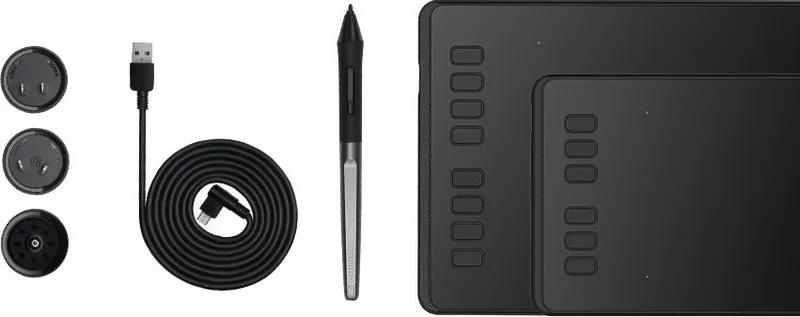
Main unit, 1x pen (PW100), 1x pen holder, 8x replacement nib, 1x Micro USB cable, 1x USB adapter
Product Description
Huion Inspiroy H640P — Compact, Precise, and Pen-Powered
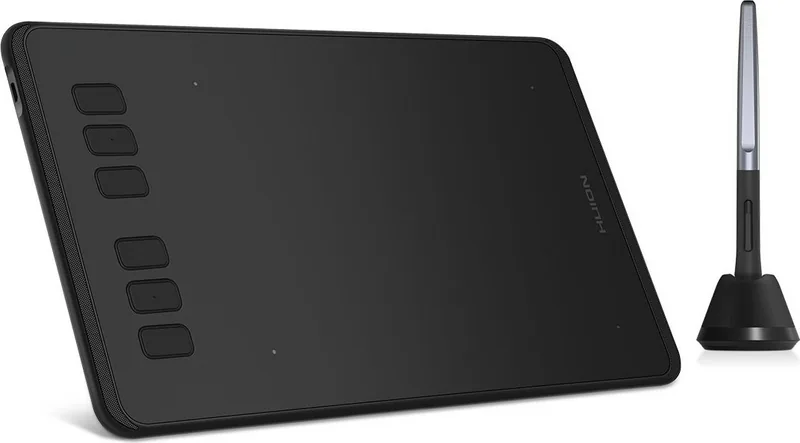
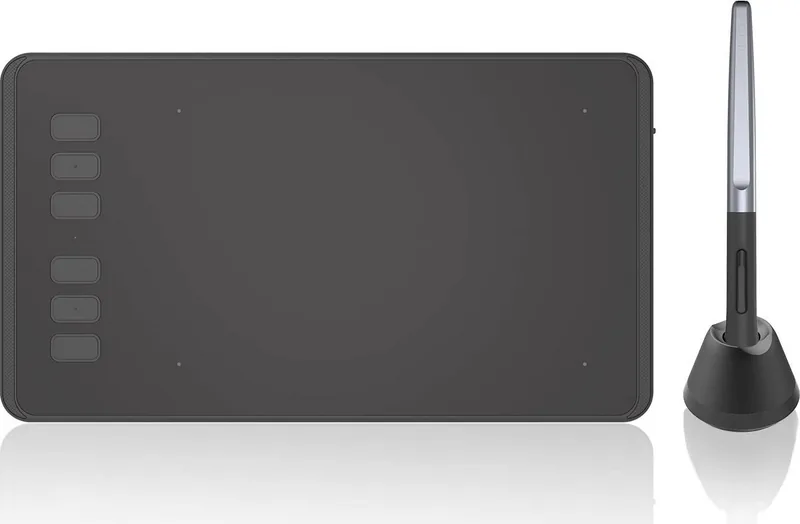
The Huion Inspiroy H640P is a compact, battery-free pen tablet designed for illustrators, designers, and hobbyists who need a responsive, portable drawing surface. With a slim profile, a natural pen feel, and driver features that map the tablet precisely to your screen, the H640P blends portability with professional-level performance. It supports Windows and macOS, and can even work with many Android devices via an OTG adapter.
Equipped with a PW100 battery-free stylus offering 8,192 pressure levels, the tablet reproduces subtle line variation and pressure sensitivity akin to pen-on-paper. The active area is well-suited for laptop users and creatives who prefer a smaller footprint without compromising control. The tablet’s electromagnetic resonance technology ensures consistent pen sensing up to 10 mm above the surface, while a 233 PPS report rate keeps strokes fluid and low-latency.
Installation and customization are straightforward: download the official driver, map the working area to single or multi-monitor setups, rotate orientation for left- or right-handed use, and set up pressure curves to match your drawing style. The driver also supports exporting and importing configuration profiles, making it easy to switch between different applications or workflows.
Physical controls include customizable press keys (six on the H640P model) and programmable pen buttons, letting you set shortcuts for brush, erase, pan, undo, and other frequently used commands. The pen’s replaceable nibs are easy to swap using the included holder and extractor.
The H640P is built with practical safeguards and user guidance in mind: avoid exposing the device to liquids, keep children from accessing small pen parts, and do not disassemble the tablet to preserve safety and warranty. Troubleshooting tips cover driver conflicts, USB recognition issues, and common pen behavior fixes like ensuring the correct driver is installed and that the nib isn’t touching the surface while using side buttons.
Overall, the Huion Inspiroy H640P is a reliable entry-to-mid-level drawing tablet that emphasizes portability, accurate pen response, and user-customizable controls—ideal for students, sketch artists, and digital creatives seeking a budget-friendly, capable input device.
Notes
- Compatible with Windows 7+ and macOS 10.11+. Some Android devices supported via OTG.
- Driver required for full functionality (pressure, buttons, custom mapping).
- Pen is battery-free with 8192 pressure levels; replaceable nibs included.
- Keep device dry and do not disassemble to avoid voiding warranty.
Search for 67,706 Manuals online


Type-in Brand or Model