
Huion Inspiroy H610X Manual
PDF manual · 36 Pages
English



Quick check
Incorrect answer, please try again.
Chat with your Huion Inspiroy H610X manual using AI
Get instant AI answers from your Huion Inspiroy H610X manual
Ask anything about the Huion Inspiroy H610X. Answers come from this manual, with the pages they are based on.
Ask a Question
Do you recommend Inspiroy H610X?
Yes NoFrequently Asked Questions
Download the driver from the official website and run the installation file. Close all graphic software and antivirus before starting to ensure a conflict-free setup process. Restart the computer if connection fails after installation.
Is this answer helpful?
Yes, the digital pen uses electromagnetic resonance technology so it never needs charging. You can enjoy uninterrupted drawing without power concerns or battery replacement costs during your creative sessions.
Is this answer helpful?
Yes, if your device runs Android 6.0 or later and supports OTG function. You will need the included USB OTG adapter to connect the tablet to your phone or tablet for mobile drawing.
Is this answer helpful?
The tablet offers 8192 levels of pressure sensitivity. This allows for very detailed control over line thickness and transparency in your artwork, mimicking natural pen on paper resistance exactly.
Is this answer helpful?
Yes, the device is compatible with macOS 10.12 or later systems including both Intel and Apple Silicon architectures for broad software support and seamless integration on Apple desktops.
Is this answer helpful?
Rotate the pen holder cap to open, pull out the old nib, and insert the new one firmly until it stops. Keep spare nibs in the holder for easy access when they wear off during heavy art projects.
Is this answer helpful?
This often happens if another tablet driver is installed. Uninstall conflicting drivers and restart your computer before reinstalling the Huion software to resolve pressure input issues completely.
Is this answer helpful?
Advantages and Disadvantages
Advantages

- Battery-free pen technology ensures no charging interruptions during long drawing sessions.
- 8192 levels of pressure sensitivity provide precise control over line weight and opacity.
- Compatible with Windows, macOS, Android, and ChromeOS for versatile device usage.
- USB-C connectivity supports fast data transfer and stable connection across systems.
- Customizable express keys and pen buttons streamline workflow for multiple software.
Disadvantages

- No built-in screen means users must rely on separate monitors for visual feedback.
- Driver installation requires caution to avoid conflicts with existing tablet drivers.
- Nibs are consumable items that require periodic replacement during heavy usage.
- Wireless connectivity is not supported, limiting cable length and positioning freedom.
- Android support requires OTG function and specific OS versions for optimal performance.
Product Specification
Type
Graphics Tablet
Active Area
10x6.26 inches
Pen
Wireless, Point, 2 Buttons
Resolution
5080 lpi
Pressure Levels
8,192
Max. Pen Distance
0.39 inches
Display
N/A
Signal Input
N/A
Brightness
N/A
Contrast
N/A
Response Time
N/A
Keys
8x Keys
CPU
N/A
RAM
N/A
Memory
N/A
Graphics
N/A
Host Port
USB-C
Other Ports
N/A
Wireless
N/A
Card Reader
N/A
Webcam
N/A
Operating System
N/A
Power Consumption
Not available (typical), Not available (Sleep)
Dimensions
12.78x8.09x0.31 inches
Weight
1.14 lbs
Package Contents
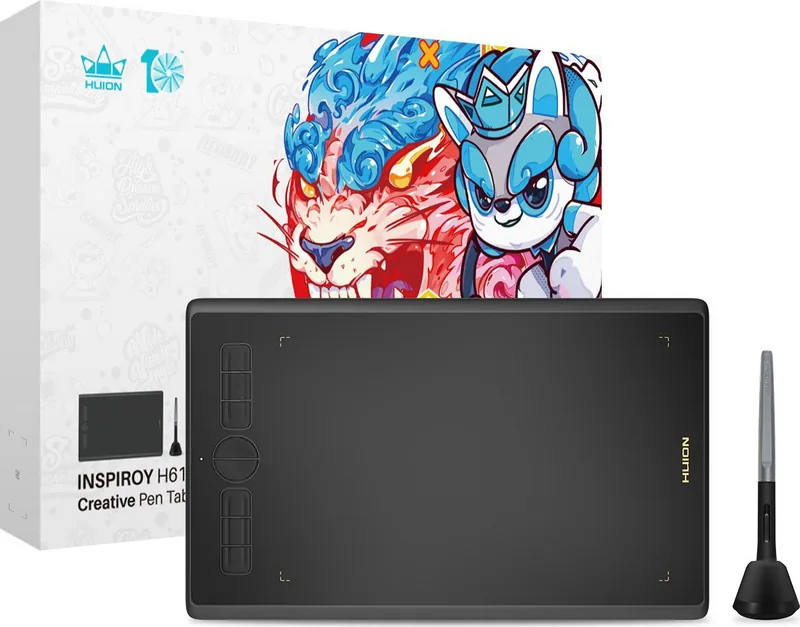
Main Unit, Pen (PW100), Pen Holder (PH03), 8x Replacement Nibs, USB-C Cable, USB-C Adapter
Product Description
Discover the Huion Inspiroy H610X Creative Power
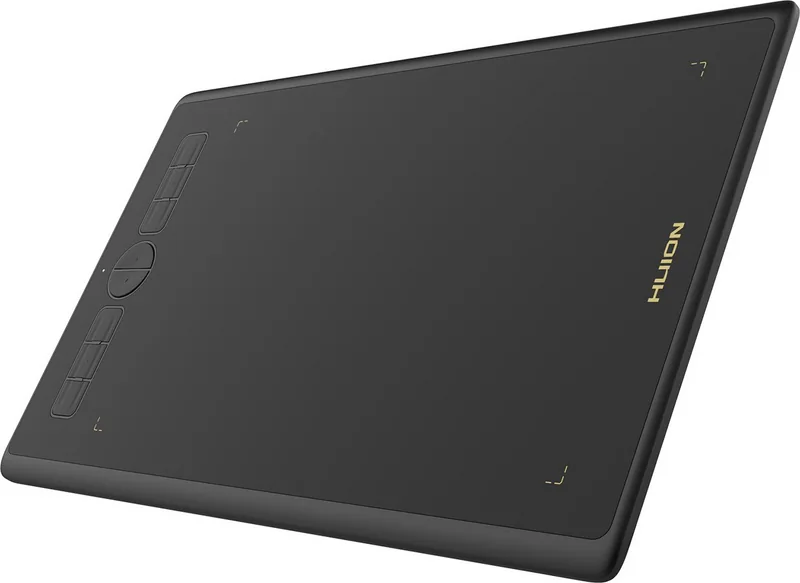
The Huion Inspiroy H610X represents a significant leap forward in creative tools for digital artists and designers worldwide. This professional battery-free drawing tablet offers a seamless experience that mirrors the natural feel of pen on paper. Whether you are sketching, painting, or designing complex graphics, this device ensures high efficiency and fun during your creative workflow. It brings a real shock experience to users by enabling free painting and writing with different lines and colors.
Key Features and Design Specifications
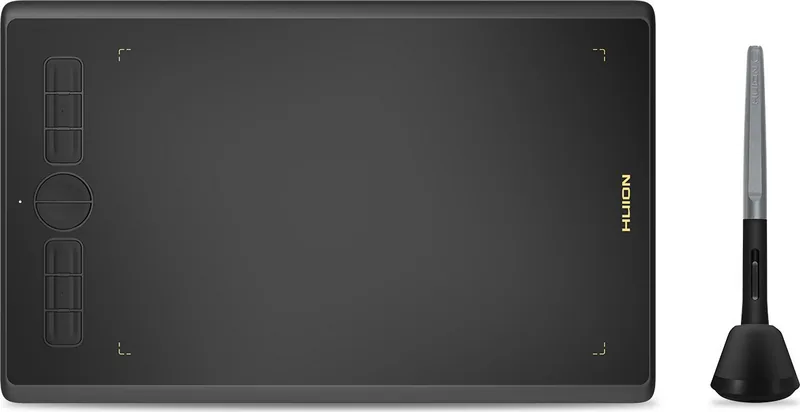
Designed with a compact workspace measuring 254 by 158.8mm, the tablet fits easily on any desk without taking up too much space. It features a sleek black finish and weighs only 515 grams, making it lightweight for potential mobility. The included battery-free digital pen provides 8192 levels of pressure sensitivity, allowing for significant nuanced line variation. The pen also supports tilt up to sixty degrees, adding depth to your strokes. With a resolution of 5080 vertical lines per inch and a report rate exceeding 220 points per second, precision is guaranteed for intricate work. This technology eliminates charging concerns completely.
Connectivity and Setup Options
Connecting to your computer system is straightforward via the USB-C interface with 3.0 standards. Compatible with Windows 7 or later, macOS 10.12 or later, and Android 6.0 or later with OTG support, versatility is very high. You can even connect to ChromeOS 88 or later for broader device compatibility across operating systems. When setting up, users should consult the Huion Inspiroy H610X Manual information to ensure optimal performance and correct driver installation. The included USB cable and extra nibs make the unboxing process hassle-free for new users.
Software Customization and Control
The driver interface allows deep customization of every feature. You can map the six express keys to specific shortcuts or multimedia functions like volume control. The digital pen buttons are also customizable for specific tasks within different application programs. Working areas can be adjusted to match your monitor layout perfectly, supporting multiple screen setups in extended or mirror mode. Rotation functions allow left and right-handed users to adapt the tablet orientation easily to suit their habits. Drivers help backup settings to avoid repeated configuration when switching programs.
Tips for Maintenance and Usage
To maintain peak performance, keep the pen nibs clean and replace them as needed since they wear off after extended usage. Avoid placing the pen on the screen surface when not in use to prevent interference with other equipment or sleep mode issues. If issues arise with pressure sensitivity, ensure only one tablet driver is installed and antivirus software is managed correctly during the setup process.
Important Practical Notes
Regular updates via the Huion Store ensure you have the latest features and bug fixes. Always close graphic software before driver installation to prevent conflicts with existing processes. Following these guidelines ensures a smooth creative journey with this robust tool designed for all skill levels.
Search for 67,706 Manuals online


Type-in Brand or Model