
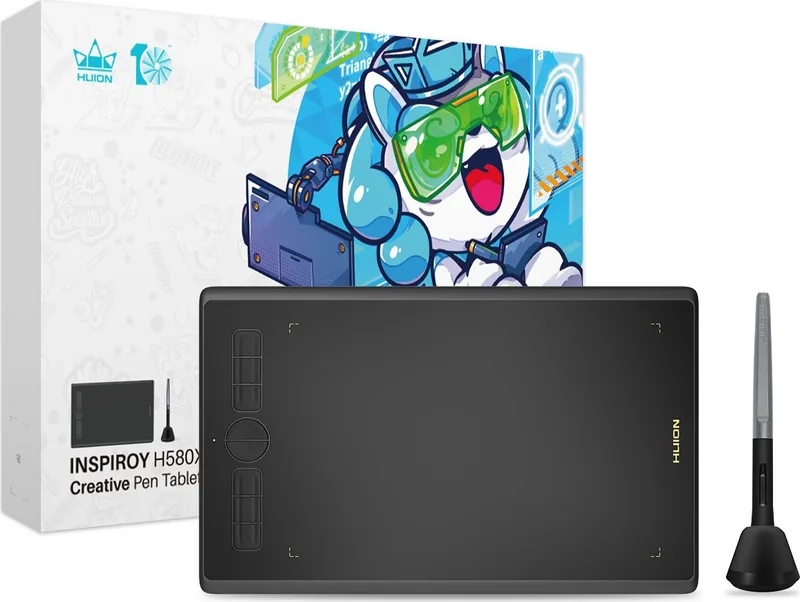
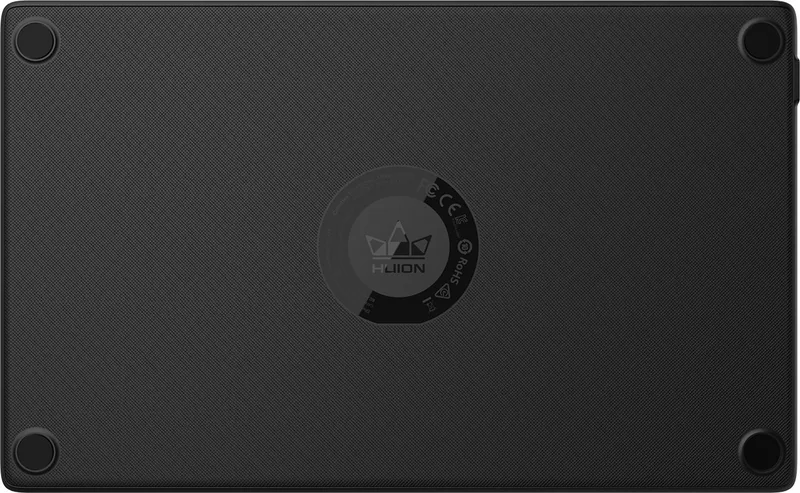
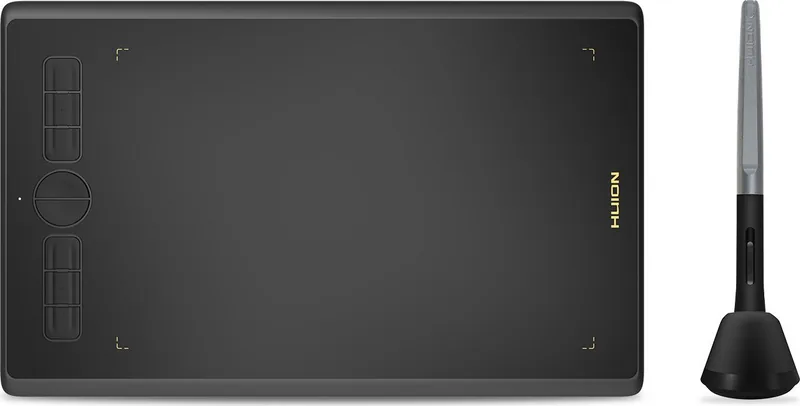
Huion Inspiroy H580X Manual
PDF manual · 35 Pages
English



Quick check
Incorrect answer, please try again.
Chat with your Huion Inspiroy H580X manual using AI
Get instant AI answers from your Huion Inspiroy H580X manual
Ask anything about the Huion Inspiroy H580X. Answers come from this manual, with the pages they are based on.
Ask a Question
Do you recommend Inspiroy H580X?
Yes NoFrequently Asked Questions
No, the device uses a battery-free pen technology powered by electromagnetic resonance. This eliminates the need to charge the stylus or replace batteries, allowing for uninterrupted drawing sessions anytime you have a connection to the tablet surface.
Is this answer helpful?
The table supports Windows 7 or later, macOS 10.12 or later, Android 6.0 or later with OTG support, and ChromeOS 88 or later. This broad compatibility ensures you can use the tablet across various desktop and mobile platforms for your creative work.
Is this answer helpful?
If there is no pressure but cursor moves, ensure no other tablet drivers are installed. Uninstall existing drivers, close drawing software, and reinstall the Huion driver. Restarting the computer often resolves driver conflicts and restores pressure sensitivity.
Is this answer helpful?
Yes, the pen features side buttons that can be customized for specific functions like shortcuts or switch brushes. These buttons work when the nib is within 10mm of the tablet surface without needing to touch it directly.
Is this answer helpful?
The unit measures 276.7 x 170.61 x 8mm in appearance. The active workspace area is 203.2 x 127mm. It weighs 343g net weight, making it compact enough for travel while providing enough space for detailed illustration work.
Is this answer helpful?
Use the pen holder to rotate the cover anticlockwise. Insert the new nib into the nib clip, tilt the pen to remove the old nib, and insert the new one straight into the pen body. Push slowly until it stops securely.
Is this answer helpful?
Yes, the digital pen supports tilt up to 60 degrees. This feature allows for realistic shading effects similar to traditional charcoal or pencil on paper. You can tilt the pen to simulate different angles and stroke widths in art software.
Is this answer helpful?
Advantages and Disadvantages
Advantages

- 8192 levels of pressure sensitivity for nuanced strokes
- Battery-free pen ensures endless creative sessions
- Supports multiple operating systems including Android
- USB-C connection for fast and reliable data transfer
- Customizable express keys streamline workflow tasks
Disadvantages

- Pens nibs wear out and require periodic replacement
- Driver installation can be complex for beginners
- Requires USB-C OTG adapter for Android mobile use
- Limited working area compared to larger high-end models
- No wireless connectivity options built into the device
Product Specification
Type
Graphics Tablet
Active Area
7.99x5.00 inches
Pen
Wireless, Tip, 2 Buttons
Resolution
5080 lpi
Pressure Levels
8192
Max Pen Height
0.39 inches
Display
N/A
Signal Input
N/A
Brightness
N/A
Contrast
N/A
Response Time
N/A
Keys
8 Keys
CPU
N/A
RAM
N/A
Storage
N/A
Graphics
N/A
Host Connection
USB-C
Additional Ports
N/A
Wireless
N/A
Card Reader
N/A
Webcam
N/A
Operating System
N/A
Power Consumption
Not specified (typical), Not specified (Sleep)
Dimensions
10.89x6.72x0.31 inches
Weight
0.76 lbs
Box Contents
Main Unit, Pen (PW100), Pen Holder (PH03), 8 Replacement Tips, USB-C Cable, USB-C Adapter
Product Description
Introduction
The Huion Inspiroy H580X redefines entry-level digital art surfaces. This battery-free drawing tablet offers a seamless canvas for creators who demand consistent performance without interruption. Users gain total freedom from charging cycles while accessing high-performance pressure sensitivity that adapts to their touch. The device supports over 8192 levels, ensuring every brush stroke feels natural and responsive to the slightest pressure change. Integration is straightforward across Windows, macOS, and Android systems for maximum compatibility. Connectivity relies on a standard USB-C port for reliable data transfer without any lag or dropouts.
Features and Connectivity
Setup requires specialized software that unlocks the full potential of the hardware included. Many users find the Huion Inspiroy H580X Manual essential for configuring express keys effectively within their workflow. These physical keys allow custom shortcuts for frequent actions within specialized art applications like Photoshop. The pen itself features a sleek ergonomic design with replaceable nibs for longevity and consistent writing comfort. Tilt support adds realistic shading capabilities to digital sketches and detailed illustrations alike. Working area settings let you map the tablet surface to multiple monitors efficiently for larger canvases. Accessibility extends to mobile devices via Android adapters for on-the-go drawing. The dimensions of 276.7 x 170.61 x 8mm ensure it remains portable and lightweight.
Software and Drivers
This flexibility makes the tool viable for diverse professional workflows and hobbyists alike. The driver interface offers detailed customization for pressure curves and mouse behavior settings. Users can adjust sensitivity to match their unique drawing style perfectly every single time. Troubleshooting steps are readily available should connection issues arise during the initial setup phase. Maintaining a clean workspace ensures the pen sensors detect movement accurately without interference. The compact build fits easily on standard desks without causing unwanted clutter. Packaging includes essential tools for immediate use upon unboxing the package. Artists can begin creating without complex hardware setups or technical hurdles. The included driver software supports multiple programs simultaneously without conflict. Profiles can be saved for specific applications to streamline switching tasks between software. Overall, the combination of portability and raw power makes this a standout choice in the market. Regardless of whether you are sketching fresh ideas or designing complex graphics, this hardware empowers your creativity significantly. The interface color options allow for personalized workspace aesthetics that suit your mood.
Specifications and Support
The device specifications note a dimension of 276.7 x 170.61 x 8mm for portability. The workspace measures 203.2 x 127mm which provides ample room for drawing. Pen resolution reaches 5080 LPI for extreme detail tracking. The sensing height of 10mm allows interaction without touching the surface. Report rate exceeds 220 PPS for smooth motion. Accuracy is rated at 0.3mm for precision. OS compatibility covers Windows 7 and later plus macOS 10.12 and later. ChromeOS 88 or later is also supported for browser based art. Troubleshooting solutions exist for pressure issues or key faults. Uninstall old drivers if new ones fail to recognize the tablet. Restarting the system often resolves connection glitches effectively. Replacing nibs ensures the writing experience remains smooth and consistent over time. Contact support if issues persist after these steps are taken. The hardware is robust and built to handle daily creative demands. You will find it intuitive after the first few minutes of use.
Search for 67,706 Manuals online


Type-in Brand or Model