

Huion Inspiroy H430P Manual
PDF manual · 16 Pages
English



Quick check
Incorrect answer, please try again.
Chat with your Huion Inspiroy H430P manual using AI
Get instant AI answers from your Huion Inspiroy H430P manual
Ask anything about the Huion Inspiroy H430P. Answers come from this manual, with the pages they are based on.
Inspiroy H430P Maintenance Schedule
The nib will wear off after long use. Use the clip to pull out the old nib and insert a new one until it stops.
Unplug the power cord and wipe with a soft damp cloth. Do not use any kind of detergents.
Ask a Question
Do you recommend Inspiroy H430P?
Yes NoFrequently Asked Questions
Connect the tablet to your computer using the included Micro USB cable. Ensure the driver is installed from the official website for Windows or Mac systems before starting.
Is this answer helpful?
Yes, if your phone runs Android 6.0 or later. Enable OTG in settings, use the correct adapter from the package, and the tablet will enter phone mode automatically.
Is this answer helpful?
The tablet supports Windows 7 or later and macOS 10.11 or later. It also connects to Android devices without needing a driver installed on the phone itself.
Is this answer helpful?
Use the pen nib clip to pull the old nib straight out. Insert a new nib into the stylus and push until it stops securely in place.
Is this answer helpful?
This happens if the pen is resting on the tablet surface. Move the pen away from the active area when not in use to allow the system to sleep properly.
Is this answer helpful?
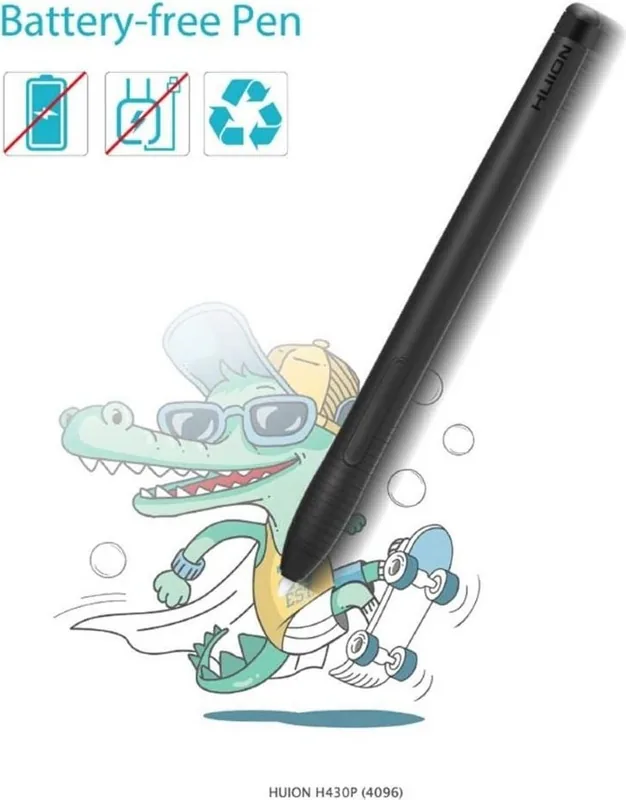
No, the PW201 pen is battery-free and uses electromagnetic resonance technology, so it never needs charging.
Is this answer helpful?
Advantages and Disadvantages
Advantages

- Battery-free pen eliminates charging needs
- Compatible with Windows, Mac, and Android devices
- 4096 levels of pressure sensitivity for precise control
- Compact and lightweight design for portability
- Customizable press keys and pen buttons
Disadvantages

- Small active area may limit large-scale artwork
- Requires specific OTG adapter for Android connectivity
- Side buttons do not function in phone mode
- Driver installation must follow strict steps for success
- No wireless connectivity option available
Product Specification
Type
Graphics Tablet
Active Area
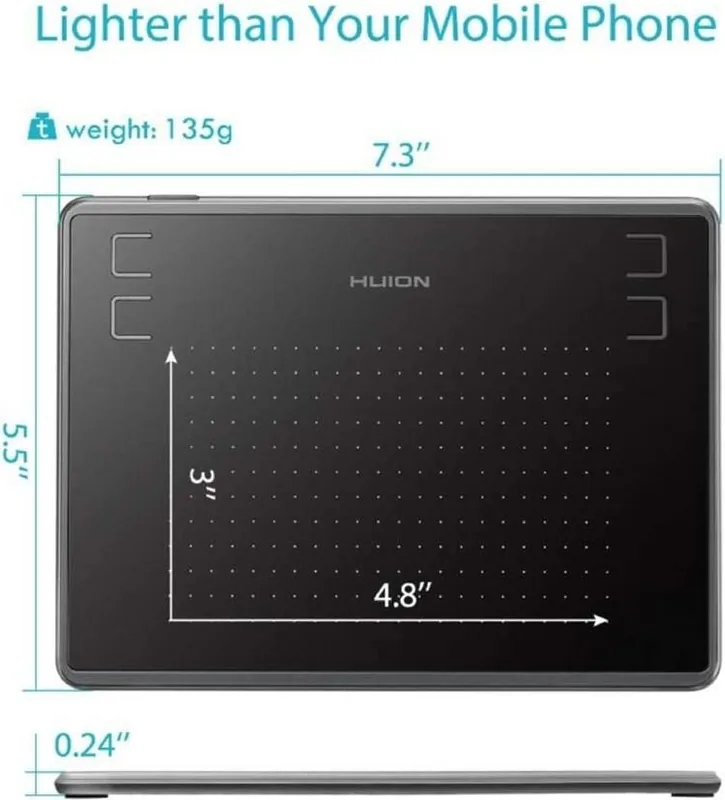
4.8x3 in
Pen
Wireless, Tip, 2 Buttons
Resolution
5080 lpi
Pressure Levels
4096
Tilt Range
60 degrees
Max Pen Distance
0.39 in
Display
N/A
Signal Input
N/A
Brightness
N/A
Contrast
N/A
Response Time
N/A
Buttons
4x Buttons
CPU
N/A
RAM
N/A
Storage
N/A
Graphics
N/A
Host Port
USB 2.0 Micro-B
Other Ports
N/A
Wireless
N/A
Card Reader
N/A
Webcam
N/A
Operating System
N/A
Power Consumption
Not specified (typical), Not specified (Sleep)
Battery
N/A
Dimensions
7.35x5.48x0.25 in
Weight
4.76 oz
Package Contents
Main unit, 1x Pen (PW201), 1x Pen Holder, 8x Replacement Tips, 1x Micro USB Cable, 1x USB Adapter
Product Description
Huion Inspiroy H430P - Read, Download & Print Free
The Huion Inspiroy H430P represents a new generation of professional graphics tablets designed to enhance your digital art workflow. This battery-free pen tablet offers a seamless drawing experience that mimics the natural feel of writing on paper. With its compact 4.8 x 3-inch active area, it fits perfectly on any desk while providing ample space for detailed illustrations and sketches.
Equipped with an electromagnetic resonance technology, the H430P ensures high precision with a resolution of 5080 LPI and a report rate of 233 PPS. The included PW201 digital pen features 4096 levels of pressure sensitivity and supports ±45° tilt recognition, allowing artists to create varied line weights and shading effects effortlessly. The pen is lightweight at just 9 grams and does not require charging, eliminating interruptions during creative sessions.
Connectivity is straightforward via Micro USB, supporting both Windows 7 or later and macOS 10.11 or later systems. A notable feature is its compatibility with Android devices running OS 6.0 or later, enabling mobile creativity when paired with an OTG adapter. In phone mode, the tablet automatically adjusts to a smaller working area optimized for mobile screens.
Customization is key to the user experience. The driver software allows you to configure four customizable press keys on the tablet and two side buttons on the pen. You can also adjust the working area mapping, rotate the active zone for left or right-handed use, and manage pressure sensitivity settings directly within the interface. Data export and import functions make it easy to transfer your custom configurations between different computers.
Safety precautions are essential for longevity. Keep the device dry, avoid disassembly, and ensure the pen nib is replaced only using the provided clip tool. Regular cleaning with a soft damp cloth is recommended, and the device should be powered off in restricted electronic areas like airplanes.
Notes
- Always uninstall previous drivers before installing the latest version.
- Do not place the pen on the tablet surface when not in use to prevent sleep mode issues.
- The tablet works without drivers on supported Android phones but requires driver installation on computers.
Search for 67,706 Manuals online


Type-in Brand or Model