
Huion Inspiroy H1161 Manual
PDF manual · 16 Pages
English



Quick check
Incorrect answer, please try again.
Chat with your Huion Inspiroy H1161 manual using AI
Get instant AI answers from your Huion Inspiroy H1161 manual
Ask anything about the Huion Inspiroy H1161. Answers come from this manual, with the pages they are based on.
Inspiroy H1161 Maintenance Schedule
Unplug the power cord and wipe with a soft damp cloth. Do not use any kind of detergents.
The nib wears off after long use. Rotate the pen holder to open it, pull out the old nib, and insert a new one until it stops.
Ask a Question
Do you recommend Inspiroy H1161?
Yes NoFrequently Asked Questions
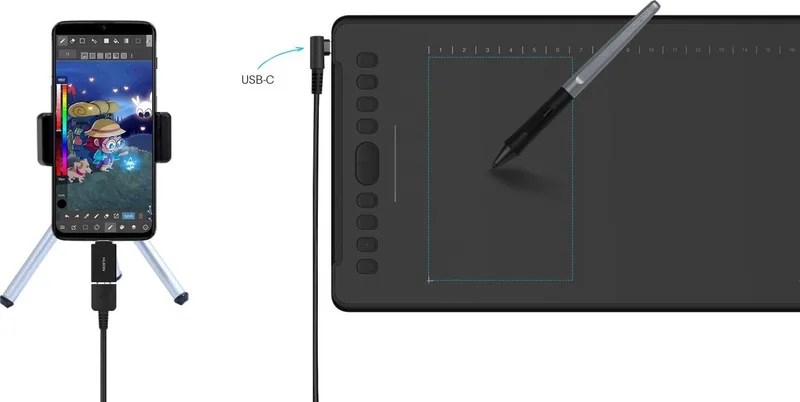
Yes, it works with Android OS 6.0 or later using an OTG adapter. Note that in phone mode, only the left gray area is active and side buttons are not supported.
Is this answer helpful?
Rotate the pen holder anticlockwise to open the cover. Pull out the old nib and insert a new one straight into the hole until it stops firmly.
Is this answer helpful?
Yes, the driver allows you to map the tablet area to specific monitors in extended mode or mirror mode for flexible multi-display setups.
Is this answer helpful?
The tablet supports Windows 7 or later and macOS 10.12 or later. Drivers must be installed from the official website for optimal performance.
Is this answer helpful?
No, the PW100 pen is battery-free and uses electromagnetic resonance technology, so it never requires charging.
Is this answer helpful?
Advantages and Disadvantages
Advantages

- 8192 levels of pressure sensitivity for precise control
- Battery-free pen reduces maintenance and charging needs
- Large active area suitable for detailed artwork
- Supports Android phones via OTG connection
- Highly customizable keys and driver settings
Disadvantages

- No touch screen capability on the tablet surface
- Requires driver installation for full functionality
- Pen nibs may wear out over time and need replacement
- Limited tilt support compared to higher-end models
- Android mode restricts usage to a smaller gray area
Product Specification
Type
Graphics Tablet
Active Area
11.00x6.87 in
Pen
Wireless, Tip, 2 Buttons
Resolution
5080 lpi
Pressure Levels
8192
Tilt Range
60 deg
Max Pen Height
0.39 in
Display
N/A
Signal Input
N/A
Brightness
N/A
Contrast
N/A
Response Time
N/A
Keys
26 Keys (10 Programmable), 1 Touchstrip
CPU
N/A
RAM
N/A
Storage
N/A
Graphics
N/A
Host Connection
USB-C
Other Connections
N/A
Wireless
N/A
Card Reader
N/A
Webcam
N/A
Operating System
N/A
Power Consumption
Not specified (typical), Not specified (Sleep)
Battery
N/A
Dimensions
14.67x8.72x0.31 in
Weight
1.26 lbs
Package Contents
Main Unit, Pen (PW100), Pen Holder, 8 Replacement Tips, Micro USB Cable, 2 USB Adapters
Product Description
Huion Inspiroy H1161 - Read, Download & Print Free
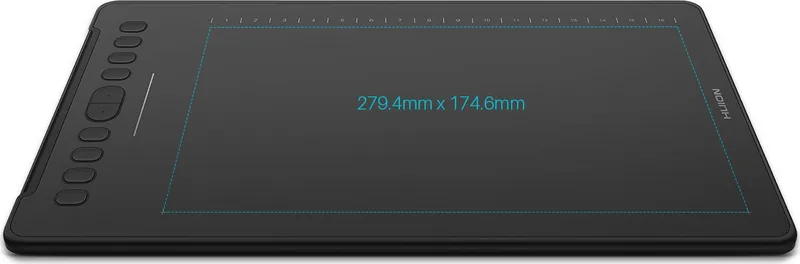
The Huion Inspiroy H1161 represents a significant leap forward for digital artists seeking professional-grade tools without the high price tag. This battery-free electromagnetic resonance tablet offers a natural drawing experience that closely mimics traditional pen-on-paper interaction. With a generous active area of 279.4 by 174.6 mm, creators have ample space to express their ideas freely. The device supports Windows 7 or later and macOS 10.12 or later, ensuring broad compatibility for both casual hobbyists and seasoned professionals.
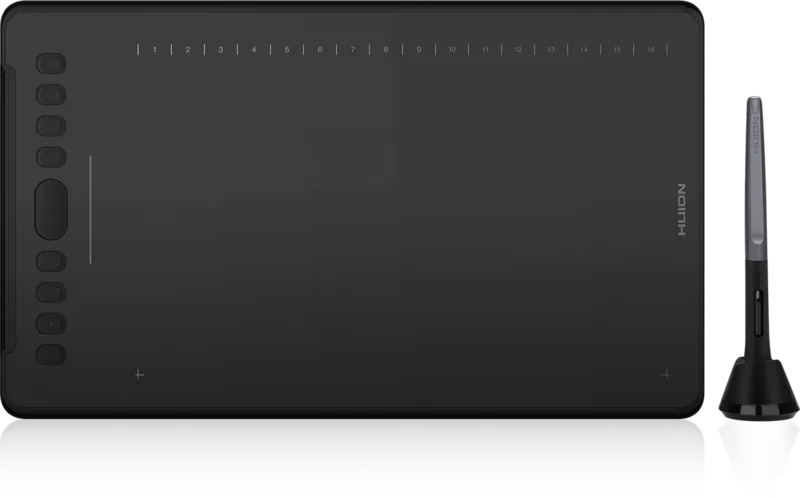
Designed with efficiency in mind, the H1161 features 8192 levels of pressure sensitivity, allowing for subtle variations in line weight and opacity. The included PW100 digital pen is lightweight at just 13 grams and includes two customizable side buttons for quick access to shortcuts. Users can also customize ten press keys and sixteen soft keys on the tablet surface to streamline their workflow. The tablet connects via USB-C and even supports Android devices running version 6.0 or later when used with an OTG adapter, expanding its utility beyond the desktop environment.
Driver installation is straightforward and includes robust settings for working area mapping, tilt recognition up to 60 degrees, and pressure testing. The software allows users to export and import configuration data, making it easy to switch between computers while maintaining personalized settings. Safety precautions emphasize keeping the device dry and avoiding disassembly to maintain warranty validity. Whether you are sketching, photo editing, or designing, this tablet provides a reliable platform for creative expression.
Search for 67,706 Manuals online


Type-in Brand or Model