
Huion Inspiroy Dial Q620M Manual
PDF manual · 119 Pages
English



Quick check
Incorrect answer, please try again.
Chat with your Huion Inspiroy Dial Q620M manual using AI
Get instant AI answers from your Huion Inspiroy Dial Q620M manual
Ask anything about the Huion Inspiroy Dial Q620M. Answers come from this manual, with the pages they are based on.
Ask a Question
Do you recommend Inspiroy Dial Q620M?
Yes NoFrequently Asked Questions
The Q620M supports Windows 7 or later, macOS 10.12 or later, and Android 6.0 or later for mobile use. Download the corresponding driver from huion.com/download for full functionality on desktop OSes.
Is this answer helpful?
Use the included wireless receiver with the proper OTG adapter for your phone’s USB port, enable OTG on compatible devices, put the tablet in 2.4G wireless mode, and avoid wired connection to phones because reverse charging can rapidly drain the phone battery.
Is this answer helpful?
Uninstall other tablet drivers, close graphic apps and antivirus before reinstalling the Huion driver, restart your computer after installation, and confirm the driver displays the tablet as connected in the driver interface.
Is this answer helpful?
The driver provides working area mapping (full, screen ratio, custom), rotation, eight programmable press keys, dial functions, pen button mapping, pressure sensitivity adjustment, app-specific profiles, and export/import for configurations.
Is this answer helpful?
Open the pen holder cover by rotating it anticlockwise, use the nib clip to pull out the old nib, insert a new nib straight into the pen, and push it in slowly and firmly until it stops.
Is this answer helpful?
LEDs indicate power on/off sequences, battery level during a 3-second check, charging progress when wired, and low battery alerts—one light indicates about 13% remaining.
Is this answer helpful?
Ensure press keys are enabled in the driver, that functions are correctly assigned, check the press lock switch is unlocked, and confirm the pen nib is within 10mm of the tablet surface when using side buttons.
Is this answer helpful?
Advantages and Disadvantages
Advantages

- Battery-free PW500 pen with 8192 pressure levels for natural, precise strokes.
- Large active area (266.7 x 166.7 mm) with multi-monitor mapping and rotation support.
- Eight programmable press keys plus a dial for fast workflow customization.
- Wired USB-C, 2.4G wireless receiver, and Android compatibility (Android 6.0+).
- Driver supports pressure tuning, app-specific profiles, and export/import of settings.
Disadvantages

- Phone mode limits pen to a reduced active area and disables shortcut/pen button functions.
- Requires uninstalling other tablet drivers before installation to avoid conflicts.
- Wireless operation needs occasional wake/reconnect after sleep (15-minute idle).
- Reverse charging when wired to phones drains phone battery; wireless recommended for mobile.
- LED indicators and driver feedback can be confusing for first-time users without reading manual.
Product Specification
Type
Graphics tablet
Active area
10.50x6.56in
Pen
wireless, tip, 2 buttons
Resolution
5080lpi
Sensitivity levels
8192
Tilt range
60°
Max. pen distance
0.39in
Display
N/A
Signal input
N/A
Brightness
N/A
Contrast
N/A
Response time
N/A
Buttons
8x buttons, 1x touch-ring
CPU
N/A
RAM
N/A
Storage
N/A
Graphics
N/A
Host connection
USB-C, wireless (2.40GHz)
Other connections
N/A
Wireless
N/A
Card reader
N/A
Webcam
N/A
Operating system
N/A
Power consumption
no data (typical), no data (sleep)
Battery
Li-Ion, up to 20h runtime, 1.2h charging time
Dimensions
14.78x8.68x0.31in
Weight
1.47lb
Scope of delivery
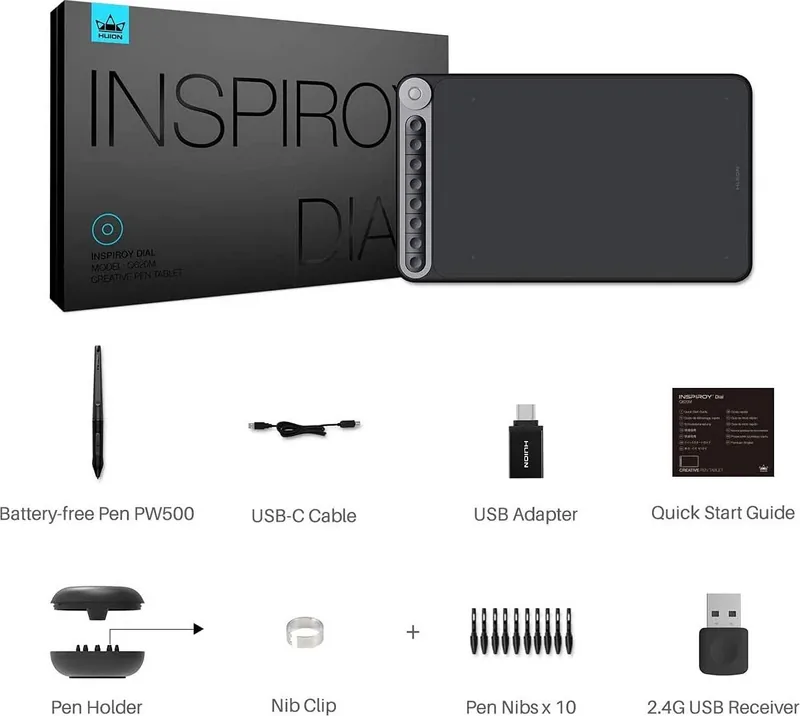
Main unit, pen (PW500), pen holder, 10x replacement nibs, USB-C cable, USB adapter, wireless USB receiver
Product Description
Huion Inspiroy Dial Q620M — Powerful, Portable Creative Tablet
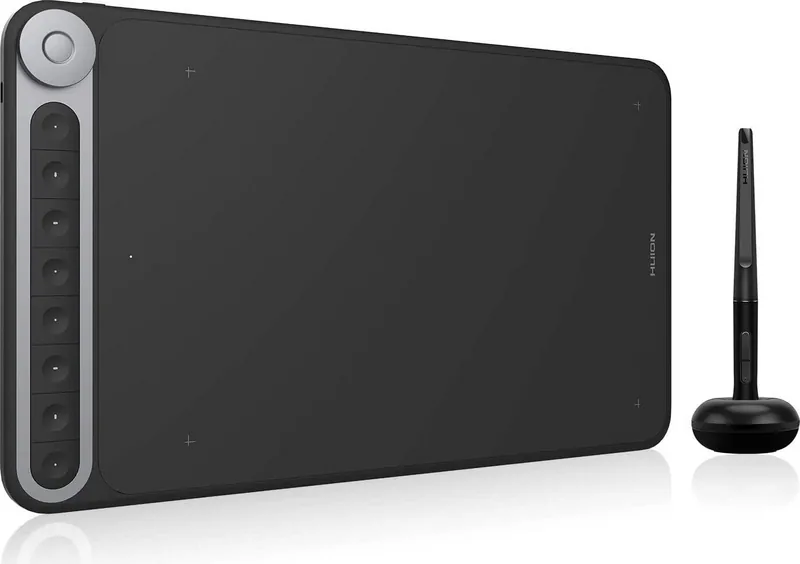
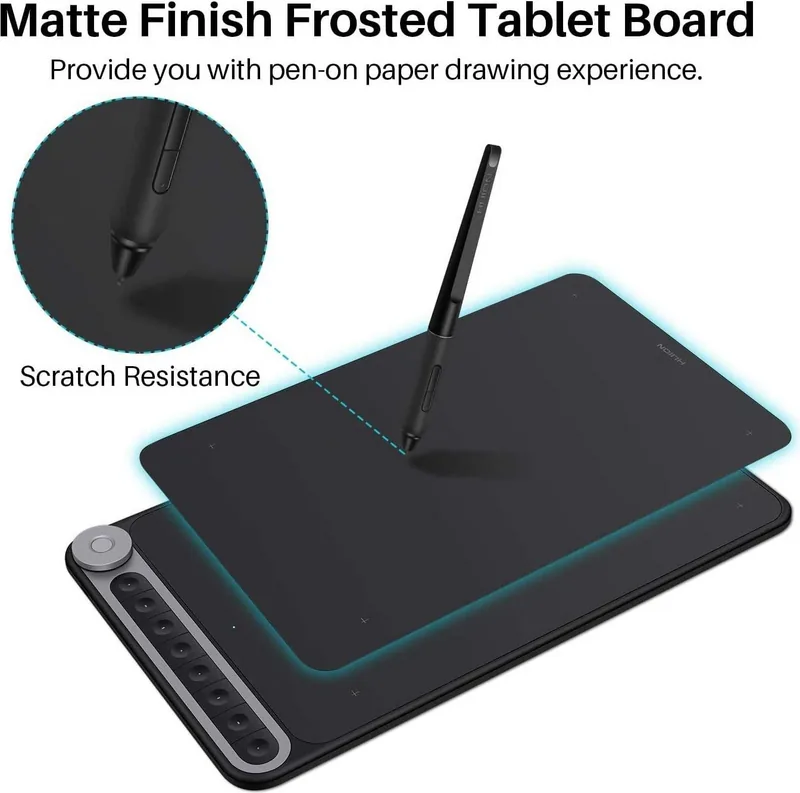
The Huion Inspiroy Dial Q620M is a versatile battery-free pen tablet designed for digital artists, illustrators, and creators who need a responsive, portable tool with desktop-class features. It pairs an expansive active area (266.7 x 166.7 mm for computer use) with an ergonomic battery-free PW500 pen that offers 8192 pressure levels, giving a natural, paper-like drawing experience. The tablet supports wired USB-C, 2.4G wireless with a receiver, and Android connectivity (Android 6.0+), making it suitable for computers and mobile devices on the go.
This model includes eight programmable press keys and an intuitive dial for shortcuts and workflow control. The driver lets you map the tablet area to single or multiple monitors, rotate the working area for left- or right-handed use (0°, 90°, 180°, 270°), and create app-specific shortcut profiles. Pressure sensitivity is adjustable via a slider and includes an integrated pen pressure test so you can fine-tune responsiveness for different brushes and drawing styles.
Setup is straightforward: install the official Huion driver (Windows 7+/macOS 10.12+/Android 6.0+ support), connect via USB-C or plug in the wireless receiver, and confirm device status in the driver panel. The tablet supports exporting and importing custom driver configurations to streamline switching between software or systems.
Hardware-wise, the Q620M is slim (375.5 x 220.4 x 8 mm), lightweight (666 g), and offers 5080 LPI resolution with a 266 PPS report rate and 10 mm pen sensing height. The PW500 pen features a nib-replacement system with spare nibs and a nib clip inside the pen holder. LEDs embedded in the press keys provide battery and status indicators, and the tablet offers sleep behavior to conserve power in wireless mode.
Practical features include clear troubleshooting guidance for common issues—driver conflicts, press-key configuration, USB port checks, and pen pairing—plus manufacturer after-service contact details. Safety notes remind users to avoid liquids, strong magnetic fields, unauthorized repairs, and to follow proper cleaning procedures.
Overall, the Huion Inspiroy Dial Q620M balances portability with professional features: programmable keys and dial, strong pressure performance, Android compatibility, and thoughtful driver customization that make it a solid choice for freelance artists, designers, and students.
Notes
- Includes battery-free PW500 pen, pen holder with spare nibs and nib clip, USB-C cable, wireless receiver, cleaning cloth and quick start guide.
- LED indicators show battery level, charging status and power on/off effects.
- Phone mode limits active area and disables some shortcut/pen button functions; use wireless mode for mobile use to avoid reverse charging.
- Uninstall other tablet drivers before installing Huion driver to prevent conflicts.
Search for 67,706 Manuals online


Type-in Brand or Model