
Huion Inspiroy 2 S H641P Manual
PDF manual · 48 Pages
English



Quick check
Incorrect answer, please try again.
Chat with your Huion Inspiroy 2 S H641P manual using AI
Get instant AI answers from your Huion Inspiroy 2 S H641P manual
Ask anything about the Huion Inspiroy 2 S H641P. Answers come from this manual, with the pages they are based on.
Ask a Question
Do you recommend Inspiroy 2 S H641P?
Yes NoFrequently Asked Questions
The device works with Windows 7 or later, macOS 10.12 or later, and Linux operating systems such as Ubuntu.
Is this answer helpful?
Yes, if your Android OS is version 6.0 or higher and supports OTG. You must enable OTG in your device settings.
Is this answer helpful?
Ensure the driver is installed correctly and closed software are uninstalled. Reinstall the driver and restart your computer.
Is this answer helpful?
Do not place the digital pen on the working area of the pen tablet when you are not using it.
Is this answer helpful?
Use the driver software to define the working area. You can choose extended mode or mirror mode for screen mapping.
Is this answer helpful?
Use the pen holder to detach the old nib and insert the new one straight into the barrel until it stops.
Is this answer helpful?
No, the device uses a wired USB-C connection type for all data and power transmission.
Is this answer helpful?
Advantages and Disadvantages
Advantages

- Battery-free digital pen ensures endless use without charging requirements
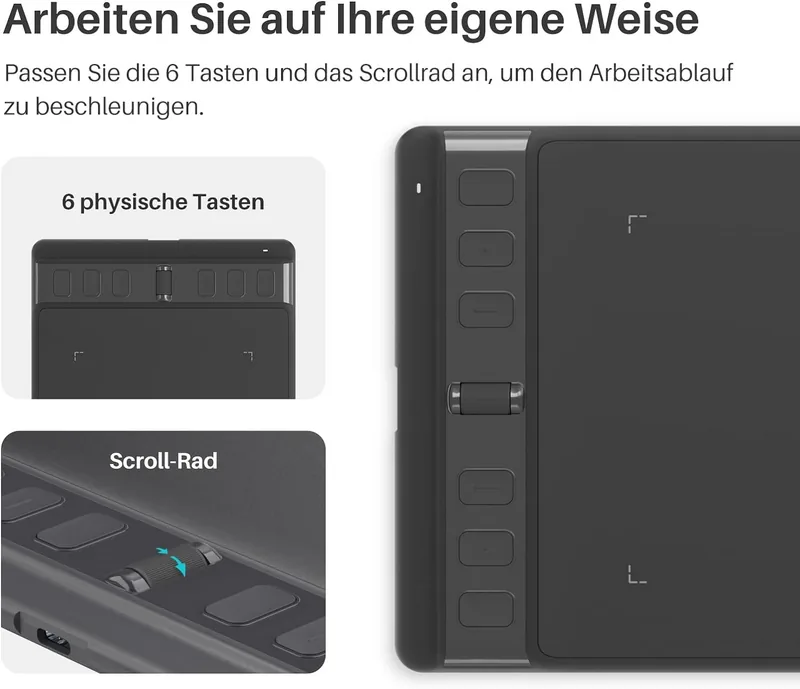
- Innovative Scroller wheel increases creative workflow efficiency significantly
- Eight programmable press keys allow complex shortcut customization
- Supports multiple operating systems including Windows 7+, macOS 10.12+, and Linux
- Precision Mode helps artists achieve fine details during small brush work
Disadvantages

- Driver installation on Linux requires system reboot to function properly
- Mac users must manually grant Accessibility permissions in system settings
- Connection issues may occur if antivirus software blocks the driver
- Wired USB-C connection limits cable length flexibility and mobility
- Sleep mode issues persist if digital pen is left on the tablet surface
Product Specification
Type
Graphics Tablet
Active Area
6.30 x 3.94 in
Pen
Wireless, Tip, 2 Buttons
Resolution
5080 lpi
Pressure Levels
8192
Tilt Angle
60^°
Max. Pen Air Time
0.39 in
Display
N/A
Signal Input
N/A
Brightness
N/A
Contrast
N/A
Response Time
N/A
Keys
6 x Buttons, 1 x Scroll Wheel (Scroll Wheel)
CPU
N/A
RAM
N/A
Storage
N/A
Graphics
N/A
Host Port
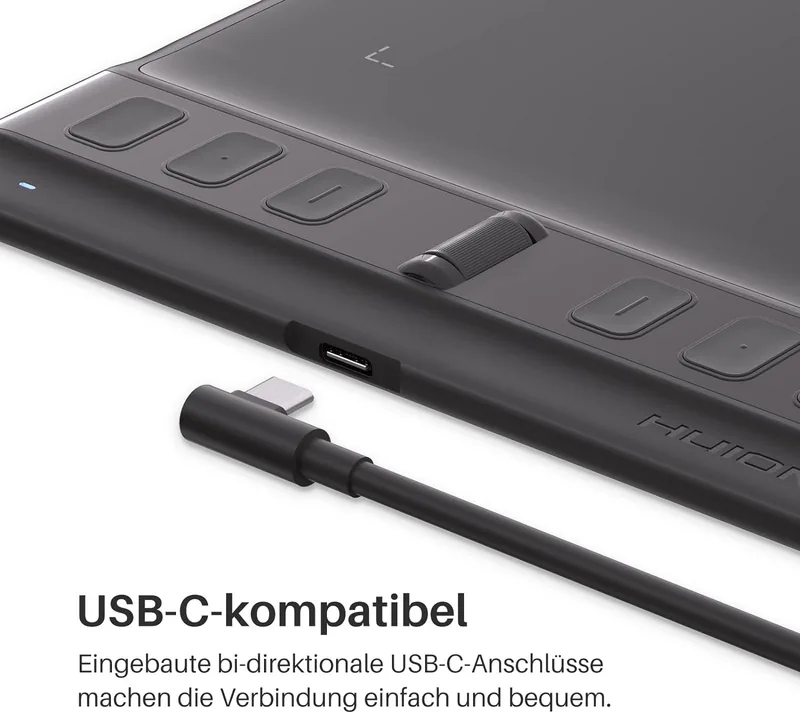
USB-C
Additional Ports
N/A
Wireless
N/A
Card Reader
N/A
Webcam
N/A
Operating System
N/A
Power Consumption
N/A
Battery
N/A
Dimensions
9.69 x 5.98 x 0.37 in
Weight
9.70 oz
Package Contents
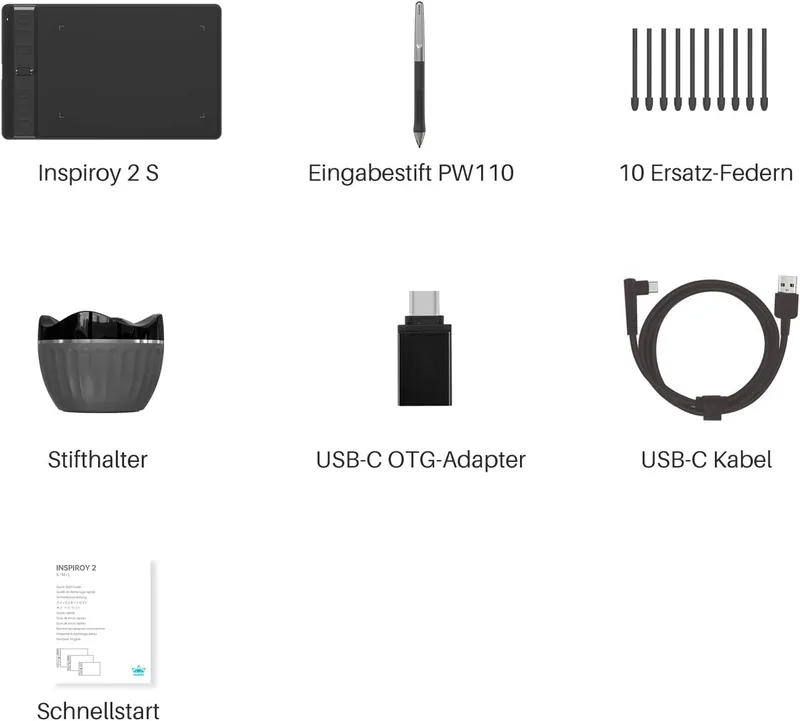
Main Device, 1 x Pen (PW110), 1 x Pen Holder, 10 x Replacement Tips, 1 x USB-C to USB-A Cable, 1 x USB-C Adapter
Product Description
Digital Art Redefined with Inspiration and Efficiency
Digital artists and creators constantly seek tools that blend precision with exceptional workflow efficiency. The Huion Inspiroy 2 S H641P stands out as a premier professional solution for these demanding tasks. It features an innovative Scroller and eight programmable press keys alongside the digital pen. This specialized setup significantly increases your creative efficiency and allows for rapid access to frequently used functions. Artists can enjoy a natural drawing experience that closely mimics a traditional pen on paper feel. Lines vary in width naturally while colors shift smoothly across the canvas.
To utilize this device fully and correctly, you should consult the Huion Inspiroy 2 S H641P Manual provided with the package. It guides you through detailed driver installation processes on Windows, Mac, and Linux systems without confusion. The tablet connects directly via a USB-C cable for stable data transmission. You can also configure Android systems using OTG support for mobile drawing sessions. The driver interface allows deep customization of the working area. You can set multi-monitor support specifically for extended screen setups or mirror mode.
Accessories include a battery-free pen and ten replacement nibs included in the box. Indicator lights show connection status clearly on the tablet surface. Press keys can be assigned complex shortcuts for frequent tasks like zooming or scrolling. The pen pressure is highly adjustable via the software driver interface. Precision Mode helps artists achieve fine details during small brush work. Linux users must reboot their system after installation to ensure functionality. Mac users need to grant Accessibility permissions for the driver to run correctly. Troubleshooting sections address common connection issues and pressure sensitivity failures. Ensure the pen is removed during computer sleep mode to prevent issues. The physical design supports both left and right-handed users with rotation options for the tablet.
This tablet is suitable for graphic design, animation, and professional photo editing tasks. The software integrates seamlessly with major programs like Photoshop and Blender. Backup settings allow easy transfer of custom configurations between different computers. Overall, this device provides a robust platform for digital creation without complex wireless setup requirements. The Scroller wheel executes currently set functions like zooming or brush sizing. Groups of shortcuts control these tools. The digital pen acts as a mouse in mouse mode or speeds up cursor movement for OSU gaming. You can set different functions for different programs automatically. The Quick Menu allows rapid access to six unique buttons on the desktop. Pen nib activity can be toggled for cursor movement only or valid actions. Enable Windows Ink provides support for Office and SketchBook. Battery life is not a concern since the pen is wireless-free.
Search for 67,706 Manuals online


Type-in Brand or Model