
Huion HS64 Manual
PDF manual · 16 Pages
English



Quick check
Incorrect answer, please try again.
Chat with your Huion HS64 manual using AI
Get instant AI answers from your Huion HS64 manual
Ask anything about the Huion HS64. Answers come from this manual, with the pages they are based on.
HS64 Maintenance Schedule
Unplug the power cord and wipe with a soft damp cloth. Do not use any kind of detergents.
The nib wears off after long use. Use the clip to pull out the old nib and insert a new one until it stops.
Ask a Question
Do you recommend HS64?
Yes NoFrequently Asked Questions
Yes, the tablet works in basic mode without a driver on Android devices. However, for full pressure sensitivity and customization on Windows or Mac, the driver must be installed.
Is this answer helpful?
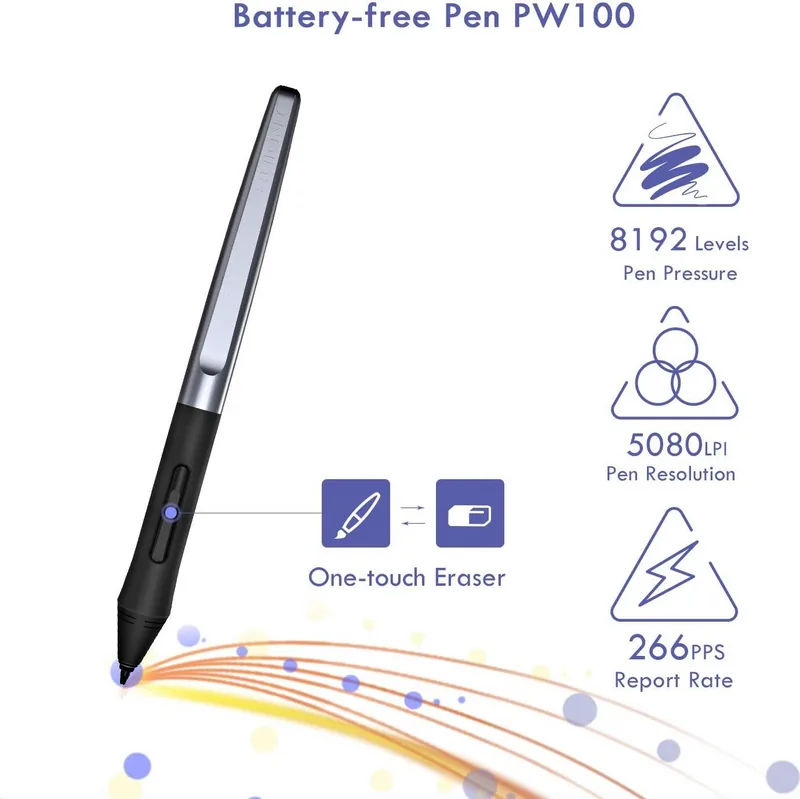
No, the Huion HS64 uses a battery-free pen that relies on electromagnetic resonance technology, so you never need to charge it.
Is this answer helpful?
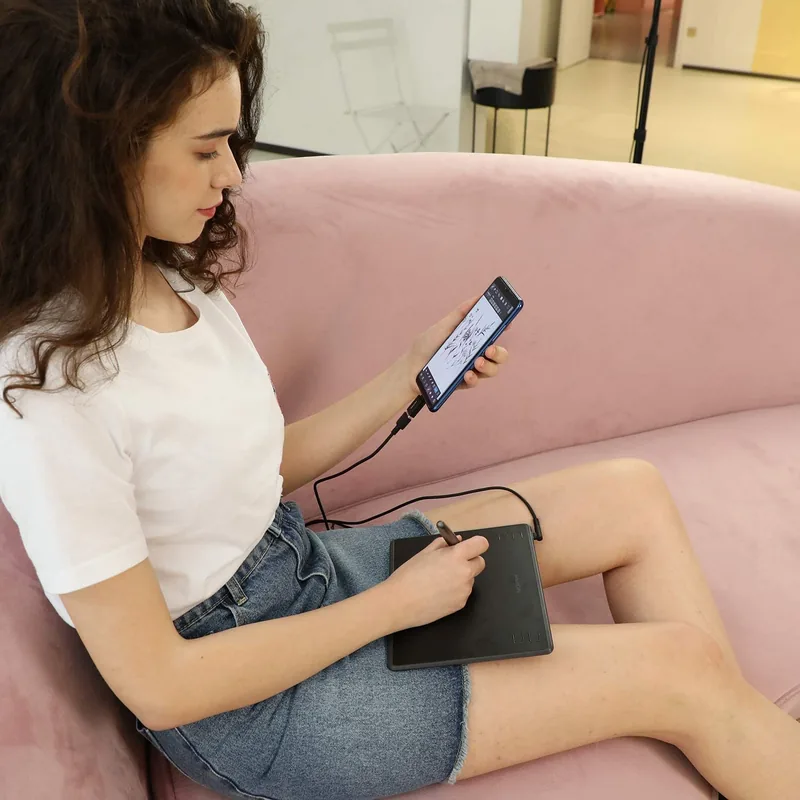
Yes, provided your phone runs Android 6.0 or later and supports OTG. You will need the included OTG adapter to connect the tablet.
Is this answer helpful?
The working area measures 160 x 102mm (approximately 6.3 x 4 inches), offering sufficient space for most digital art tasks.
Is this answer helpful?
Ensure the driver is installed correctly, close other tablet drivers, and restart your computer. Also check that the pen nib is not damaged.
Is this answer helpful?
Advantages and Disadvantages
Advantages

- Battery-free pen eliminates charging needs and reduces weight
- 8192 levels of pressure sensitivity for nuanced control
- Supports Android phones via OTG for portable drawing
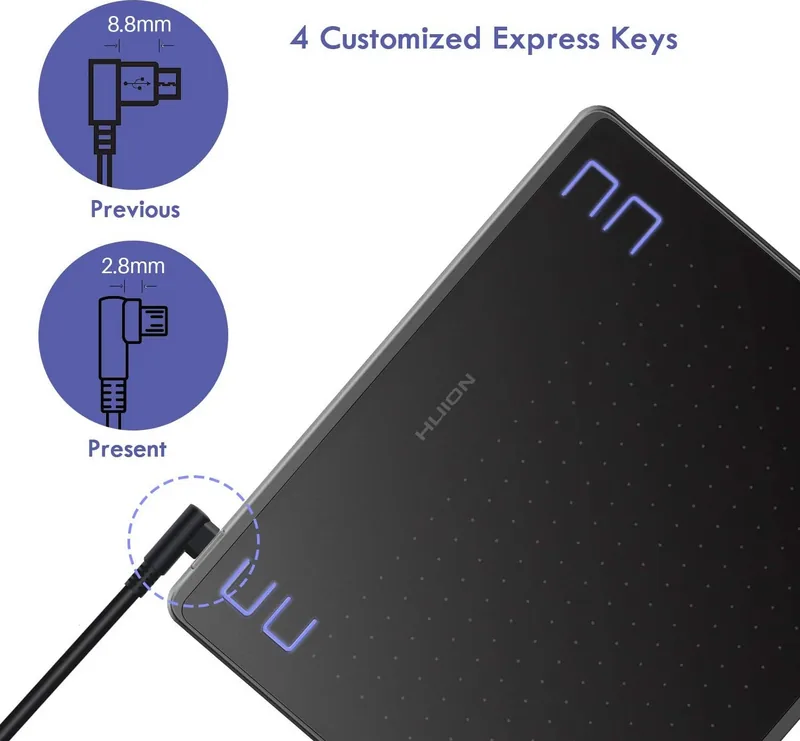
- Customizable express keys and pen buttons for workflow efficiency
- Compatible with both Windows and macOS operating systems
Disadvantages

- No built-in screen requires looking at the monitor while drawing
- Active area is smaller compared to larger professional models
- Requires driver installation for full functionality on computers
- Side buttons do not function when connected to Android devices
- Pen nibs may require frequent replacement with heavy daily use
Product Specification
Type
Graphics Tablet
Active Area
6.3x4 in
Pen
Wireless, Tip, 2 Buttons
Resolution
5080 lpi
Pressure Levels
8192
Tilt Range
60 degrees
Max Pen Distance
0.39 in
Display
N/A
Signal Input
N/A
Brightness
N/A
Contrast
N/A
Response Time
N/A
Buttons
4x Buttons
CPU
N/A
RAM
N/A
Storage
N/A
Graphics
N/A
Host Connection
USB 2.0 Micro-B
Other Connections
N/A
Wireless
N/A
Card Reader
N/A
Webcam
N/A
Operating System
N/A
Power Consumption
Not specified (typical), Not specified (Sleep)
Battery
N/A
Dimensions
7.87x6.54x0.31 in
Weight
9.1 oz
Package Contents
Main unit, 1x Pen (PW100), 1x Pen Holder, 8x Replacement Tips, 1x Micro USB Cable, 1x USB Adapter
Product Description
Huion HS64 Schwarz: Precision Meets Creativity
The Huion HS64 schwarz is a sleek, professional-grade graphics tablet designed to elevate your digital art experience. Its matte black finish offers a modern aesthetic that fits seamlessly into any creative workspace. As a battery-free drawing tablet, it utilizes electromagnetic resonance technology to deliver a natural writing and drawing feel, mimicking the sensation of pen on paper without the need for charging.
This device boasts a generous working area of 160 x 102mm, providing ample space for detailed illustrations and expansive sketches. The included PW100 digital pen features 8192 levels of pressure sensitivity, allowing artists to control line weight and opacity with incredible nuance. With a high report rate of 266 PPS and an accuracy of ±0.3mm, every stroke is captured instantly and precisely.
Versatility is a key strength of the HS64. It connects easily via Micro USB to Windows 7 or later and macOS 10.12 or later systems. For mobile creators, the tablet supports Android devices running OS 6.0 or newer, enabling on-the-go creativity when paired with an OTG adapter. The driver software offers extensive customization options, including adjustable working areas, customizable press keys, and pen button functions. Users can also enable Windows Ink for broader software compatibility with applications like Photoshop and Office.
Safety and durability are prioritized in its design. The tablet requires no power cord during operation, reducing clutter, but users must ensure it remains dry and free from liquids. The pen nibs are replaceable, ensuring long-term usability even after heavy wear. Whether you are a beginner or a seasoned pro, the Huion HS64 schwarz provides the tools necessary to bring your artistic visions to life with clarity and confidence.
Search for 67,706 Manuals online


Type-in Brand or Model