
Huion 1060 PLUS Manual
PDF manual · 16 Pages
English



Quick check
Incorrect answer, please try again.
Chat with your Huion 1060 PLUS manual using AI
Get instant AI answers from your Huion 1060 PLUS manual
Ask anything about the Huion 1060 PLUS. Answers come from this manual, with the pages they are based on.
1060 PLUS Maintenance Schedule
Charge the lithium battery every 3 months even if not in low battery mode to prevent damage.
Replace the nib with a new one when it wears out after long-term use.
Free maintenance reminders
Timed to your purchase date. Always free, unsubscribe anytime.
Ask a Question
Do you recommend 1060 PLUS?
Yes NoFrequently Asked Questions
It is best for digital drawing, sketching, handwriting, photo editing, and general creative work. Its large active area and pressure-sensitive pen make it suitable for both beginners and casual artists.
Is this answer helpful?
Yes. It supports Windows 7 or later and macOS 10.11 or later. The driver and settings can be used to customize the tablet on either system, though some menu labels may vary by platform.
Is this answer helpful?
The stylus supports 8192 levels of pressure sensitivity, which allows for subtle changes in line thickness and opacity. This is useful for detailed line work, shading, and more expressive brush control.
Is this answer helpful?
Yes. The tablet includes customizable press keys and soft keys. You can assign common actions such as undo, brush switching, zooming, and other workflow shortcuts through the driver settings.
Is this answer helpful?
Connect the tablet to your computer with the USB cable, then install the driver from the included Micro SD card or download it from Huion’s website. Close other graphics software before installing for best results.
Is this answer helpful?
Check that the tablet is powered and connected properly, confirm the correct driver is installed, and make sure the pen has enough charge. If needed, reinstall the driver after removing older tablet drivers.
Is this answer helpful?
Advantages and Disadvantages
Advantages

- Large active area provides comfortable space for sketching, writing, and detailed edits.
- 8192 pressure levels deliver responsive line control for natural-looking pen strokes.
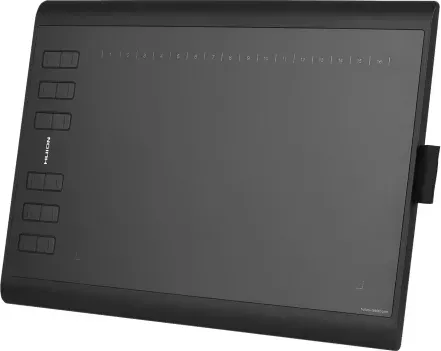
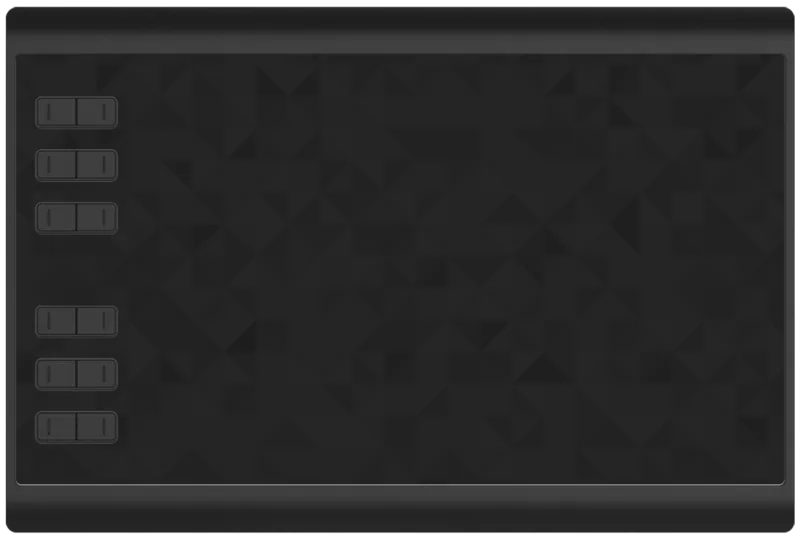
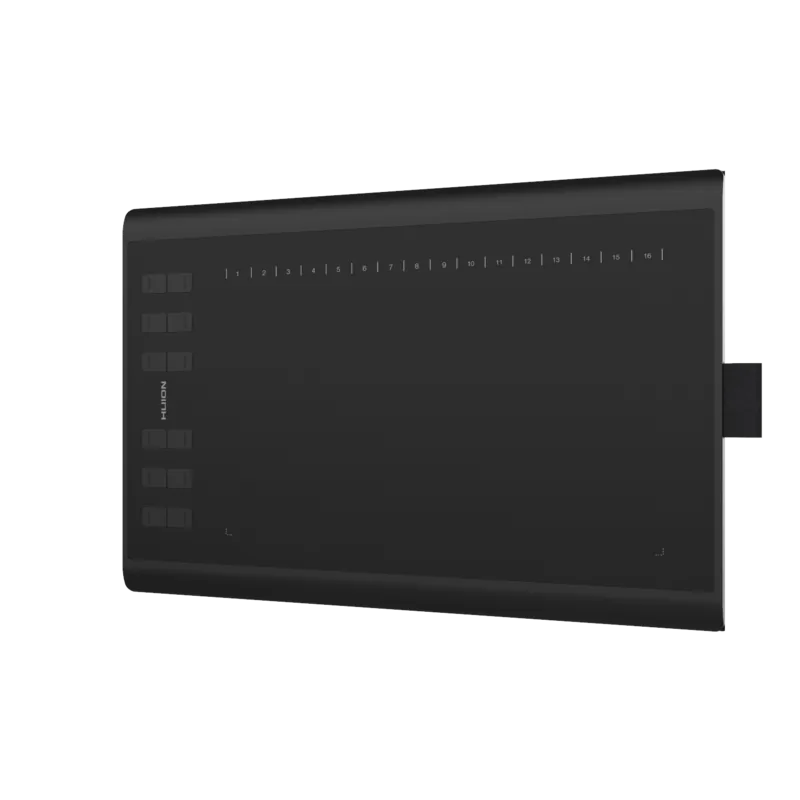
- 12 press keys and 16 soft keys improve speed and reduce reliance on keyboard shortcuts.
- Rechargeable pen, spare nibs, and included accessories add convenience and value.
Disadvantages

- Pen battery requires occasional charging, which adds maintenance compared with battery-free pens.
- Setup may take time if old drivers must be removed before installing the Huion driver.
- No built-in wireless use is described, so it relies on USB connection for operation.
- Best experience depends on driver configuration; defaults may need adjustment for some apps.
Product Specification
Type
Graphics tablet
Active area
10x6.26in
Pen
wireless, tip, 2 buttons
Resolution
5080lpi
Sensitivity levels
8192
Tilt range
90°
Max. pen distance
0.47in
Display
N/A
Signal input
N/A
Brightness
N/A
Contrast
N/A
Response time
N/A
Buttons
12x buttons, 16x Touchstrip
CPU
N/A
RAM
N/A
Storage
N/A
Graphics
N/A
Host connection
USB Micro-B
Other connections
N/A
Wireless
N/A
Card reader
microSDXC
Webcam
N/A
Operating system
N/A
Power consumption
no data (typical), no data (Sleep)
Battery
N/A
Dimensions
14.17x9.45x0.39in
Weight
1.70lb
Scope of delivery
Main unit, pen, case, 8x replacement nib, USB cable
Product Description
Huion 1060 PLUS Manual: A Practical Look at a Flexible Drawing Tablet
The Huion 1060 PLUS is designed for creators who want a dependable, portable tablet for sketching, note-taking, and digital art. In the spirit of the Huion 1060 PLUS Manual, this model focuses on usability, customization, and comfort rather than flashy extras. It offers a generous active area of 254 x 158.8 mm, giving artists room to draw naturally while keeping the device slim and easy to carry.
What stands out
One of the strongest features of the tablet is its 8192 levels of pressure sensitivity, which helps produce smooth line variation and more expressive strokes. The pen is rechargeable and built for long sessions, with an estimated battery life of around 350 hours on a full charge. For users who switch between software or work across multiple displays, the tablet also supports driver-based customization such as working-area mapping, key assignments, and pressure adjustment.
Built for a smoother workflow
The 1060 PLUS includes 12 customizable press keys and 16 soft keys, making it easier to set shortcuts for brushes, undo actions, zooming, or navigation. This can save time during drawing sessions and reduce the need to rely heavily on the keyboard. The tablet also supports tablet rotation, which is helpful for left-handed and right-handed users alike.
Setup is straightforward: connect it by USB, install the driver from the included Micro SD card or download it online, and then adjust the settings to match your workflow. It works with Windows 7 or later and macOS 10.11 or later, and it also supports Windows Ink for compatible creative apps.
Everyday use and care
The tablet package includes helpful extras such as replacement nibs, a pen holder, charging cables, and a quick start guide. The manual also emphasizes proper care: avoid water, keep the pen charged regularly, and do not press the pen nib while storing it. These small habits can extend the life of both the tablet and stylus.
Notes
- Best suited for drawing, editing, and digital handwriting
- Driver settings make it easy to personalize the tablet
- Keep the pen charged to avoid battery damage
- Replace worn nibs for consistent pen performance
Overall, the Huion 1060 PLUS is a solid choice for beginners and hobbyists who want a large drawing surface, responsive pen input, and practical customization in one lightweight device.
Search for 67,706 Manuals online


Type-in Brand or Model