
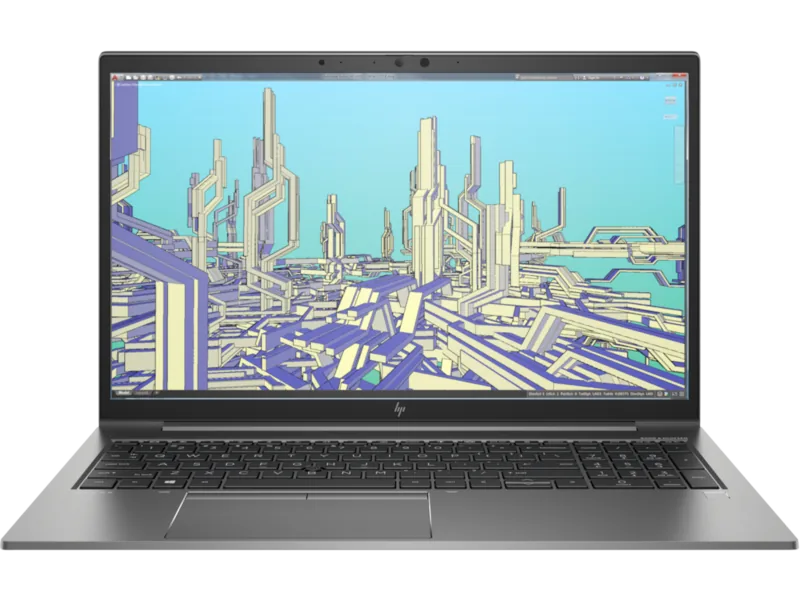
HP ZBook Firefly 15 G8 Manual
PDF manual · 92 Pages
English


Quick check
Incorrect answer, please try again.
Chat with your HP ZBook Firefly 15 G8 manual using AI
Get instant AI answers from your HP ZBook Firefly 15 G8 manual
Ask anything about the HP ZBook Firefly 15 G8. Answers come from this manual, with the pages they are based on.
Ask a Question
Do you recommend ZBook Firefly 15 G8?
Yes NoVideo Manual
HP ZBook Firefly 15 G8 Review - Best Mobile Workstation Laptop for Video Editing & Engineering
Frequently Asked Questions
The HP ZBook Firefly 15 G8 combines powerful performance, durable build, and comprehensive security features, making it ideal for professionals who need reliable and robust computing power on the go.
Is this answer helpful?
The HP ZBook Firefly 15 G8 offers a 15.6-inch display with options for 4K UHD and HDR, providing vivid colors and sharp details for an immersive visual experience.
Is this answer helpful?
The laptop features HP’s advanced security measures, including HP Sure Start and HP Sure Click, which protect your data and privacy from threats and unauthorized access.
Is this answer helpful?
The HP ZBook Firefly 15 G8 includes a range of ports such as USB Type-C with Thunderbolt™ support, HDMI, and traditional USB ports, ensuring compatibility with various peripherals.
Is this answer helpful?
Detailed instructions and specifications for the HP ZBook Firefly 15 G8 can be found in the HP ZBook Firefly 15 G8 Manual, which covers setup, troubleshooting, and performance optimization.
Is this answer helpful?
Yes, the HP ZBook Firefly 15 G8 is designed to meet military standards for durability, making it a reliable choice for professionals who travel frequently.
Is this answer helpful?
Regularly update your drivers and software through the HP Support Assistant and utilize the security features provided to protect your data and ensure smooth operation.
Is this answer helpful?
Advantages and Disadvantages
Advantages

- Lightweight and portable design.
- Powerful performance with Intel® Core™ processors and NVIDIA® graphics.
- Durable build meets military standards.
- Comprehensive connectivity options including USB Type-C with Thunderbolt™.
- Excellent security features.
Disadvantages

- Higher price point compared to other models.
- Battery life may be limited under heavy use.
- Requires regular updates for optimal performance.
Product Specification
Type
Notebook
HDD
N/A
Flash
N/A
Wireless
Wi-Fi 6 (WLAN 802.11a/b/g/n/ac/ax, 2x2, Intel AX201), Bluetooth 5.2
Camera
0.9 Megapixel
Optical drive
N/A
Battery
built-in, Li-Polymer, 3 cells, 56Wh, 14h runtime
Power supply
1x USB-C power connector (65W), optional 1x barrel connector
Special features
Light sensor, MIL-STD-810H
Weight
3.86 lb
Dimensions
14.17x9.21x0.76 in (WxDxH)
Color
gray
Warranty
three years
USB notation
Link
Product Description
Search for 67,706 Manuals online


Type-in Brand or Model