
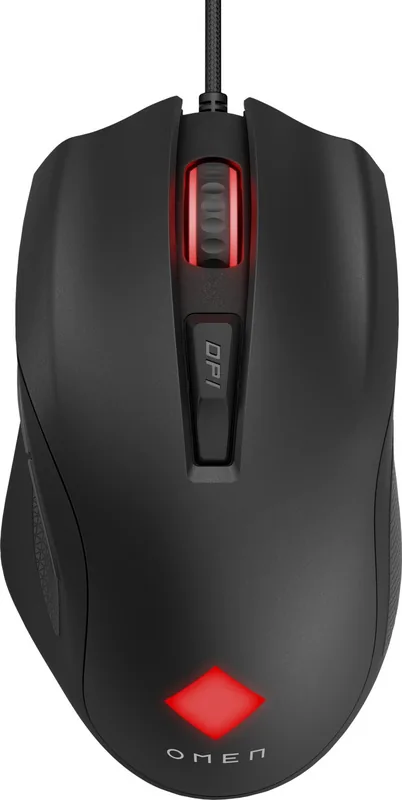
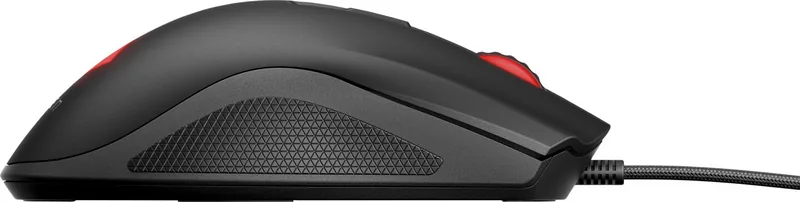
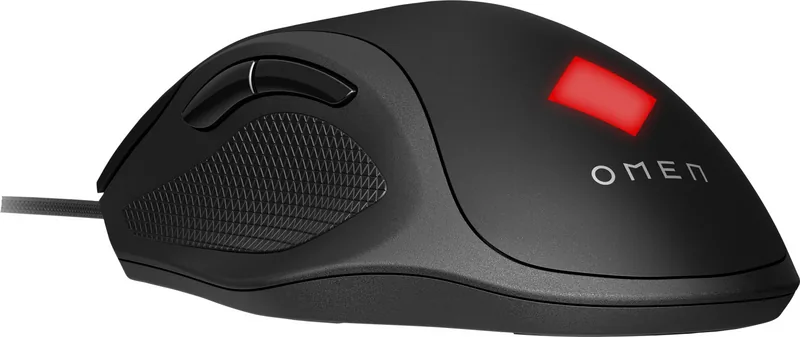
HP Omen Vector Manual
PDF manual · 14 Pages
English


Quick check
Incorrect answer, please try again.
Chat with your HP Omen Vector manual using AI
Get instant AI answers from your HP Omen Vector manual
Ask anything about the HP Omen Vector. Answers come from this manual, with the pages they are based on.
Ask a Question
Do you recommend Omen Vector?
Yes No
id_sint
4 months ago
Are the side click noises on this mouse too loud, and can the weight compartment be removed easily?

Manual.ly
4 months ago
The HP Omen features a dual-click mechanism that some users find produces audible feedback. While the sound level is moderate, it may be noticeable in quiet environments. The weight compartment is designed to slide out from the bottom of the mouse for adjustment. However, removing it completely requires a specific tool or fingernail technique as there are no dedicated release buttons. For quick access, we recommend using a thin plastic card to pry the cover gently. Replacement glide feet are not included in the box but can be purchased separately.

Katrine Hagenes
6 months ago
Are the mouse clicks noisy and is the weight compartment easy to remove?
Manual.ly
6 months ago
The HP Omen mouse features audible left and right click sounds that some users find distracting. Regarding the weight compartment, the current design does not allow for quick or convenient removal of the weights.
Sofia Rossi
7 months ago
Do you include replacement glide feet with the mouse?
Julia M
5 months ago
Do you include replacement glide feet in the box?
Sarah Jenkins
5 months ago
Does this mouse come with spare glide feet since the current ones seem low quality?
mkennedy83
4 months ago
Are replacement glide feet included, and is the weight compartment easy to open?
Manual.ly
4 months ago
Replacement glide feet are not included. The weight compartment is designed to be secure, so opening it may require more effort than expected. The mouse integrates well with HP software, but buyers who frequently change weights or prioritize premium glide feet may want to consider this before purchasing.
Karl Lee
7 months ago
Are the mouse feet durable, and are replacement glide pads included?
Manual.ly
7 months ago
The mouse offers a comfortable, solid feel and integrates well with HP software. However, the supplied glide feet may feel less premium than expected, and no replacement feet are included. Buyers who prioritize very smooth long-term gliding may wish to check compatible aftermarket feet.
Tierra Huels
5 months ago
Are replacement glide feet included, and is the weight compartment easy to open?
Manual.ly
5 months ago
Replacement glide feet are not included. The mouse has a removable weight compartment, but some users may find it less convenient to open quickly. Its textured finish and HP software integration are generally well regarded, while click noise and glide-foot quality can be noticeable depending on personal preferences.
reiciendis_eius
4 months ago
Are replacement glide feet included, and is the weight compartment easy to open?
Manual.ly
4 months ago
Replacement glide feet are not included. The mouse has a removable weight compartment, but some users find it less convenient to open quickly. Its strengths are the comfortable soft-touch feel, solid construction, and good integration with HP software.
Frequently Asked Questions
Install and open OMEN Command Center, then select OMEN VECTOR while the mouse is connected. The application provides tabs for lighting, button assignments, and additional settings such as DPI, polling rate, and lift-off distance.
Is this answer helpful?
Each of the two lighting zones can use static, color cycle, pulsing, blinking, or DPI lighting modes. Animated modes support preset Volcano, Jungle, and Ocean themes, plus custom color schemes with up to four colors.
Is this answer helpful?
Each available DPI level can be configured from 50 to 16,000 DPI. You can choose between two and eight DPI levels for switching through sensitivity settings with the mouse controls.
Is this answer helpful?
Yes. You can create up to six macros, M1 through M6, and assign one macro to as many as three buttons. Macro types include keystrokes, multi-key sequences, application launching, DPI adjustment, and text entry.
Is this answer helpful?
Each macro is limited to 47 keystrokes. Multi-key macros can record keyboard inputs and mouse clicks, with recorded delays, fixed delays up to 99999 ms, or no delay between actions.
Is this answer helpful?
Yes. The polling rate can be set between 125 Hz and 1000 Hz. This setting controls how often the mouse reports its position to the computer.
Is this answer helpful?
Advantages and Disadvantages
Advantages

- Two independently configurable lighting zones support static, animated, and DPI indicator modes.
- DPI can be configured across 2 to 8 levels, with a wide 50 to 16,000 DPI range.
- Programmable macros support keystrokes, mouse actions, app launching, DPI changes, and custom text.
- Polling rate settings from 125 Hz to 1000 Hz allow performance tuning.
- Lighting, button assignments, and sensor settings can be reset to defaults easily.
Disadvantages

- Customization depends on OMEN Command Center and requires Windows 10 64-bit version 1709 or later.
- Macro sequences are limited to 47 keystrokes each.
- Only up to six M1-M6 macros can be assigned.
- Lift-off distance offers only low and high settings rather than finer adjustment.
- The OMEN VECTOR menu is available only when the mouse is connected.
Product Specification
Suitability
right hand
Buttons
6 total, 2 main, 1 top, 2 left, 1 scroll wheel click
Scroll wheel
1x 2-way
Tracking
red LED/IR
Resolution
16,000 dpi, reducible to 4,800/3,600/2,400/1,600/800/400 dpi
Sensor
OMEN Radar 3 (co-developed with PixArt)
Switches
mechanical switches, Omron D2FC-F-K, 50 million clicks
Lighting
RGB
Connection
wired (6.56 ft), USB-A 2.0
Power supply
USB
Dimensions (W x H x D)
2.95 x 1.61 x 5.04 in
Approximate volume
6.29 in3 (approximate shape)
Weight
3.1 oz (+0.88 oz)
Color
solid black, logo
Special features
thumb rest, weight compartment (5 x 0.18 oz), braided cable
Product Description
HP Omen Vector Mouse USB Manual: Customize Your Gaming Control
The HP Omen Vector Mouse USB is a wired gaming mouse designed for players who want detailed control over performance, lighting, and button functions. Its USB connection provides a direct link to a compatible computer, while OMEN Command Center gives users a practical way to tailor the mouse to individual games, work habits, and play styles. This HP Omen Vector Mouse USB Manual overview highlights the core customization options available through the software.
Lighting Built Around Your Setup
The mouse includes two lighting zones that can be configured independently. Static lighting lets you choose a single color for each zone, with controls for hue, intensity, and brightness. This is useful for creating a clean, consistent desk setup or matching other OMEN equipment.
Animated lighting adds more movement. Available effects include color cycle, pulsing, and blinking modes. Users can select preset themes such as Volcano, Jungle, and Ocean, or build a custom palette with up to four colors. Animation speed and brightness can also be adjusted, helping the mouse fit either a subtle workspace or a more expressive gaming environment.
A dedicated DPI lighting mode can show the current sensitivity setting through an LED. This provides a quick visual reference when changing movement speed during different tasks or game situations.
Button Assignments and Macros
OMEN Command Center supports programmable button assignments for more efficient control. A macro can contain a sequence of keystrokes, mouse clicks, application launches, DPI adjustments, or custom text. Up to six macros, identified as M1 through M6, can be assigned, and each macro can contain up to 47 keystrokes.
For competitive gaming, a macro can combine repeated commands or activate a preferred DPI level. For everyday use, it can open a frequently used application or enter a saved text message. Multi-key macros support recorded, fixed, or no delays, and loop settings provide additional flexibility for repeated actions. A single macro can be assigned to as many as three buttons.
Sensitivity and Sensor Controls
The mouse offers extensive sensitivity settings, with between two and eight available DPI levels. Each level can be set from 50 to 16,000 DPI, allowing for precise low-speed aiming or faster cursor movement across large displays. The polling rate is adjustable from 125 Hz to 1000 Hz, so users can choose how frequently mouse position data is reported to the computer.
Lift-off distance settings are available in low and high options. These controls determine how far the mouse can be lifted from the surface before sensor tracking stops, which can be especially useful for players who frequently reposition their mouse.
Notes
The customization software requires Windows 10 64-bit version 1709 or later. Connect the mouse before selecting OMEN VECTOR in the application. Changes can be applied, discarded, or reset to default settings at any time.
Search for 67,732 Manuals online


Type-in Brand or Model
Antoinette Hartmann
5 months ago
Are the mouse clicks too loud and is the weight compartment easy to remove?
Manual.ly
5 months ago
The HP Omen features audible click sounds which some users find distracting. Regarding the weight compartment, it is designed with a secure locking mechanism that may require a specific tool or effort to open, so it is not considered quick or convenient for frequent removal. For optimal performance and software integration, we recommend using the official HP gaming software.