
HP Omen Spacer Manual
PDF manual · 2 Pages
English


Quick check
Incorrect answer, please try again.
Chat with your HP Omen Spacer manual using AI
Get instant AI answers from your HP Omen Spacer manual
Ask anything about the HP Omen Spacer. Answers come from this manual, with the pages they are based on.
Ask a Question
Do you recommend Omen Spacer?
Yes NoFrequently Asked Questions
You need Windows 10 (64-bit) version 1709 or higher to download and run the OMEN Command Center software necessary for configuring the keyboard.
Is this answer helpful?
Yes, the keyboard works immediately upon connection. However, advanced features like macro creation and lighting customization require the OMEN Command Center app.
Is this answer helpful?
Open the OMEN Command Center, select OMEN SPACER, and choose the option to reset to default settings within the menu.
Is this answer helpful?
Yes, you can activate or deactivate the Windows key using the FN plus Print Screen key combination to prevent accidental presses during games.
Is this answer helpful?
You can create keystroke combinations, multi-key sequences with delays, launcher macros to open apps, and text macros for automated chat messages.
Is this answer helpful?
Yes, the Animations mode includes effects like Pulsating, Circular Wave, Left Wave, and Right Wave with adjustable speed and brightness.
Is this answer helpful?
Advantages and Disadvantages
Advantages

- Tactile MX Brown switches offer precise feedback without excessive noise
- Wireless connectivity provides flexible desk setup and reduced cable clutter
- Customizable white and red LED lighting with various animation modes
- OMEN Command Center allows advanced macro creation and key remapping
- Compact TKL design saves valuable desk space for mouse movement
Disadvantages

- Requires Windows 10 (64-bit) and OMEN Command Center software for full features
- Battery life may vary depending on lighting intensity and usage patterns
- No dedicated media keys due to the tenkeyless layout
- Software dependency means some functions are unavailable if the app is not running
- USB connection required for initial setup and charging
Product Specification
Layout
DE
Type
mechanical
Switch Name
Cherry MX BROWN 100Mio
Lighting
white, red
Keycap Level
raised, frameless
Keycap Format
regular
Keycap Dome
concave
Numpad
No
Cursor Block
Standard
Control Keys
Standard
Enter Key
Standard
Delete Key
Standard
Status Indicator
Capslock, Scroll
Wrist Rest
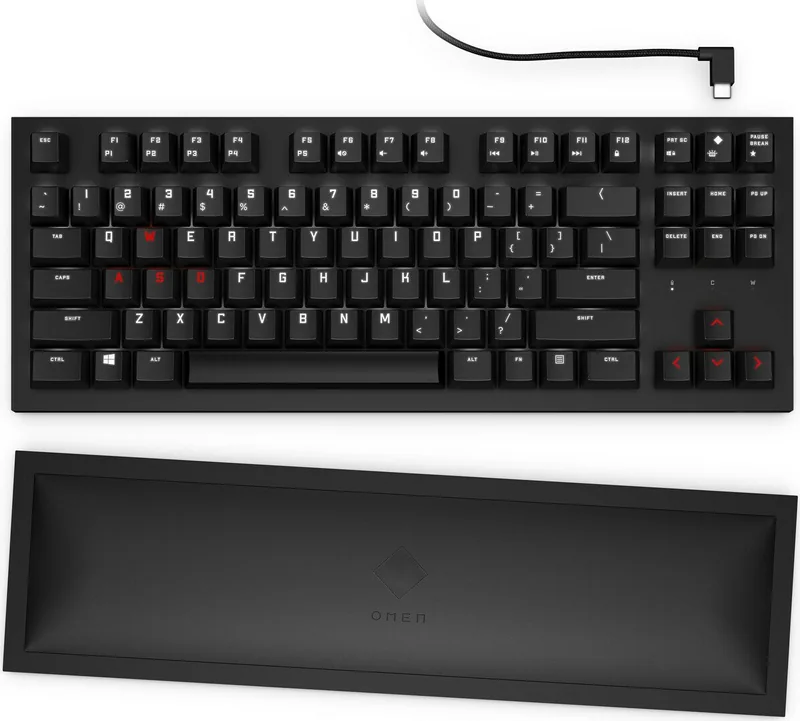
modular (padded, magnetic)
Case
Plastic
Case Color
solid, black
Keycap Finish
solid, black
Key Legend
solid, white (translucent)
Connection
wired (5.91ft), USB-A 2.0 or wireless (2.4GHz), USB-A 2.0 (USB-A 2.0 Receiver), detachable cable (USB-C port)
Power Supply
Battery
Dimensions (WxDxH)
14.53x1.42x5.47in
Weight
2.12lbs
Features
Anti-Ghosting (N-Key-Rollover), FN Key, Cursor Keys highlighted, WASD Keys highlighted
Switch Manufacturer
Cherry
Switch Module
MX
Switch Model
BROWN
Switch Characteristic
tactile
Contact Feedback
none
Damping
none
Actuation Force
16.08ozf (+-7.09ozf Tolerance) ~ 16.20ozf (+-7.16ozf Tolerance)
Key Travel
0.16in (-0.02in Tolerance)
Pre-travel Force
19.44ozf (+-8.85ozf Tolerance) ~ 19.81ozf (+-8.97ozf Tolerance)
Total Travel
0.08in (+-0.02in Tolerance)
Initial Force
10.60ozf ~ 10.79ozf
Lifespan
100 Million
Product Description
Elevate Your Gaming Setup with the HP Omen Spacer Wireless TKL Keyboard
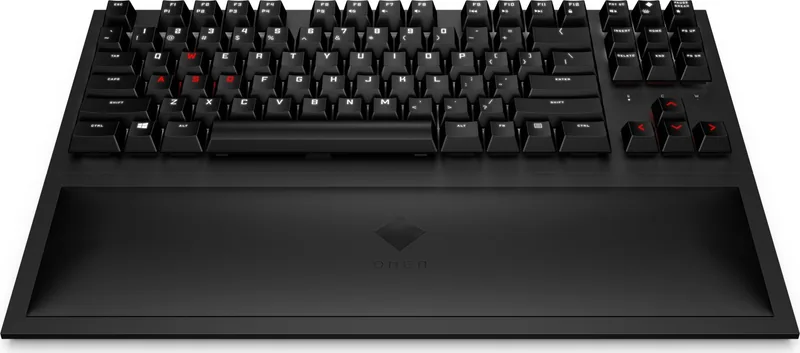
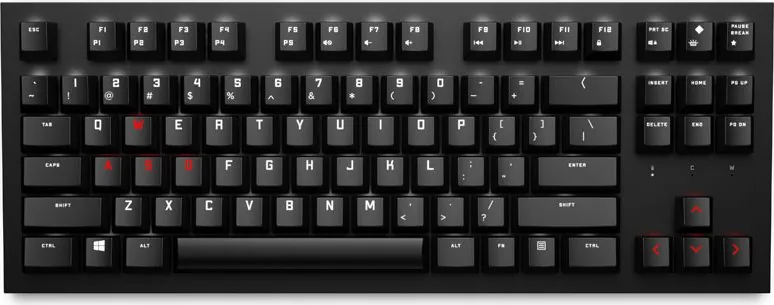
The HP Omen Spacer Wireless TKL Keyboard stands as a testament to precision engineering and gaming performance. Designed for enthusiasts who demand speed and reliability, this compact tenkeyless layout offers an ergonomic advantage by freeing up desk space for mouse movement. The device features crisp MX Brown mechanical switches that provide a tactile bump without the loud clicking noise, making it ideal for both intense gaming sessions and quiet office environments. The keyboard supports white and red LED backlighting, allowing users to customize their visual experience through dynamic lighting modes.
Connectivity is seamless via USB, ensuring stable data transmission with minimal latency. The wireless capability adds a layer of freedom, letting you play from your couch or across a cluttered desk without cable interference. The included OMEN Command Center software unlocks the full potential of the hardware. Through this intuitive interface, gamers can configure complex macros, adjust key assignments, and manage the lighting effects in real-time. Whether you prefer a static color scheme or an animated wave effect, the customization options are extensive.
The lighting system supports multiple modes including pulsating, circular waves, and directional flows. Users can select specific zones like WASD keys or FPS layouts to highlight critical controls. The ability to create custom macros means you can execute complex commands with a single press, giving you a competitive edge. The OMEN key serves as a quick launch button for the command center, streamlining access to settings.
HP has also integrated accessibility features into the design philosophy, ensuring that technology remains inclusive. While the focus here is on high-performance gaming, the underlying commitment to usability ensures that all users can benefit from the robust build quality. The keyboard operates on Windows 10 or later, requiring the OMEN Command Center app for full configuration. This software handles everything from restoring factory defaults to creating detailed macro sequences involving text insertion or application launching.
With its blend of wireless convenience, tactile feedback, and deep software integration, the HP Omen Spacer Wireless TKL Keyboard is a top-tier choice for modern gamers seeking a reliable and customizable peripheral.
Search for 67,732 Manuals online


Type-in Brand or Model