
HP Omen Sequencer Manual
PDF manual · 2 Pages
English


Quick check
Incorrect answer, please try again.
Chat with your HP Omen Sequencer manual using AI
Get instant AI answers from your HP Omen Sequencer manual
Ask anything about the HP Omen Sequencer. Answers come from this manual, with the pages they are based on.
Ask a Question
Do you recommend Omen Sequencer?
Yes NoFrequently Asked Questions
This version uses BLUE switches. They provide tactile resistance and an audible click at activation, making presses easy to feel and hear.
Is this answer helpful?
Yes. OMEN Command Center supports static zones, gaming-oriented layouts, custom colors, preset themes, and animated effects such as wave, breathing, raindrops, and ghosting.
Is this answer helpful?
The keyboard has five dedicated P-keys, P1 through P5. A macro can also be assigned to up to three keys, with each macro limited to 47 keystrokes.
Is this answer helpful?
You can create key combinations, recorded multi-key sequences with delay options, launch actions for apps or games, and text macros for inserting custom messages.
Is this answer helpful?
Full software configuration requires Windows 10 64-bit version 1709 or later. The software may already be installed on some compatible computers.
Is this answer helpful?
Yes. Fn plus number keys selects lighting effects, Fn + F11 changes LED brightness, and Fn + F12 toggles the Windows key. These shortcuts are especially useful on Windows 7.
Is this answer helpful?
Advantages and Disadvantages
Advantages

- Clicky BLUE switches provide pronounced tactile and audible feedback for gaming and typing.
- Per-key-zone RGB customization includes static layouts, presets, custom colors, and animated effects.
- Five P-keys support macros, text actions, app launching, and recorded multi-key sequences.
- Fn shortcuts quickly control lighting modes, LED brightness, and Windows key lock.
- USB connectivity provides a straightforward wired gaming setup.
Disadvantages

- BLUE switches can be loud, which may disturb people in quiet or shared environments.
- Full OMEN Command Center configuration requires Windows 10 64-bit version 1709 or later.
- Macro sequences are limited to 47 keystrokes each.
- Only five dedicated P-keys are available for direct macro assignments.
- Windows 7 users rely on keyboard shortcuts rather than the full software feature set.
Product Specification
Layout
UK
Type
mechanical-optical
Lighting
RGB, individually per key
Keycap profile
raised, frameless
Keycap format
standard
Keycap shape
concave
Numeric keypad
standard
Cursor key cluster
offset
Control keys
standard
Enter key
standard
Delete key
standard
Status indicators
Caps Lock, Num Lock, Scroll Lock
Wrist rest
N/A
Housing
metal
Housing color
solid black
Keycap design
solid black
Key labeling
solid white (translucent)
Connection
wired (6.56 ft), 2 x USB-A 2.0
Power supply
USB
Dimensions (W x H x D)
18.62 x 1.5 x 6.65 in
Weight
2.47 lb
Special features
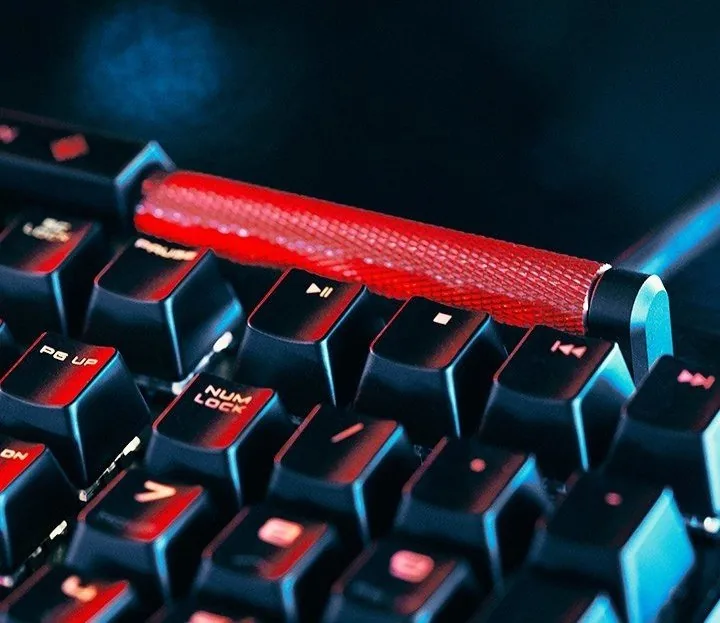
9 multimedia keys (5 programmable), 1 x volume dial (scroll wheel, top right), anti-ghosting (N-key rollover), USB hub (1 x USB-A 2.0), FN key
Product Description
HP Omen Sequencer LEDs RGB BLUE Switches USB UK - Read, Download & Print Free
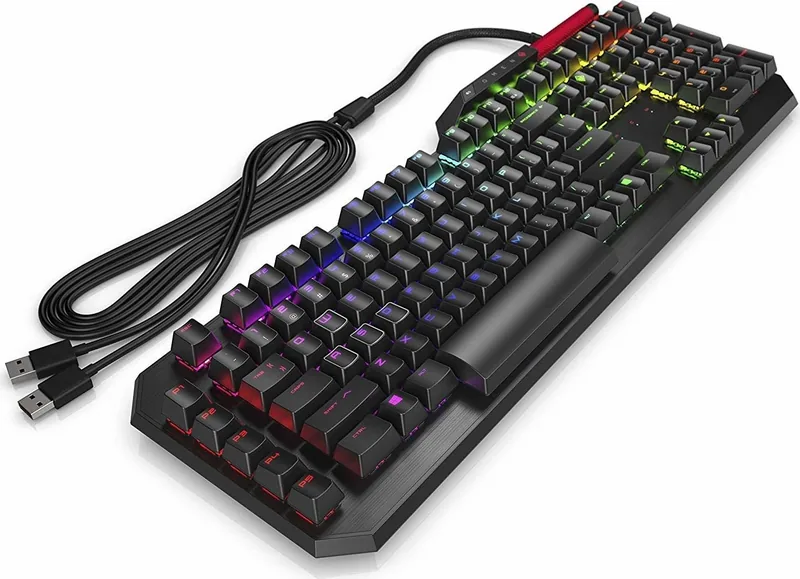
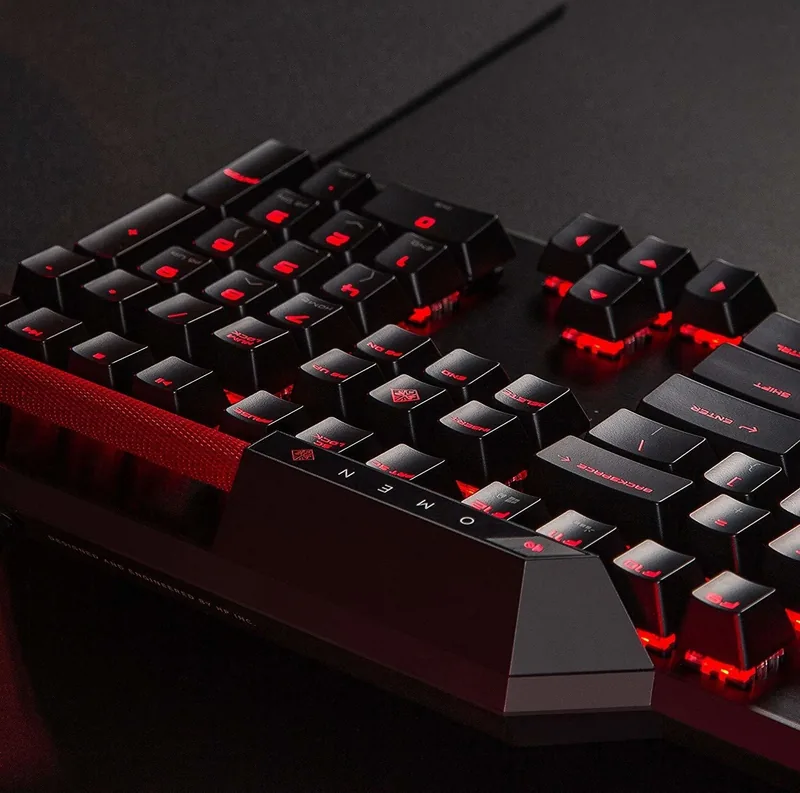
The HP Omen Sequencer is a gaming keyboard designed for players who want a responsive wired setup, vivid RGB lighting, and practical customization tools. This UK-layout USB model uses BLUE switches, giving each press a distinct tactile feel and audible click that can suit gamers and typists who enjoy clear feedback. Its dedicated OMEN key provides quick access to the compatible OMEN Command Center software on supported Windows systems.
Custom RGB Lighting
Lighting is one of the keyboard's defining features. The OMEN Command Center lets users configure static colors across selected key zones or choose presets tailored to common game styles, including WASD, FPS, MOBA, MMO, and the P1-P5 programmable keys. Multi-zone selection gives users more freedom to highlight commands, movement keys, or favorite color combinations.
Animated effects add motion to the desktop setup. Available patterns include color cycle, starry sky, breathing, ghosting, circular wave, wave, narrow strip, and raindrops. Users can choose preset OMEN color themes or build custom schemes with up to four colors, then adjust animation speed and effect settings where available.
Macros and Fast Controls
Five programmable P-keys, labelled P1 to P5, support macros for repeatable in-game actions and everyday shortcuts. Macro options include single key combinations, recorded multi-key sequences with configurable delays, application or game launching, and custom text insertion. Each macro can contain up to 47 keystrokes, and one macro may be assigned to as many as three keys.
Convenient Fn shortcuts offer another way to change lighting without opening the software. Number keys select the main lighting effects, while Fn + F11 cycles LED intensity between 0%, 50%, and 100%. Fn + F12 enables or disables the Windows key, helping prevent accidental interruptions during play.
Compatibility and Setup Notes
For full software-based configuration, the keyboard works with OMEN Command Center on Windows 10 64-bit version 1709 or later. On Windows 7, lighting control is available through keyboard shortcuts. Connect the keyboard by USB, open the OMEN Sequencer area in the software, and apply changes when your layout is ready.
Note: BLUE switches produce noticeable sound during use. They are ideal for users who value tactile, clicky feedback, but may not be the best choice for quiet shared spaces.
HP Omen Sequencer LEDs RGB BLUE Switches USB UK - Read, Download & Print Free highlights a feature-rich keyboard built around personalized lighting, programmable controls, and a familiar UK key layout.
Search for 67,732 Manuals online


Type-in Brand or Model