
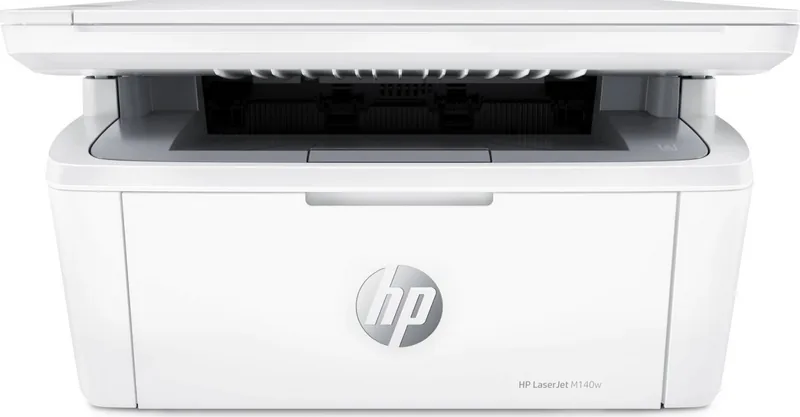
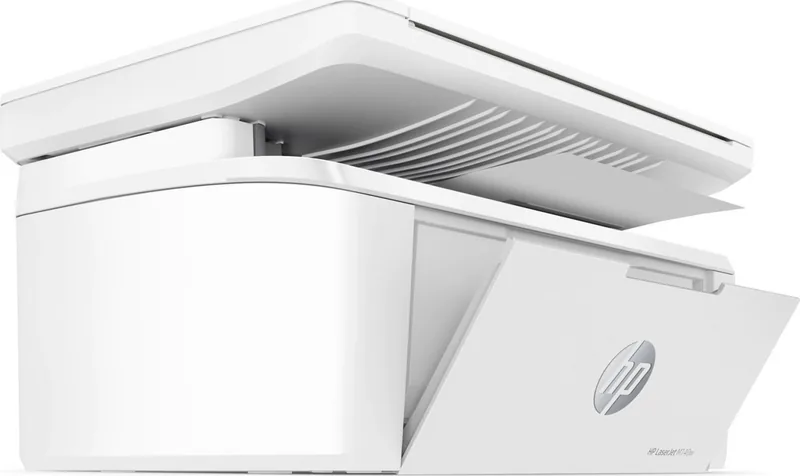
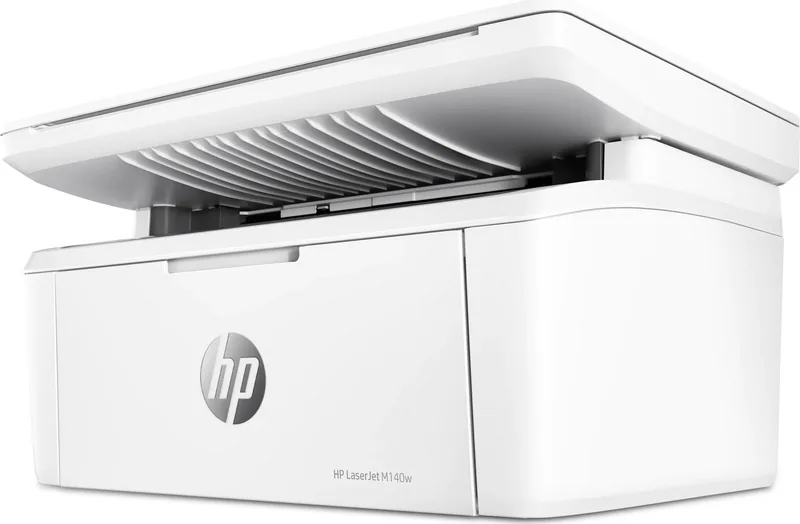
HP LaserJet MFP M140w Manual
PDF manual · 126 Pages
English


Quick check
Incorrect answer, please try again.
Chat with your HP LaserJet MFP M140w manual using AI
Get instant AI answers from your HP LaserJet MFP M140w manual
Ask anything about the HP LaserJet MFP M140w. Answers come from this manual, with the pages they are based on.
Ask a Question
Do you recommend LaserJet MFP M140w?
Yes NoDo you recommend LaserJet MFP M140w?
Yes No
Juliet Bogan
4 months ago
Does this printer support color printing and does it come with a USB cable for PC connection?

Manual.ly
4 months ago
This model is a monochrome (black and white) laser printer, so it cannot print in color. It does not include a USB cable in the box; you will need to purchase one separately if you wish to connect via cable. However, the device supports wireless setup via Wi-Fi using the HP Smart app or direct installation from the website, which is often faster than a wired connection.

Gustave Lesch
5 months ago
Why is my toner cartridge showing as empty after only printing a few pages?
Oscar Reid
5 months ago
Is a USB cable included for connecting the printer to a computer?
emiller72
5 months ago
Does the printer include a USB cable for direct computer connection, and is it necessary to use HP Smart App for setup?
Manual.ly
5 months ago
Thank you for your inquiry. Please note that this model does not include a USB printing cable in the package; only a power cord is provided. While the device supports USB connectivity, we recommend using the HP Smart app or connecting via Wi-Fi for the easiest setup experience. If you prefer a direct USB connection, you will need to purchase a compatible USB cable separately.
Robin McGlynn
4 months ago
I noticed some reviews mention toner levels showing as low too quickly. Is there a way to check the actual ink status without an internet subscription?
Frequently Asked Questions
Yes, you can use the HP Smart app or AirPrint to print directly from iOS, Android, or other mobile devices over Wi-Fi or via Wi-Fi Direct.
Is this answer helpful?
No, the HP LaserJet Pro MFP M140w does not have an automatic duplex unit. You must manually reload paper to print on both sides.
Is this answer helpful?
Register your printer through the HP Smart app or website to enroll in the Instant Ink program, which will automatically ship new toner when levels are low.
Is this answer helpful?
It supports Windows 10 and later, macOS 10.14 or newer, iOS, iPadOS, and Android devices for full functionality.
Is this answer helpful?
No, the flatbed scanner glass is designed for standard letter and A4 size documents, not legal size.
Is this answer helpful?
Press and hold the Wireless and Cancel buttons simultaneously for five seconds until the lights blink to restore default network settings.
Is this answer helpful?
Dynamic security features may block non-genuine HP cartridges to ensure print quality and device safety.
Is this answer helpful?
Advantages and Disadvantages
Advantages

- Compact design saves valuable desk space
- Seamless integration with HP Smart App for mobile management
- Wi-Fi Direct allows printing without a local network
- Instant Ink service prevents unexpected toner shortages
- Fast print speeds suitable for busy small offices
Disadvantages

- No automatic double-sided printing capability
- Limited to black and white color output only
- Requires stable internet connection for some features
- Small paper tray capacity requires frequent refills
- Firmware updates may block non-genuine cartridge usage
Product Specification
Format
A4 (Print), A4 (Scan)
Type
Printer/Scanner/Copier
Color System
1-color, 1x Toner
Consumables
142A, W1420A
Printing
600x600dpi - 20 ppm (A4) (ISO)
Scanning
600x600dpi (CIS) (A4)
Copying
600x400dpi - 13 ppm (A4)
Paper Input
150 sheets
Memory
64MB (RAM)
Connections
1x USB-B 2.0
Network
Wi-Fi 4 (WLAN 802.11b/g/n), Wi-Fi Direct, AirPrint, Cloud Print, Mopria
Display
monochrome, 2-line
Power Consumption
TEC: 0.26kWh/week
Sound Pressure Level
52.0dB(A)
Emulation
PCLm, PCLmS, PWG, URF
Chassis Color
white
Dimensions
14.17x7.76x10.39in
Weight
11.88lbs
Features
EPEAT Silver, 2 months Instant Ink
Manufacturer Warranty
1 Year (On-site)
Note
Instant Ink is a subscription service - please refer to additional links.
Product Description
Discover the HP LaserJet Pro MFP M140w Instant Ink Laser Single Color
The HP LaserJet Pro MFP M140w stands as a compact yet powerful solution for modern home offices and small businesses. Designed with efficiency in mind, this single-color laser multifunction printer combines printing, scanning, and copying capabilities into a sleek footprint that fits easily on any desk. Its integration with the Instant Ink program ensures you never run out of toner unexpectedly, delivering a seamless workflow where supplies are automatically shipped before they run dry.
Setting up this device is intuitive, thanks to robust connectivity options including Wi-Fi, Wi-Fi Direct, and USB. Users can effortlessly connect mobile devices or computers without needing a complex network setup. The HP Smart App serves as the central hub for managing tasks, allowing you to print documents, scan photos, and monitor supply levels from your smartphone or tablet. Whether you are working on Windows, macOS, iOS, or Android, the printer adapts to your environment with ease.
The control panel features clear LED indicators and simple buttons for quick access to essential functions like starting copies or adjusting brightness. For those who need flexibility, the manual duplex printing option helps save paper by printing on both sides. The scanner glass accommodates various document sizes, making it ideal for ID cards, receipts, and standard pages. With its focus on reliability and energy efficiency, the HP LaserJet Pro MFP M140w delivers professional-quality text output while keeping operational costs low.
Key Features at a Glance
This printer excels in environments requiring fast, reliable black-and-white output. The dynamic security features protect your data and ensure only genuine HP cartridges are used, maintaining consistent print quality. Energy-saving modes automatically reduce power consumption during idle periods, contributing to a greener office environment.
Notes
- Ensure your network supports 2.4 GHz bands for optimal wireless performance.
- Instant Ink subscription is required for automatic toner delivery.
- Firmware updates may impact compatibility with third-party cartridges.
Search for 67,732 Manuals online


Type-in Brand or Model
porro_sed
4 months ago
Does this printer support color printing?
Manual.ly
4 months ago
No, the HP LaserJet MFP M140w is a monochrome (black and white) laser printer only. It does not have the capability to print in color. Users requiring color output will need to use an external service or a different device.