
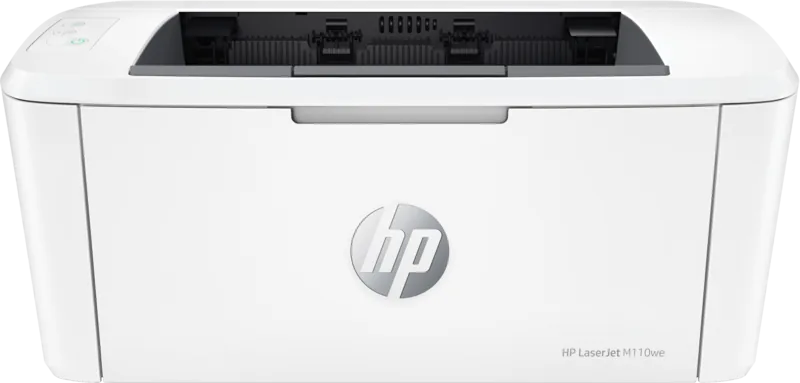
HP LaserJet M110we Manual
PDF manual · 115 Pages
English


Quick check
Incorrect answer, please try again.
Chat with your HP LaserJet M110we manual using AI
Get instant AI answers from your HP LaserJet M110we manual
Ask anything about the HP LaserJet M110we. Answers come from this manual, with the pages they are based on.
Ask a Question
Do you recommend LaserJet M110we?
Yes No
Tianna Mohr
7 months ago
Is it possible to print via USB cable if I do not want to use the app or register online?

Manual.ly
7 months ago
For the HP LaserJet M110we with HP+, initial setup and ongoing operation generally require an internet connection and the HP Smart app. While some users report temporary USB functionality before activation, the device typically locks out USB printing until the HP+ registration is completed. We recommend checking your specific unit's status or contacting support if you encounter issues with direct cable connections.

consequatur30
4 months ago
Does this printer require an HP+ account and internet connection to function, or can it be used offline with a USB cable?
Manual.ly
4 months ago
Thank you for your inquiry. Please note that models ending in 'e' (such as the M110we) are equipped with HP+ technology. This requires an initial registration with an HP account and an active internet connection during setup. Once registered, the printer generally requires a persistent internet connection to operate fully and restricts the use of non-original toner cartridges for the device's lifetime. Without completing this registration, the printer may stop functioning after a limited number of test pages. If you prefer a model without these restrictions, we recommend looking for the version without the 'e' suffix.
quentin25
7 months ago
Can I use third-party toner cartridges with this printer if I do not want to subscribe to HP Instant Ink?
Frequently Asked Questions
Yes, this printer must remain connected to the internet to function properly, even when using a USB cable. This requirement enables firmware updates, Instant Ink services, and specific app features.
Is this answer helpful?
No, the printer is designed to work only with Original HP cartridges. Using refilled or non-Original supplies may cause the printer to malfunction or stop working entirely.
Is this answer helpful?
You can connect wirelessly using the HP Smart app by following the on-screen instructions. Alternatively, if your router supports it, you can use Wi-Fi Protected Setup (WPS) by pressing the router button and holding the printer's wireless button.
Is this answer helpful?
This model does not feature automatic duplexing. You must manually print one side, remove the stack, and reload it to print on the reverse side using the manual duplex option in your software.
Is this answer helpful?
If you have an Instant Ink subscription, new cartridges are sent automatically. Without it, you must order a replacement cartridge online or from a retailer to resume printing.
Is this answer helpful?
Yes, you can use Wi-Fi Direct to connect your mobile device directly to the printer without needing a shared local network, provided Wi-Fi Direct is enabled in the settings.
Is this answer helpful?
Advantages and Disadvantages
Advantages

- Seamless mobile printing support via HP Smart app and AirPrint
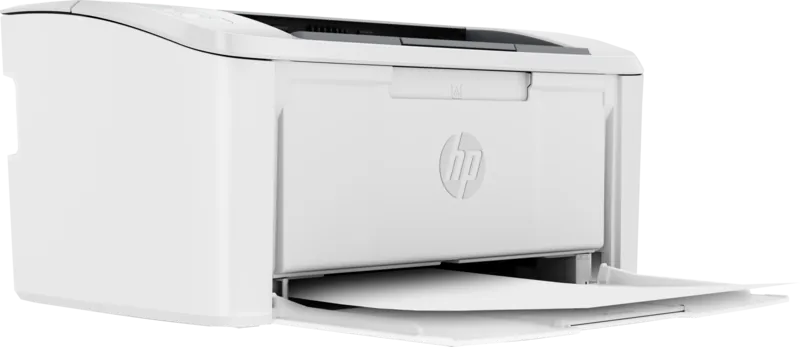
- Compact design saves valuable desk space in small offices
- Instant Ink subscription ensures automatic toner delivery
- Energy-efficient operation with customizable sleep settings
- Clear control panel indicators simplify troubleshooting
Disadvantages

- Manual duplex printing requires user intervention to reload paper
- Internet connection is mandatory for all operations including USB mode
- Only accepts Original HP cartridges restricting third-party options
- No built-in scanner or copier functions limits versatility
- Wi-Fi Direct password entry can be cumbersome on some devices
Product Specification
Format
A4
Type
Laser Printer
Color System
Single-color
Consumables
142A, W1420A
Printing
600x600dpi - 20 ppm (A4)
Paper Input
150 sheets
Memory
32MB (RAM), 16MB (Flash)
Connections
1x USB-B 2.0
Network
Wi-Fi 4 (802.11b/g/n), Bluetooth, AirPrint, Mopria
Display
N/A
Sound Pressure Level
51.0dB(A)
Emulation
PCLm, PCLmS, PWG, URF
Case Color
White
Dimensions
13.6x6.2x7.4 in
Weight
8.4 lbs
Manufacturer Warranty
2 years
Note
Instant Ink is a subscription service - please refer to additional links.
Product Description
Experience Seamless Printing with the HP LaserJet Pro M110we
The HP LaserJet Pro M110we Instant Ink Laser Monochrome printer redefines efficiency for home offices and small businesses. Designed with a compact footprint, this device delivers crisp black-and-white documents quickly while maintaining a minimal presence on your desk. Its integration with the Instant Ink program ensures you never run out of toner unexpectedly, as supplies are automatically shipped to your door before you need them.
Connecting this printer is straightforward thanks to robust wireless capabilities. Users can easily set up a Wi-Fi connection using the intuitive HP Smart app, which guides you through every step of the installation process. Whether you prefer connecting via WPS or a direct USB cable during initial setup, the M110we adapts to your workflow. Once connected, it supports mobile printing from smartphones and tablets, allowing you to print documents directly from cloud storage or social media apps without needing a computer nearby.
Beyond simple connectivity, the printer offers advanced management features through its Embedded Web Server. This tool allows users to monitor supply levels, adjust network settings, and configure energy-saving modes remotely. The device also includes security features that protect your data and prevent unauthorized access to configuration settings. For those concerned about environmental impact, the printer adheres to strict energy standards and supports recycling programs for used cartridges.
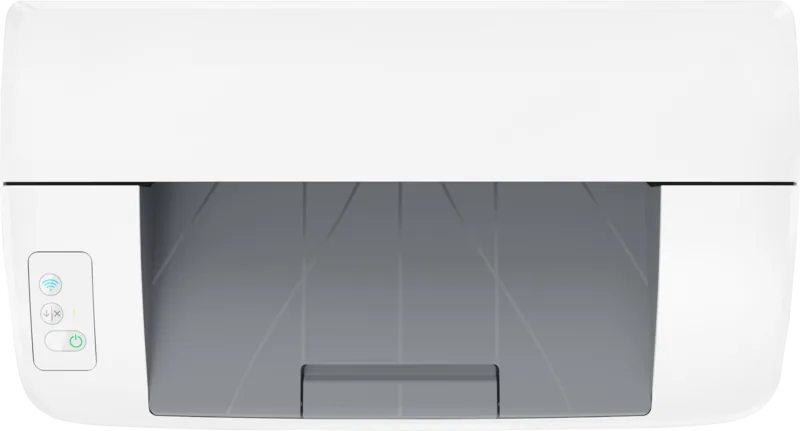
Manual duplex printing is supported, enabling you to save paper by printing on both sides of the sheet. While the process requires reloading pages manually, it provides flexibility for users who need to produce double-sided reports or presentations. The control panel features clear indicator lights that communicate the printer's status at a glance, helping you resolve minor issues like paper jams or low toner warnings instantly.
Key Notes
- Requires an active internet connection for full functionality and Instant Ink services.
- Only Original HP toner cartridges ensure optimal performance and warranty coverage.
- Compatible with Windows, macOS, iOS, and Android devices via the HP Smart app.
Search for 67,732 Manuals online


Type-in Brand or Model
NostrumAd76
4 months ago
Can I use this printer without registering for HP+ and an internet connection?
Manual.ly
4 months ago
This model (HP LaserJet M110we) requires HP+ registration to activate. Once activated, the device must remain connected to the internet to function and only accepts original HP toner cartridges. Without completing this setup, the printer will stop working after a limited number of test pages. If you prefer a printer that does not require mandatory registration or constant internet connectivity, please consider the non-Plus version of this model.