
HP Elite Dragonfly Manual
PDF manual · 33 Pages
English


Quick check
Incorrect answer, please try again.
Chat with your HP Elite Dragonfly manual using AI
Get instant AI answers from your HP Elite Dragonfly manual
Ask anything about the HP Elite Dragonfly. Answers come from this manual, with the pages they are based on.
Ask a Question
Do you recommend Elite Dragonfly?
Yes NoFrequently Asked Questions
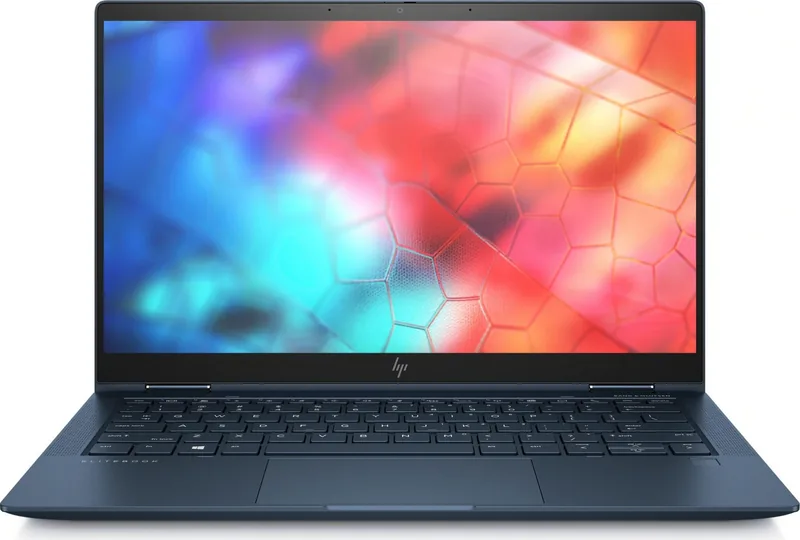
The Elite Dragonfly offers a 13.3-inch IPS FHD touch display, an optional UHD (4K) touch panel, and an optional high-brightness HP Sure View integrated privacy FHD panel. Brightness and color vary by configuration; touch and Sure View affect effective brightness.
Is this answer helpful?
Yes—WWAN is optional and must be factory-configured. Supported modules include Intel XMM 7360 (Cat9) and XMM 7560 (Cat16) for LTE connectivity. Activation requires a separate carrier data plan and availability varies by region.
Is this answer helpful?
Very secure: it includes TPM 2.0, an IR camera and fingerprint sensor for Windows Hello, a physical privacy camera shutter, and HP security suite features such as Sure Start, Sure Run, Sure Recover, Sure Click, and Sure Sense. Additional manageability tools support enterprise deployment and policy control.
Is this answer helpful?
Storage uses M.2 NVMe slots and offers a range of SSD options up to 2 TB, but memory is soldered (LPDDR3 up to 16 GB), so RAM cannot be upgraded after purchase. Choose configuration carefully at purchase for long-term needs.
Is this answer helpful?
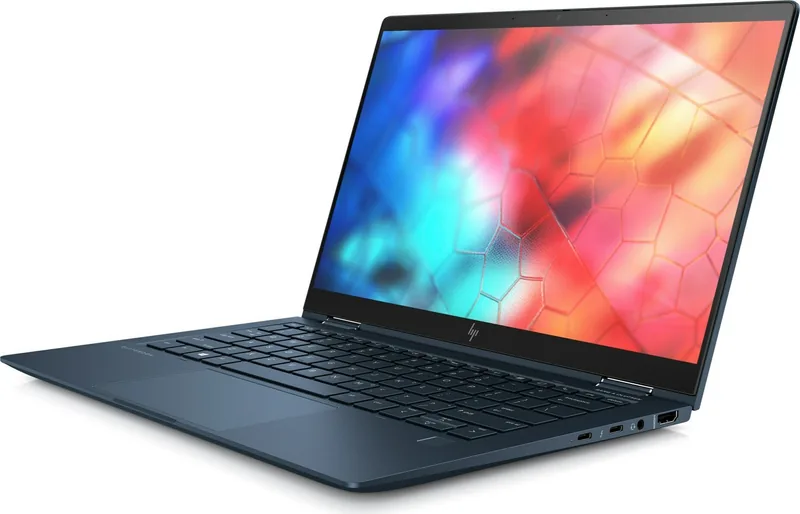
The laptop includes two Thunderbolt/USB‑C ports (supporting Power Delivery and Display), one USB 3.1 Gen1 charging port, HDMI, a headphone/mic combo jack, and a nano SIM slot (if WWAN-equipped). Ethernet requires a dock or adapter.
Is this answer helpful?
Battery life depends on configuration, usage, and settings. The system supports HP Fast Charging with a compatible 65 W USB‑C adapter, enabling up to ~50% charge in about 30 minutes when powered off or in standby.
Is this answer helpful?
IT features include HP BIOSphere Gen5, HP Client Security Manager, HP Driver Packs, HP Manageability Integration Kit, BIOS update via network, and compatibility with HP Care Packs for extended service and on-site support.
Is this answer helpful?
Advantages and Disadvantages
Advantages

- Exceptionally light and slim CNC-machined magnesium unibody for premium portability.
- Strong security suite: privacy shutter, TPM 2.0, IR/fingerprint login, and HP Sure tools.
- Flexible 360° convertible design with high-brightness and optional 4K display choices.
- Comprehensive connectivity: Thunderbolt/USB-C, HDMI, Wi‑Fi 6, optional WWAN and docking support.
- Collaboration-focused audio and keyboard with Bang & Olufsen speakers and world-facing mics.
Disadvantages

- Memory is soldered (max 16 GB LPDDR3), limiting future RAM upgrades.
- Some WWAN and privacy features must be configured at purchase — not user-upgradeable.
- Battery capacity options trade off weight vs runtime; actual life varies widely.
- High-end display and storage upgrades can significantly raise the price.
- Limited direct Ethernet — requires adapters or docking for wired networks.
Product Specification
Type
Notebook
HDD
N/A
Flash
N/A
Wireless
Wi-Fi 6 (WLAN 802.11a/b/g/n/ac/ax, 2x2, Intel AX200), Bluetooth 5.2
Authentication
Fingerprint Reader, IR Camera
Camera
0.9 Megapixel, Webcam Cover
Optical Drive
N/A
Power Adapter
1x USB-C power connector (65W)
Special Features
Accelerometer, Light Sensor, Temperature Sensor, Hall Sensor, Compass
Weight
2.18 lbs
Dimensions
11.97x7.76x0.63in (WxDxH)
Color
blue
USB designation
Link
Product Description
HP Elite Dragonfly — Sleek, Secure, and Ultra-Mobile
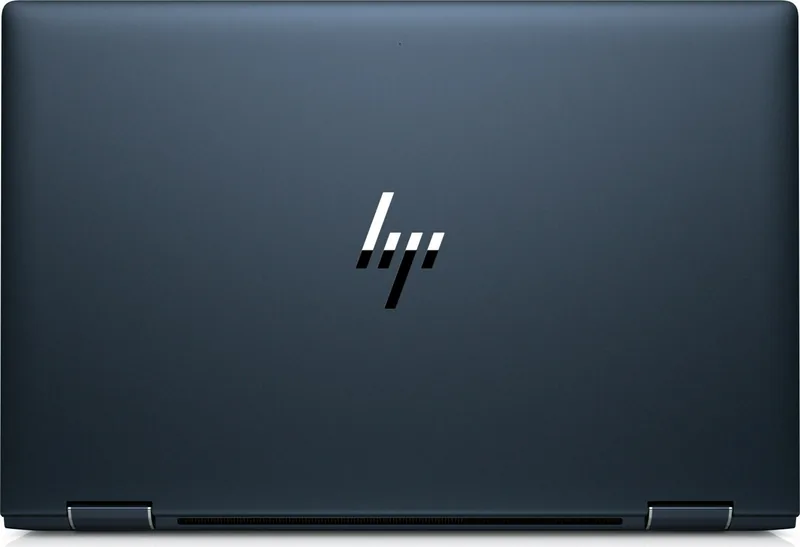
The HP Elite Dragonfly redefines premium business mobility with a featherlight, CNC-machined magnesium unibody that pairs striking design with enterprise-grade features. At just around 2.2 lbs and 0.63 inches thin, this 13.3-inch convertible laptop is built for professionals who need performance, portability, and security in one compact package. Its 360° hinge supports laptop, tablet, tent and presentation modes, while display options span FHD touch, an optional 4K panel, and a high-brightness Sure View privacy variant for working in public spaces.
Under the hood, the Elite Dragonfly offers 8th-generation Intel Core U-series processors (i3, i5, i7) with Intel UHD graphics, up to 16 GB LPDDR3 memory, and PCIe NVMe storage up to 2 TB. Configurations can include Intel Optane caching for snappier responsiveness. Battery choices (38 Wh or 56 Wh) and fast-charge support let you regain up to 50% charge in about 30 minutes with the 65 W USB-C adapter, helping mobile users stay productive between meetings.
Connectivity is comprehensive: Wi‑Fi 6 (Intel AX200), optional gigabit-class WWAN (Intel XMM modules), Bluetooth 5, two Thunderbolt/USB‑C ports with Power Delivery and Display support, USB‑A charging port, and HDMI output. The unit supports docking solutions and external accessories to convert it into a full workstation when needed.
Security and manageability are central to the Elite Dragonfly’s appeal. It includes an integrated privacy camera shutter, IR camera and fingerprint sensor for Windows Hello, TPM 2.0, and a suite of HP Sure features—Sure Start, Sure Run, Sure Recover, Sure Click and Sure Sense—to protect firmware, runtime processes, recovery, browsing, and malware defense. IT-friendly tools such as HP BIOSphere Gen5, HP Client Security Manager, and manageability integration kits make fleet deployment and maintenance easier.
Audio and collaboration features are tuned for remote meetings with Bang & Olufsen speakers, multiple microphones including a world-facing mic, and an optional rechargeable active pen for note-taking and sketches. The premium backlit collaboration keyboard is spill-resistant and optimized for conferencing controls.
Overall, the HP Elite Dragonfly is tailored for executives and road-warrior professionals who demand a refined, lightweight convertible that doesn’t compromise on security, connectivity, or enterprise manageability. It blends durable craftsmanship with configurable performance and modern business conveniences to support productivity anywhere.
Notes
- Choose display and WWAN options at purchase; some features require factory configuration.
- Battery life varies by configuration, usage, and settings.
- Certain security and manageability features may require Windows, subscriptions, or additional software.
Search for 67,706 Manuals online


Type-in Brand or Model