
HP 1x4 Server Console Switch AF611A Manual
PDF manual · 21 Pages
English


Quick check
Incorrect answer, please try again.
Chat with your HP 1x4 Server Console Switch AF611A manual using AI
Get instant AI answers from your HP 1x4 Server Console Switch AF611A manual
Ask anything about the HP 1x4 Server Console Switch AF611A. Answers come from this manual, with the pages they are based on.
Ask a Question
Do you recommend 1x4 Server Console Switch AF611A?
Yes NoFrequently Asked Questions
It supports four target computers and one local user simultaneously.
Is this answer helpful?
Yes, press and hold LEDs for five seconds to restore factory settings.
Is this answer helpful?
Yes, components can be removed or added without powering off the device.
Is this answer helpful?
The device must not exceed 40 degrees Celsius for safe operation.
Is this answer helpful?
Yes, up to four computers can share connected USB peripherals via the hub.
Is this answer helpful?
Use physical buttons or keyboard hotkey sequences like Control plus Control.
Is this answer helpful?
Yes, via a serial DB-9 port on the rear, but the unit is inactive then.
Is this answer helpful?
Advantages and Disadvantages
Advantages

- Hot-plug capability allows adding or removing components without powering down the system completely.
- Front-facing USB 2.0 hub provides three extra ports for shared peripheral access.
- LED indicators offer clear visual status updates for KVM connection and hub activity.
- Rack mountable design supports both 0U and 1U configurations in standard server racks.
- Keyboard hotkeys enable asynchronous switching of KVM focus and USB peripheral usage.
Disadvantages

- Firmware updates render the console switch non-functional during the process.
- Maximum operating temperature is 40 degrees Celsius in enclosed rack spaces.
- USB hub connectivity requires a specific target computer to be selected for sharing.
- Limited to four computer ports which may be insufficient for larger server rooms.
- Older manual indicates potential compatibility issues with very modern hardware standards.
Product Specification
Ports
4
Monitor
VGA
Keyboard/Mouse
USB, PS/2
Audio
N/A
LAN
N/A
Resolution
2048x1536
Features
3-Port USB 2.0 Hub
Product Description
HP AF611A KVM Console Switch Overview
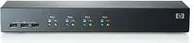
Managing multiple servers efficiently is crucial for modern IT environments. The HP AF611A KVM Console Switch, 1U, 4-port, provides a streamlined solution for administrators dealing with complex server configurations. This device supports four target computers and one local user, consolidating control into a single keyboard, video, and mouse interface. It eliminates the need for multiple sets of peripherals for each machine in the rack.
Key Features and Connectivity
Located on the rear of the unit are standard keyboard, video, and mouse ports. A significant advantage is the front-facing USB 2.0 hub with three additional ports. This design allows up to four connected computers to share USB peripherals seamlessly. The switch is hot-plug capable, meaning components can be added or removed without powering down the entire system. Users can connect USB keyboards, mice, and monitors to the switch for centralized management without complexity.
Installation and Operation
The unit is designed for rack installation, supporting both 0U and 1U configurations depending on available space. Users must ensure proper ventilation, as operation in closed racks can raise ambient temperatures significantly. The maximum operating temperature is 40 degrees Celsius to ensure reliability. LED indicators on the front panel provide clear status updates for KVM and USB hub activity. Green lights signal active connections, while yellow lights track hub data flow. Installation requires securing cage nuts to the rack rails properly.
Advanced Control Methods
Administrators can manage ports using physical buttons or keyboard hotkeys. The control sequence involves pressing Control plus Control followed by specific keys. This allows switching between ports or changing scan intervals automatically. Firmware updates are supported via a serial port, though the switch is inactive during this process. A keep-alive function prevents target devices from losing connection signals. Resetting the device is possible by holding buttons for specific durations to restore factory settings.
Conclusion
For data centers needing centralized access, this console switch offers reliability and flexibility. Its ability to share USB devices across four ports simplifies cabling significantly. Proper setup ensures long-term performance in demanding network environments. It adheres to global safety and regulatory standards for electronic equipment. This tool helps reduce physical desk space and organizational clutter in server rooms globally.
Regulatory Compliance
The product adheres to FCC Class A and B regulations for interference protection. Users should follow local disposal guidelines for electronic waste in compliance with EU directives. Safety warnings indicate risks of shock and proper earthing is required for rack mounting. Ensure power supply does not exceed rated power on the type plate to avoid circuit overload.
Notes
This device is designed for professional server room use. Always reference the manual for detailed wiring diagrams.
Search for 67,706 Manuals online


Type-in Brand or Model