
Hori Tactical Assault Commander Mechanical Keypad Manual
PDF manual · 13 Pages
English



Quick check
Incorrect answer, please try again.
Chat with your Hori Tactical Assault Commander Mechanical Keypad manual using AI
Get instant AI answers from your Hori Tactical Assault Commander Mechanical Keypad manual
Ask anything about the Hori Tactical Assault Commander Mechanical Keypad. Answers come from this manual, with the pages they are based on.
Ask a Question
Do you recommend Tactical Assault Commander Mechanical Keypad?
Yes NoFrequently Asked Questions
No, this product will not work with Bluetooth® wireless mice directly. If using a Bluetooth® wireless mouse, please connect the mouse directly to the PlayStation console or PC instead of the keypad. Only wired or USB dongle mice connect to the TAC unit.
Is this answer helpful?
Hold the FN key and press any of the Profile keys numbered 1 through 6. The LED will change color based on the selected profile. You can save up to six settings per console using the Device Manager app if needed.
Is this answer helpful?
No, the headset jack on this product is not compatible with PC. Users must connect headsets directly to the PC audio port. The headset jack is intended for PlayStation console use only to manage audio during gameplay.
Is this answer helpful?
Yes, you can customize key functions using the TAC PS5-HORI Device Manager smartphone app. The app requires Bluetooth connection and location permissions. Note that the PS button, FN key, and Profile buttons cannot be assigned to other functions.
Is this answer helpful?
If the product does not respond, reset it to default settings. Press and hold the FN key and PS button simultaneously for five seconds. The Profile LED will flash indicating the reset. Also check that the System Select Switch is set correctly.
Is this answer helpful?
Yes, the palm rest allows you to adjust the position to match the size of your hand. Simply slide the palm rest to your desired position. Use the adjustment button on the back to lock it in place securely for comfortable gaming.
Is this answer helpful?
Advantages and Disadvantages
Advantages

- Dedicated mechanical keypad for enhanced tactile feeling and precision during gameplay.
- Supports up to six distinct profiles allowing customization for different game scenarios.
- Features a headset jack for direct audio connection on PlayStation consoles.
- Includes adjustable palm rest for ergonomic comfort during extended play sessions.
- Compatible with PS5, PS4, and PC via USB Type A connection for broad usage.
Disadvantages

- Bluetooth mice cannot connect directly and require wired or dongle connection to console.
- Headset jack is not compatible with PC and must be connected directly to console.
- Cannot use the product simultaneously while the DualSense or DUALSHOCK controller is active.
- USB hub usage is not supported and may disrupt functionality or cause errors.
- Long power cord poses a strangulation hazard for small children and infants.
Product Specification
Type
Keypad
Compatibility
PS5, PS4, PC
Switch Type
Mechanical
Keys
24 (total), 20 (function keys), 4 (action keys)
Analog Sticks
1 concave (right)
D-Pad
N/A
Lighting
Blue
Key Height
High
Key Shape
Concave, Straight
Wrist Rest
Fixed
Housing
Plastic
Housing Color
Multi-color, Black, Silver
Connection
Wired (9.84 ft), USB-A
Power Supply
USB
Dimensions (WxHxD)
5.31x2.20x8.86 in
Weight
0.85 lbs (incl. USB cable)
Features
LED Lighting, Programmable Keys, FN Key, Touchpad, Configurable via App (iOS, Android), 3.5mm Jack, Adjustable Geometry (Handrest Position)
Product Description
Elevate Your Console Gaming Setup
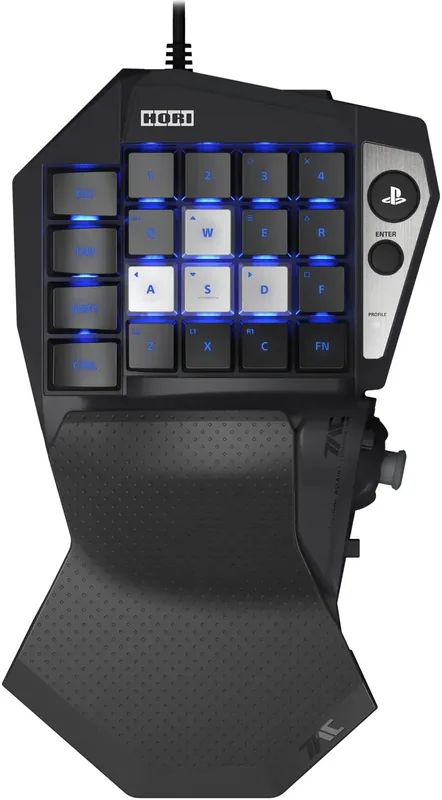
The Hori Tactical Assault Commander brings a unique mechanical gaming experience to PlayStation Five and PlayStation Four players globally. This specialized peripheral transforms standard gameplay by incorporating a dedicated mechanical keypad designed specifically for keyboard enabled titles across various supported systems. Whether you are on console or PC, this device offers specialized control layouts that enhance precision during intense gaming sessions. The build quality reflects the robust standards expected from established gaming hardware manufacturers known for quality.
Connectivity And Compatibility
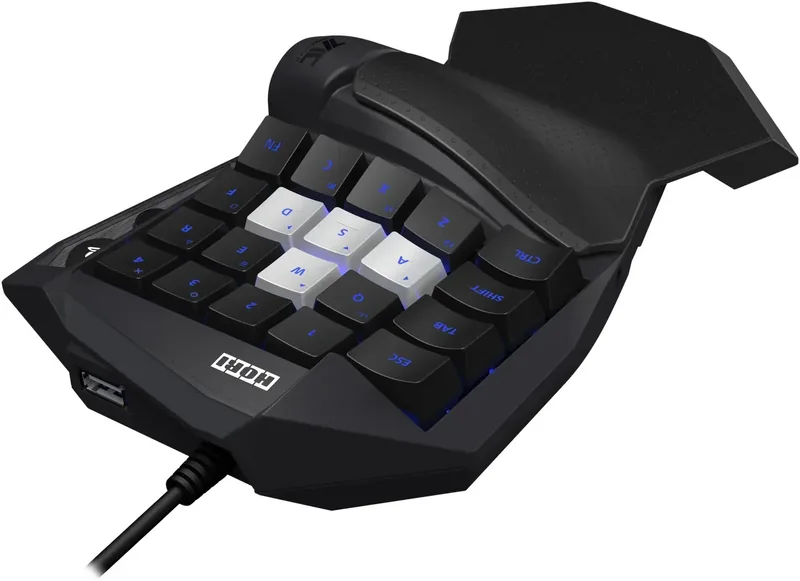
Setting up the device is straightforward across multiple platforms including modern gaming consoles and personal computers. You can activate the System Select Switch for PS5, PS4, or KBD modes instantly on the bottom casing. Ensure your console software is updated to the latest version for optimal performance and stability during operation. The hardware connects via USB Type A ports located on the side of the unit. A wired mouse plugs directly into the keypad using the designated USB pass through port conveniently. Note that wireless Bluetooth mice require connection to the console rather than this device directly. Do not use USB hubs as they may disrupt functionality.
Customization Features
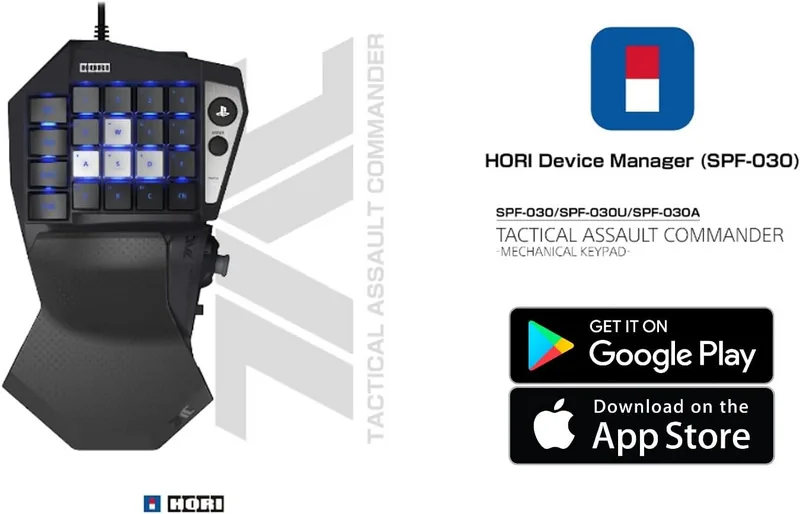
Gamers appreciate flexibility and full control over inputs. This unit supports up to six distinct profiles for different games or scenarios easily. You can switch between them instantly using the Function key and Profile buttons located near the keys. Each profile lights up with distinct LED colors indicating the active selection state clearly. For deeper customization options, use the Hori Device Manager smartphone application. This tool allows you to redefine key functions and manage advanced settings like backlight profiles and mute buttons. You cannot assign specific system buttons like the PS button to other keys due to system restrictions.
Ergonomics And Audio
Ergonomic design plays a crucial role in long comfort periods during play sessions. The palm rest is adjustable to match hand size securely for reduced fatigue. A headset jack is located on the unit for convenient audio access while playing. Be aware that the headphone jack does not support PC connections specifically on this device. It is intended for console use within the PlayStation ecosystem. Keep the unit away from moisture and avoid disassembly or modification attempts to protect warranty. Long cords pose a strangulation hazard for infants and small children according to safety guidelines. Follow all safety precautions regarding small parts carefully.
Final Thoughts
This mechanical keypad is ideal for shooters utilizing keyboard inputs on console platforms exclusively. It provides a tactile alternative to standard controllers for specific genres and play styles. Users must ensure games actively support keyboard modes before purchasing software. If issues arise, reset the profile using specific button combinations to regain normal functionality. Always store in dry areas to prevent water damage or electrical malfunction over time. Upgrade your setup for better control and precision in competitive play environments today. A one year warranty covers material defects for the original purchaser.
Search for 67,706 Manuals online


Type-in Brand or Model