
Hori Split Pad Compact Manual
PDF manual · 10 Pages
English



Quick check
Incorrect answer, please try again.
Chat with your Hori Split Pad Compact manual using AI
Get instant AI answers from your Hori Split Pad Compact manual
Ask anything about the Hori Split Pad Compact. Answers come from this manual, with the pages they are based on.
Ask a Question
Do you recommend Split Pad Compact?
Yes NoFrequently Asked Questions
No, the Hori Split Pad Compact is designed exclusively for portable mode. It connects via the side rails and does not function when the console is in the dock.
Is this answer helpful?
Assign Mode allows you to map functions to the FL and FR shoulder buttons. You can combine this with the Turbo button to customize controls for specific game needs.
Is this answer helpful?
Hold down the Turbo button while tilting the analog stick up to increase speed or down to decrease speed. Watch the green LED flash rate to confirm changes.
Is this answer helpful?
No, it uses a wired connection through the console rails. There is no Bluetooth or wireless capability built into this specific model.
Is this answer helpful?
No, this device does not contain motion sensors like accelerometers or gyroscopes. Games relying on tilt gestures will not register input correctly.
Is this answer helpful?
Use a soft dry cloth to wipe the surface. Do not use liquid cleaners or chemical solvents as they may damage the plastic finish or electrical contacts.
Is this answer helpful?
For US purchases, the warranty lasts one year from the original date of purchase. Keep your receipt to validate your claim if needed later.
Is this answer helpful?
Advantages and Disadvantages
Advantages

- Dedicated physical buttons reduce hand fatigue during long gaming sessions significantly
- Assignable FL and FR buttons offer versatile control mapping for specific games
- Turbo Hold function allows continuous input without repetitive pressing actions
- Wired rail connection ensures zero latency for responsive gameplay experiences
- Compact dimensions fit easily into backpacks for travel on the go
Disadvantages

- Wired only connection prevents use without tethered console attachment
- No support for gyro or accelerometer motion sensing features
- Incompatible with docked TV mode gameplay requirements
- Lacks HD Rumble and notification light feedback capabilities
- Requires system firmware update before initial installation works
Product Specification
Type
Gamepad
Compatibility
Switch
Buttons
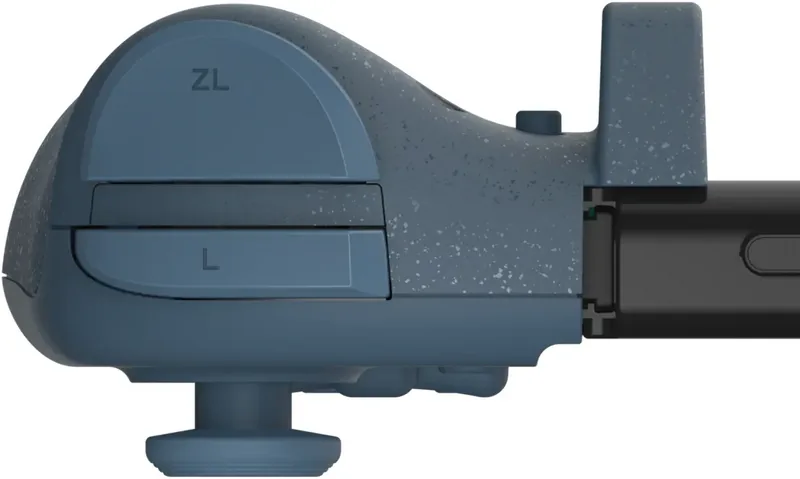
18 (total), 8 (Function buttons), 4 (Action buttons), 4 (Shoulder buttons), 2 (back)
Analog sticks
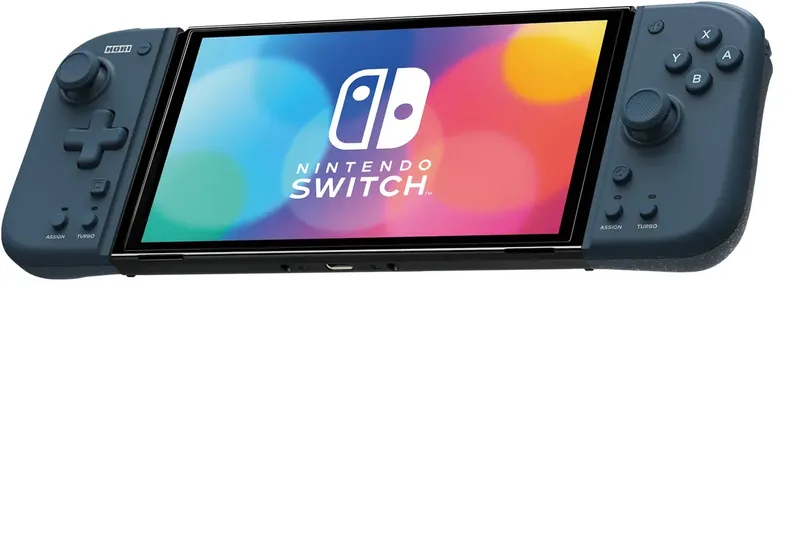
1 concave (left above D-pad), 1 concave (right below action buttons)
D-pad
concave
Features
programmable buttons, turbo function
Product Description
The Enhanced Gaming Experience with Hori Split Pad Compact
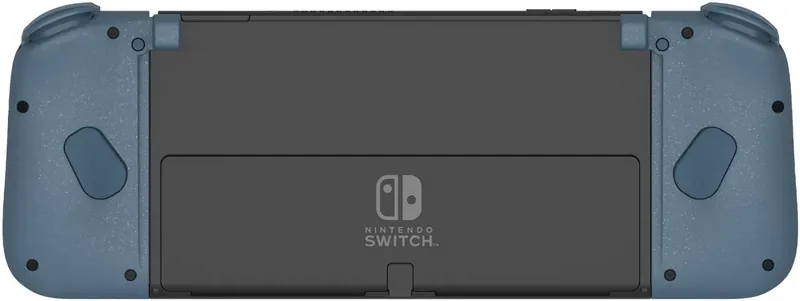
Gaming enthusiasts often seek additional control options for their Nintendo Switch consoles. The Hori Split Pad Compact offers a robust solution designed specifically for portable gameplay scenarios. This device attaches directly to your console rails, providing immediate access to essential inputs without the bulk of external controllers. Players benefit from dedicated analog sticks and face buttons that remain fixed in position, reducing hand strain during extended sessions.
Advanced Button Customization
One of the standout capabilities involves the Assign Mode feature. Users can reprogram the FL and FR shoulder buttons to mimic various standard inputs. This flexibility allows for complex command mappings tailored to specific games. You simply press the assignment keys along with the desired function to configure the layout instantly. Once set, the LED indicators confirm successful registration for quick visual verification during setup.
Turbo Functionality for Competitive Play
Turbo technology is another key selling point integrated into the design. By activating the Turbo button, players can achieve rapid-fire effects on supported triggers. Three distinct speed settings are available via the stick adjustment method. Turbo Hold ensures continuous input release after a single press, eliminating the need for repetitive thumb movements. Green flashing lights notify users when these modes are active for clarity.
Connectivity and Limitations
It is important to note this unit relies on a wired rail connection rather than wireless transmission. While this ensures zero latency and consistent power supply, it restricts usage to handheld mode exclusively because the dock connection is not supported. Unlike original Joy-Con pairs, this accessory lacks gyroscope, accelerometer, or HD Rumble feedback mechanisms. Consequently, games requiring motion controls or specific haptic sensations may need alternative setups to function correctly. Maintenance involves wiping with a soft dry cloth to preserve sensor functionality and structural integrity over time. Do not use chemical solvents for cleaning purposes as they damage plastic surfaces permanently.
Note: Keep away from small children under three years old due to choking hazards from detachable components. Always update system firmware before installation to ensure maximum compatibility across current titles. Avoid exposure to moisture, liquids, or extreme heat sources to prevent electronic failure during operation. If issues arise, check connections firmly before troubleshooting further software steps. Warranty claims require original purchase documentation from authorized retailers within the specified timeframe limits.
Search for 67,706 Manuals online


Type-in Brand or Model