
Hori Split Pad Compact Attachment Set Manual
PDF manual · 14 Pages
English



Quick check
Incorrect answer, please try again.
Chat with your Hori Split Pad Compact Attachment Set manual using AI
Get instant AI answers from your Hori Split Pad Compact Attachment Set manual
Ask anything about the Hori Split Pad Compact Attachment Set. Answers come from this manual, with the pages they are based on.
Ask a Question
Do you recommend Split Pad Compact Attachment Set?
Yes NoFrequently Asked Questions
Connect the Split Pad via USB. Press any button except Left Stick or Right Stick during connection to pair. Ensure all sticks are neutral.
Is this answer helpful?
Yes, it supports Windows 10 and 11 via USB Type-A, but only Xinput compatible games work.
Is this answer helpful?
Turbo Hold activates the button function continuously without pressure. It is useful for games requiring rapid repeated inputs.
Is this answer helpful?
Connecting the AC adapter may cause momentary loss of connection or deactivate Turbo functions. Unplug to reconnect.
Is this answer helpful?
Hold the Turbo Button while pressing the Left or Right Stick to adjust speeds between five and twenty cycles per second.
Is this answer helpful?
No, the unit does not have gyro sensors, accelerometers, or HD rumble features.
Is this answer helpful?
Advantages and Disadvantages
Advantages

- Prevents analog stick wear by keeping physical sticks away from console.
- Turbo hold and speed customization aids competitive gaming inputs.
- Assign Mode maps buttons for personalized control schemes.
- Compatible with Windows PC Xinput games for broader use.
- Durable build quality ensures long-term reliability during play.
Disadvantages

- Wired connection limits mobility compared to wireless controllers.
- Lacks HD Rumble and motion controls found in standard joy-con.
- Incompatible with DirectInput games on PC platforms.
- Potential connection losses when Nintendo Switch AC adapter is connected.
- No support for gyro sensors or player LED notifications.
Product Specification
Type
Gamepad
Compatibility
Switch
Connection
Wired (9.84 ft)
Buttons
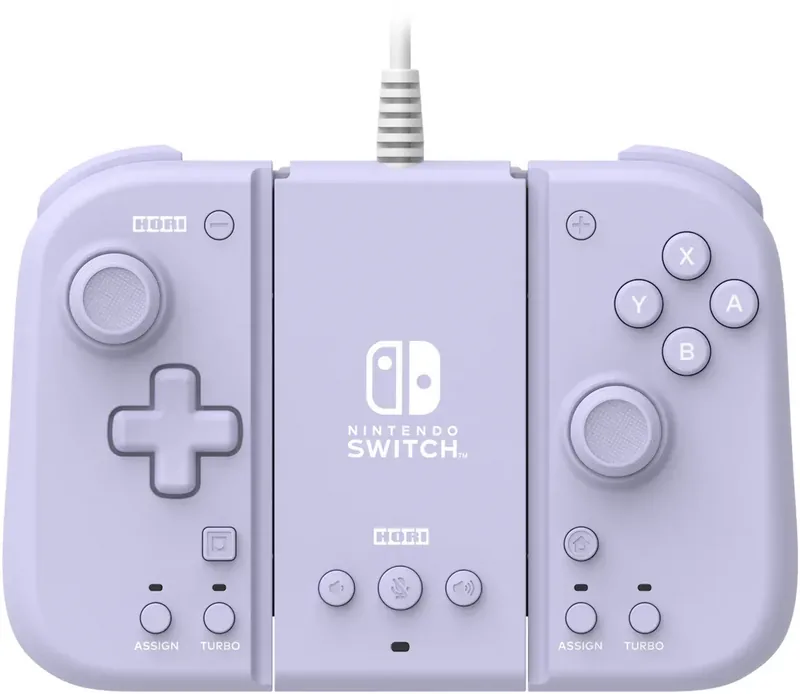
21 (total), 11 (Function buttons), 4 (Action buttons), 4 (Shoulder buttons), 2 (rear)
Analog Sticks
1 concave (left above D-pad), 1 concave (right below action buttons)
D-pad
concave
Features
3.5mm Jack, programmable buttons, Turbo function, removable cable
Product Description
Hori Split Pad Compact Review
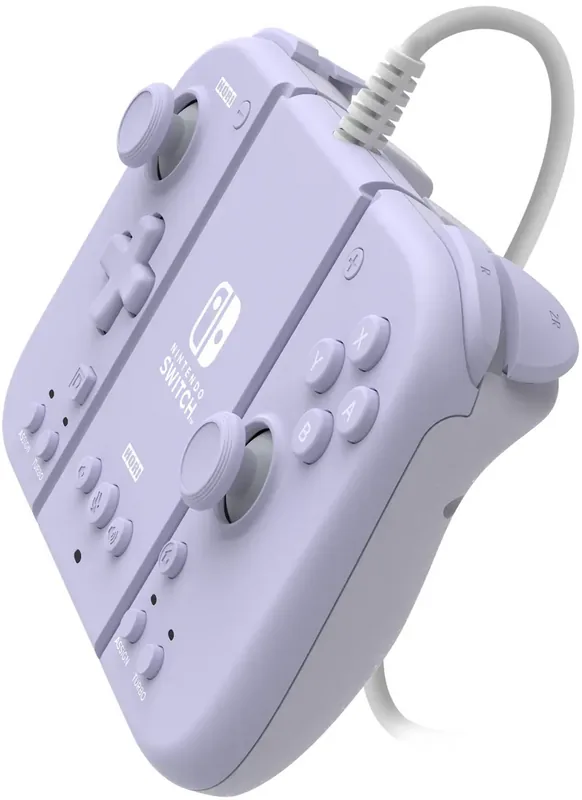
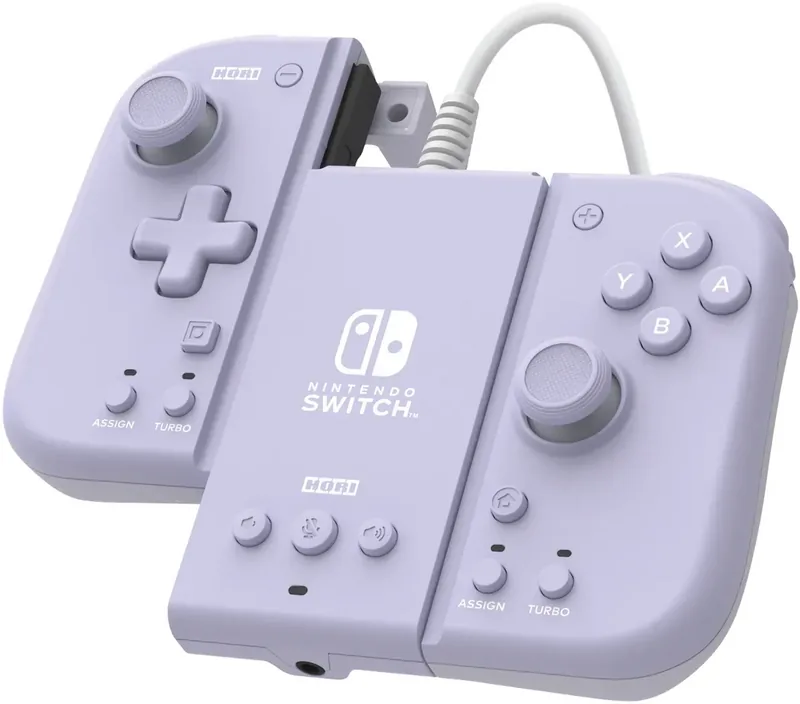
Elevate your Nintendo Switch gaming experience with the Hori Split Pad Compact Attachment Set. Designed for players who want to maintain precision without worrying about analog stick drift, this accessory offers a unique separation between your controllers and the main console. By splitting the controllers, you can rest your hands comfortably while keeping the analog sticks away from the system docks. This simple design change significantly extends the lifespan of your Switch consoles while providing a superior gaming feel during intense sessions.
Key Features
One of the standout features is the customizable Turbo and Turbo Hold modes. Gamers can set three different speeds for their buttons, ideal for games requiring rapid inputs or quick actions. Whether you need to spam a jump button or charge a shot bar, the Turbo function allows for consistent automation without repetitive strain on your fingers. You can toggle between Turbo Mode and Turbo Hold Mode easily using the dedicated buttons on the controller sides. Another powerful tool is the Assign Mode. This function allows you to map specific actions to the side buttons FL and FR. For instance, you can assign a secondary jump or a camera turn function to these accessible locations. This flexibility is crucial for adapting the controller layout to suit personal playing styles or specific game requirements. The LED indicators provide visual confirmation of your assigned settings, ensuring you know which configuration is active.
Maintenance Tips
Connectivity is straightforward via a USB Type-A cable, making it compatible with both the Nintendo Switch handheld and TV modes, as well as Windows PCs. On PC, it works with Xinput games. The headset jack integration lets you manage audio directly from the attachment. Always ensure your system firmware is updated for optimal performance. With its durable build and thoughtful design, this attachment is a must-have for serious Switch competitors. It transforms the handheld experience into something closer to a traditional console setup without the wireless lag. Proper maintenance ensures longevity. Avoid exposing the unit to water or dust, as these elements can damage the internal electronics. Cleaning should be done with a soft dry cloth. Users should not disassemble the unit themselves. If connection issues arise, reattaching the controller firmly until it clicks often resolves pairing problems. Calibrating analog sticks by rotating them in circles can fix drifting issues reported in some scenarios. Always check system updates before starting. Remember not to touch sticks during connection to prevent accidental drift initialization. With these guidelines followed, the device offers reliable support for home or competitive play.
Search for 67,706 Manuals online


Type-in Brand or Model