
Honeywell QuietSet HYF260E4 Manual
PDF manual · 14 Pages
English



Quick check
Incorrect answer, please try again.
Chat with your Honeywell QuietSet HYF260E4 manual using AI
Get instant AI answers from your Honeywell QuietSet HYF260E4 manual
Ask anything about the Honeywell QuietSet HYF260E4. Answers come from this manual, with the pages they are based on.
QuietSet HYF260E4 Maintenance Schedule
Ensure the fan is turned off and unplugged before performing any cleaning tasks.
Use a soft cloth to gently wipe the outer surfaces of the fan clean.
Use a pipe cleaner, flexible dust wand, vacuum cleaner, or compressed air to gently remove dust between the grills and fan blade area.
Replace blown fuse only with a 2.5 Amp, 125 volt fuse if the fan loses power due to a suspected blown fuse.
Ask a Question
Do you recommend QuietSet HYF260E4?
Yes NoFrequently Asked Questions
Remove two thumb screws, align front and back base pieces, and push until they snap securely together. Ensure the locking nut is tightened for stability.
Is this answer helpful?
No, do not immerse the fan in water or allow liquids to drip into the motor housing. Wipe with a soft dry cloth only.
Is this answer helpful?
Slide fuse cover towards prongs, remove blown fuse, insert new 2.5 Amp 125 volt fuse, and close door securely to reduce fire risk.
Is this answer helpful?
This product includes a one-year limited warranty covering defects in material or workmanship for the original purchaser.
Is this answer helpful?
Press Timer button once for one hour, twice for two hours, three times for four hours, four times for eight hours, and five times to turn off.
Is this answer helpful?
No, do not hang or mount the fan on a wall or ceiling. Always place the fan on a dry level surface.
Is this answer helpful?
Slide battery door down, insert two AAA batteries following direction guides, and slide door back up until it snaps in place.
Is this answer helpful?
Advantages and Disadvantages
Advantages

- QuietSet technology reduces noise levels for better sleep and comfort.
- Multiple timer settings allow automatic shut-off after 1, 2, 4, or 8 hours.
- Remote control offers convenient speed and oscillation adjustments from bed.
- Safety plug with fuse protects against electrical overload and fire risks.
- Auto-dim light feature prevents brightness from disturbing nighttime rest.
Disadvantages

- Requires manual assembly of base and tower components before first use.
- Not designed for commercial, industrial, or outdoor usage environments.
- US models have a specific fuse that must be replaced if blown.
- Do not operate with extension cords or solid-state speed controls.
- Fan housing cannot be mounted on walls or ceilings for safety.
Product Specification
Operating Mode
AC (30W)
Color
White
Speed Settings
5
Oscillation
Oscillating
Features
Remote Control, Auto Shut-off, Height Adjustable
Noise Level
48dB(A)
Dimensions
10.51 x 40 x 9.76 in (WxHxD)
Product Description
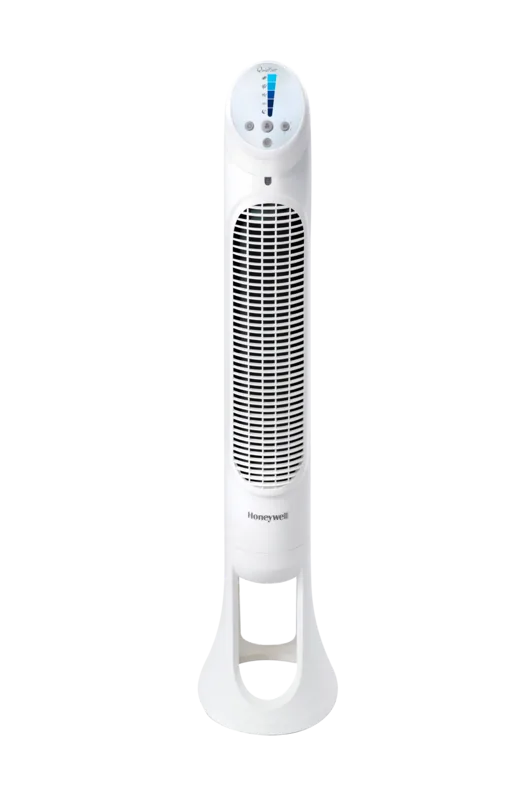
Cooling Comfort with the Honeywell HYF260E4 QuietSet Tower Fan
Staying cool during hot summer months is essential for comfort and productivity indoors. The Honeywell HYF260E4 QuietSet Tower Fan White Manual provides detailed guidance for setting up this reliable cooling appliance effectively. This tower fan offers advanced QuietSet technology designed to deliver consistent airflow without excessive noise levels. It is perfect for household use in bedrooms or living areas where peace is required during relaxation or sleep at night.
Assembly and Setup Instructions
Setting up your fan is straightforward if you follow the steps carefully from the start. The manual guides you through securing the base and tower housing properly for stability. Aligning front and back base pieces ensures structural stability during operation. Placing the locking nut securely prevents wobbling during high-speed operation. Always keep the fan upright as specified in the safety warnings to avoid tipping hazards. Remove thumb screws before assembly and push pieces until they snap securely together. Do not use this fan in commercial or outdoor settings for safety.
Features Designed for Maximum Convenience
Users appreciate the multiple speed settings including a dedicated Sleep mode for nighttime use. The included remote control allows adjustment without rising from bed for comfort. Timer options include one, two, four, or eight hours for automatic shut-off control. Oscillation features help distribute air throughout the room evenly for better circulation. You can adjust the control panel light brightness to suit your preference for nighttime visibility. The panel dims automatically after fifteen seconds if not used by the user. Store the remote in the recessed area behind controls when not needed.
Safety and Maintenance Guidelines
Safety is a top priority for this electrical appliance design. The unit includes a fused safety plug for US models to prevent electrical faults and fire risks. Cleaning involves wiping outer surfaces with a soft dry cloth only. Do not immerse the fan in water or liquids inside the unit. Avoid using harsh chemicals like gasoline or paint thinner for cleaning. Regular maintenance keeps the unit efficient and safe for years of use. Use a pipe cleaner or compressed air to remove dust from grills regularly. Do not mount the fan on walls or ceilings for safety.
Warranty and Support
This product comes with a one-year limited warranty covering material defects found. Users should read the safety instructions before attempting to use the device properly. Contact consumer relations for problems rather than returning to purchase location directly. Register your product to receive updates on new promotional offers. This tower fan is a smart choice for modern homes seeking efficiency and quiet performance levels. Ensure you use only the provided controls and avoid solid-state speed devices. Keep the cord away from traffic areas to prevent tripping hazards at home. Replace AAA batteries in the remote following the directional guides provided clearly. Following these manual guidelines guarantees optimal operation and longevity for your home cooling needs today.
Search for 67,706 Manuals online


Type-in Brand or Model
Klaus Weber
7 months ago
Is the remote control included and is the noise level low enough for sleeping?
Manual.ly
7 months ago
The remote control is included as standard packaging. If you find one is missing, please contact our support team immediately. Customer reviews frequently mention the fan operates extremely quietly, making it suitable for undisturbed sleep. It features five adjustable speed levels and a timer function to ensure automatic shut-off.