
HiKOKI WR36DE Manual
PDF manual · 248 Pages
English



Quick check
Incorrect answer, please try again.
Chat with your HiKOKI WR36DE manual using AI
Get instant AI answers from your HiKOKI WR36DE manual
Ask anything about the HiKOKI WR36DE. Answers come from this manual, with the pages they are based on.
WR36DE Maintenance Schedule
Ensure lithium-ion batteries are fully charged before storing them for prolonged periods (3 months or more) to avoid performance deterioration.
Check hexagonal or square-holed sockets periodically for wear. Replace if worn or deformed to maintain tightening torque.
Regularly inspect all mounting screws to ensure they are properly tightened. Retighten immediately if loose.
Check tool and battery terminals for swarf and dust accumulation before, during, and after operation. Remove debris to prevent short circuits.
Free maintenance reminders
Timed to your purchase date. Always free, unsubscribe anytime.
Ask a Question
Do you recommend WR36DE?
Yes NoFrequently Asked Questions
It is designed to tighten and loosen bolts and nuts, especially for securing structural items. Typical applications include automotive work, pipe fittings, steel frames, heavy machinery, and general fastening tasks.
Is this answer helpful?
The tool has four speed modes: 1500, 1800, 2100, and 2400 rpm. Lower settings support finer adjustments, while higher settings are intended for applications requiring more speed and power.
Is this answer helpful?
When enabled, auto-stop applies impact for a preset period and then stops automatically. The approximate stop times are 0.5, 1, 1.5, or 2 seconds depending on the selected speed mode.
Is this answer helpful?
The main unit, when equipped with a battery, conforms to IP56 protection. It is designed to resist harmful dust entry and powerful water jets, but it should not be submerged or exposed to excessive rain or dust.
Is this answer helpful?
Use sockets with a 12.7 mm square drive. Ensure the socket is pushed fully onto the anvil and securely fitted before operating the wrench.
Is this answer helpful?
The motor may stop when the battery is depleted, the tool is overloaded, or the battery or motor becomes too hot. Release the trigger, remove the cause of overload if applicable, and allow the tool or battery to cool.
Is this answer helpful?
Advantages and Disadvantages
Advantages

- Four selectable speed modes support controlled work across small and heavy-duty fasteners.
- Auto-stop settings help with repeatable temporary fastening tasks.
- IP56-rated main unit offers dust resistance and protection from powerful water jets.
- LED work light and battery indicator improve visibility and operating awareness.
- Overload and temperature protection can help safeguard the motor and battery.
Disadvantages

- Final tightening torque must be checked with a separate torque wrench.
- Continuous operation can heat the hammer case and front section.
- Battery performance and tightening force may drop temporarily in cold conditions.
- Only compatible 12.7 mm square drive sockets should be used.
- IP56 protection does not make the tool suitable for immersion or prolonged rain exposure.
Product Specification
Type
Impact wrench
No-load speed
0-1,500/0-1,800/0-2,100/0-2,400 rpm
No-load impact rate
0-2,200/0-2,600/0-3,000/0-3,400 ipm
Screw diameter
0.39-0.94 in
Torque
567.92 lb-ft, 4 settings
Tool holder
1/2 in square drive
Features
Forward/reverse, speed control, impact rate control, multi-speed, torque preset, battery level indicator, LED work light, soft grip, vibration damping, motor brake, brushless motor, belt clip
Weight
4.19 lb
Product Description
HiKOKI WR36DE Cordless Impact Wrench - Read, Download & Print Free
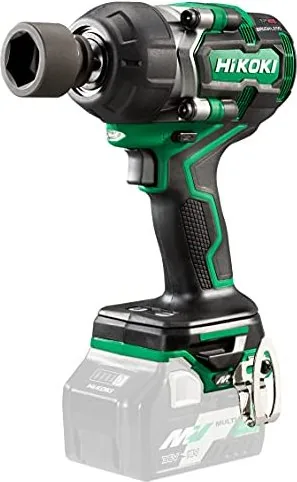
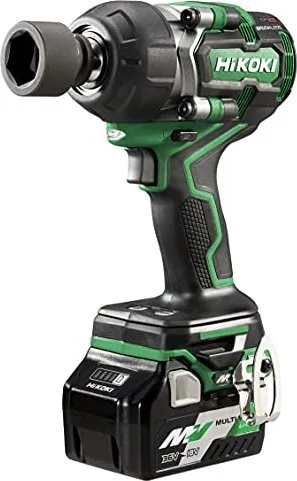
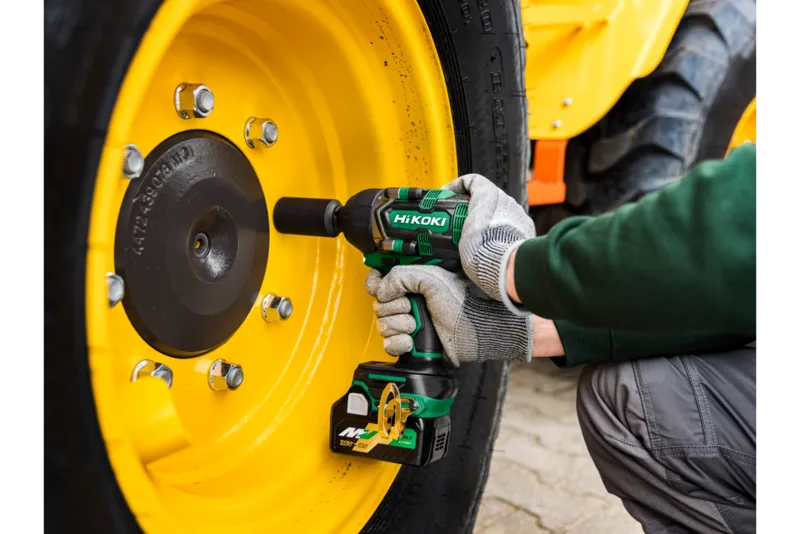
The HiKOKI WR36DE Cordless Impact Wrench is a powerful portable tool designed for tightening and loosening bolts and nuts in demanding construction, automotive, maintenance, and assembly work. Its cordless design supports greater freedom of movement where mains power is unavailable or inconvenient, while the impact mechanism is built to handle structural fastening tasks efficiently.
Controlled fastening for varied applications
A key feature of the WR36DE is its selectable tightening control. Four speed modes provide rotation speeds of 1500, 1800, 2100, and 2400 rpm, helping users match output to the task. Lower settings suit careful work and smaller fasteners, while higher settings support jobs that call for faster, more forceful tightening.
The auto-stop function adds further control by stopping impact operation after a preset period. Depending on the chosen mode, this can range from approximately 0.5 to 2 seconds. It is useful for temporary fastening jobs such as vehicle wheel nuts, pipe fittings, steel frames, heavy machinery, and bridge-related work. Test fastening is recommended to select the right setting for the bolt and material.
Practical cordless features
The wrench uses a 12.7 mm square drive for compatible sockets and includes a forward/reverse selector for tightening or loosening. An LED light improves visibility around the fastener, and it switches off automatically after about 10 seconds to reduce unnecessary battery drain. A battery indicator helps users monitor remaining charge before work is interrupted.
The main unit is rated IP56 when fitted with a battery, offering resistance to dust and powerful water jets. This makes it a practical choice for challenging jobsite conditions, although it should not be submerged or left exposed to excessive dust or rain. The tool also includes motor and battery protection systems that can stop operation during overload or overheating.
Safe use and maintenance
For reliable results, hold the tool securely, fit sockets firmly to the anvil, and verify final tightening torque with a torque wrench. Continuous use can heat the hammer case and front area, so allow the tool to rest when necessary. Keep battery terminals, tool contacts, and charger connections free from dust, swarf, and metal debris.
Use designated genuine batteries and charge them within the recommended temperature range. Hearing protection is important, as the stated sound pressure level is 96 dB(A). With careful setup, appropriate accessories, and regular inspection, the HiKOKI WR36DE offers flexible cordless fastening performance for professional applications.
Notes
- Select modes only when the trigger is released.
- Let overheated batteries and tools cool before restarting.
- Use a torque wrench where precise final torque is required.
Search for 67,732 Manuals online


Type-in Brand or Model