

Free HiKOKI Manuals – Read, Download & Print
188 Manuals
Manuals

124 Pages

104 Pages
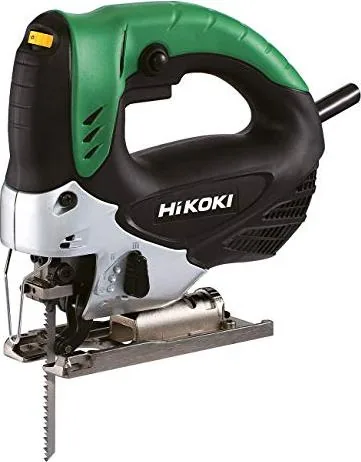
52 Pages

112 Pages

236 Pages

104 Pages
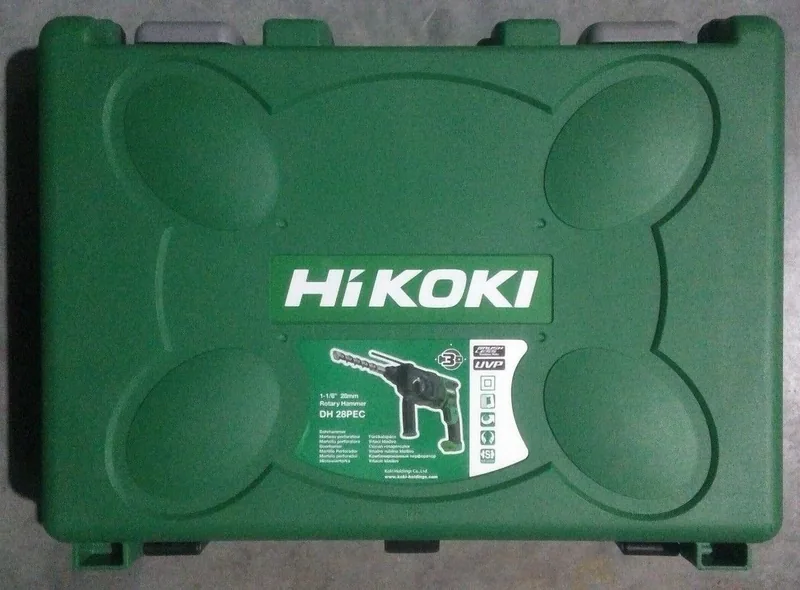
132 Pages

100 Pages

48 Pages

100 Pages

280 Pages

172 Pages

224 Pages

240 Pages

244 Pages

288 Pages

276 Pages

108 Pages

300 Pages

252 Pages

184 Pages

260 Pages

184 Pages

284 Pages
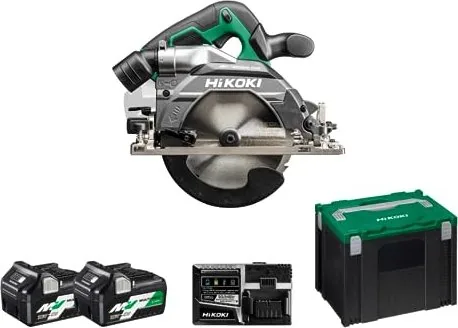
276 Pages

212 Pages

488 Pages

272 Pages

268 Pages

252 Pages

100 Pages

112 Pages

188 Pages

100 Pages

196 Pages

116 Pages

268 Pages

96 Pages

176 Pages

96 Pages

72 Pages

56 Pages

52 Pages

56 Pages

132 Pages

132 Pages

132 Pages

152 Pages

76 Pages

132 Pages
Categories


Introduction to Free HiKOKI Manuals
Accessing the right documentation is crucial for maintaining, repairing, and operating power tools effectively. HiKOKI, a leading manufacturer of professional-grade equipment, offers a vast array of products ranging from cordless drills and saws to heavy-duty grinders and compressors. For owners of these machines, having immediate access to accurate manuals ensures safety, longevity, and optimal performance. This resource provides free HiKOKI manuals that can be read online, downloaded for offline use, and printed for reference in the workshop or on the job site.
The availability of digital documentation has transformed how professionals interact with their tools. Instead of relying solely on physical booklets that may get lost or damaged, users can now instantly retrieve the specific guide they need. Whether you are troubleshooting a fault, looking for replacement part numbers, or simply learning the features of a new model, these resources serve as an essential companion for every tool owner.
Why Access Official Documentation Matters
Using official manuals is the most reliable way to ensure the safety and efficiency of your operations. These documents are created by the engineers who designed the machine, providing precise instructions on assembly, operation, maintenance, and safety protocols. Relying on third-party sources or guesswork can lead to improper usage, which might void warranties or cause accidents.
Official manuals contain critical information such as torque specifications, battery compatibility charts, and detailed diagrams of internal components. They also outline the correct procedures for cleaning and storing the equipment, which directly impacts its lifespan. By following the guidelines found in these documents, users can prevent common issues like overheating, blade binding, or electrical failures. Furthermore, adhering to the recommended maintenance schedules helps avoid costly repairs and extends the useful life of the investment.
Comprehensive Coverage of Product Lines
HiKOKI produces a diverse range of power tools designed for various industries including construction, woodworking, automotive repair, and landscaping. The collection of available manuals covers almost every category within this extensive lineup. Users can find guides for rotary hammers, impact drivers, angle grinders, reciprocating saws, and jigsaws. Additionally, specialized equipment such as nail guns, staplers, and pneumatic tools are well-represented in the database.
For those working with cordless technology, there are dedicated sections explaining the unique characteristics of the 18-volt and higher voltage battery systems. These manuals often include charging instructions, battery care tips, and compatibility lists to ensure users pair the correct battery pack with their tool. Understanding the nuances of lithium-ion technology through these guides helps maximize runtime and battery health over time.
How to Read Manuals Online
Reading manuals online offers the convenience of instant access without needing to download files first. The interface allows users to browse through different models using search functions or category filters. Once a specific manual is selected, it opens in a viewer that supports zooming, page navigation, and keyword searching. This feature is particularly useful when looking for specific terms like fuse replacement or belt tensioning.
The online reading experience is optimized for both desktop computers and mobile devices. On larger screens, users can view two-page spreads to see full diagrams clearly. On smaller screens, the text adjusts automatically to fit the display, ensuring readability on smartphones while working in tight spaces. Some platforms also offer a full-screen mode that hides distractions and focuses attention solely on the content.
Downloading Manuals for Offline Use
While online viewing is convenient, many professionals prefer to have copies of manuals saved locally on their computers or tablets. Downloading the files allows for faster access in areas with poor internet connectivity, such as remote job sites or basements. The process typically involves clicking a download button that saves the document as a PDF file. This format preserves the original layout, fonts, and images exactly as intended by the publisher.
Once downloaded, the files can be organized into folders based on tool type or project needs. Having a local library of manuals means that even if the website goes down for maintenance or the internet connection fails, the information remains available. Users can also print multiple pages at once if they need hard copies for training new employees or for quick reference during complex repairs.
Printing Manuals for Workshop Reference
Printing manuals provides a tactile reference that many technicians find helpful. Physical copies can be placed on workbenches, clipped to toolboxes, or kept in binders for easy flipping during a repair session. Unlike digital screens, paper does not require a charge or a light source, making it reliable in any lighting condition. When printing, users should consider selecting high-quality settings to ensure that small text and fine lines in diagrams remain legible.
For large manuals, it is efficient to print only the relevant chapters rather than the entire document. Most PDF viewers allow users to select specific page ranges before sending the job to the printer. This saves paper and reduces waste while still providing the necessary information. Laminating frequently used pages can further protect them from dust, oil, and moisture commonly found in workshops.
Safety Guidelines and Warnings
Every manual begins with essential safety warnings that must be understood before operating the equipment. These sections highlight potential hazards associated with the tool and provide steps to mitigate risks. Common warnings involve wearing personal protective equipment such as safety glasses, ear protection, and gloves. They also cover proper handling of rotating blades, sharp bits, and hot surfaces after use.
Ignoring these safety instructions can result in serious injury or damage to property. The manuals emphasize the importance of disconnecting the power source or removing the battery before performing any adjustments or maintenance. They also warn against modifying the tool or using it for purposes other than those specified by the manufacturer. Adhering to these guidelines creates a safer working environment for everyone involved.
Maintenance and Troubleshooting Sections
One of the most valuable parts of any manual is the maintenance and troubleshooting section. This area provides step-by-step instructions for routine tasks like cleaning air vents, lubricating moving parts, and checking brushes. Regular maintenance prevents minor issues from escalating into major breakdowns. The troubleshooting guides help users diagnose problems quickly by listing symptoms and corresponding solutions.
Common issues addressed include failure to start, loss of power, unusual noises, and excessive vibration. Each problem is accompanied by a checklist of potential causes and fixes. If the issue persists after following the suggested steps, the manual advises contacting authorized service centers. This structured approach empowers users to solve simple problems independently while knowing when to seek professional help.
Warranty and Support Information
Manuals also contain important details regarding warranty coverage and customer support. Understanding the terms of the warranty ensures that users know what is covered and what requires out-of-pocket expenses. It outlines the registration process and the documentation needed to make a claim. Contact information for regional support centers is provided so users can reach out for assistance with repairs, parts ordering, or technical questions.
Having this information readily available simplifies the process of seeking help. Users do not need to search through multiple websites or call general helplines to find specific contact details. The manual serves as a one-stop shop for all post-purchase needs, fostering a better relationship between the tool owner and the manufacturer.
Conclusion
Free HiKOKI manuals represent an invaluable resource for anyone who owns or operates these powerful tools. By offering options to read, download, and print, the system accommodates various preferences and working conditions. Whether you are a seasoned professional or a DIY enthusiast, having access to accurate documentation enhances safety, efficiency, and satisfaction with your equipment. Embracing these resources ensures that your tools remain in top condition and ready for any task.
Search for 67,732 Manuals online


Type-in Brand or Model