
HiKOKI WH18DBDL2 Manual
PDF manual · 252 Pages
English



Quick check
Incorrect answer, please try again.
Chat with your HiKOKI WH18DBDL2 manual using AI
Get instant AI answers from your HiKOKI WH18DBDL2 manual
Ask anything about the HiKOKI WH18DBDL2. Answers come from this manual, with the pages they are based on.
WH18DBDL2 Maintenance Schedule
Regularly inspect all mounting screws to ensure they are properly tightened. Retighten any loose screws immediately to prevent serious hazards.
Check tool and battery terminals before, during, and after operation to ensure no swarf or dust has collected. Remove debris to prevent malfunction.
Inspect the driver bit for damage or wear. Replace it if broken or worn out, as using a damaged bit can cause slipping and injury.
Ask a Question
Do you recommend WH18DBDL2?
Yes NoFrequently Asked Questions
The tool conforms to the IP56 protection class rating. This means it is protected against dust ingress and can withstand powerful water jets from all directions without adverse effects.
Is this answer helpful?
No. For safety and performance guarantees, you must use designated genuine HiKOKI batteries. Using other batteries or modifying them voids the guarantee and creates fire or injury risks.
Is this answer helpful?
Use the side-mounted Tightening mode selector switch. Press it to cycle through Soft, Normal, Power, and Self-Drilling Screw modes. Ensure the trigger is released before switching.
Is this answer helpful?
This is likely due to the built-in protection function. It may happen if the battery is depleted, the tool is overloaded, or the battery has overheated. Allow it to cool or charge before resuming.
Is this answer helpful?
USB charging is not standard for all models. It is only available if you pair the tool with the specific UC18YSL3 charger, which supports both battery and USB device charging.
Is this answer helpful?
Stop using the tool immediately. The temperature protection circuit will have stopped the motor. Allow the unit to cool down completely in a well-ventilated area before attempting to use it again.
Is this answer helpful?
You should inspect the terminals before, during, and after every operation. Remove any collected swarf or dust to prevent short circuits that could cause smoke or ignition.
Is this answer helpful?
Advantages and Disadvantages
Advantages

- IP56 dust and water resistance for harsh environments
- Four adjustable tightening modes for versatile applications
- Temperature protection circuit prevents motor damage
- Insulated gripping surfaces enhance operator safety
- Automatic LED shut-off saves battery power
Disadvantages

- Solo unit requires separate purchase of battery and charger
- Battery life may decrease significantly in extreme cold temperatures
- USB charging feature only available with specific UC18YSL3 charger model
Product Specification
Type
Impact wrench
No-load speed
0-900/0-2900/0-2900/min
No-load impact rate
0-1900/0-4000/0-4000/min
Screw diameter
M5-M14
Torque
153 lb-ft
Tool attachment
1/2" square
Features
Right/Left rotation, Speed control, Impact rate control, Multi-speed, Torque preset, Battery level indicator, LED work light, Soft grip, Motor brake, Brushless motor, Belt clip
Weight
3.53 lbs
Product Description
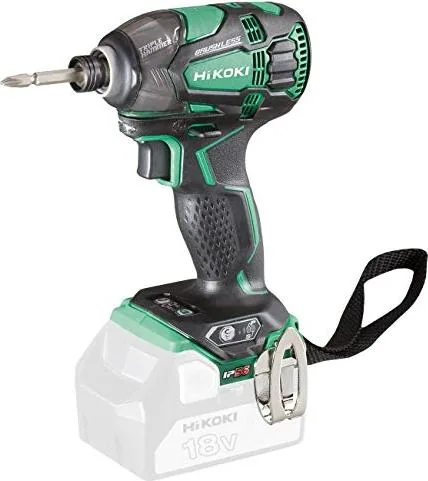
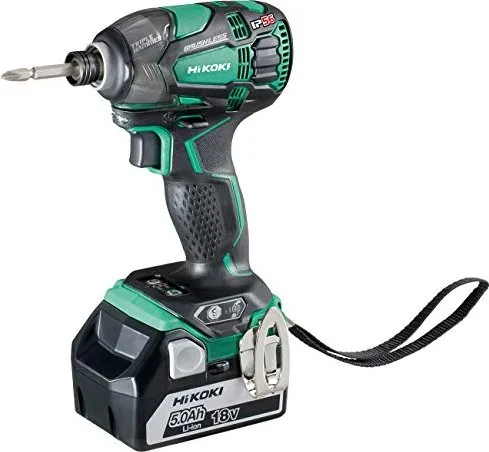
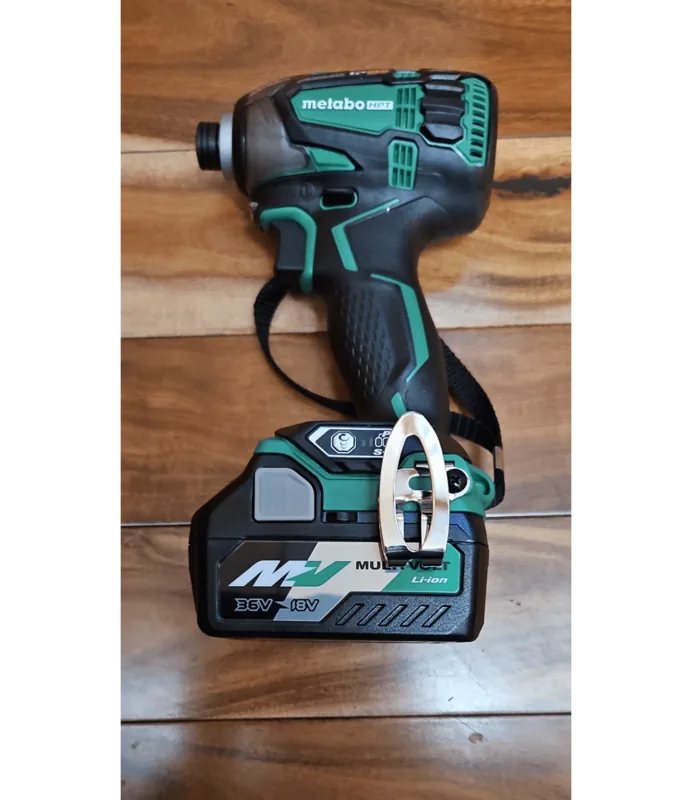
Hikoki WH18DBDL2 Impact Driver Solo Review
The Hikoki WH18DBDL2 Impact Driver Solo stands as a robust choice for professionals and DIY enthusiasts who demand reliability without the bulk of a full kit. This cordless power tool is engineered to handle demanding fastening tasks with precision and power. Designed specifically for tightening and loosening screws, bolts, and nuts, it offers versatility across various applications including driving machine screws, wood screws, and tapping screws.
One of the standout features of this impact driver is its advanced tightening mode selector. Users can switch between four distinct modes: Soft Mode for delicate work on small diameter screws, Normal Mode for general purpose tasks like fixing plasterboard, Power Mode for heavy-load work requiring extra torque on long screws or coach screws, and Self-Drilling Screw Mode which prevents overtightening and breakage when using Teks screws. This adaptability ensures that the tool performs optimally regardless of the material or screw type being used.
Safety and durability are paramount in the design of the WH18DBDL2. The unit boasts an IP56 rating, making it resistant to dust and powerful water jets from all directions. This protection allows for operation in challenging environments where debris or moisture might be present. Additionally, the tool includes a temperature protection circuit that automatically stops the motor if overheating occurs, preventing damage to the internal components during continuous use. The ergonomic design features insulated gripping surfaces to protect the user from electric shock if hidden wiring is accidentally contacted by the fastener.
The integrated LED light provides excellent visibility in dark workspaces, illuminating the fastening area effectively. It automatically turns off after two minutes to conserve battery life. The remaining battery indicator offers clear feedback on power levels, ensuring users know exactly when it is time to recharge. Whether you are building furniture, constructing decks, or performing industrial assembly, the Hikoki WH18DBDL2 delivers consistent performance and safety.
Key Notes
- The tool operates within a temperature range of -5°C to 40°C for optimal battery performance.
- Always use genuine HiKOKI batteries to maintain warranty and safety standards.
- Regular maintenance involves checking terminals for dust and swarf to prevent short circuits.
Search for 67,732 Manuals online


Type-in Brand or Model