
HiKOKI WH12DD Manual
PDF manual · 96 Pages
English



Quick check
Incorrect answer, please try again.
Chat with your HiKOKI WH12DD manual using AI
Get instant AI answers from your HiKOKI WH12DD manual
Ask anything about the HiKOKI WH12DD. Answers come from this manual, with the pages they are based on.
WH12DD Maintenance Schedule
Regularly inspect all mounting screws and ensure they are properly tightened. Retighten immediately if loose.
Since use of a dull tool will degrade efficiency and cause possible motor malfunction, sharpen or replace the tool as soon as abrasion is noted.
After use for continuous bolt-tightening work, rest the unit for 15 minutes or so when replacing the battery to prevent burnout.
Once the charging has been completed, give 15 minutes rest until the next charging to prevent charger overheating.
Ask a Question
Do you recommend WH12DD?
Yes NoFrequently Asked Questions
It is intended for driving and removing machine screws, wood screws, tapping screws, and similar fasteners. It can be used for routine assembly, repairs, plasterboard fastening, long-screw work, and self-drilling screw applications.
Is this answer helpful?
The tool provides selectable modes for controlled normal work, heavier-load fastening, and self-drilling screws. Normal mode is suited to smooth everyday fastening, while power mode is intended for jobs requiring more force. Use the self-drilling mode for Teks-style screws.
Is this answer helpful?
This setting is designed to reduce overtightening when driving self-drilling screws. It can help lower the risk of broken screws, damaged screw heads, and bit slippage. Test the setting on sample fasteners when the material or screw type changes.
Is this answer helpful?
Release the trigger immediately. The battery protection system may have stopped output because the battery is low, the tool is overloaded, or the battery is too hot. Charge the battery, remove the overload cause, or allow the tool and battery to cool before continuing.
Is this answer helpful?
Insert the bit correctly and pull it lightly after installation to confirm it is secure. If the guide sleeve does not return to its original position, the bit may not be installed properly. Never operate the tool with a loose or incorrectly fitted bit.
Is this answer helpful?
Use designated genuine HiKOKI batteries and the specified charger. Charge within the stated temperature range, keep terminals free of dust and metal objects, and do not puncture, disassemble, short-circuit, burn, or immerse the battery in liquid.
Is this answer helpful?
Advantages and Disadvantages
Advantages

- Selectable tightening modes support normal, heavy-load, and self-drilling screw applications.
- Lithium-ion battery protection helps guard against depletion, overload, and overheating.
- LED work light and battery-level indicator improve visibility and power awareness.
- Forward and reverse rotation support both driving and removing common fasteners.
Disadvantages

- The appropriate tightening mode may require test fastening for each screw and material.
- Continuous heavy-duty use can heat metal parts, motor, switch, and battery.
- Battery, charger, and tool require careful temperature control, storage, and handling.
- Hearing protection is recommended for extended use due to impact-driver noise.
Product Specification
Type
Impact wrench
No-load speed
0-3,200/min
No-load impact rate
0-4,000/min
Screw diameter
M5-M14
Torque
119.48 lb-ft
Tool holder
1/4" bit holder
Weight
2.43 lb
Product Description
HiKOKI WH12DD Cordless Impact Driver - Read, Download & Print Free
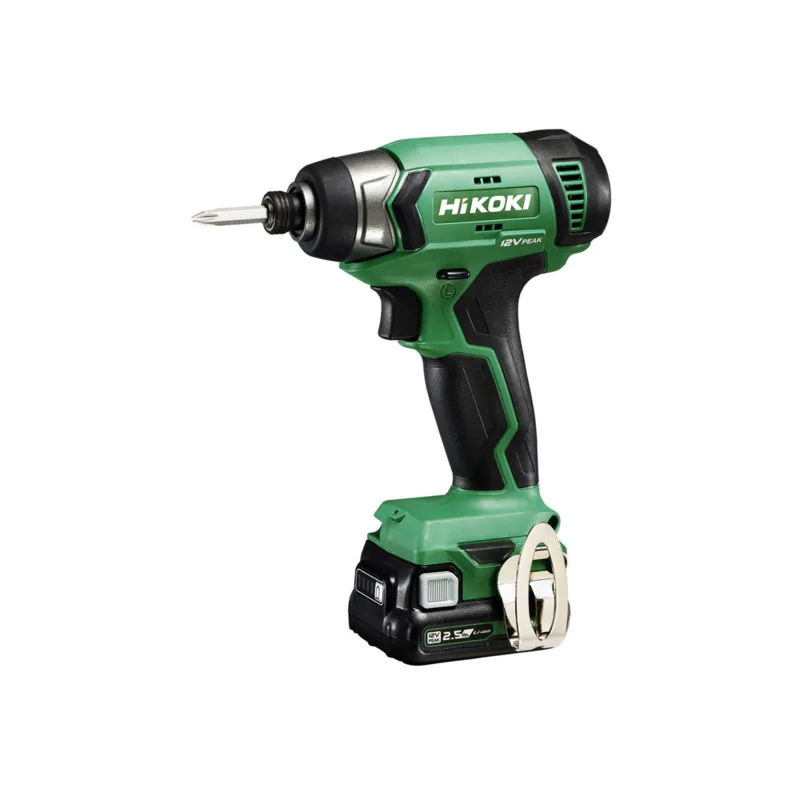
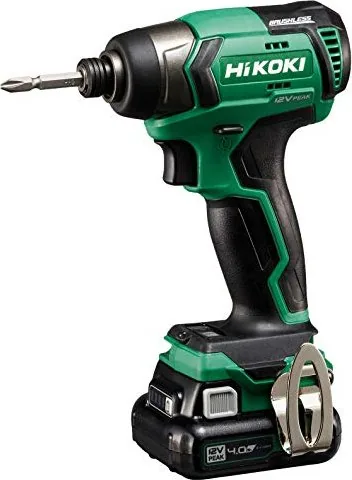
The HiKOKI WH12DD Cordless Impact Driver is a compact cordless fastening tool designed for driving and removing machine screws, wood screws, tapping screws, and similar fixings. Built for everyday workshop tasks, repairs, assembly, and installation work, it combines portable battery-powered convenience with impact-driven performance for jobs that demand controlled screwdriving.
Flexible tightening control
A key feature of the WH12DD is its selectable tightening modes. Normal mode supports smooth, controlled fastening for routine work such as short screws and plasterboard applications. Power mode provides added force for demanding jobs involving long screws, coach screws, and bolts. A self-drilling screw mode helps reduce the likelihood of overtightening, screw-head damage, breakage, and bit slippage when using self-drilling fasteners.
Selecting the appropriate mode for the screw type and material can improve results. Testing a few screws before starting a larger task is recommended, particularly when working with unfamiliar materials or sensitive fixings.
Cordless convenience and practical features
The driver uses a lithium-ion battery system and includes battery protection functions intended to stop output when charge is depleted, the tool is overloaded, or the battery becomes overheated. A remaining battery indicator helps users monitor available power, while LED signals communicate battery and tool protection conditions.
An integrated LED work light improves visibility around the fastening point and turns off automatically after approximately three seconds to reduce unnecessary battery drain. The tool also supports forward and reverse rotation, quick bit installation, and a hook for convenient storage or carrying when securely fitted.
Safe operation and care
For safe use, hold the impact driver firmly and keep it aligned straight with the screw. Using it at an angle can damage screw heads and reduce effective torque transfer. Always confirm that the bit is properly installed by pulling it lightly after fitting. Wear eye protection and use hearing protection during prolonged operation.
Keep the tool clean, inspect mounting screws regularly, and store it below 40 degrees C away from children. Allow the tool to cool after continuous heavy work, especially when changing batteries. Use only designated genuine HiKOKI batteries and the specified charger to support safe, reliable operation.
Notes
- Charge batteries within the recommended 0 to 40 degrees C ambient range.
- Stop work if overload or temperature protection is triggered, then remove the cause or allow cooling.
- Do not expose the battery to fire, water, physical damage, or metal objects that could short its terminals.
Search for 67,732 Manuals online


Type-in Brand or Model