
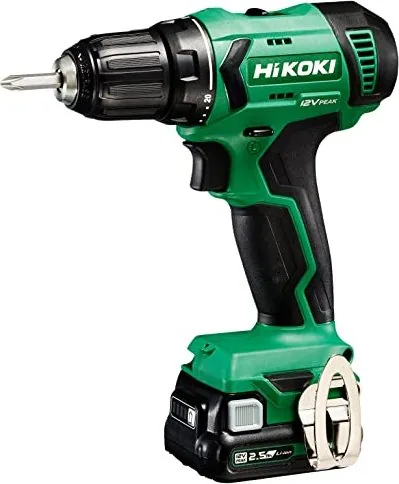
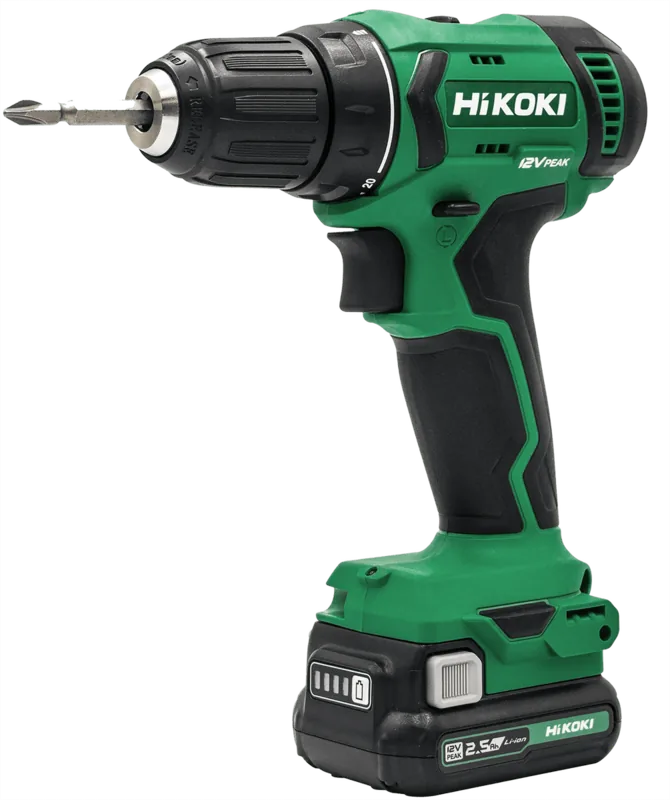
HiKOKI DS12DA Manual
PDF manual · 180 Pages
English



Quick check
Incorrect answer, please try again.
Chat with your HiKOKI DS12DA manual using AI
Get instant AI answers from your HiKOKI DS12DA manual
Ask anything about the HiKOKI DS12DA. Answers come from this manual, with the pages they are based on.
DS12DA Maintenance Schedule
Regularly inspect all mounting screws to ensure they are properly tightened. Retighten any loose screws immediately to prevent serious hazards.
Wipe stains with a soft dry cloth or one moistened with soapy water. Do not use chloric solvents, gasoline, or paint thinner as they melt plastics.
Ask a Question
Do you recommend DS12DA?
Yes NoFrequently Asked Questions
It is designed for driving and removing machine screws, wood screws, and tapping screws, plus drilling in wood and various metals. It is a practical choice for assembly, maintenance, repairs, and general DIY work.
Is this answer helpful?
No. The DS12DA is a standard cordless driver drill. For brick and concrete block drilling, the DV12DA combi drill is the related model with an impact drilling setting.
Is this answer helpful?
Low speed is useful for controlled screwdriving and higher torque applications. High speed is better for drilling. Turn the tool off before moving the shift knob to protect the gears.
Is this answer helpful?
The clutch dial adjusts tightening torque for screwdriving. Choosing an appropriate setting helps avoid stripping screw heads, overdriving fasteners, or damaging the work surface. Use the drill setting when drilling.
Is this answer helpful?
The protection system may stop the motor when the battery is low, the tool is overloaded, or the tool and battery become too hot. Release the trigger, remove the overload, recharge, or allow the unit to cool.
Is this answer helpful?
Charge only with the specified charger at an ambient temperature of 0 C to 40 C. Store a fully charged battery in a cool, dry place away from metal objects, dust, swarf, heat, and flammable materials.
Is this answer helpful?
Advantages and Disadvantages
Advantages

- Compact cordless design supports convenient use for repairs, assembly, and workshop tasks.
- Drives and removes machine screws, wood screws, and tapping screws.
- Adjustable clutch and two-speed control help match torque and speed to the task.
- Keyless chuck, LED work light, reverse rotation, and battery indicator improve usability.
- Built-in overload, temperature, and low-voltage protection help protect the tool and battery.
Disadvantages

- DS12DA is not intended for impact drilling into brick or concrete; the DV12DA is needed for that work.
- Battery runtime and tool weight depend on the battery fitted.
- Continuous heavy work may activate temperature protection and require a cooling break.
- Speed must be changed only after the motor stops to avoid gear damage.
- Cold conditions below 0 C can temporarily reduce tightening torque and available work time.
Product Specification
Type
Drill driver
No-load speed
0-350/0-1,400 rpm
Drilling capacity
Steel 0.39 in, wood 1.14 in
Torque
133/336 in-lb soft/hard, 20 settings (19+1)
Tool holder
0.03-0.39 in keyless chuck
Features
Forward/reverse, speed control, multi-speed, torque preselection, charge level indicator, LED work light, soft grip, motor brake, belt clip
Weight
2.43 lb
Product Description
HiKOKI DS12DA Cordless Drill Driver - Read, Download & Print Free
The HiKOKI DS12DA Cordless Drill Driver is a compact, practical tool designed for everyday fastening and drilling tasks. Built for users who want cordless mobility without unnecessary complexity, it is suited to home improvement, furniture assembly, repairs, cabinetry, and general workshop projects. Its lightweight format helps make repetitive work more comfortable while maintaining the control needed for accurate results.
Versatile drilling and driving performance
The DS12DA is intended for driving and removing machine screws, wood screws, and tapping screws, as well as drilling into wood and metal. A keyless chuck allows bits to be changed quickly, helping users move efficiently between tasks. The clutch dial provides adjustable tightening control, so the tool can be set more appropriately for different screw sizes and material types. This helps reduce the risk of overdriving fasteners or damaging delicate surfaces.
A two-speed shift setting supports better control across varied applications. Low speed is useful when controlled screwdriving torque is needed, while high speed is better suited to drilling. Select the speed only when the motor has stopped to protect the gear mechanism. Forward and reverse rotation add convenience for installation, removal, and freeing a stuck bit.
Cordless convenience and useful controls
Powered by a compatible lithium-ion battery system, the drill driver is designed for flexible work away from mains outlets. A remaining-battery indicator helps users monitor available charge before beginning a task. The integrated LED work light improves visibility around the chuck and work area, especially in cabinets, corners, or other dim spaces. To preserve battery power, the light switches off automatically after a short period.
The tool also includes protective functions that can stop operation if it is overloaded, overheated, or running on low battery power. When this occurs, release the trigger, remove the source of the problem, allow the tool or battery to cool when necessary, or recharge the battery before continuing.
Safe, dependable operation
For best results, secure the workpiece, use the correct bit or drill accessory, and keep a firm hold on the tool. Always inspect the intended drilling area for hidden wiring, water lines, or gas pipes. Keep battery terminals free from dust, swarf, and metal objects, and use only designated genuine HiKOKI batteries and chargers.
Notes
- The DS12DA is a driver drill for wood, metal, and fastening work.
- For brick or concrete block drilling, consider the related DV12DA combi drill with impact drilling mode.
- Store the tool and battery in a dry place below 40 C and away from children.
Search for 67,732 Manuals online


Type-in Brand or Model