
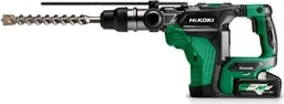
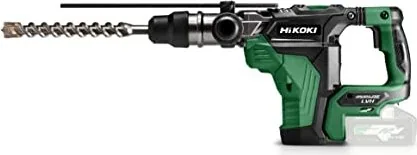
HiKOKI DH36DMA Manual
PDF manual · 268 Pages
English



Quick check
Incorrect answer, please try again.
Chat with your HiKOKI DH36DMA manual using AI
Get instant AI answers from your HiKOKI DH36DMA manual
Ask anything about the HiKOKI DH36DMA. Answers come from this manual, with the pages they are based on.
DH36DMA Maintenance Schedule
After purchase, replace the grease every 6 months of usage. Ask for grease replacement at the nearest authorized Service Center.
Regularly inspect all mounting screws and ensure they are properly tightened. Retighten immediately if any are loose.
On occasion check before, during, and after operation to make sure swarf and dust have not collected on the tool and battery terminals.
Since use of a dull tool will degrade efficiency and cause possible motor malfunction, sharpen or replace the tool as soon as abrasion is noted.
Free maintenance reminders
Timed to your purchase date. Always free, unsubscribe anytime.
Ask a Question
Do you recommend DH36DMA?
Yes NoFrequently Asked Questions
When the battery is fully charged, the charge indicator lamp on the charger will turn steady green and emit a continuous buzzer sound for about six seconds.
Is this answer helpful?
Check if the battery is depleted, if the tool is overloaded, or if it has overheated. Allow the battery or tool to cool down if necessary, and remove any obstructions causing the overload.
Is this answer helpful?
No, you must use only designated HiKOKI multi-volt batteries. Using incompatible batteries can cause damage, safety hazards, or void your warranty.
Is this answer helpful?
You should replace the grease every six months of usage to maintain the air-tight seal and prevent dust ingress into the motor mechanism.
Is this answer helpful?
This is likely due to a protection function triggered by low battery power, excessive load, or high temperature. Charge the battery, reduce pressure, or let the unit cool down.
Is this answer helpful?
Hold the tool by insulated gripping surfaces only. If the bit contacts live wiring, exposed metal parts can become energized, posing a shock risk.
Is this answer helpful?
Advantages and Disadvantages
Advantages

- Reactive Force Control (RFC) minimizes kickback and improves safety during overloading
- Variable speed selector allows precise control for different materials
- LED battery indicator provides clear status updates on remaining power
- Air-tight construction protects internal components from dust and debris
- USB charging capability adds versatility for mobile devices on site
Disadvantages

- Battery life may decrease if charged immediately after high-heat usage
- Requires specific genuine HiKOKI batteries for safe operation
- Grease replacement is mandatory every six months for long-term durability
- Tool becomes very hot during continuous operation requiring cool-down periods
- Older battery series are incompatible with this specific model
Product Specification
Type
Rotary Hammer Drill
No-load Speed
260-590/min
No-load Impact Rate
1420-2860/min
Drilling Capacity
Concrete 1.57 in, Wood 1.26 in, Steel 0.51 in, Hole Saws 4.13 in
Impact Energy
2.02 ft-lb
Chisel Positions
12
Tool Holder
SDS-max Quick Release Chuck
Features
Speed Control, Impact Rate Control, Rotation Stop, Softgrip, Auxiliary Handle, Vibration Damping, Depth Gauge, Brushless Motor
Product Description
Hikoki DH36DMA Cordless Hammer Drill: Power and Precision for Professionals
The Hikoki DH36DMA Cordless Hammer Drill stands as a testament to engineering excellence, designed specifically for demanding construction and renovation tasks. This robust tool combines the versatility of a rotary hammer with the freedom of cordless operation, allowing users to tackle concrete drilling, chipping, and heavy-duty demolition without being tethered to a power outlet. Whether you are anchoring holes in solid masonry or breaking up old pavement, this drill delivers consistent performance powered by HiKOKI's advanced lithium-ion battery technology.
At the heart of the DH36DMA is its Reactive Force Control (RFC) system. This intelligent feature detects sudden overloads, such as when a bit hits rebar, and instantly reduces jerking to protect the user and maintain control. The tool features a variable speed selector switch, enabling operators to adjust rotation speeds based on the material being worked on, ensuring clean cuts in fragile materials or powerful impact in hard concrete. The ergonomic design includes a side handle and a main body grip that absorbs vibration, reducing fatigue during extended use.
Safety is paramount with this unit. It comes equipped with a remaining battery indicator that displays charge levels from full down to nearly empty, preventing unexpected stoppages mid-job. The machine also includes protection functions against overheating and overload, automatically shutting down the motor if conditions become unsafe. Users must adhere to strict maintenance protocols, such as cleaning dust from terminals after every concrete job to prevent short circuits and ensure reliable electrical contact.
The charging process is straightforward and monitored via an LED indicator on the UC18YSL3 charger. A blinking blue light indicates active charging, while a steady green light signals a full battery. The system intelligently manages heat, pausing charging if the battery is too hot to extend its lifespan. Additionally, the tool supports USB device charging, offering added convenience on remote job sites. With its durable air-tight construction, the DH36DMA requires minimal lubrication but should have its grease replaced every six months of heavy usage to maintain optimal internal sealing.
Important Notes
- Always wear hearing protection as the sound power level reaches 105 dB.
- Ensure the switch is off before inserting the battery to prevent accidental startup.
- Do not store the battery with metal objects to avoid short circuits.
- Clean the battery compartment regularly to prevent concrete dust accumulation.
Search for 67,732 Manuals online


Type-in Brand or Model