
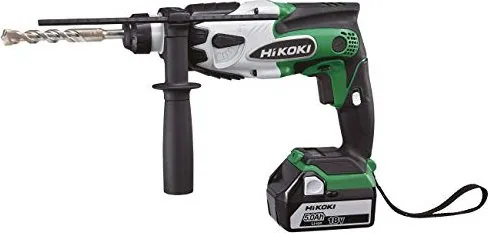
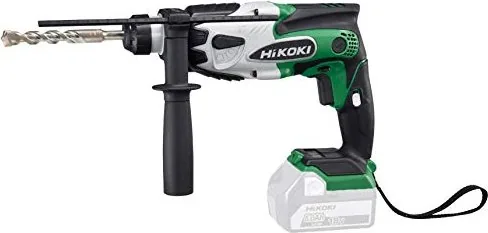
HiKOKI DH18DSL Manual
PDF manual · 196 Pages
English



Quick check
Incorrect answer, please try again.
Chat with your HiKOKI DH18DSL manual using AI
Get instant AI answers from your HiKOKI DH18DSL manual
Ask anything about the HiKOKI DH18DSL. Answers come from this manual, with the pages they are based on.
DH18DSL Maintenance Schedule
Ensure the battery is fully charged if storing for 3 months or more to prevent performance deterioration.
Regularly inspect all mounting screws to ensure they are properly tightened. Retighten immediately if any are loose to prevent hazards.
Replace carbon brushes when worn to or near the wear limit. Keep them clean and ensure they slide freely in the holders.
Sharpen or replace the tool as soon as abrasion is noted to maintain efficiency and prevent motor malfunction.
Wipe stains with a soft dry cloth or soapy water. Do not use chloric solvents, gasoline, or paint thinner.
Free maintenance reminders
Timed to your purchase date. Always free, unsubscribe anytime.
Ask a Question
Do you recommend DH18DSL?
Yes NoFrequently Asked Questions
The Hikoki DH18DSL can drill holes up to 16 mm in diameter when working with concrete using the standard SDS-plus chuck system.
Is this answer helpful?
Use the mode selection lever located on the side of the tool. Move the lever to engage the hammering function for concrete or rotate it back for rotation-only tasks like drilling wood or metal.
Is this answer helpful?
Yes, provided you use the optional UC18YML2 charger adapter. Secure the charger properly in the vehicle and connect it to the cigarette lighter socket, ensuring the voltage is sufficient for charging.
Is this answer helpful?
This often indicates overload or low battery. Release the trigger, check for obstructions, remove the cause of overload, and allow the battery to cool if it overheated before resuming work.
Is this answer helpful?
Inspect the carbon brushes regularly. Replace them when they reach the wear limit mark indicated on the brush housing to prevent motor damage and maintain performance.
Is this answer helpful?
No, the tool should not be exposed to rain or wet conditions. Water entering the tool increases the risk of electric shock and internal damage. Use it only in dry environments.
Is this answer helpful?
A green light indicates that the battery is too hot to charge safely. The charger will wait until the battery cools down before starting the charging process again.
Is this answer helpful?
Advantages and Disadvantages
Advantages

- Versatile dual-mode operation for concrete, steel, and wood
- Lightweight and ergonomic design reduces user fatigue
- LED work light with automatic shut-off saves battery
- Variable speed and power/save modes for precision control
- Durable construction with pre-lubricated gearbox
Disadvantages

- Battery sold separately requires additional investment
- No-load speed may be insufficient for very hard materials without hammer mode
- Carbon brushes require periodic replacement as consumable parts
- Charging time varies significantly with ambient temperature
- Side handle must be installed firmly to prevent loss of control
Product Specification
Type
Rotary Hammer
No-load speed
0-750/0-1500/min
Drilling capacity
Concrete 0.63in, Wood 0.71in, Steel 0.63in
Impact energy
0.89ft-lb
Chuck type
SDS-plus Quick-change chuck
Features
Forward/Reverse, Speed control, Impact rate control, Multi-speed, Hammer stop, LED work light, Soft grip, Auxiliary handle, Depth gauge, Motor brake
Weight
4.85lb
Product Description
Hikoki DH18DSL Cordless Hammer Drill - Read, Download & Print Free
The Hikoki DH18DSL Cordless Hammer Drill is a robust and versatile power tool designed for professionals and serious DIY enthusiasts who demand reliability in demanding applications. This cordless rotary hammer combines high performance with ergonomic design, making it ideal for drilling into concrete, masonry, steel, and wood. Whether you are installing anchor points or creating holes in tough surfaces, this tool delivers consistent power without the restriction of a power cord.
Operating on an 18-volt lithium-ion battery system, the DH18DSL offers significant freedom of movement around the job site. The machine features a dual-mode operation switch that allows users to toggle between rotation only for drilling into metal and wood, and a combined rotation and hammering function for concrete work. This flexibility ensures that the tool can handle a wide variety of materials efficiently. The variable speed control and power/save mode selector enable users to adjust the impact force according to the specific task, optimizing battery life while maintaining drilling efficiency.
Safety is a top priority in the design of this drill. It includes insulated gripping surfaces to protect against electric shock if the bit accidentally contacts hidden wiring. The tool also features a side handle for better control during heavy-duty chiseling or drilling operations. An integrated LED light illuminates the work area automatically and shuts off after 15 minutes to conserve battery power. Additionally, the remaining battery indicator helps users monitor charge levels to prevent unexpected shutdowns mid-task.
Maintenance is straightforward, with easily accessible carbon brushes that can be replaced when worn. The unit comes pre-lubricated with low-viscosity grease to ensure long-term durability, though periodic checks by authorized service centers are recommended for optimal performance. The compact and lightweight body reduces operator fatigue during extended use, while the chuck mechanism securely holds SDS-plus bits for quick accessory changes.
Notes
- Always wear hearing protection due to noise levels up to 97 dB.
- Ensure the battery is fully charged before long-term storage.
- Do not operate the tool in explosive atmospheres.
- Keep the air vents clear of dust and debris to prevent overheating.
Search for 67,732 Manuals online


Type-in Brand or Model