
Heusinkveld Sim Handbrake Manual
PDF manual · 13 Pages
English



Quick check
Incorrect answer, please try again.
Chat with your Heusinkveld Sim Handbrake manual using AI
Get instant AI answers from your Heusinkveld Sim Handbrake manual
Ask anything about the Heusinkveld Sim Handbrake. Answers come from this manual, with the pages they are based on.
Ask a Question
Do you recommend Sim Handbrake?
Yes NoFrequently Asked Questions
You can adjust the overall resistance by changing the elastomers in the spring stack. The device comes with soft, medium, and hard options. Swapping them changes the stiffness but keeps the maximum force constant. You can also set the force limit within the SmartControl software.
Is this answer helpful?
Yes, but it requires specific setup. You must calibrate the handbrake in iRacing to output the maximum value of 4095. This ensures your SmartControl settings work correctly. Once set up, you do not need to recalibrate if you change software settings.
Is this answer helpful?
Yes, the base can be mounted horizontally or vertically. The lever position is also adjustable relative to the base. This gives you flexibility to fit your simulator rig layout. You may need to source some additional mounting materials to secure it properly.
Is this answer helpful?
The sensor output signal ranges from 0 to 4095 regardless of force. The physical maximum force that can be pulled is 22 kilograms. You can set a maximum force setting in SmartControl that does not exceed what you can achieve without hitting the end-stop of the lever.
Is this answer helpful?
Preventive maintenance is not required as pivot points have self-lubricating bearings. However, if you feel the need, use PTFE Dry Spray. Over prolonged use, elastomers may leave dust residue which should be wiped with a dry cloth.
Is this answer helpful?
The adapter plate has a 22.5-degree yaw adjustment. You can bolt the plate to different holes to change the angle of the handbrake. This allows you to fine-tune the overall position of the unit on your simulator rig.
Is this answer helpful?
Yes, all profiles are saved relative to your personal calibration values. This means you can exchange profiles with fellow owners. They can apply them without re-calibrating. You can load specific elements from shared profiles including pedal or handbrake settings.
Is this answer helpful?
Advantages and Disadvantages
Advantages

- Adjustable elastomer stack allows users to customize resistance levels to their preference
- SmartControl software provides extensive non-linear output curve customization options
- Self-lubricating bearings ensure minimal friction and noise during operation
- Mounting options allow flexibility for horizontal or vertical installation setups
- Pre-calibrated sensor provides immediate plug and play functionality with simulators
Disadvantages

- Extra mounting materials may be required depending on specific simulator platform
- iRacing requires unique one-time manual calibration to 4095 output signal
- SmartControl software must be downloaded separately from the official website
- Mechanical adjustments to spring stack require recalibration in the software
- Manual mentions specific lubrication types which are not included in the box
Product Specification
Type
Hand Brake
Compatibility
PC
Material
Steel, Plastic
Mounting
Screw-on
Connection
Wired, USB
Power Supply
USB
Product Description
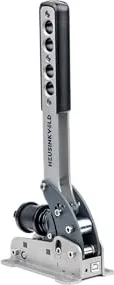
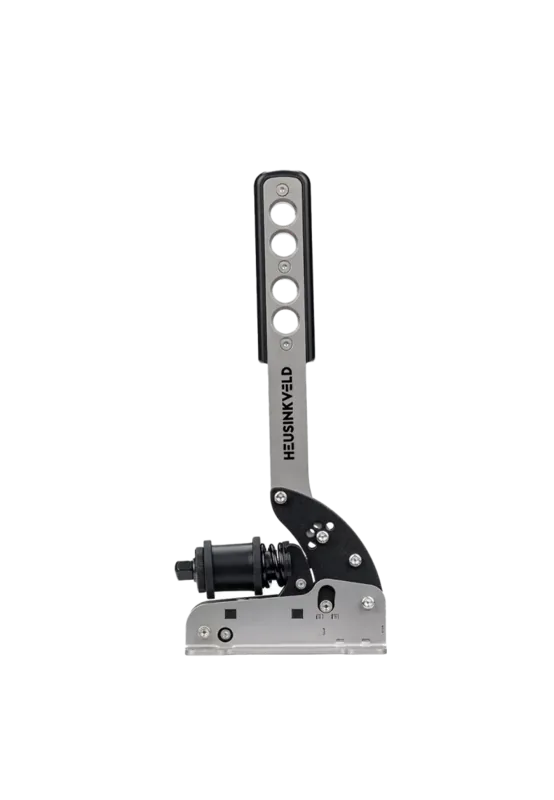
Discover the Heusinkveld Sim Handbrake
Racing enthusiasts seeking precision will love the Heusinkveld Sim Handbrake. This top-of-the-line simulator product offers superior realism for virtual driving. The device features a force-based sensor that translates physical pulls into accurate signals. Whether you are drifting or racing on track, this tool adapts to your specific driving style and vehicle dynamics. It is designed to provide a premium feeling experience that mimics real mechanical stops.
Setup Instructions
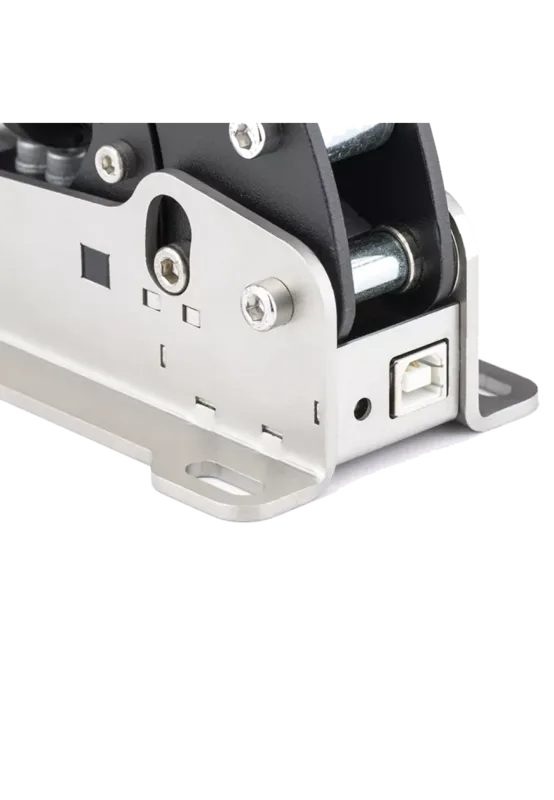
The packing list includes the handbrake, adapter plate, USB cable, and mounting materials. Users can mount the base horizontally or vertically to fit their rig. The lever orientation is also adjustable between positions. You might need extra bolts depending on your simulator platform. The initial setup requires downloading the SmartControl software from the official website. This tool allows for deep customization of output curves and force settings. Detailed steps are found in the Heusinkveld Sim Handbrake Manual which you should read thoroughly before starting installation. The adapter plate also allows yaw adjustment of 22.5 degrees.
Customization and Feel
Resistance adjustment is a key feature for all users. Three elastomer options exist: soft, medium, and hard configurations. Changing these alters the stiffness without changing the maximum force required by the sensor. A metal coil spring simulates the cable slack found in real cars effectively. You can remove this spring if you prefer direct feel. The SmartControl software enables non-linear output mapping across five zones. This is vital for low grip surfaces where late locking occurs. You can set specific curves for drifting competitions requiring instant lock. Maximum force is settable up to 22kg of resistance.
Maintenance and Software Usage
Designed for longevity, the unit uses self-lubricating bearings to reduce noise. Dust residue from elastomers may occur after millions of cycles but does not affect performance. Wipe with a dry cloth. If lubrication is needed, use PTFE Dry Spray. Safety precautions include rigid mounting to prevent movement during use. The product is strictly for simulator use. iRacing requires specific calibration to 4095 output. Profiles can be shared with other owners. Contact support for further assistance. Enjoy your racing experience with a device designed for endurance and high fidelity simulation. Save and load profiles quickly without recalibration.
Search for 67,706 Manuals online


Type-in Brand or Model