
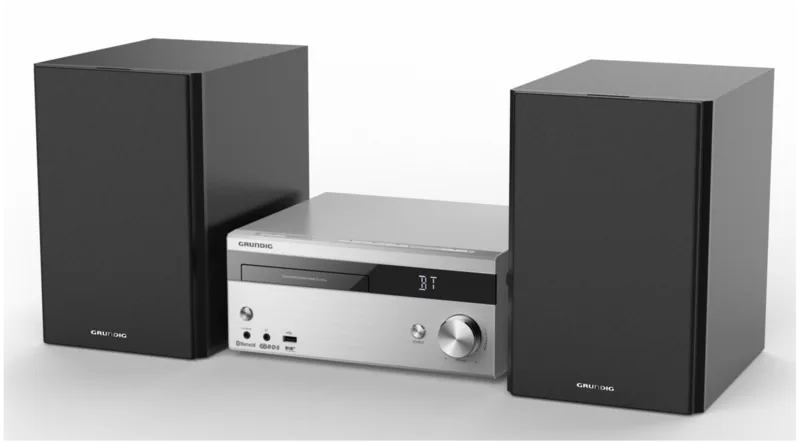
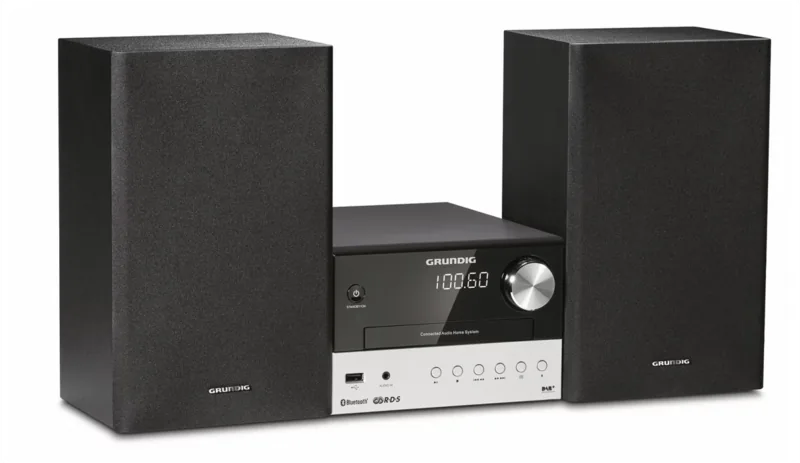
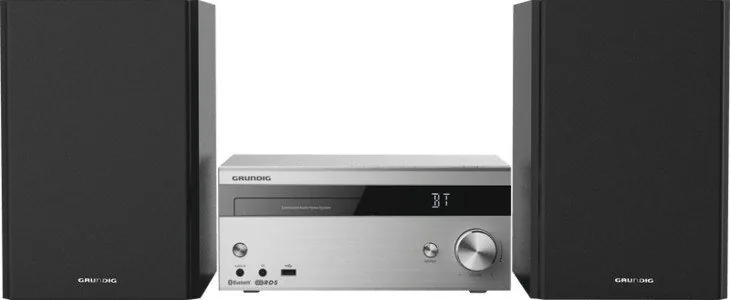
Grundig CMS 4000 BT DAB+ Manual
PDF manual · 36 Pages
English



Quick check
Incorrect answer, please try again.
Chat with your Grundig CMS 4000 BT DAB+ manual using AI
Get instant AI answers from your Grundig CMS 4000 BT DAB+ manual
Ask anything about the Grundig CMS 4000 BT DAB+. Answers come from this manual, with the pages they are based on.
CMS 4000 BT DAB+ Maintenance Schedule
Remove the batteries when they are flat or when you know that the hi-fi system will not be used for a long period of time to prevent damage from leaking batteries.
Always keep the CD compartment closed to prevent dust from collecting on the laser optics.
Ask a Question
Do you recommend CMS 4000 BT DAB+?
Yes NoFrequently Asked Questions
It supports CD, FM radio, DAB+ radio, USB media, Bluetooth streaming, and AUX input. This makes it useful for both classic audio collections and wireless playback from modern devices.
Is this answer helpful?
Yes. It works with Bluetooth devices that support the A2DP standard, including smartphones, tablets, and laptops. Pairing is done from the external device, and the system reconnects automatically later.
Is this answer helpful?
Yes. You can store FM stations as presets manually, and the system can also perform an automatic FM station search. DAB mode includes station scanning and list management options.
Is this answer helpful?
Yes. The system offers both alarm and sleep timer functions. You can choose the wake source, set the time, and adjust the alarm volume to suit your routine.
Is this answer helpful?
Not all devices are guaranteed to work. The USB port supports standard USB memory sticks and some MP3 players, but USB hubs and direct PC connections are not supported.
Is this answer helpful?
In ECO mode, the system reduces power consumption to below 0.5 W. It also switches to standby automatically after 15 minutes in certain idle situations.
Is this answer helpful?
Yes. When you plug in headphones, the built-in speakers are switched off automatically. This lets you listen privately without sound coming through the external speakers.
Is this answer helpful?
Advantages and Disadvantages
Advantages

- Supports CD, FM, DAB+, USB, AUX, and Bluetooth in one compact system.
- Delivers 2 x 50 W sinus power for clear stereo listening.
- Includes alarm, sleep timer, clock, mute, and equalizer functions.
- ECO mode lowers standby power consumption to below 0.5 W.
Disadvantages

- USB compatibility is limited and not guaranteed for every player or stick.
- No support for Wi-Fi streaming or modern app-based music services.
- Best for small to medium rooms rather than larger listening spaces.
- Requires careful setup for speakers, antenna, and power connections.
Product Specification
Consists of
CD player, tuner, speakers
Power
2x 50W RMS
Tuner
FM, DAB+
Audio formats
CD-Audio, CD-R/RW, MP3, WMA
Audio connections
AUX In (3.5mm jack), Headphones (3.5mm jack)
Other connections
USB-A
Wireless
Bluetooth 2.1
Device color
silver
Speaker color
black
Device dimensions
10.24x11.42x4.72in (WxHxD)
Speaker dimensions
6.81x9.45x10.24in (WxHxD)
Weight
18.84 lb
Product Description
Grundig CMS 4000 BT DAB+: Compact Sound with Everyday Convenience
The Grundig CMS 4000 BT DAB+ is a micro hi-fi system built for listeners who want simple control, broad playback options, and a neat footprint. It combines CD playback, FM radio, DAB+, USB support, and Bluetooth connectivity, making it a flexible choice for a bedroom, kitchen, office, or smaller living space.
A versatile system for modern and classic listening
One of the strongest points of this model is its balance between traditional media and wireless convenience. You can enjoy your favorite audio CDs, tune into FM stations, explore digital DAB+ broadcasts, or stream music directly from a smartphone, tablet, or laptop through Bluetooth. For people who still keep MP3 collections on a USB stick, the front USB port adds another easy playback option.
The unit is also designed with practical everyday use in mind. It includes an alarm function, sleep timer, clock setting, mute control, and equalizer options, which makes it more than just a music player. The remote control offers quick access to key functions, while the main unit keeps the interface straightforward and user-friendly.
Sound and setup made simple
With 2 x 50 W sinus power and separate left/right speakers, the system is made to deliver clear stereo listening for casual home use. It is not trying to be a large-scale party system; instead, it focuses on clean sound, easy operation, and reliable performance. The included FM antenna connection and DAB menu options help users get better radio reception and organize stations efficiently.
If you are reading the Grundig CMS 4000 BT DAB+ Manual, you will notice how much attention is given to safe setup and everyday handling. The system should be placed with enough ventilation, connected carefully, and used with proper speaker wiring and power precautions. That practical guidance matches the product itself: compact, functional, and designed for uncomplicated listening.
Notes
- Best suited for compact rooms and daily music routines
- Bluetooth pairing is straightforward and remembers the last device used
- ECO mode helps reduce power consumption when not in active use
- Manual station storage and alarm settings add useful control
Overall, the Grundig CMS 4000 BT DAB+ is a well-rounded micro hi-fi system for anyone who wants radio, disc playback, and wireless audio in one tidy package. It focuses on convenience first, while still offering enough features to satisfy everyday home listening.
Search for 67,706 Manuals online


Type-in Brand or Model
Zion Ledner
8 months ago
Does the Grundig CMS 4000 DAB+ remember the last volume and is it reliable/easy to use? I read it might reset volume or needs frequent resets, and the speaker cables seem short.
Manual.ly
8 months ago
The reviews you mention are consistent with a volume behavior where the device only reliably restores the last volume when it was set within a certain range (commonly around 5 to 25). If the volume was outside that range, it may come back at a default level (e.g., around 6) when you switch on again. For best results, set the volume once to your preferred level and then power it off normally so it can store that value. On setup, some users also report short speaker cables that require the speakers to be placed close to the unit, and occasional issues like resets or less convenient remote operation. If you need more flexibility, plan your placement carefully and consider a proper extension solution only if it does not affect your warranty.