
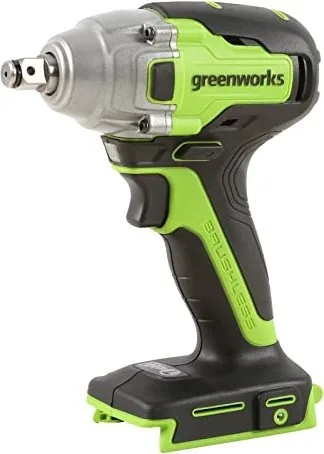
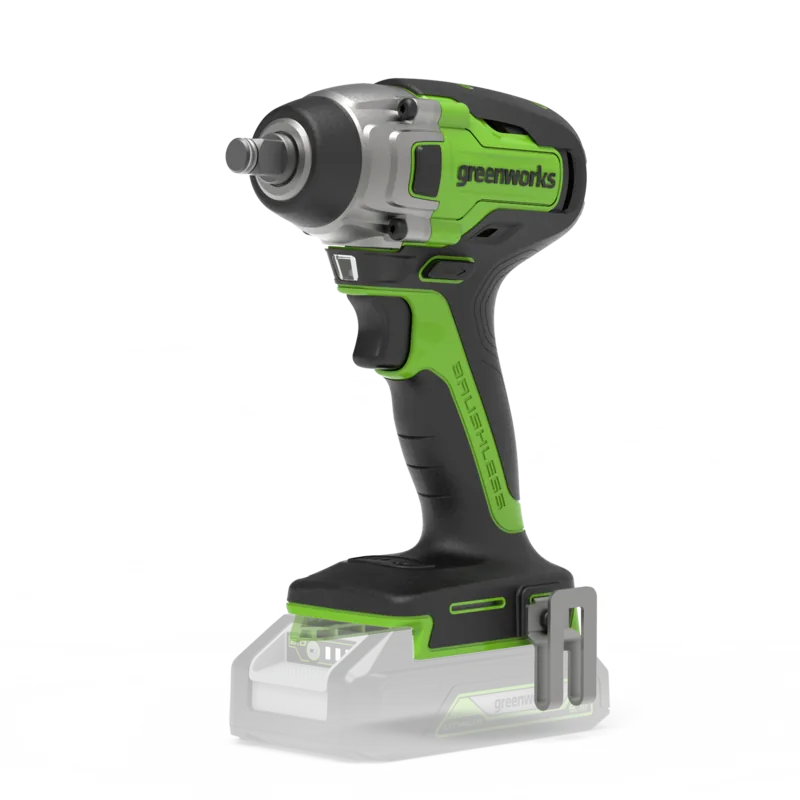
Greenworks Tools GD24IW400 Manual
PDF manual · 112 Pages
English



Quick check
Incorrect answer, please try again.
Chat with your Greenworks Tools GD24IW400 manual using AI
Get instant AI answers from your Greenworks Tools GD24IW400 manual
Ask anything about the Greenworks Tools GD24IW400. Answers come from this manual, with the pages they are based on.
Ask a Question
Do you recommend GD24IW400?
Yes NoFrequently Asked Questions
It is intended for driving and loosening screws and bolts, plus tightening and loosening nuts within the appropriate size range. Its 1/2-inch drive is made for use with compatible sockets.
Is this answer helpful?
The impact wrench has a listed maximum torque of 400 Nm. It also offers a no-load speed of up to 2,800 rpm and an impact rate of up to 4,000 impacts per minute.
Is this answer helpful?
Yes. It has three speed levels. One green light indicates low speed, two green lights indicate medium speed, and three green lights indicate high speed.
Is this answer helpful?
No. The solo designation means the tool is supplied without a battery and charger. It is compatible with Greenworks G24B2, G24B4, and other BAG-series batteries, plus compatible CAG-series chargers.
Is this answer helpful?
Yes. An LED work light activates when the trigger is pressed. It provides extra illumination to improve visibility around the fastening area.
Is this answer helpful?
Place the forward/reverse selector in its center lock position when the tool is not being used. The wrench will not operate unless the direction selector is fully set to the left or right.
Is this answer helpful?
Remove the battery first. Keep the tool dry, vacuum debris from the air vents, and wipe the housing with a soft damp cloth. Do not use strong solvents or allow petroleum-based chemicals to contact plastic parts.
Is this answer helpful?
Advantages and Disadvantages
Advantages

- Delivers up to 400 Nm of torque for demanding bolt and nut work.
- Three speed settings provide low, medium, and high output control.
- Integrated LED work light improves visibility in dim work areas.
- 1/2-inch drive supports compatible sockets for common fastening jobs.
- Compatible with specified Greenworks 24 V BAG-series batteries.
Disadvantages

- Supplied as a solo tool, so battery and charger may need to be purchased separately.
- Eye protection is required during use.
- The tool should not be run at low speed for extended periods.
- Operation is recommended only between 0 C and 45 C.
- Strong solvents and petroleum-based materials can damage plastic parts.
Product Specification
Type
Impact wrench
Battery
24 V, lithium-ion
No-load speed
0-2,800 rpm
No-load impact rate
4,000 impacts/min
Torque
295.02 lb-ft
Tool holder
1/2 in square drive
Features
Forward/reverse rotation, speed control, LED work light, soft grip, brushless motor, belt clip
Weight
2.87 lb
Included
Without charger and battery
Product Description
Greenworks Tools GD24IW400 Cordless Impact Wrench solo - Read, Download & Print Free
The Greenworks Tools GD24IW400 Cordless Impact Wrench solo is designed for users who need strong, controlled fastening power without the restriction of a power cable. Built for driving and removing screws, bolts, and nuts within its intended size range, this compact 24 V tool suits garage tasks, equipment maintenance, construction work, and everyday repairs.
Powerful cordless performance
With up to 400 Nm of maximum torque, the GD24IW400 is equipped for demanding fastening jobs. Its no-load speed reaches 2,800 rpm, while the impact rate reaches 4,000 impacts per minute. This combination helps deliver force efficiently when working with stubborn bolts or repetitive assembly tasks.
The 1/2-inch square drive accepts compatible sockets for common fastening applications. As a solo tool, it is ideal for users who already own compatible Greenworks 24 V batteries and chargers, allowing them to expand an existing cordless setup without purchasing duplicate power accessories.
Control for different jobs
Three selectable speed levels help tailor performance to the task. One green indicator light represents low speed, two lights represent medium speed, and three lights select high speed. This flexibility can help users approach lighter fastening jobs with more control before switching to maximum output when needed.
A forward and reverse selector changes the rotation direction for tightening or loosening. The center position acts as a lock to reduce the risk of accidental starts while the wrench is not in use. For safe direction changes, allow the drive to stop completely before moving the selector.
Practical features for daily use
An integrated LED work light illuminates the work area whenever the trigger is pressed, improving visibility in engine bays, cabinets, sheds, and other dim locations. The trigger-operated design provides direct on-and-off control, while the compact cordless format makes the wrench convenient to carry between jobs.
The listed weight is 1.19 kg with a battery, supporting easier handling during extended work. For best operation, use the tool in ambient temperatures from 0 C to 45 C. Battery charging is recommended between 4 C and 40 C.
Notes
- Wear suitable eye protection during operation.
- Use only manufacturer-recommended accessories.
- Remove the battery before cleaning or maintenance.
- Keep the tool dry and clear debris from ventilation openings with a vacuum.
- Avoid strong solvents, gasoline, brake fluid, and petroleum-based materials on plastic parts.
For private consumer use, Greenworks states a three-year product warranty and a two-year battery warranty, subject to its terms and proof of purchase.
Search for 67,732 Manuals online


Type-in Brand or Model