
goodram DDR3-1333 DIMM Manual
PDF manual · 1 Pages
English


Quick check
Incorrect answer, please try again.
Chat with your goodram DDR3-1333 DIMM manual using AI
Get instant AI answers from your goodram DDR3-1333 DIMM manual
Ask anything about the goodram DDR3-1333 DIMM. Answers come from this manual, with the pages they are based on.
Ask a Question
Do you recommend DDR3-1333 DIMM?
Yes NoFrequently Asked Questions
No, this is a standard DIMM module intended for desktop computers. Laptops require smaller SO-DIMM modules.
Is this answer helpful?
Manufacturers use decimal math where 1GB is 1 billion bytes. Operating systems use binary math, showing about 3.7% less capacity.
Is this answer helpful?
Absolutely not. You must turn off the computer and unplug it to prevent electrical damage to the components.
Is this answer helpful?
CL9 stands for CAS Latency 9. It indicates the delay time in clock cycles before the memory responds to a command.
Is this answer helpful?
Warranty details are available in a separate document on the official Goodram website under the warranty section.
Is this answer helpful?
Do not throw them in regular trash. Take them to an electronic recycling center because they contain reusable materials.
Is this answer helpful?
Advantages and Disadvantages
Advantages

- Reliable DDR3-1333 speed suitable for standard desktop upgrades
- Cost-effective solution for increasing system memory capacity
- Easy installation process with clear alignment notches
- Compliant with EU safety and environmental regulations
Disadvantages

- Not compatible with modern DDR4 or DDR5 motherboards
- Does not support laptop SO-DIMM slots
- OS may report slightly less capacity due to binary conversion
- Limited bandwidth compared to newer high-speed memory standards
Product Specification
Type
DDR3 DIMM 240-Pin
Speed
1333MHz
Module
1x 4GB
JEDEC
PC3-10667U
CAS Latency CL
9 (approx. 13.50ns)
Voltage
1.5V
Module Height
1.18 in
Case
N/A
Lighting
N/A
Features
Standard SPD
Warranty
60 months
Product Description
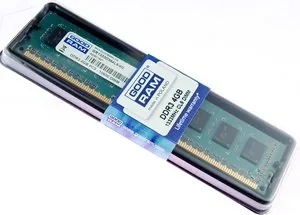
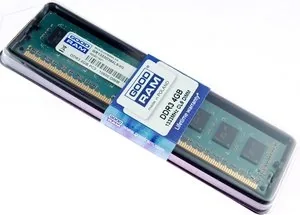
Upgrade Your System with GOODRAM DIMM 4GB DDR3-1333 CL9
Enhancing the performance of your computer often comes down to one critical component: memory. The GOODRAM DIMM 4GB DDR3-1333 CL9 is designed to breathe new life into older desktop systems that rely on DDR3 technology. This module offers a reliable balance between capacity and speed, ensuring smooth multitasking for everyday computing tasks such as web browsing, document editing, and media consumption.
When installing this RAM, it is essential to understand the physical requirements of your motherboard. As a standard DIMM module, it fits specifically into desktop computers rather than laptops, which require SO-DIMM variants. The DDR3 standard operates at 1333 MHz with a CAS latency of 9, providing efficient data transfer rates that reduce bottlenecks in system performance. Users should always ensure their system supports DDR3 before purchasing to avoid compatibility issues.
Proper handling is crucial for longevity. The module must be protected from extreme temperatures, moisture, and open flames. Before installation, always disconnect power and ground yourself to prevent static discharge. Align the notch on the memory stick with the slot key on the motherboard to ensure correct insertion. Once seated firmly, the system will recognize the additional capacity immediately upon reboot.
It is important to note that while manufacturers advertise storage in decimal terms (1 GB equals 1 billion bytes), operating systems using binary calculations may display slightly less available space. This is a standard industry practice and does not indicate a defect. Additionally, some memory is reserved for system functions, further reducing visible capacity.
By choosing GOODRAM, you are selecting a product manufactured by Wilk Elektronik SA, a company committed to meeting EU safety and environmental standards. Always keep the manual handy for reference regarding warranty terms and specific usage guidelines. Remember to recycle old electronics responsibly instead of discarding them in household waste.
Important Notes
- Ensure your BIOS is updated for optimal stability.
- Do not force the module if it does not fit easily.
- Check for warranty details on the official website.
Search for 67,706 Manuals online


Type-in Brand or Model