
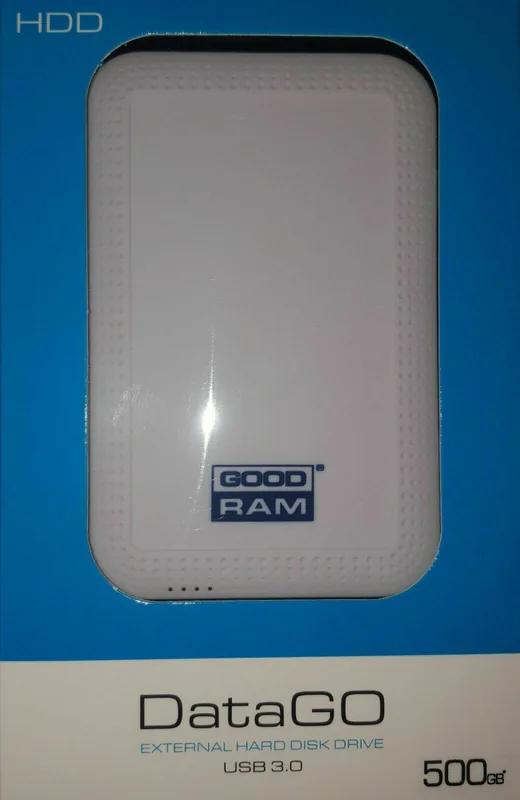
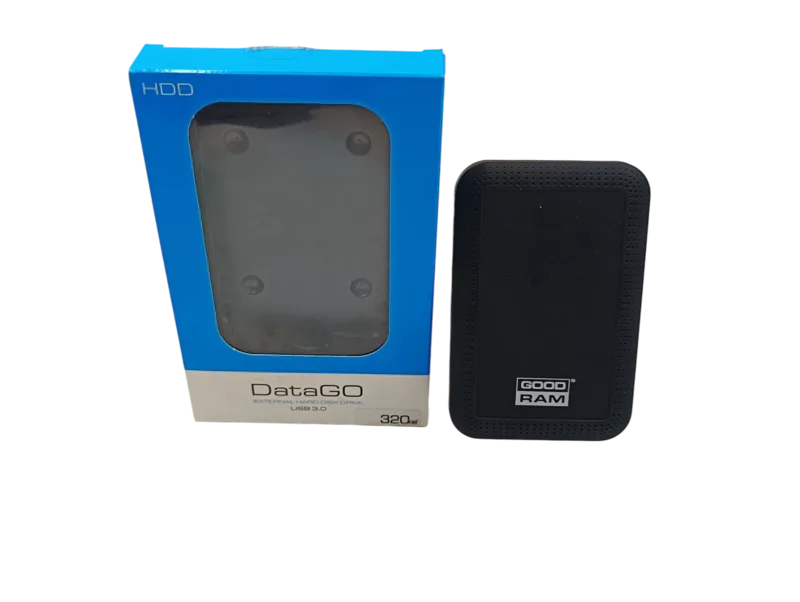
goodram DataGO Manual
PDF manual · 1 Pages
English


Quick check
Incorrect answer, please try again.
Chat with your goodram DataGO manual using AI
Get instant AI answers from your goodram DataGO manual
Ask anything about the goodram DataGO. Answers come from this manual, with the pages they are based on.
Ask a Question
Do you recommend DataGO?
Yes NoFrequently Asked Questions
Yes, it works with Mac OS X 10.4 and newer. However, you may need to format the drive to a file system other than NTFS to ensure full compatibility.
Is this answer helpful?
Connecting to a USB 3.0 port provides the highest performance. Using a USB 2.0 port is supported but will limit data transfer speeds to the level specified by that interface.
Is this answer helpful?
This occurs because manufacturers use decimal values (1GB = 1 billion bytes) while some operating systems use binary conversion (1GB = 1.07 billion bytes). Some space is also reserved for firmware.
Is this answer helpful?
No, this product is dedicated for consumer-class applications. It is not intended for systems requiring high performance or high reliability like industrial or professional video editing setups.
Is this answer helpful?
Do not throw it in household waste. Take it to an appropriate recycling center where materials can be reused. Follow local regulations for electronic waste disposal.
Is this answer helpful?
The drive is preformatted in NTFS and usually requires no drivers. If needed, the computer will automatically install the necessary drivers upon connection.
Is this answer helpful?
Advantages and Disadvantages
Advantages

- Compatible with Windows, Mac, and Linux operating systems
- Plug-and-play setup with automatic driver installation
- USB 3.0 support ensures fast data transfer speeds
- Preformatted in NTFS for immediate use out of the box
- Environmentally friendly with recyclable materials
Disadvantages

- May show lower capacity on systems using binary conversion
- Not suitable for industrial or high-reliability applications
- Requires formatting for full Mac OS X compatibility
- Performance limited when connected via USB 2.0 ports
- Warranty information is located on a separate document online
Product Specification
Form Factor
2.5"
External Interface
1x USB-A 3.0
RAID Level
N/A
Fan
N/A
Dimensions
4.69x3.08x0.58 in
Weight
5.29 oz
Features
Rubber coating
Manufacturer Warranty
two years
USB Spelling
Link
Product Description
Discover the Goodram DataGO External HDD: Reliable Storage for Everyday Needs
The Goodram DataGO External HDD is a versatile mass storage device designed to simplify how you store and transfer large amounts of data. Whether you are backing up important family photos, archiving work documents, or moving media files between different computers, this drive offers a practical solution for consumer-class applications. Its sleek design and plug-and-play functionality make it an ideal companion for students, professionals, and casual users alike who need dependable storage on the go.
One of the standout features of the Goodram DataGO is its broad compatibility across multiple operating systems. It works seamlessly with Windows XP, Vista, 7, 8, 8.1, and 10. Mac OS X users running version 10.4 and newer can also utilize the drive, though formatting to a file system other than NTFS may be required. Linux users will find it equally easy to integrate into their workflows. For those seeking optimal performance, connecting the device to a USB 3.0 port ensures maximum speed, while backward compatibility with USB 2.0 interfaces allows for flexibility in older computer setups.
Understanding storage capacity is crucial when choosing external drives. The Goodram DataGO expresses capacity using decimal values, where 1GB equals 1 billion bytes. However, some operating systems use binary conversions, which might display slightly lower available space than advertised. This difference accounts for reserved space used by firmware and file management systems, ensuring the drive operates efficiently from the moment you unbox it.
Safety and longevity are paramount for any electronic device. The manual emphasizes avoiding exposure to extreme temperatures, liquids, or open flames. Proper heat dissipation is essential to maintain performance over time. Additionally, the product is not intended for children under three years old and should be treated as a serious piece of technology rather than a toy. Users are encouraged to recycle the device responsibly at appropriate centers once its life cycle ends, adhering to environmental standards set by EU directives.
Important Notes
- Always connect to a USB 3.0 port for best results.
- Do not expose the drive to water or extreme heat.
- Check warranty details on the official Goodram website.
- Ensure your OS supports NTFS if using Windows defaults.
Search for 67,706 Manuals online


Type-in Brand or Model