
GIGABYTE Z590 Series Manual
PDF manual · 60 Pages
English



Quick check
Incorrect answer, please try again.
Chat with your GIGABYTE Z590 Series manual using AI
Get instant AI answers from your GIGABYTE Z590 Series manual
Ask anything about the GIGABYTE Z590 Series. Answers come from this manual, with the pages they are based on.
Ask a Question
Do you recommend Z590 Series?
Yes NoFrequently Asked Questions
Yes, the GIGABYTE Z590 motherboard fully supports both 10th and 11th Generation Intel Core processors. It utilizes the LGA1200 socket to accommodate these CPUs, allowing users to benefit from the latest performance improvements and features provided by newer generations.
Is this answer helpful?
This motherboard features four DDR4 DIMM sockets and supports a maximum system memory capacity of 128 GB. It utilizes dual-channel memory architecture and supports speeds up to 3200 MHz depending on the processor used, with XMP profiles available for higher performance.
Is this answer helpful?
Yes, you can use the Q-Flash Plus button located on the back panel. This unique feature allows you to update the BIOS by simply inserting a USB drive containing the BIOS file into the designated port and pressing the button, even without a CPU or memory installed.
Is this answer helpful?
The board is equipped with three M.2 connectors. One connector directly connected to the CPU supports PCIe 4.0 x4 speeds, while the other two connect via the chipset and support PCIe 3.0 x4/x2 or SATA modes, providing versatile storage options.
Is this answer helpful?
The Z590 UD AC model includes an Intel Wi-Fi AC 9462 module with Bluetooth 5.1 support. However, the standard Z590 UD model does not have built-in wireless capabilities and requires a separate PCIe or USB Wi-Fi adapter for wireless connectivity.
Is this answer helpful?
It uses a Realtek High Definition Audio CODEC that supports 2/4/5.1/7.1 channel audio configurations. Users can configure multi-speaker setups through the audio software, and the board includes S/PDIF Out headers for digital audio output to external devices.
Is this answer helpful?
Yes, the motherboard supports RAID 0, RAID 1, RAID 5, and RAID 10 configurations. This applies to both the SATA ports and the M.2 slots, allowing users to combine multiple drives for improved performance or data redundancy.
Is this answer helpful?
Advantages and Disadvantages
Advantages

- Supports both 10th and 11th Gen Intel Core processors for maximum upgrade flexibility
- Features PCIe 4.0 M.2 slot for ultra-fast NVMe SSD performance
- Integrated 2.5GbE LAN provides significantly faster network speeds than standard Gigabit
- Q-Flash Plus allows BIOS updates without needing a CPU or RAM installed
- Comprehensive Smart Fan 6 controls enable precise thermal management
Disadvantages

- Some advanced overclocking features require specific 11th Gen processors to function
- No built-in WiFi on the non-AC model variants requiring an external card
- M.2 slot availability may disable certain SATA ports depending on configuration
- High-end VRMs may run warm under extreme sustained load without direct airflow
- BIOS settings can be overwhelming for users unfamiliar with advanced tuning options
Product Specification
Socket
Intel 1200
Chipset
Intel Z590
CPU Compatibility
Core i-11000, Core i-10000, Pentium Gold G6000, Celeron G5000
RAID Level
0/1/5/10 (Z590)
Manufacturer Warranty
three years (from production date, handled by authorized dealer)
USB Labeling
Link
Product Description
Discover the Power of GIGABYTE Z590
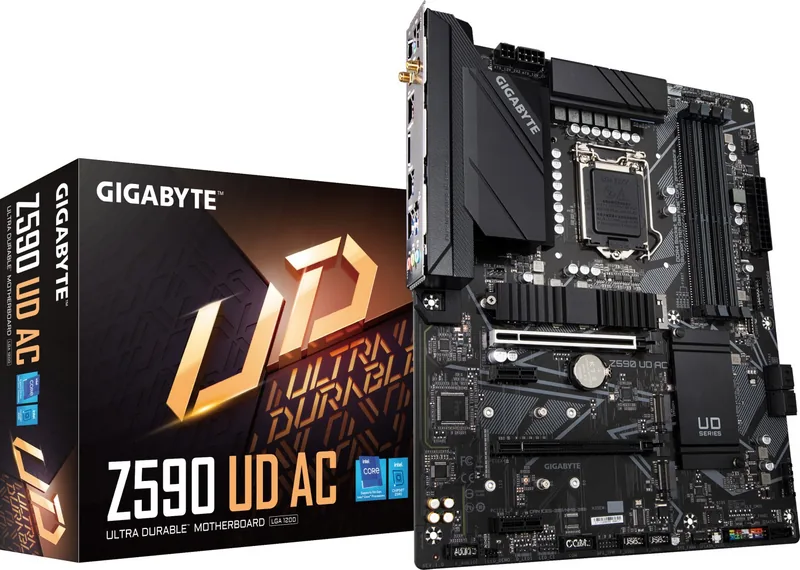
The GIGABYTE Z590 motherboard stands as a robust foundation for high-performance computing systems designed for enthusiasts and professionals alike. Built around the Intel Z590 Express Chipset, this board seamlessly supports both 10th and 11th Generation Intel Core processors, offering a versatile platform for upgrading or building a new rig. Whether you are engaging in intense gaming sessions, video editing workflows, or complex data processing tasks, the Z590 delivers the stability and speed required to maximize your hardware potential.
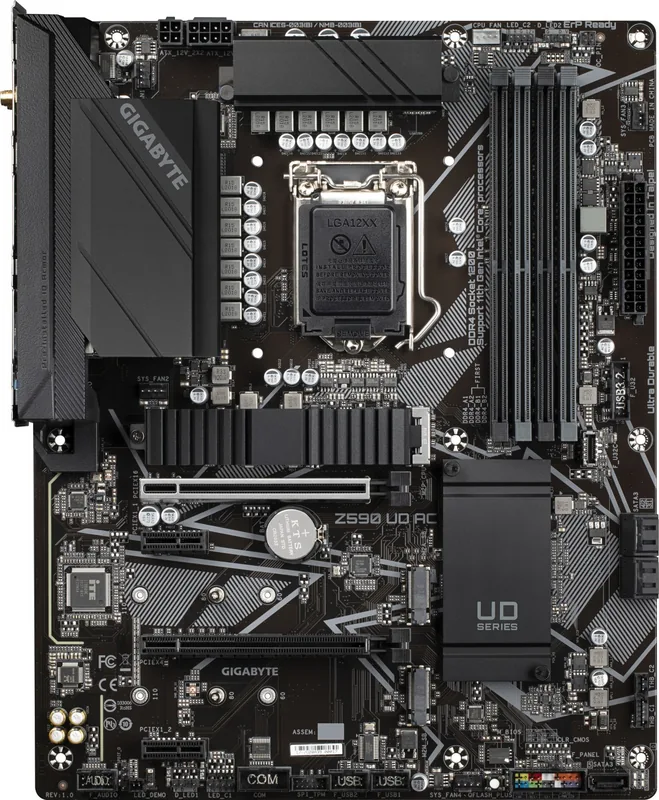
At the heart of its design is support for DDR4 memory running at speeds up to 3200 MHz with 11th Gen CPUs, ensuring rapid data access and enhanced multitasking capabilities. The board features four DIMM slots capable of holding up to 128 GB of system memory, utilizing dual-channel architecture to double bandwidth efficiency. For storage enthusiasts, the inclusion of three M.2 connectors provides blazing-fast NVMe SSD support, with one dedicated slot leveraging PCIe 4.0 x4 speeds for next-generation drive performance. Additionally, five SATA 6Gb/s ports offer ample connectivity for traditional hard drives or secondary storage solutions.
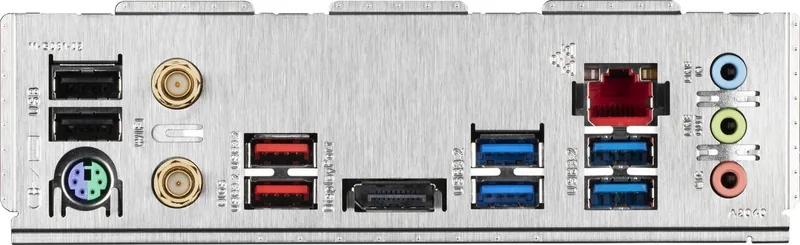
Connectivity is another strong suit of this motherboard. It integrates a Realtek 2.5GbE LAN chip, delivering network throughput twice as fast as standard Gigabit connections for smoother online gaming and faster file transfers. The AC variant includes built-in Wi-Fi 5 (802.11ac) and Bluetooth 5.1, keeping your wireless peripherals and internet connection reliable and modern. Visual output options include DisplayPort for high-resolution monitors, supporting resolutions up to 4K at 60 Hz when paired with compatible processors.
Customization and control are prioritized through the comprehensive BIOS interface. Users can fine-tune fan curves with Smart Fan 6 technology to balance cooling performance against noise levels. The Q-Flash Plus feature allows for BIOS updates even without a CPU or memory installed, simplifying maintenance. With extensive headers for RGB lighting strips, USB 3.2 Gen 2 Type-C ports, and Thunderbolt add-in cards, the Z590 offers endless possibilities for personalizing your build aesthetic and functionality.
Key Notes
- Ensure your power supply unit meets the recommended wattage for stable operation under heavy loads.
- Check the official GIGABYTE website for the latest CPU support list before purchasing processors.
- Proper thermal grease application is critical when installing the CPU cooler to prevent overheating.
- The M.2 PCIe slot shares bandwidth with specific SATA ports; consult the layout diagram for optimal configuration.
Search for 67,706 Manuals online


Type-in Brand or Model